Decode vs Verify
In Create and Verify a JWT in Code, every program checked a token before it trusted a word of it. Most JWT libraries also have a second way to read a token, one that needs no key at all: decoding. The two calls look alike and hand back the same claims, yet only one of them proves anything. This tutorial shows the difference the way an attacker would: it takes a real token, changes the user's role from member to admin, and gives the forged copy to each library's decode and verify functions, in eight languages.
Decoding Reads a Token; Verifying Checks It
A JWT is three pieces of base64url text joined by dots: a header, a payload and a signature. Decoding and verifying both start from those three pieces, then part ways.
Decoding only reads. It splits the token at the dots, turns the first two pieces back into JSON and gives you the claims. It needs no key, so anyone who holds a token can decode it: your own code, the person the token was issued to, or someone who copied it out of a log file. How to Decode a JWT in the Terminal does it with nothing but a terminal.
Verifying answers the question that matters: did the holder of the key write these exact claims? The library computes the signature again from the header, the payload and the key, and compares the result with the token's third piece. If they differ by a single character, it rejects the token. Only when they match does it check the claims themselves, such as the expiry, and hand them back.
Why Anyone Can Change the Claims
The payload isn't encrypted. Base64url is a way to write bytes with letters and digits, not a lock, so anyone who holds a token can decode the payload, edit a claim, encode it again and put it back between the same header and signature. The result still looks like any other JWT: three pieces and two dots.
What nobody can do without the key is make a signature that fits the new claims. The signature was computed over the original header and payload, so once the payload changes, the old signature no longer matches it. Comparing the two is exactly what verifying does, and exactly what decoding skips. What Is a JWT? showed this by hand in a terminal. This tutorial shows that a library's decode function doesn't notice the change either.
RFC 8725, the JWT best-practice standard, puts the rule in one line in section 3.3: "All cryptographic operations used in the JWT MUST be validated and the entire JWT MUST be rejected if any of them fail to validate."
What Decoding Is For
Reading a token without trusting it has a few honest uses, which is why most libraries offer a decode function:
- Choosing a key. A token's header can name the key that signed it, in a
kidfield. A service that holds several keys reads the header first, looks that key up in its own list and then verifies with it. The header can be forged as easily as the payload, so use it only to pick among keys you already trust, and check the value before you look anything up with it: section 3.10 of RFC 8725 is titled "Do Not Trust Received Claims". The JOSE Header (coming soon) covers this in full. - Knowing when to sign in again. A browser or mobile app can read its own token's
expto refresh it before it runs out. The app isn't trusting the token for anything; the API still verifies every request. - Debugging. Decoding a token shows what a sign-in service actually put in it. Treat the token like a password while you do: anyone who has a copy can use it until it expires.
What a decoded claim must never do is decide who the user is or what they may do. That decision needs claims your code has verified.
Each Library's Decode Function
| Language | Library | Read the claims without the key | What its documentation says |
|---|---|---|---|
| Node.js | jose | decodeJwt(token) | "Decodes the Claims Set of a JWT … without validating its JWS Signature (digital signature or MAC) or claim types and values." |
| Python | PyJWT | jwt.decode(token, options={"verify_signature": False}) | "It is generally ill-advised to use this functionality unless you clearly understand what you are doing." |
| C# | JsonWebTokenHandler | ReadJsonWebToken(token) | "The token is NOT validated and no security decisions should be made about the contents." |
| Java | jjwt | None: you decode the payload yourself | "If a JWS and signature verification fails … the JWT cannot be safely trusted and should be discarded." |
| Go | golang-jwt | jwt.NewParser().ParseUnverified(token, claims) | "WARNING: Don't use this method unless you know what you're doing." |
| PHP | php-jwt | None: you decode the payload with its helpers | About reading a header this way: "This operation is vulnerable to attacks, as the JWT has not yet been verified." |
| Ruby | jwt | JWT.decode(token, nil, false) | The third argument is verify, "whether to verify the JWT signature." |
| Rust | jsonwebtoken | dangerous::insecure_decode::<Claims>(token) | "Decode a JWT with NO VALIDATION … DANGER: This performs zero validation on the JWT" |
The names do some of the warning for you. Go calls its function ParseUnverified, and Rust keeps its function in a module named dangerous. jjwt goes further and has no such function at all: every way of parsing a signed token needs a key, and without one it stops with Cannot verify JWS signature: unable to locate signature verification key. php-jwt has no decode function either, so in Java and PHP the program decodes the payload piece itself, which Step 5 shows.
Decoding skips the expiry as well. Given a token that had expired an hour earlier, all eight ways of decoding returned its claims without an error, the two by hand included.
The Example
The program plays three parts at once:
- The sign-in service creates a genuine token for Zara:
subisuser-42,nameisZara,roleismember, and it expires in 15 minutes. It signs the token with the shared key, as in the last tutorial. - Anyone who holds that token, Zara included, makes a forged copy without the key. They keep the header and the signature, and write a payload of their own with
roleset toadminandexpset to4102444800, which is 1 January 2100. - The orders API looks at both tokens twice: once by decoding them, as careless code does, and once by verifying them, as it should.
The program prints both tokens, then what decoding and verifying make of each one.
Prerequisites
- The tools for your language. Pick its tab and check them. These are the versions this tutorial was run with:
- Node.js
- Python
- C#
- Java
- Go
- PHP
- Ruby
- Rust
uv, which also installs Python 3.15 for the project when your computer doesn't have it:
uv --version
uv 0.13.10 (e3e7c1eac 2026-11-24 aarch64-apple-darwin)
A Java 25 JDK and Maven:
java --version
mvn --version
openjdk 25.0.5.1 2026-11-17
OpenJDK Runtime Environment Homebrew (build 25.0.5.1)
OpenJDK 64-Bit Server VM Homebrew (build 25.0.5.1, mixed mode, sharing)
Apache Maven 3.10.2 (61b8bc355f4c4325463c22aa9afe4e7811a290f8)
…
php --version
composer --version
PHP 8.6.0 (cli) (built: Nov 17 2026 14:21:54) (NTS)
Copyright © The PHP Group and Contributors
Built by Homebrew
Zend Engine v4.6.0, Copyright © Zend by Perforce
    with Zend OPcache v8.6.0, Copyright ©, by Zend by Perforce
Composer version 2.11.3 2026-11-24 10:14:18
PHP version 8.6.0 (/opt/homebrew/Cellar/php/8.6.0/bin/php)
Run the "diagnose" command to get more detailed diagnostics output.
Ruby 4.0, which comes with Bundler:
ruby --version
bundle --version
ruby 4.0.10 (2026-11-19 revision a704b7cd95) +PRISM [arm64-darwin25]
4.1.0
Rust, installed with rustup, which comes with Cargo:
cargo --version
cargo 1.100.1 (3acc79c0c 2026-11-05)
Step 1: Create a Project and Add the JWT Library
Each project lives in its own folder. Where a tab starts with mkdir decode-vs-verify and cd decode-vs-verify, those two commands create the folder and move into it. The other tools create the folder themselves. The commands are the same in every terminal, including PowerShell.
- Node.js
- Python
- C#
- Java
- Go
- PHP
- Ruby
- Rust
mkdir decode-vs-verify
cd decode-vs-verify
npm init -y
npm pkg set type=module
npm install jose
npm init -ycreates apackage.json, the file that describes a Node.js project, without asking any questions.npm pkg set type=modulemakes the project use ES modules, so the code can load jose withimport. npm 12 writes"type": "commonjs"into a newpackage.json, as the output shows.npm install josedownloads jose into anode_modulesfolder and adds it topackage.json.
Wrote to /Users/Shared/you/decode-vs-verify/package.json:
{
  "name": "decode-vs-verify",
  "version": "1.0.0",
  "description": "",
  "main": "index.js",
  "scripts": {
    "test": "echo \"Error: no test specified\" && exit 1"
  },
  "keywords": [],
  "type": "commonjs"
}
added 1 package, and audited 2 packages in 893ms
1 package is looking for funding
  run `npm fund` for details
found 0 vulnerabilities
package.json now says the project is a module and depends on jose:
{
  "name": "decode-vs-verify",
  "version": "1.0.0",
  "description": "",
  "main": "index.js",
  "scripts": {
    "test": "echo \"Error: no test specified\" && exit 1"
  },
  "keywords": [],
  "type": "module",
  "dependencies": {
    "jose": "^6.2.18"
  }
}
uv init --no-package decode-vs-verify
cd decode-vs-verify
uv add pyjwt
uv init --no-package decode-vs-verifycreates the project in a newdecode-vs-verifyfolder.--no-packagemakes it a plain folder with amain.py, the simplest layout for a one-file program.uv add pyjwtinstalls PyJWT into the project's.venvand records it inpyproject.toml. The package is called PyJWT, but your code imports it asjwt.
Initialized project `decode-vs-verify` at `/Users/Shared/you/decode-vs-verify`
Using CPython 3.15.2 interpreter at: /Library/Frameworks/Python.framework/Versions/3.15/bin/python3.15
Creating virtual environment at: .venv
Resolved 2 packages in 455ms
Prepared 1 package in 204ms
Installed 1 package in 1ms
 + pyjwt==2.15.1
dotnet new console -o decode-vs-verify
cd decode-vs-verify
dotnet package add Microsoft.IdentityModel.JsonWebTokens
dotnet new console -o decode-vs-verifycreates a console app in a newdecode-vs-verifyfolder.dotnet package addadds the NuGet package that holdsJsonWebTokenHandler, along with the packages it needs.
An issue was encountered verifying workloads. For more information, run "dotnet workload update".
The template "Console App" was created successfully.
Processing post-creation actions...
Restoring /Users/Shared/you/decode-vs-verify/decode-vs-verify.csproj:
Restore succeeded.
info : X.509 certificate chain validation will use the fallback certificate bundle at '/usr/local/share/dotnet/sdk/10.0.404/trustedroots/codesignctl.pem'.
info : X.509 certificate chain validation will use the fallback certificate bundle at '/usr/local/share/dotnet/sdk/10.0.404/trustedroots/timestampctl.pem'.
…
info :   OK https://api.nuget.org/v3-vulnerabilities/2026.11.20.05.34.20/vulnerability.base.json 294ms
info : Package 'Microsoft.IdentityModel.JsonWebTokens' is compatible with all the specified frameworks in project '/Users/Shared/you/decode-vs-verify/decode-vs-verify.csproj'.
info : PackageReference for package 'Microsoft.IdentityModel.JsonWebTokens' version '8.23.0' added to file '/Users/Shared/you/decode-vs-verify/decode-vs-verify.csproj'.
info : Generating MSBuild file /Users/Shared/you/decode-vs-verify/obj/decode-vs-verify.csproj.nuget.g.targets.info : Writing assets file to disk. Path: /Users/Shared/you/decode-vs-verify/obj/project.assets.json
log  : Restored /Users/Shared/you/decode-vs-verify/decode-vs-verify.csproj (in 4.07 sec).
The first line appears only when this is the first dotnet command under your user account. It's harmless, and Fixed: An issue was encountered verifying workloads explains why it appears and how to turn it off. The … stands for 45 lines in which NuGet downloads each package.
mkdir decode-vs-verify
cd decode-vs-verify
Maven, Java's build tool, reads a project from a file named pom.xml. Create it in the decode-vs-verify folder with this content (how to write one from scratch):
<?xml version="1.0" encoding="UTF-8"?>
<project xmlns="http://maven.apache.org/POM/4.0.0"
         xmlns:xsi="http://www.w3.org/2001/XMLSchema-instance"
         xsi:schemaLocation="http://maven.apache.org/POM/4.0.0 https://maven.apache.org/xsd/maven-4.0.0.xsd">
  <modelVersion>4.0.0</modelVersion>

  <groupId>com.example</groupId>
  <artifactId>decode-vs-verify</artifactId>
  <version>1.0.0</version>

  <properties>
    <maven.compiler.release>25</maven.compiler.release>
    <project.build.sourceEncoding>UTF-8</project.build.sourceEncoding>
    <jjwt.version>0.13.0</jjwt.version>
  </properties>

  <dependencyManagement>
    <dependencies>
      <!-- jjwt-jackson asks for Jackson 2.12.7.1. This makes Maven use the newest Jackson 2 instead. -->
      <dependency>
        <groupId>com.fasterxml.jackson</groupId>
        <artifactId>jackson-bom</artifactId>
        <version>2.23.0</version>
        <type>pom</type>
        <scope>import</scope>
      </dependency>
    </dependencies>
  </dependencyManagement>

  <dependencies>
    <dependency>
      <groupId>io.jsonwebtoken</groupId>
      <artifactId>jjwt-api</artifactId>
      <version>${jjwt.version}</version>
    </dependency>
    <dependency>
      <groupId>io.jsonwebtoken</groupId>
      <artifactId>jjwt-impl</artifactId>
      <version>${jjwt.version}</version>
      <scope>runtime</scope>
    </dependency>
    <!-- Reads the payload when the program decodes a token by hand. -->
    <dependency>
      <groupId>com.fasterxml.jackson.core</groupId>
      <artifactId>jackson-databind</artifactId>
    </dependency>
    <dependency>
      <groupId>io.jsonwebtoken</groupId>
      <artifactId>jjwt-jackson</artifactId>
      <version>${jjwt.version}</version>
      <scope>runtime</scope>
    </dependency>
  </dependencies>

  <build>
    <plugins>
      <plugin>
        <groupId>org.codehaus.mojo</groupId>
        <artifactId>exec-maven-plugin</artifactId>
        <version>3.7.0</version>
        <configuration>
          <mainClass>com.example.Main</mainClass>
        </configuration>
      </plugin>
    </plugins>
  </build>
</project>
maven.compiler.releasecompiles for Java 25.- jjwt comes in three parts:
jjwt-apiis what your code calls, andjjwt-implandjjwt-jacksondo the work while the program runs, which is why theirscopeisruntime. jackson-databindis Jackson, a JSON library. jjwt can't read a token without its key, so Step 5 reads the payload with Jackson directly. The code calls it itself, so its scope is the default,compile, and it needs noversion: thejackson-bomentry sets that.jjwt-jacksonreads and writes JSON with Jackson too, and on its own it asks for Jackson 2.12.7.1 from 2022, which has 11 published security advisories on OSV.dev. Thejackson-bomentry independencyManagementmakes Maven use Jackson 2.23.0 instead, the newest Jackson 2 release.exec-maven-pluginnames the class to run, so one Maven command runs the program in Step 8.
Check which Jackson version Maven picked. mvn dependency:tree prints every library the project uses, and -ntp leaves out the download progress:
mvn -ntp dependency:tree
[INFO] Scanning for projects...
[INFO] Loaded 24668 auto-discovered prefixes for remote repository central (prefixes-central.txt)
[INFO]
[INFO] --------------------< com.example:decode-vs-verify >--------------------
[INFO] Building decode-vs-verify 1.0.0
[INFO]   from pom.xml
[INFO] --------------------------------[ jar ]---------------------------------
[INFO]
[INFO] --- dependency:3.11.0:tree (default-cli) @ decode-vs-verify ---
[INFO] com.example:decode-vs-verify:jar:1.0.0
[INFO] +- io.jsonwebtoken:jjwt-api:jar:0.13.0:compile
[INFO] +- io.jsonwebtoken:jjwt-impl:jar:0.13.0:runtime
[INFO] +- com.fasterxml.jackson.core:jackson-databind:jar:2.23.0:compile
[INFO] |  +- com.fasterxml.jackson.core:jackson-annotations:jar:2.23:compile
[INFO] |  \- com.fasterxml.jackson.core:jackson-core:jar:2.23.0:compile
[INFO] \- io.jsonwebtoken:jjwt-jackson:jar:0.13.0:runtime
[INFO] ------------------------------------------------------------------------
[INFO] BUILD SUCCESS
[INFO] ------------------------------------------------------------------------
[INFO] Total time:  12.216 s
[INFO] Finished at: 2026-11-28T11:20:32Z
[INFO] ------------------------------------------------------------------------
jackson-databind:jar:2.23.0 now sits directly under the project with the compile scope, because the program uses it itself, and at the version the jackson-bom entry asked for.
mkdir decode-vs-verify
cd decode-vs-verify
go mod init example.com/decode-vs-verify
go get github.com/golang-jwt/jwt/v5
go mod init example.com/decode-vs-verifycreates ago.modthat names the module.go get github.com/golang-jwt/jwt/v5adds golang-jwt to it.
go: creating new go.mod: module example.com/decode-vs-verify
go: downloading github.com/golang-jwt/jwt/v5 v5.3.1
go: downloading github.com/golang-jwt/jwt v3.2.2+incompatible
go: added github.com/golang-jwt/jwt/v5 v5.3.1
Go also downloaded github.com/golang-jwt/jwt v3.2.2+incompatible, an older module, even though you asked for v5. To find which module holds a package, Go looks up every module path the package path could belong to, and the shorter path without /v5 is one of them. It only adds v5 to go.mod. There, v5 is marked // indirect until your code imports it.
mkdir decode-vs-verify
cd decode-vs-verify
composer require firebase/php-jwt
composer require creates composer.json, downloads php-jwt into a vendor folder and writes vendor/autoload.php, the one file your code loads to use it. The project now lives at googleapis/php-jwt on GitHub, but its Composer name is still firebase/php-jwt.
./composer.json has been created
Running composer update firebase/php-jwt
Loading composer repositories with package information
Updating dependencies
Lock file operations: 1 install, 0 updates, 0 removals
  - Locking firebase/php-jwt (v7.2.2)
Writing lock file
Installing dependencies from lock file (including require-dev)
Package operations: 1 install, 0 updates, 0 removals
  - Downloading firebase/php-jwt (v7.2.2)
  - Installing firebase/php-jwt (v7.2.2): Extracting archive
2 package suggestions were added by new dependencies, use `composer suggest` to see details.
Generating autoload files
No security vulnerability advisories found.
Using version ^7.2 for firebase/php-jwt
mkdir decode-vs-verify
cd decode-vs-verify
bundle init
bundle add jwt
bundle initcreates an emptyGemfile, the list of gems the project uses.bundle add jwtadds the jwt gem to it and installs it.
Writing new Gemfile to /Users/Shared/you/decode-vs-verify/Gemfile
Fetching gem metadata from https://rubygems.org/....
Resolving dependencies...
Fetching gem metadata from https://rubygems.org/....
Fetching jwt 3.3.2
Installing jwt 3.3.2
cargo new decode-vs-verify
cd decode-vs-verify
cargo add jsonwebtoken --features rust_crypto
cargo add serde --features derive
cargo add base64
cargo new decode-vs-verifycreates the project with asrc/main.rs.jsonwebtoken12 does no cryptography of its own until you pick a backend. Its README says to enableaws_lc_rsorrust_crypto, andrust_cryptois written in pure Rust, so it builds anywhere without a C compiler.--featuresturns it on.serdewithderivelets the code turn its claims struct into JSON and back.base64encodes bytes as base64url. Step 4 uses it, because Rust's standard library has no base64.
    Creating binary (application) `decode-vs-verify` package
note: see more `Cargo.toml` keys and their definitions at https://doc.rust-lang.org/cargo/reference/manifest.html
    Updating crates.io index
      Adding jsonwebtoken v12.0.0 to dependencies
             Features:
             + rust_crypto
             + use_pem
             - aws_lc_rs
    Updating crates.io index
     Locking 91 packages to highest Rust 1.100.1 compatible versions
    Updating crates.io index
      Adding serde v1.0.229 to dependencies
             Features:
             + derive
             + serde_derive
             + std
             - alloc
             - rc
             - unstable
    Updating crates.io index
      Adding base64 v0.23.1 to dependencies
             Features:
             + alloc
             + simd-unsafe
             + std
Step 2: Give the Program a Secret
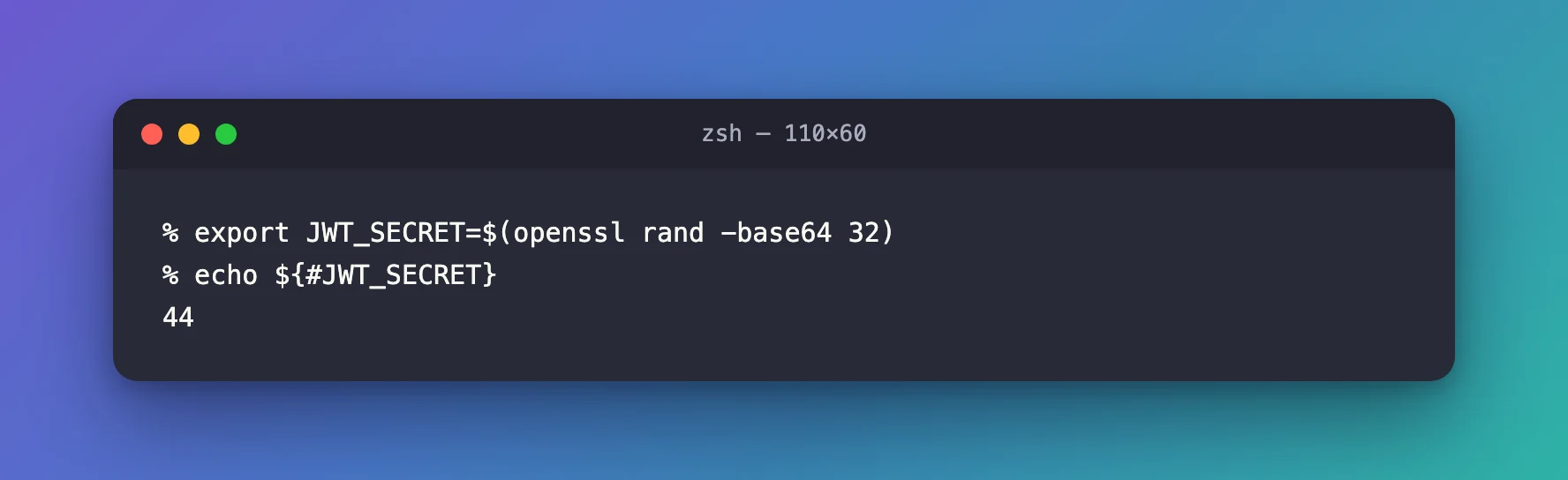
Both services need the same secret: 32 random bytes, the size RFC 7518 requires for HS256. The program reads it from an environment variable named JWT_SECRET, so the secret never sits in the code. How to Generate a Secret Key for HS256 JWTs in the Terminal explains the command, and How to Set an Environment Variable in the Terminal explains the variable.
- macOS / Linux
- Windows (PowerShell)
export JWT_SECRET=$(openssl rand -base64 32)
echo ${#JWT_SECRET}
44
$env:JWT_SECRET = [Convert]::ToBase64String([Security.Cryptography.RandomNumberGenerator]::GetBytes(32))
$env:JWT_SECRET.Length
44
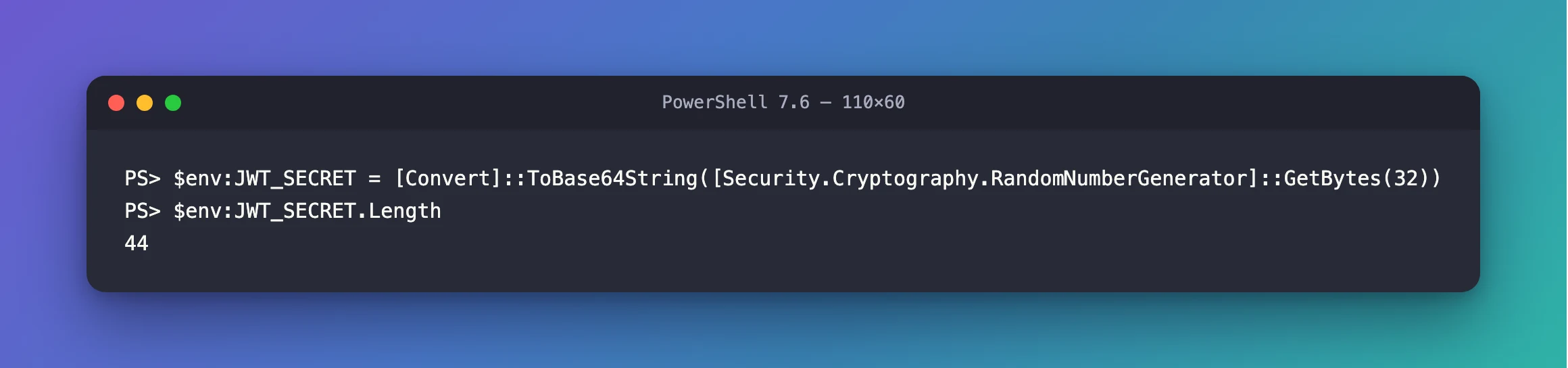
JWT_SECRET now holds the 32 bytes as 44 characters of base64 text, and the program decodes that text back into the 32 bytes it uses as the key. The length check confirms the variable is set without printing the secret on your screen. The variable lasts until you close this terminal, so run the program from the same window.
Step 3: Write the Code That Creates a Genuine Token
Create the program's file: main.js, main.py, Program.cs, src/main/java/com/example/Main.java, main.go, main.php, main.rb or src/main.rs, depending on your language. Most editors create the folders in the path for you. In Python, C# and Rust, replace what the template put in the file. The code goes in over the next five steps, and the complete file shows it all together.
The first piece is the sign-in service from the last tutorial with one more claim, role. Applications use a claim like this to decide what someone may do, which is exactly what makes it worth forging. The function takes the key, a user ID, a name and a role, and returns a signed token with sub, name, role and exp, 15 minutes from now.
- Node.js
- Python
- C#
- Java
- Go
- PHP
- Ruby
- Rust
import { SignJWT, decodeJwt, jwtVerify, errors } from 'jose';

// The sign-in service's job: sign a token with the user's name and role.
async function createToken(key, userId, name, role) {
  return new SignJWT({ name, role })
    .setProtectedHeader({ alg: 'HS256', typ: 'JWT' })
    .setSubject(userId)
    .setExpirationTime('15m')
    .sign(key);
}
new SignJWT({ name, role })puts your own claims in the payload, and.setSubject()and.setExpirationTime('15m')addsubandexp.- The import line also brings in
decodeJwt, the decode function Step 5 uses.
import base64
import os
import sys
from datetime import datetime, timedelta, timezone

import jwt


def create_token(key: bytes, user_id: str, name: str, role: str) -> str:
    """The sign-in service's job: sign a token with the user's name and role."""
    expires = datetime.now(tz=timezone.utc) + timedelta(minutes=15)
    payload = {"sub": user_id, "name": name, "role": role, "exp": expires}
    return jwt.encode(payload, key, algorithm="HS256")
- The payload is a dictionary with
rolenext tosub,nameandexp. jwt.encode(payload, key, algorithm="HS256")signs it and returns the token. PyJWT turns thedatetimeinexpinto the whole seconds a JWT stores.
using Microsoft.IdentityModel.JsonWebTokens;
using Microsoft.IdentityModel.Tokens;

// The sign-in service's job: sign a token with the user's name and role.
static string CreateToken(byte[] key, string userId, string name, string role)
{
    var descriptor = new SecurityTokenDescriptor
    {
        Claims = new Dictionary<string, object> { ["sub"] = userId, ["name"] = name, ["role"] = role },
        Expires = DateTime.UtcNow.AddMinutes(15),
        SigningCredentials = new SigningCredentials(new SymmetricSecurityKey(key), SecurityAlgorithms.HmacSha256),
    };
    return new JsonWebTokenHandler().CreateToken(descriptor);
}
Claimsholdsroleas well assubandname.CreateTokenstill addsiatandnbfon its own.- This function goes at the end of
Program.cs, after the code from Step 7, where the complete file has it.
package com.example;

import com.fasterxml.jackson.databind.ObjectMapper;
import io.jsonwebtoken.JwtException;
import io.jsonwebtoken.Jwts;
import io.jsonwebtoken.io.Decoders;
import io.jsonwebtoken.io.Encoders;
import io.jsonwebtoken.security.Keys;

import java.io.IOException;
import java.nio.charset.StandardCharsets;
import java.time.Duration;
import java.time.Instant;
import java.util.Date;
import javax.crypto.SecretKey;

public class Main {

    // The sign-in service's job: sign a token with the user's name and role.
    static String createToken(SecretKey key, String userId, String name, String role) {
        return Jwts.builder()
                .subject(userId)
                .claim("name", name)
                .claim("role", role)
                .expiration(Date.from(Instant.now().plus(Duration.ofMinutes(15))))
                .signWith(key, Jwts.SIG.HS256)
                .compact();
    }
claim("role", role)adds the role next to the name.- The imports already include what the later steps use:
Encoders,StandardCharsets,Decoders,IOExceptionand Jackson'sObjectMapper.
package main

import (
	"encoding/base64"
	"fmt"
	"os"
	"strings"
	"time"

	"github.com/golang-jwt/jwt/v5"
)

// Claims is what the token says: the user's name and role plus the registered claims.
type Claims struct {
	Name string `json:"name"`
	Role string `json:"role"`
	jwt.RegisteredClaims
}

// createToken does the sign-in service's job: sign a token with the user's name and role.
func createToken(key []byte, userID, name, role string) (string, error) {
	claims := Claims{
		Name: name,
		Role: role,
		RegisteredClaims: jwt.RegisteredClaims{
			Subject:   userID,
			ExpiresAt: jwt.NewNumericDate(time.Now().Add(15 * time.Minute)),
		},
	}
	return jwt.NewWithClaims(jwt.SigningMethodHS256, claims).SignedString(key)
}
Claimsgains aRolefield, which itsjson:"role"tag namesrolein the token.- The imports include
strings, which Step 4 uses to split the token.
<?php

declare(strict_types=1);

require __DIR__ . '/vendor/autoload.php';

use Firebase\JWT\JWT;
use Firebase\JWT\Key;

// The sign-in service's job: sign a token with the user's name and role.
function createToken(string $key, string $userId, string $name, string $role): string
{
    $payload = ['sub' => $userId, 'name' => $name, 'role' => $role, 'exp' => time() + 15 * 60];
    return JWT::encode($payload, $key, 'HS256');
}
- The claims array has a
roleentry, andtime() + 15 * 60is the expiry in Unix seconds.
require 'base64'
require 'jwt'

# The sign-in service's job: sign a token with the user's name and role.
def create_token(key, user_id, name, role)
  payload = { sub: user_id, name: name, role: role, exp: Time.now.to_i + (15 * 60) }
  JWT.encode(payload, key, 'HS256')
end
require 'base64'loads Ruby's Base64 module, which Step 4 uses. The jwt gem depends on the base64 gem, so it's already in the project'sGemfile.lock. Ruby comes with it, which is why Step 1 didn't download it.- The payload hash has a
rolekey.
use std::time::{SystemTime, UNIX_EPOCH};

use base64::Engine;
use base64::engine::general_purpose::URL_SAFE_NO_PAD;
use jsonwebtoken::errors::Error;
use jsonwebtoken::{
    Algorithm, DecodingKey, EncodingKey, Header, Validation, dangerous, decode, encode,
};
use serde::{Deserialize, Serialize};

/// What the token says about the user.
#[derive(Debug, Serialize, Deserialize)]
struct Claims {
    sub: String,
    name: String,
    role: String,
    exp: u64,
}

/// The sign-in service's job: sign a token with the user's name and role.
fn create_token(key: &EncodingKey, user_id: &str, name: &str, role: &str) -> Result<String, Error> {
    let now = SystemTime::now()
        .duration_since(UNIX_EPOCH)
        .expect("the clock is set before 1970")
        .as_secs();
    let claims = Claims {
        sub: user_id.to_owned(),
        name: name.to_owned(),
        role: role.to_owned(),
        exp: now + 15 * 60,
    };
    encode(&Header::new(Algorithm::HS256), &claims, key)
}
Claimshas arolefield. The struct is also what Step 5 decodes into.- The
base64lines bring in the encoder Step 4 uses, anddangerousin the jsonwebtoken import holds the decode function of Step 5.
Step 4: Forge a Copy Without the Key
Now the program does what anyone who holds Zara's token could do. It splits the token at its dots, keeps the first and third pieces, the header and the signature, and puts a payload of its own between them. The new payload is plain JSON text: Zara's sub and name, the role admin, and exp set to 4102444800, the first second of the year 2100. Base64url-encoding that text makes it look like any other payload. Nothing in this step uses the key.
- Node.js
- Python
- C#
- Java
- Go
- PHP
- Ruby
- Rust
// What anyone can do without the key: swap in claims of their own.
function forgeToken(token) {
  const parts = token.split('.');
  const claims = '{"sub":"user-42","name":"Zara","role":"admin","exp":4102444800}';
  const payload = Buffer.from(claims).toString('base64url');
  // The header and the signature stay the same; only the claims change.
  return `${parts[0]}.${payload}.${parts[2]}`;
}
token.split('.')returns the three pieces as an array.parts[0]is the header andparts[2]is the signature.- The claims are in single quotes, so the double quotes of the JSON need no escaping.
Buffer.from(claims).toString('base64url')encodes the text as base64url, the URL-safe alphabet without=padding that JWTs use.
def forge_token(token: str) -> str:
    """What anyone can do without the key: swap in claims of their own."""
    header, _, signature = token.split(".")
    claims = '{"sub":"user-42","name":"Zara","role":"admin","exp":4102444800}'
    payload = base64.urlsafe_b64encode(claims.encode()).rstrip(b"=").decode()
    # The header and the signature stay the same; only the claims change.
    return f"{header}.{payload}.{signature}"
token.split(".")returns a list of the three pieces, andheader, _, signature = ...keeps the first and the last._is the usual name for a value you don't need.base64.urlsafe_b64encodeworks on bytes, soclaims.encode()turns the text into UTF-8 bytes first. It also adds=padding, which JWTs leave out, so.rstrip(b"=")removes it and.decode()turns the result back into text. Python 3.15 can leave the padding out itself withpadded=False;.rstrip(b"=")works in every version.
// What anyone can do without the key: swap in claims of their own.
static string ForgeToken(string token)
{
    var parts = token.Split('.');
    var claims = """{"sub":"user-42","name":"Zara","role":"admin","exp":4102444800}""";
    var payload = Base64UrlEncoder.Encode(claims);
    // The header and the signature stay the same; only the claims change.
    return $"{parts[0]}.{payload}.{parts[2]}";
}
token.Split('.')returns an array of the three pieces.- The claims are a raw string literal, between
"""marks, so the double quotes inside need no escaping. Base64UrlEncoder.Encodecomes with the IdentityModel package. It encodes the text as UTF-8 and writes base64url without padding.
    // What anyone can do without the key: swap in claims of their own.
    static String forgeToken(String token) {
        String[] parts = token.split("\\.");
        String claims = """
                {"sub":"user-42","name":"Zara","role":"admin","exp":4102444800}""";
        String payload = Encoders.BASE64URL.encode(claims.getBytes(StandardCharsets.UTF_8));
        // The header and the signature stay the same; only the claims change.
        return parts[0] + "." + payload + "." + parts[2];
    }
splittakes a regular expression, in which a plain.matches any character."\\."asks for a real dot.- The claims are a text block, between
"""marks, so the double quotes inside need no backslashes. Ending it on the same line as the JSON keeps a line break out of the claims. getBytes(StandardCharsets.UTF_8)turns the text into bytes, and jjwt'sEncoders.BASE64URLencodes them without padding.
// forgeToken does what anyone can do without the key: swap in claims of their own.
func forgeToken(token string) string {
	parts := strings.Split(token, ".")
	claims := `{"sub":"user-42","name":"Zara","role":"admin","exp":4102444800}`
	payload := base64.RawURLEncoding.EncodeToString([]byte(claims))
	// The header and the signature stay the same; only the claims change.
	return parts[0] + "." + payload + "." + parts[2]
}
strings.Split(token, ".")returns a slice of the three pieces.- The claims are a raw string literal, between backquotes, so the double quotes inside need no escaping.
[]byte(claims)turns the string into bytes, andbase64.RawURLEncodingencodes them in the URL-safe alphabet without padding.
// What anyone can do without the key: swap in claims of their own.
function forgeToken(string $token): string
{
    $parts = explode('.', $token);
    $claims = '{"sub":"user-42","name":"Zara","role":"admin","exp":4102444800}';
    $payload = JWT::urlsafeB64Encode($claims);
    // The header and the signature stay the same; only the claims change.
    return "{$parts[0]}.{$payload}.{$parts[2]}";
}
explode('.', $token)splits the token into an array of three strings.- The claims are in single quotes, so the double quotes inside need no escaping.
JWT::urlsafeB64Encodeis php-jwt's own base64url encoder.
# What anyone can do without the key: swap in claims of their own.
def forge_token(token)
  header, _, signature = token.split('.')
  claims = '{"sub":"user-42","name":"Zara","role":"admin","exp":4102444800}'
  payload = Base64.urlsafe_encode64(claims, padding: false)
  # The header and the signature stay the same; only the claims change.
  "#{header}.#{payload}.#{signature}"
end
token.split('.')returns the three pieces, andheader, _, signature = ...keeps the first and the last.- The claims are in single quotes, which keep the JSON's double quotes as they are.
Base64.urlsafe_encode64(claims, padding: false)encodes the text in the URL-safe alphabet without=padding.
/// What anyone can do without the key: swap in claims of their own.
fn forge_token(token: &str) -> String {
    let parts: Vec<&str> = token.split('.').collect();
    let claims = r#"{"sub":"user-42","name":"Zara","role":"admin","exp":4102444800}"#;
    let payload = URL_SAFE_NO_PAD.encode(claims);
    // The header and the signature stay the same; only the claims change.
    format!("{}.{}.{}", parts[0], payload, parts[2])
}
token.split('.')goes over the pieces one by one, and.collect()gathers them into aVecso the code can take the first and the third.r#"..."#is a raw string literal: the double quotes inside it are ordinary characters.URL_SAFE_NO_PAD.encode(claims)comes from the base64 crate. Theuse base64::Engine;line at the top is what makesencodeavailable, andformat!joins the three pieces with dots.
Step 5: Decode Both Tokens
Decoding is one call in most libraries, and it never asks for the key. Each function below returns the claims of whatever token it gets, genuine or forged, and reads role from them.
- Node.js
- Python
- C#
- Java
- Go
- PHP
- Ruby
- Rust
// Decoding reads the claims without the key, and checks nothing.
function decodeRole(token) {
  return decodeJwt(token).role;
}
decodeJwt(token)returns the payload as an object, and.rolereads one claim from it.
def decode_role(token: str) -> str:
    """Decoding reads the claims without the key, and checks nothing."""
    return jwt.decode(token, options={"verify_signature": False})["role"]
- This is the same
jwt.decodethat verifies.options={"verify_signature": False}turns the signature check off, and PyJWT then turns off every claim check too, the expiry included. Without the signature check,algorithmsisn't needed. ["role"]reads one value from the dictionary it returns.
// Decoding reads the claims without the key, and checks nothing.
static string DecodeRole(string token)
{
    return new JsonWebTokenHandler().ReadJsonWebToken(token).GetPayloadValue<string>("role");
}
ReadJsonWebToken(token)parses the token into aJsonWebTokenwithout validating anything.GetPayloadValue<string>("role")reads one claim as a string.
    // Decoding reads the claims without the key, and checks nothing.
    // jjwt has no function for that, so this reads the payload part by hand.
    static String decodeRole(String token) throws IOException {
        byte[] payload = Decoders.BASE64URL.decode(token.split("\\.")[1]);
        return new ObjectMapper().readTree(payload).get("role").asText();
    }
- jjwt can't read a signed token without its key, so this function does it by hand.
token.split("\\.")[1]is the payload piece, andDecoders.BASE64URL.decodeturns it into bytes. - Jackson's
ObjectMapper.readTreeparses those bytes as JSON, andget("role").asText()reads the role. readTreecan throw anIOException, which Java makes you either catch or declare, so the method declaresthrows IOException.
// decodeRole reads the claims without the key, and checks nothing.
func decodeRole(token string) (string, error) {
	claims := &Claims{}
	if _, _, err := jwt.NewParser().ParseUnverified(token, claims); err != nil {
		return "", err
	}
	return claims.Role, nil
}
jwt.NewParser().ParseUnverified(token, claims)fillsclaimswithout checking the signature or any claim.- It returns the parsed token, its three pieces and an error. Only the error matters here, so
_, _, errthrows the other two away.
// Decoding reads the claims without the key, and checks nothing.
// php-jwt has no function for that, so this reads the payload part with its helpers.
function decodeRole(string $token): string
{
    $parts = explode('.', $token);
    return JWT::jsonDecode(JWT::urlsafeB64Decode($parts[1]))->role;
}
explodesplits the token again, and$parts[1]is the payload piece.JWT::urlsafeB64Decodeturns it back into JSON text andJWT::jsonDecodeturns that into an object, whose->roleis the claim. Both are public helpers of php-jwt.- php-jwt's README reads a header with plain
base64_decode. That works only while the piece holds no-or_, becausebase64_decodesilently drops both, and base64url uses them.
# Decoding reads the claims without the key, and checks nothing.
def decode_role(token)
  payload, _header = JWT.decode(token, nil, false)
  payload['role']
end
JWT.decode(token, nil, false)is the same call that verifies. The second argument is the key,nilhere, and the third,false, turns verification off.- It returns the payload and the header. The code keeps the payload and reads
['role'].
/// Decoding reads the claims without the key, and checks nothing.
fn decode_role(token: &str) -> Result<String, Error> {
    let data = dangerous::insecure_decode::<Claims>(token)?;
    Ok(data.claims.role)
}
dangerous::insecure_decode::<Claims>(token)returns the header and the claims without any check.?passes an error on to the caller, such as a token that isn't three pieces of base64url.
Step 6: Verify Both Tokens
Verifying is the verify function from the last tutorial, which now hands back the role. It needs the key, accepts only HS256, and returns claims only when the signature matches and the token hasn't expired.
- Node.js
- Python
- C#
- Java
- Go
- PHP
- Ruby
- Rust
// Verifying checks the signature and the expiry with the key first.
async function verifyRole(key, token) {
  const { payload } = await jwtVerify(token, key, { algorithms: ['HS256'] });
  return payload.role;
}
jwtVerify(token, key, { algorithms: ['HS256'] })checks the signature andexp, then returns the payload.
def verify_role(key: bytes, token: str) -> str:
    """Verifying checks the signature and the expiry with the key first."""
    return jwt.decode(token, key, algorithms=["HS256"])["role"]
- The same
jwt.decodeas in Step 5, now with the key andalgorithms=["HS256"], so every check is on.
// Verifying checks the signature and the expiry with the key first.
static async Task<string> VerifyRoleAsync(byte[] key, string token)
{
    var parameters = new TokenValidationParameters
    {
        IssuerSigningKey = new SymmetricSecurityKey(key),
        ValidAlgorithms = [SecurityAlgorithms.HmacSha256],
        // This token has no issuer or audience yet, so these two checks are off for now.
        ValidateIssuer = false,
        ValidateAudience = false,
    };
    var result = await new JsonWebTokenHandler().ValidateTokenAsync(token, parameters);
    if (!result.IsValid)
    {
        throw result.Exception;
    }
    return (string)result.Claims["role"];
}
ValidateTokenAsyncchecks the signature, the algorithm and the expiry. The token still has no issuer or audience, so those two checks stay off, as in the last tutorial.result.Claimsholds each value as anobject, so(string)turns the role back into a string.
    // Verifying checks the signature and the expiry with the key first.
    static String verifyRole(SecretKey key, String token) {
        return Jwts.parser()
                .verifyWith(key)
                .build()
                .parseSignedClaims(token)
                .getPayload()
                .get("role", String.class);
    }
Jwts.parser().verifyWith(key).build()makes a parser that checks the signature with the key, andparseSignedClaims(token)checks the token.getPayload().get("role", String.class)reads the role from the verified claims.
// verifyRole checks the signature and the expiry with the key first.
func verifyRole(key []byte, token string) (string, error) {
	claims := &Claims{}
	_, err := jwt.ParseWithClaims(token, claims, func(*jwt.Token) (any, error) {
		return key, nil
	}, jwt.WithValidMethods([]string{"HS256"}))
	if err != nil {
		return "", err
	}
	return claims.Role, nil
}
jwt.ParseWithClaimsgets the key from the function you pass it and accepts onlyHS256, throughjwt.WithValidMethods. It fillsclaimsonly when the token passes.
// Verifying checks the signature and the expiry with the key first.
function verifyRole(string $key, string $token): string
{
    return JWT::decode($token, new Key($key, 'HS256'))->role;
}
JWT::decode($token, new Key($key, 'HS256'))verifies the token and returns its claims as an object.
# Verifying checks the signature and the expiry with the key first.
def verify_role(key, token)
  payload, _header = JWT.decode(token, key, true, algorithm: 'HS256')
  payload['role']
end
- The same
JWT.decodeas in Step 5, with the key,trueandalgorithm: 'HS256'.
/// Verifying checks the signature and the expiry with the key first.
fn verify_role(key: &DecodingKey, token: &str) -> Result<String, Error> {
    let data = decode::<Claims>(token, key, &Validation::new(Algorithm::HS256))?;
    Ok(data.claims.role)
}
decode::<Claims>(token, key, &Validation::new(Algorithm::HS256))checks the signature andexp, then returns the claims.
Step 7: Put It Together
The last function prints what decoding and verifying make of one token. Verifying a forged token raises the library's error, so the function catches it and prints the reason. The rest of the program reads JWT_SECRET, turns it into the key, creates Zara's genuine token, forges a copy and reports on both.
- Node.js
- Python
- C#
- Java
- Go
- PHP
- Ruby
- Rust
// Show what decoding and verifying each make of one token.
async function report(key, label, token) {
  console.log(`${label} token`);
  console.log(`  decode says: role ${decodeRole(token)}`);
  try {
    console.log(`  verify says: role ${await verifyRole(key, token)}`);
  } catch (err) {
    if (!(err instanceof errors.JOSEError)) throw err;
    console.log(`  verify says: rejected (${err.message})`);
  }
}

// The key both services share: 32 random bytes, kept as base64 text in JWT_SECRET.
const secret = process.env.JWT_SECRET;
if (!secret) {
  console.error('Set the JWT_SECRET environment variable first.');
  process.exit(1);
}
const key = Uint8Array.fromBase64(secret);

const genuine = await createToken(key, 'user-42', 'Zara', 'member');
const forged = forgeToken(genuine);
console.log(`Genuine: ${genuine}`);
console.log(`Forged:  ${forged}`);

await report(key, 'Genuine', genuine);
await report(key, 'Forged', forged);
reportisasyncbecauseverifyRoleis, andawaitwaits for each report before the next one starts.- The
catchhandles jose's own errors,errors.JOSEError, and throws anything else on, as in the last tutorial.
def report(key: bytes, label: str, token: str) -> None:
    """Show what decoding and verifying each make of one token."""
    print(f"{label} token")
    print(f"  decode says: role {decode_role(token)}")
    try:
        print(f"  verify says: role {verify_role(key, token)}")
    except jwt.InvalidTokenError as err:
        print(f"  verify says: rejected ({err})")


def main() -> None:
    # The key both services share: 32 random bytes, kept as base64 text in JWT_SECRET.
    secret = os.environ.get("JWT_SECRET")
    if not secret:
        sys.exit("Set the JWT_SECRET environment variable first.")
    key = base64.b64decode(secret, validate=True)

    genuine = create_token(key, "user-42", "Zara", "member")
    forged = forge_token(genuine)
    print(f"Genuine: {genuine}")
    print(f"Forged:  {forged}")

    report(key, "Genuine", genuine)
    report(key, "Forged", forged)


if __name__ == "__main__":
    main()
except jwt.InvalidTokenErrorcatches every way PyJWT can reject a token.
// The key both services share: 32 random bytes, kept as base64 text in JWT_SECRET.
var secret = Environment.GetEnvironmentVariable("JWT_SECRET");
if (string.IsNullOrEmpty(secret))
{
    Console.Error.WriteLine("Set the JWT_SECRET environment variable first.");
    return 1;
}
var key = Convert.FromBase64String(secret);

var genuine = CreateToken(key, "user-42", "Zara", "member");
var forged = ForgeToken(genuine);
Console.WriteLine($"Genuine: {genuine}");
Console.WriteLine($"Forged:  {forged}");

await ReportAsync(key, "Genuine", genuine);
await ReportAsync(key, "Forged", forged);
return 0;

// Show what decoding and verifying each make of one token.
static async Task ReportAsync(byte[] key, string label, string token)
{
    Console.WriteLine($"{label} token");
    Console.WriteLine($"  decode says: role {DecodeRole(token)}");
    try
    {
        Console.WriteLine($"  verify says: role {await VerifyRoleAsync(key, token)}");
    }
    catch (SecurityTokenException ex)
    {
        // Print the type only: the message names the key by a SHA-256 thumbprint of the secret.
        Console.WriteLine($"  verify says: rejected ({ex.GetType().Name})");
    }
}
- The top-level code comes first in
Program.cs, and the functions from Steps 3 to 6 go afterreturn 0;, withReportAsync. - The
catchprints only the exception's type. As the last tutorial showed, IdentityModel's message names the key by a SHA-256 thumbprint of the secret.
    // Show what decoding and verifying each make of one token.
    static void report(SecretKey key, String label, String token) throws IOException {
        System.out.println(label + " token");
        System.out.println("  decode says: role " + decodeRole(token));
        try {
            System.out.println("  verify says: role " + verifyRole(key, token));
        } catch (JwtException e) {
            System.out.println("  verify says: rejected (" + e.getMessage() + ")");
        }
    }

    public static void main(String[] args) throws IOException {
        // The key both services share: 32 random bytes, kept as base64 text in JWT_SECRET.
        String secret = System.getenv("JWT_SECRET");
        if (secret == null || secret.isEmpty()) {
            System.err.println("Set the JWT_SECRET environment variable first.");
            System.exit(1);
        }
        SecretKey key = Keys.hmacShaKeyFor(Decoders.BASE64.decode(secret));

        String genuine = createToken(key, "user-42", "Zara", "member");
        String forged = forgeToken(genuine);
        System.out.println("Genuine: " + genuine);
        System.out.println("Forged:  " + forged);

        report(key, "Genuine", genuine);
        report(key, "Forged", forged);
    }
}
reportandmaindeclarethrows IOExceptionbecausedecodeRoledoes.- The last
}closes theMainclass.
// report shows what decoding and verifying each make of one token.
func report(key []byte, label, token string) {
	fmt.Printf("%s token\n", label)
	role, err := decodeRole(token)
	if err != nil {
		fail("Could not decode the token:", err)
	}
	fmt.Printf("  decode says: role %s\n", role)
	role, err = verifyRole(key, token)
	if err != nil {
		fmt.Printf("  verify says: rejected (%v)\n", err)
		return
	}
	fmt.Printf("  verify says: role %s\n", role)
}

// fail prints a message to standard error and stops the program.
func fail(a ...any) {
	fmt.Fprintln(os.Stderr, a...)
	os.Exit(1)
}

func main() {
	// The key both services share: 32 random bytes, kept as base64 text in JWT_SECRET.
	secret := os.Getenv("JWT_SECRET")
	if secret == "" {
		fail("Set the JWT_SECRET environment variable first.")
	}
	key, err := base64.StdEncoding.DecodeString(secret)
	if err != nil {
		fail("JWT_SECRET is not valid base64:", err)
	}

	genuine, err := createToken(key, "user-42", "Zara", "member")
	if err != nil {
		fail("Could not create the token:", err)
	}
	forged := forgeToken(genuine)
	fmt.Printf("Genuine: %s\n", genuine)
	fmt.Printf("Forged:  %s\n", forged)

	report(key, "Genuine", genuine)
	report(key, "Forged", forged)
}
- When verifying fails,
reportprints the error and leaves withreturn, so theroleline after it runs only for a token that passed. - A decoding error would stop the program through
fail. That can't happen here, because both tokens are well-formed.
// Show what decoding and verifying each make of one token.
function report(string $key, string $label, string $token): void
{
    echo "{$label} token\n";
    echo '  decode says: role ' . decodeRole($token) . "\n";
    try {
        echo '  verify says: role ' . verifyRole($key, $token) . "\n";
    } catch (UnexpectedValueException $e) {
        echo "  verify says: rejected ({$e->getMessage()})\n";
    }
}

// The key both services share: 32 random bytes, kept as base64 text in JWT_SECRET.
$secret = getenv('JWT_SECRET');
if ($secret === false || $secret === '') {
    fwrite(STDERR, "Set the JWT_SECRET environment variable first.\n");
    exit(1);
}
$key = base64_decode($secret, true);
if ($key === false) {
    fwrite(STDERR, "JWT_SECRET is not valid base64.\n");
    exit(1);
}

$genuine = createToken($key, 'user-42', 'Zara', 'member');
$forged = forgeToken($genuine);
echo "Genuine: {$genuine}\n";
echo "Forged:  {$forged}\n";

report($key, 'Genuine', $genuine);
report($key, 'Forged', $forged);
- A double-quoted PHP string can include variables but not function calls, so the report lines join the text and the role with
..
# Show what decoding and verifying each make of one token.
def report(key, label, token)
  puts "#{label} token"
  puts "  decode says: role #{decode_role(token)}"
  begin
    puts "  verify says: role #{verify_role(key, token)}"
  rescue JWT::DecodeError => e
    puts "  verify says: rejected (#{e.message})"
  end
end

# The key both services share: 32 random bytes, kept as base64 text in JWT_SECRET.
secret = ENV.fetch('JWT_SECRET', '')
abort 'Set the JWT_SECRET environment variable first.' if secret.empty?
key = secret.unpack1('m0')

genuine = create_token(key, 'user-42', 'Zara', 'member')
forged = forge_token(genuine)
puts "Genuine: #{genuine}"
puts "Forged:  #{forged}"

report(key, 'Genuine', genuine)
report(key, 'Forged', forged)
rescue JWT::DecodeErrorcatches every error the gem raises for a bad token.
/// Show what decoding and verifying each make of one token.
fn report(key: &DecodingKey, label: &str, token: &str) -> Result<(), Error> {
    println!("{label} token");
    println!("  decode says: role {}", decode_role(token)?);
    match verify_role(key, token) {
        Ok(role) => println!("  verify says: role {role}"),
        Err(err) => println!("  verify says: rejected ({err})"),
    }
    Ok(())
}

fn main() -> Result<(), Error> {
    // The key both services share: 32 random bytes, kept as base64 text in JWT_SECRET.
    let secret = std::env::var("JWT_SECRET").unwrap_or_default();
    if secret.is_empty() {
        eprintln!("Set the JWT_SECRET environment variable first.");
        std::process::exit(1);
    }
    let encoding_key = EncodingKey::from_base64_secret(&secret)?;
    let decoding_key = DecodingKey::from_base64_secret(&secret)?;

    let genuine = create_token(&encoding_key, "user-42", "Zara", "member")?;
    let forged = forge_token(&genuine);
    println!("Genuine: {genuine}");
    println!("Forged:  {forged}");

    report(&decoding_key, "Genuine", &genuine)?;
    report(&decoding_key, "Forged", &forged)?;
    Ok(())
}
matchhandles both results ofverify_role:Ok(role)prints the role, andErr(err)prints the error.
Step 8: Run the Program
Run the program in the terminal where you set JWT_SECRET:
- Node.js
- Python
- C#
- Java
- Go
- PHP
- Ruby
- Rust
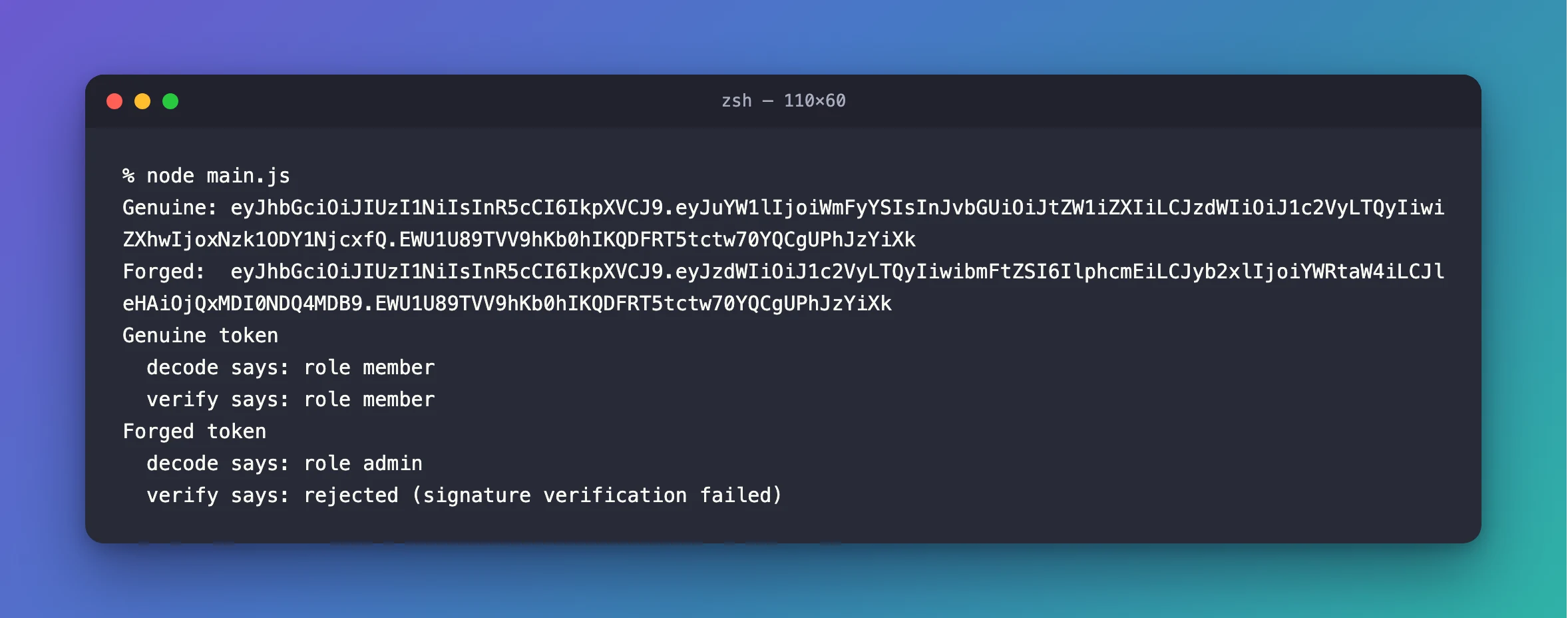
node main.js
Genuine: eyJhbGciOiJIUzI1NiIsInR5cCI6IkpXVCJ9.eyJuYW1lIjoiWmFyYSIsInJvbGUiOiJtZW1iZXIiLCJzdWIiOiJ1c2VyLTQyIiwiZXhwIjoxNzk1ODY1NjcxfQ.EWU1U89TVV9hKb0hIKQDFRT5tctw70YQCgUPhJzYiXk
Forged:  eyJhbGciOiJIUzI1NiIsInR5cCI6IkpXVCJ9.eyJzdWIiOiJ1c2VyLTQyIiwibmFtZSI6IlphcmEiLCJyb2xlIjoiYWRtaW4iLCJleHAiOjQxMDI0NDQ4MDB9.EWU1U89TVV9hKb0hIKQDFRT5tctw70YQCgUPhJzYiXk
Genuine token
  decode says: role member
  verify says: role member
Forged token
  decode says: role admin
  verify says: rejected (signature verification failed)
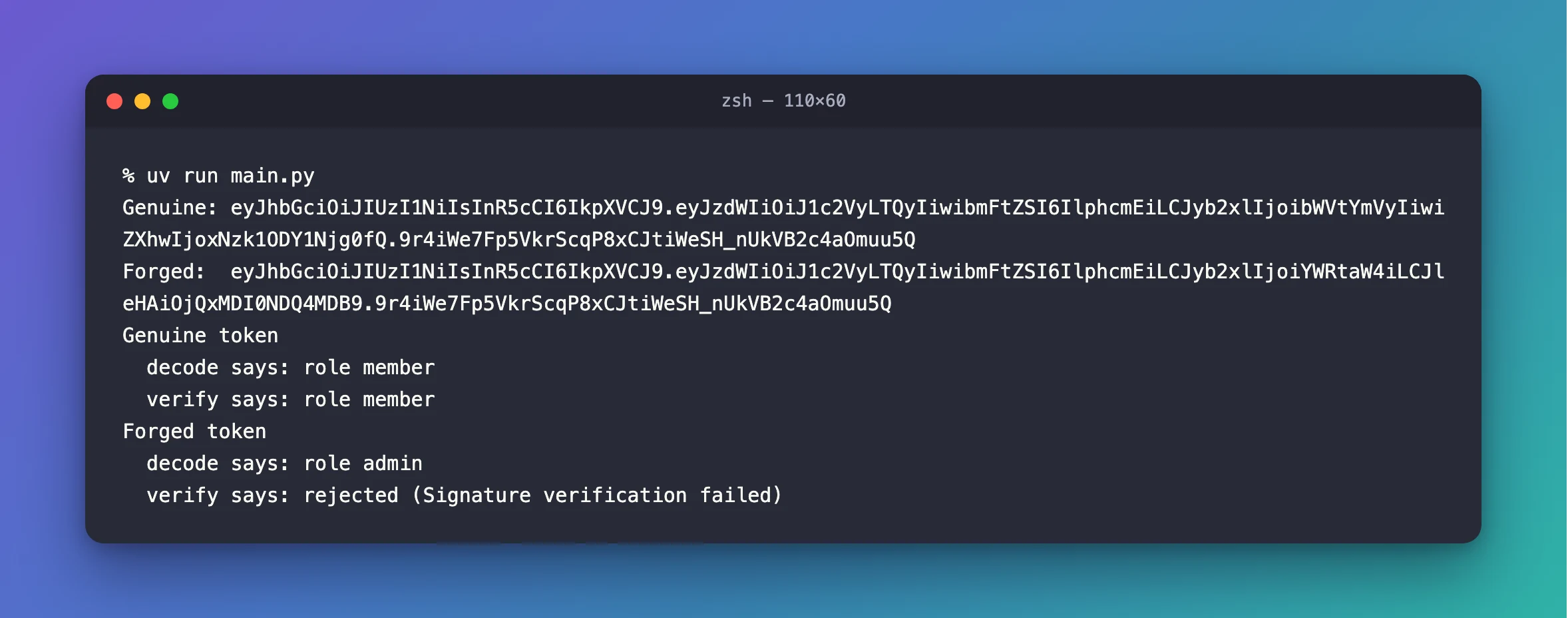
uv run main.py
Genuine: eyJhbGciOiJIUzI1NiIsInR5cCI6IkpXVCJ9.eyJzdWIiOiJ1c2VyLTQyIiwibmFtZSI6IlphcmEiLCJyb2xlIjoibWVtYmVyIiwiZXhwIjoxNzk1ODY1Njg0fQ.9r4iWe7Fp5VkrScqP8xCJtiWeSH_nUkVB2c4aOmuu5Q
Forged:  eyJhbGciOiJIUzI1NiIsInR5cCI6IkpXVCJ9.eyJzdWIiOiJ1c2VyLTQyIiwibmFtZSI6IlphcmEiLCJyb2xlIjoiYWRtaW4iLCJleHAiOjQxMDI0NDQ4MDB9.9r4iWe7Fp5VkrScqP8xCJtiWeSH_nUkVB2c4aOmuu5Q
Genuine token
  decode says: role member
  verify says: role member
Forged token
  decode says: role admin
  verify says: rejected (Signature verification failed)
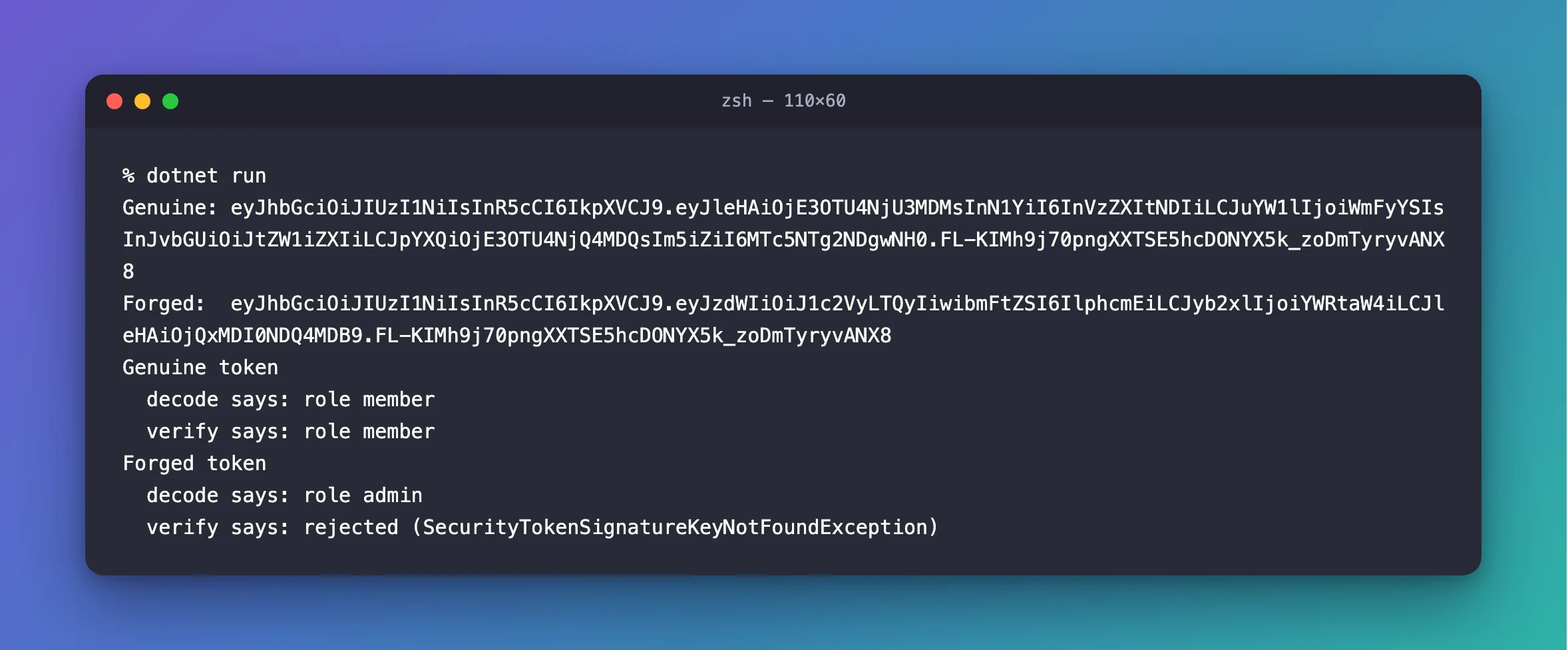
dotnet run
Genuine: eyJhbGciOiJIUzI1NiIsInR5cCI6IkpXVCJ9.eyJleHAiOjE3OTU4NjU3MDMsInN1YiI6InVzZXItNDIiLCJuYW1lIjoiWmFyYSIsInJvbGUiOiJtZW1iZXIiLCJpYXQiOjE3OTU4NjQ4MDQsIm5iZiI6MTc5NTg2NDgwNH0.FL-KIMh9j70pngXXTSE5hcDONYX5k_zoDmTyryvANX8
Forged:  eyJhbGciOiJIUzI1NiIsInR5cCI6IkpXVCJ9.eyJzdWIiOiJ1c2VyLTQyIiwibmFtZSI6IlphcmEiLCJyb2xlIjoiYWRtaW4iLCJleHAiOjQxMDI0NDQ4MDB9.FL-KIMh9j70pngXXTSE5hcDONYX5k_zoDmTyryvANX8
Genuine token
  decode says: role member
  verify says: role member
Forged token
  decode says: role admin
  verify says: rejected (SecurityTokenSignatureKeyNotFoundException)
mvn -q compile exec:java
Genuine: eyJhbGciOiJIUzI1NiJ9.eyJzdWIiOiJ1c2VyLTQyIiwibmFtZSI6IlphcmEiLCJyb2xlIjoibWVtYmVyIiwiZXhwIjoxNzk1ODY1NzM5fQ.4icX6FwqRDTvRkP_ifrCA4Deanb6B93RltpNkQbuSHo
Forged:  eyJhbGciOiJIUzI1NiJ9.eyJzdWIiOiJ1c2VyLTQyIiwibmFtZSI6IlphcmEiLCJyb2xlIjoiYWRtaW4iLCJleHAiOjQxMDI0NDQ4MDB9.4icX6FwqRDTvRkP_ifrCA4Deanb6B93RltpNkQbuSHo
Genuine token
  decode says: role member
  verify says: role member
Forged token
  decode says: role admin
  verify says: rejected (JWT signature does not match locally computed signature. JWT validity cannot be asserted and should not be trusted.)
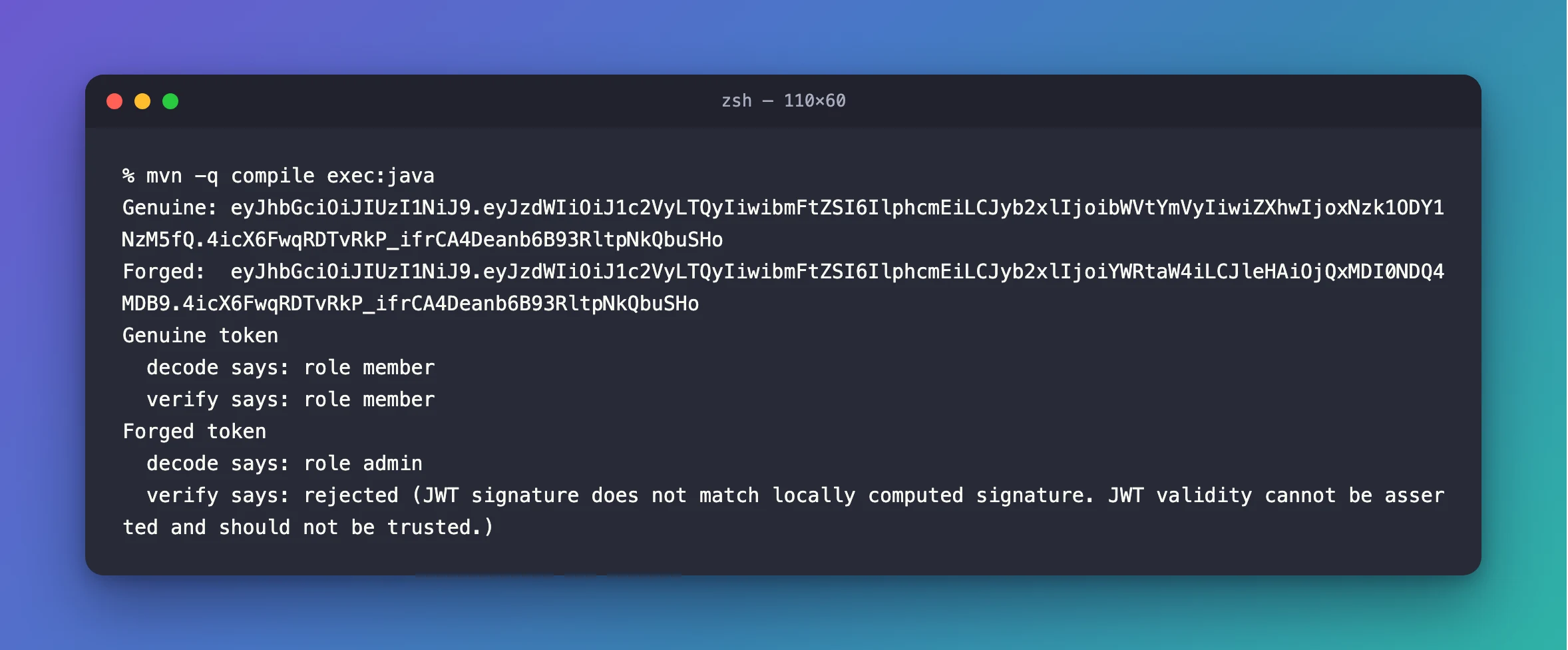
-q keeps Maven quiet, compile builds the code and exec:java runs the class named in pom.xml.
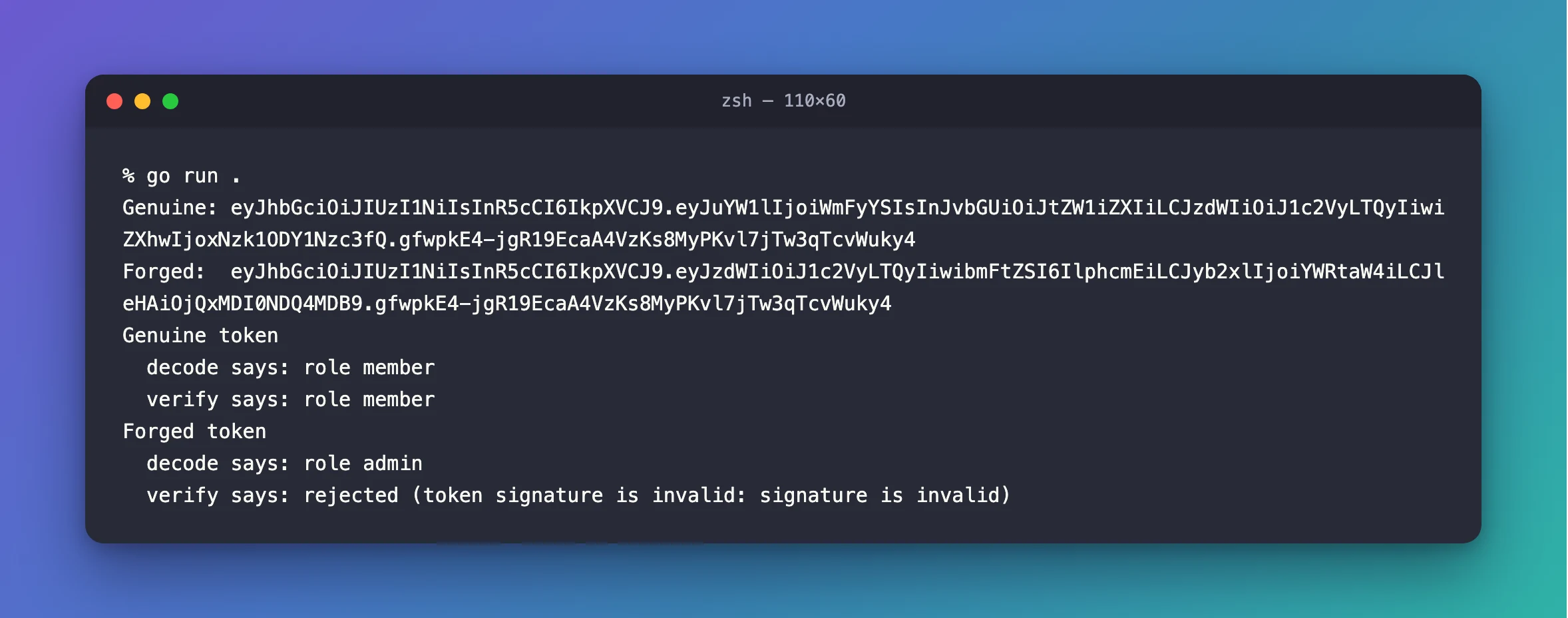
go run .
Genuine: eyJhbGciOiJIUzI1NiIsInR5cCI6IkpXVCJ9.eyJuYW1lIjoiWmFyYSIsInJvbGUiOiJtZW1iZXIiLCJzdWIiOiJ1c2VyLTQyIiwiZXhwIjoxNzk1ODY1Nzc3fQ.gfwpkE4-jgR19EcaA4VzKs8MyPKvl7jTw3qTcvWuky4
Forged:  eyJhbGciOiJIUzI1NiIsInR5cCI6IkpXVCJ9.eyJzdWIiOiJ1c2VyLTQyIiwibmFtZSI6IlphcmEiLCJyb2xlIjoiYWRtaW4iLCJleHAiOjQxMDI0NDQ4MDB9.gfwpkE4-jgR19EcaA4VzKs8MyPKvl7jTw3qTcvWuky4
Genuine token
  decode says: role member
  verify says: role member
Forged token
  decode says: role admin
  verify says: rejected (token signature is invalid: signature is invalid)
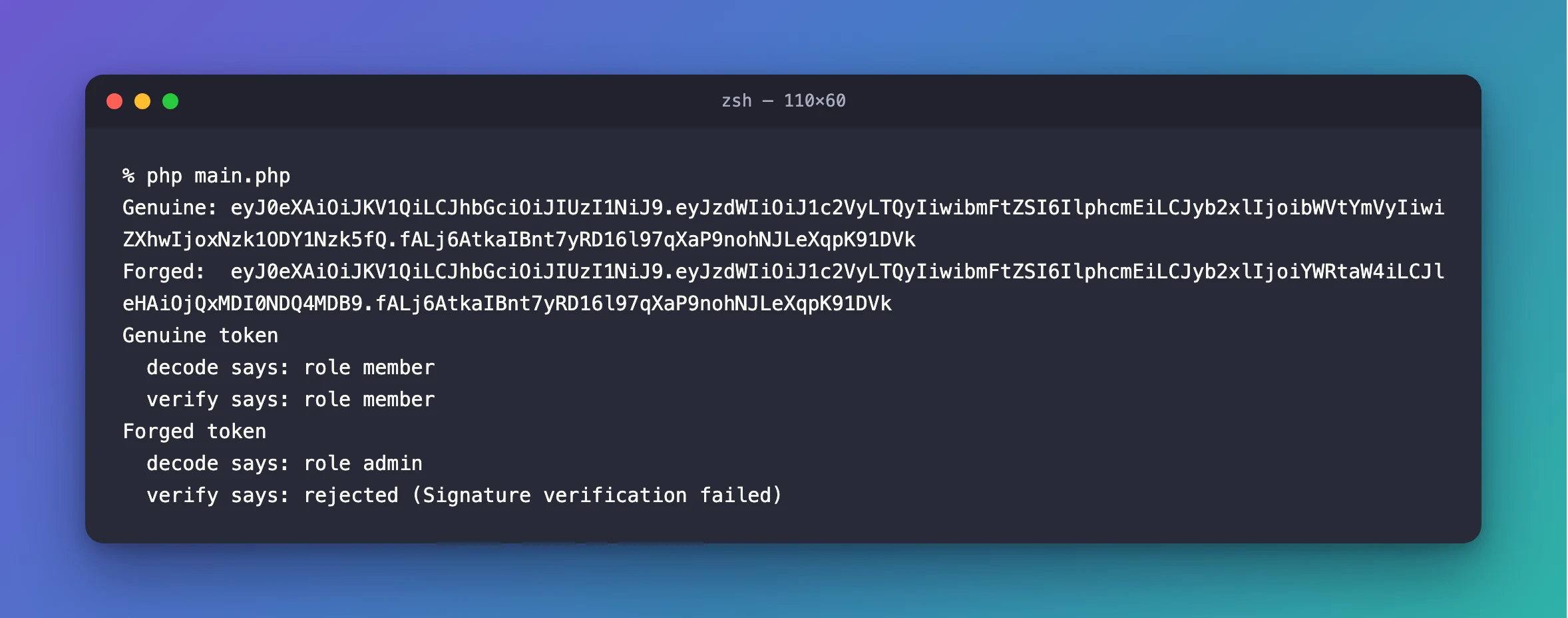
php main.php
Genuine: eyJ0eXAiOiJKV1QiLCJhbGciOiJIUzI1NiJ9.eyJzdWIiOiJ1c2VyLTQyIiwibmFtZSI6IlphcmEiLCJyb2xlIjoibWVtYmVyIiwiZXhwIjoxNzk1ODY1Nzk5fQ.fALj6AtkaIBnt7yRD16l97qXaP9nohNJLeXqpK91DVk
Forged:  eyJ0eXAiOiJKV1QiLCJhbGciOiJIUzI1NiJ9.eyJzdWIiOiJ1c2VyLTQyIiwibmFtZSI6IlphcmEiLCJyb2xlIjoiYWRtaW4iLCJleHAiOjQxMDI0NDQ4MDB9.fALj6AtkaIBnt7yRD16l97qXaP9nohNJLeXqpK91DVk
Genuine token
  decode says: role member
  verify says: role member
Forged token
  decode says: role admin
  verify says: rejected (Signature verification failed)
bundle exec ruby main.rb
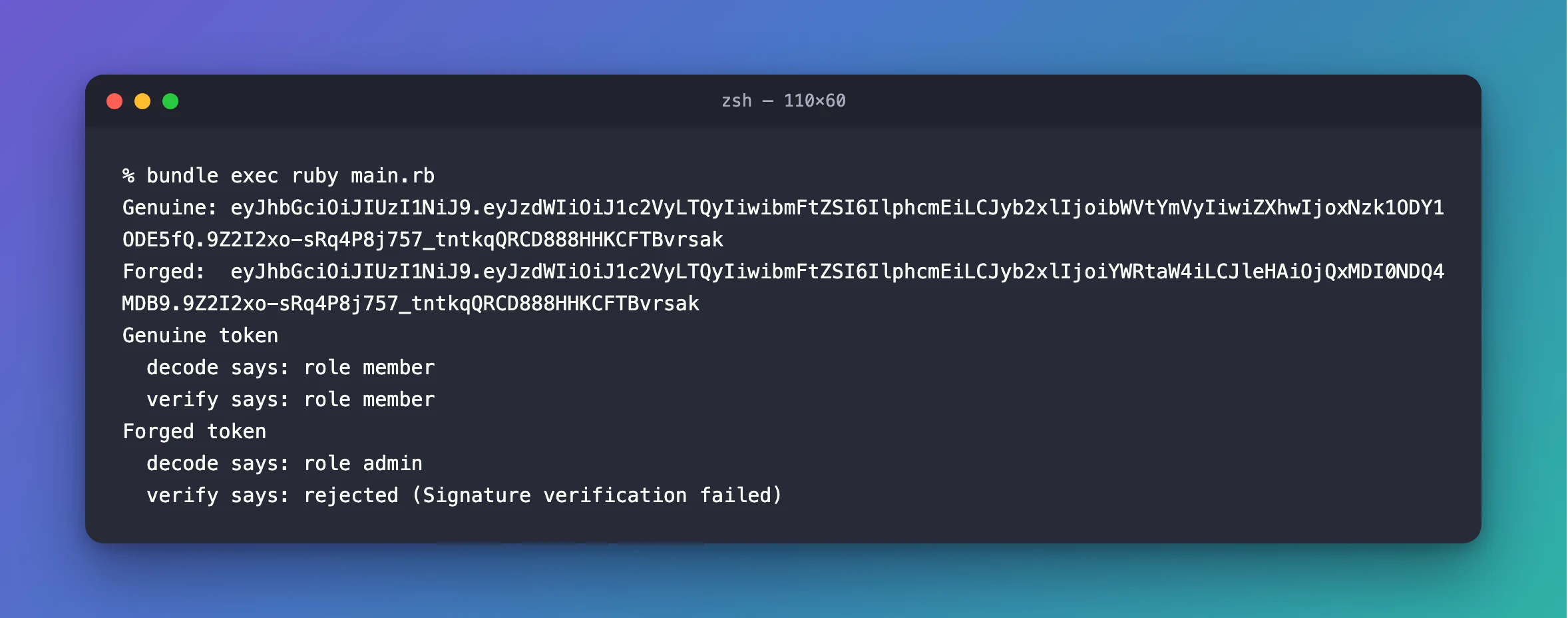
Genuine: eyJhbGciOiJIUzI1NiJ9.eyJzdWIiOiJ1c2VyLTQyIiwibmFtZSI6IlphcmEiLCJyb2xlIjoibWVtYmVyIiwiZXhwIjoxNzk1ODY1ODE5fQ.9Z2I2xo-sRq4P8j757_tntkqQRCD888HHKCFTBvrsak
Forged:  eyJhbGciOiJIUzI1NiJ9.eyJzdWIiOiJ1c2VyLTQyIiwibmFtZSI6IlphcmEiLCJyb2xlIjoiYWRtaW4iLCJleHAiOjQxMDI0NDQ4MDB9.9Z2I2xo-sRq4P8j757_tntkqQRCD888HHKCFTBvrsak
Genuine token
  decode says: role member
  verify says: role member
Forged token
  decode says: role admin
  verify says: rejected (Signature verification failed)
cargo run -q
Genuine: eyJ0eXAiOiJKV1QiLCJhbGciOiJIUzI1NiJ9.eyJzdWIiOiJ1c2VyLTQyIiwibmFtZSI6IlphcmEiLCJyb2xlIjoibWVtYmVyIiwiZXhwIjoxNzk1ODY1ODU5fQ.EjfDEsJUEpsDwcbfH36Y5pfsgOv3O456z-qZz9UklO8
Forged:  eyJ0eXAiOiJKV1QiLCJhbGciOiJIUzI1NiJ9.eyJzdWIiOiJ1c2VyLTQyIiwibmFtZSI6IlphcmEiLCJyb2xlIjoiYWRtaW4iLCJleHAiOjQxMDI0NDQ4MDB9.EjfDEsJUEpsDwcbfH36Y5pfsgOv3O456z-qZz9UklO8
Genuine token
  decode says: role member
  verify says: role member
Forged token
  decode says: role admin
  verify says: rejected (InvalidSignature)
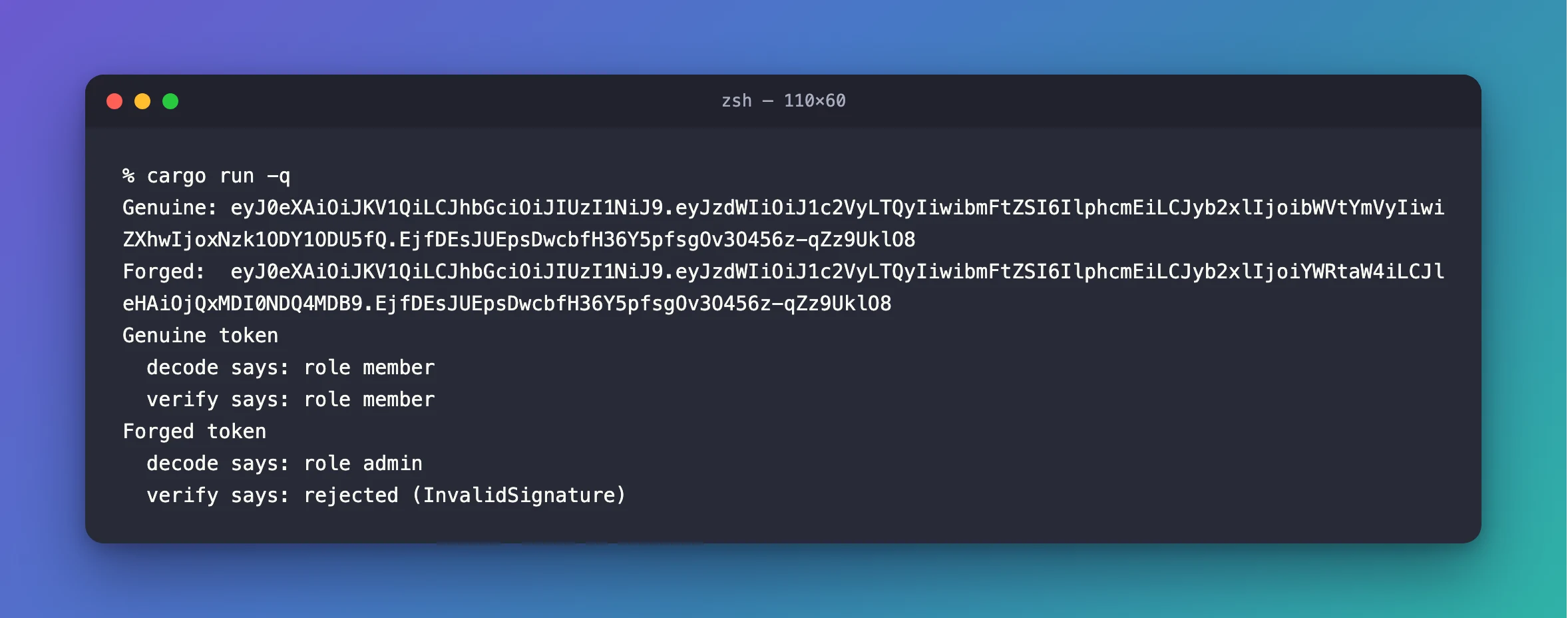
Your tokens differ from these, because your key and your clock differ, but the pattern is the same in all eight languages. Decoding reported admin for the forged token. Verifying rejected it.
The Complete File
- Node.js
- Python
- C#
- Java
- Go
- PHP
- Ruby
- Rust
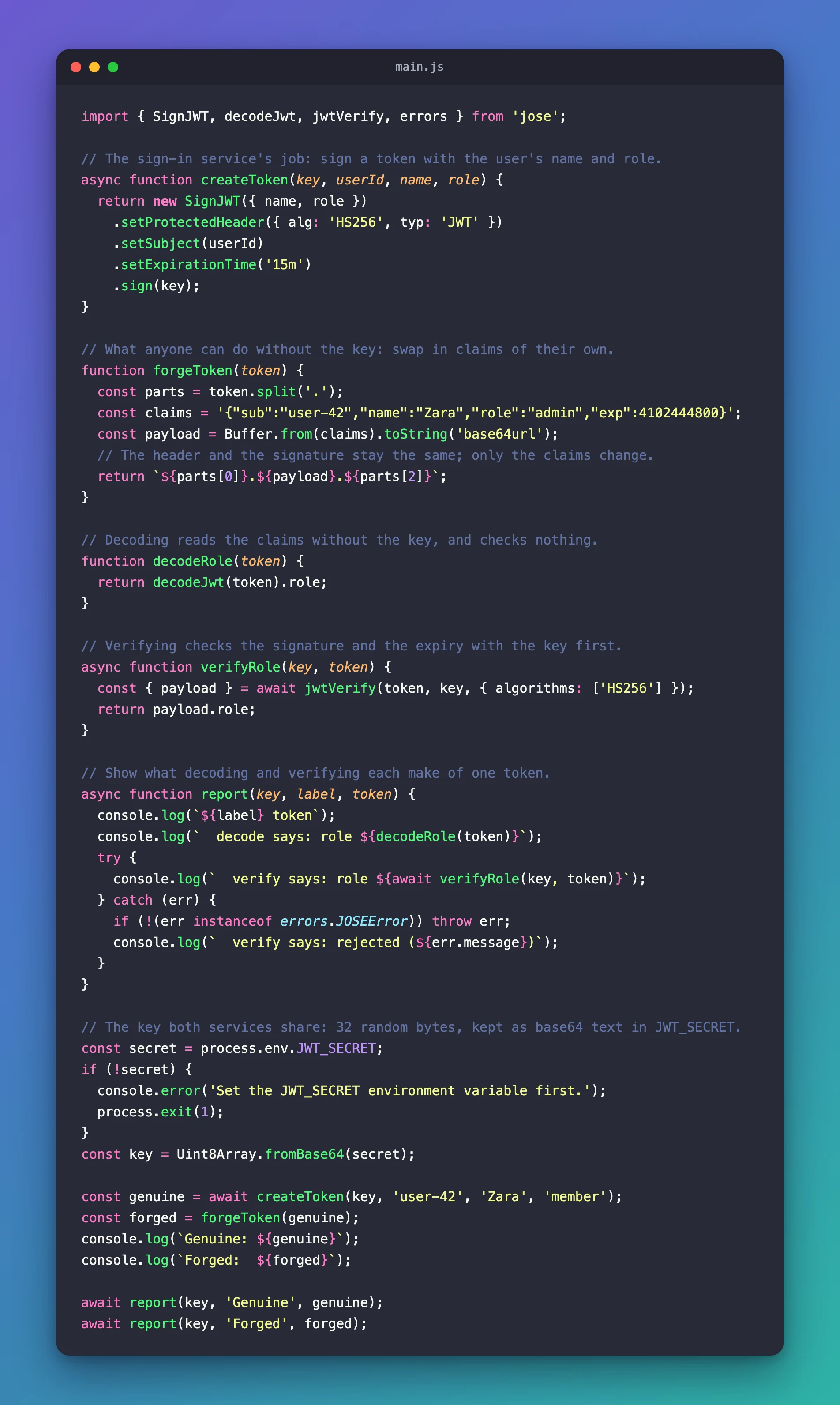
import { SignJWT, decodeJwt, jwtVerify, errors } from 'jose';

// The sign-in service's job: sign a token with the user's name and role.
async function createToken(key, userId, name, role) {
  return new SignJWT({ name, role })
    .setProtectedHeader({ alg: 'HS256', typ: 'JWT' })
    .setSubject(userId)
    .setExpirationTime('15m')
    .sign(key);
}

// What anyone can do without the key: swap in claims of their own.
function forgeToken(token) {
  const parts = token.split('.');
  const claims = '{"sub":"user-42","name":"Zara","role":"admin","exp":4102444800}';
  const payload = Buffer.from(claims).toString('base64url');
  // The header and the signature stay the same; only the claims change.
  return `${parts[0]}.${payload}.${parts[2]}`;
}

// Decoding reads the claims without the key, and checks nothing.
function decodeRole(token) {
  return decodeJwt(token).role;
}

// Verifying checks the signature and the expiry with the key first.
async function verifyRole(key, token) {
  const { payload } = await jwtVerify(token, key, { algorithms: ['HS256'] });
  return payload.role;
}

// Show what decoding and verifying each make of one token.
async function report(key, label, token) {
  console.log(`${label} token`);
  console.log(`  decode says: role ${decodeRole(token)}`);
  try {
    console.log(`  verify says: role ${await verifyRole(key, token)}`);
  } catch (err) {
    if (!(err instanceof errors.JOSEError)) throw err;
    console.log(`  verify says: rejected (${err.message})`);
  }
}

// The key both services share: 32 random bytes, kept as base64 text in JWT_SECRET.
const secret = process.env.JWT_SECRET;
if (!secret) {
  console.error('Set the JWT_SECRET environment variable first.');
  process.exit(1);
}
const key = Uint8Array.fromBase64(secret);

const genuine = await createToken(key, 'user-42', 'Zara', 'member');
const forged = forgeToken(genuine);
console.log(`Genuine: ${genuine}`);
console.log(`Forged:  ${forged}`);

await report(key, 'Genuine', genuine);
await report(key, 'Forged', forged);
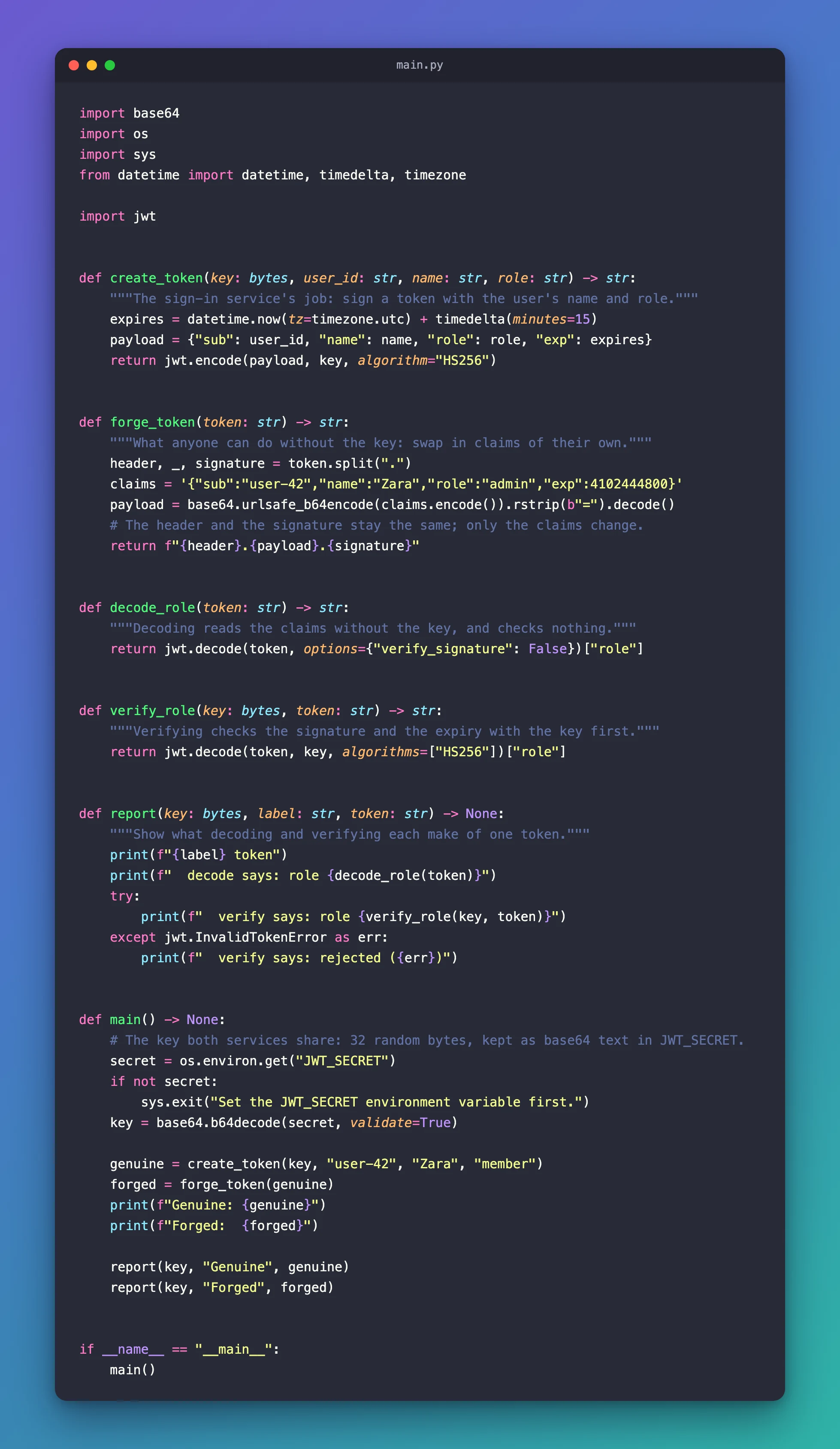
import base64
import os
import sys
from datetime import datetime, timedelta, timezone

import jwt


def create_token(key: bytes, user_id: str, name: str, role: str) -> str:
    """The sign-in service's job: sign a token with the user's name and role."""
    expires = datetime.now(tz=timezone.utc) + timedelta(minutes=15)
    payload = {"sub": user_id, "name": name, "role": role, "exp": expires}
    return jwt.encode(payload, key, algorithm="HS256")


def forge_token(token: str) -> str:
    """What anyone can do without the key: swap in claims of their own."""
    header, _, signature = token.split(".")
    claims = '{"sub":"user-42","name":"Zara","role":"admin","exp":4102444800}'
    payload = base64.urlsafe_b64encode(claims.encode()).rstrip(b"=").decode()
    # The header and the signature stay the same; only the claims change.
    return f"{header}.{payload}.{signature}"


def decode_role(token: str) -> str:
    """Decoding reads the claims without the key, and checks nothing."""
    return jwt.decode(token, options={"verify_signature": False})["role"]


def verify_role(key: bytes, token: str) -> str:
    """Verifying checks the signature and the expiry with the key first."""
    return jwt.decode(token, key, algorithms=["HS256"])["role"]


def report(key: bytes, label: str, token: str) -> None:
    """Show what decoding and verifying each make of one token."""
    print(f"{label} token")
    print(f"  decode says: role {decode_role(token)}")
    try:
        print(f"  verify says: role {verify_role(key, token)}")
    except jwt.InvalidTokenError as err:
        print(f"  verify says: rejected ({err})")


def main() -> None:
    # The key both services share: 32 random bytes, kept as base64 text in JWT_SECRET.
    secret = os.environ.get("JWT_SECRET")
    if not secret:
        sys.exit("Set the JWT_SECRET environment variable first.")
    key = base64.b64decode(secret, validate=True)

    genuine = create_token(key, "user-42", "Zara", "member")
    forged = forge_token(genuine)
    print(f"Genuine: {genuine}")
    print(f"Forged:  {forged}")

    report(key, "Genuine", genuine)
    report(key, "Forged", forged)


if __name__ == "__main__":
    main()
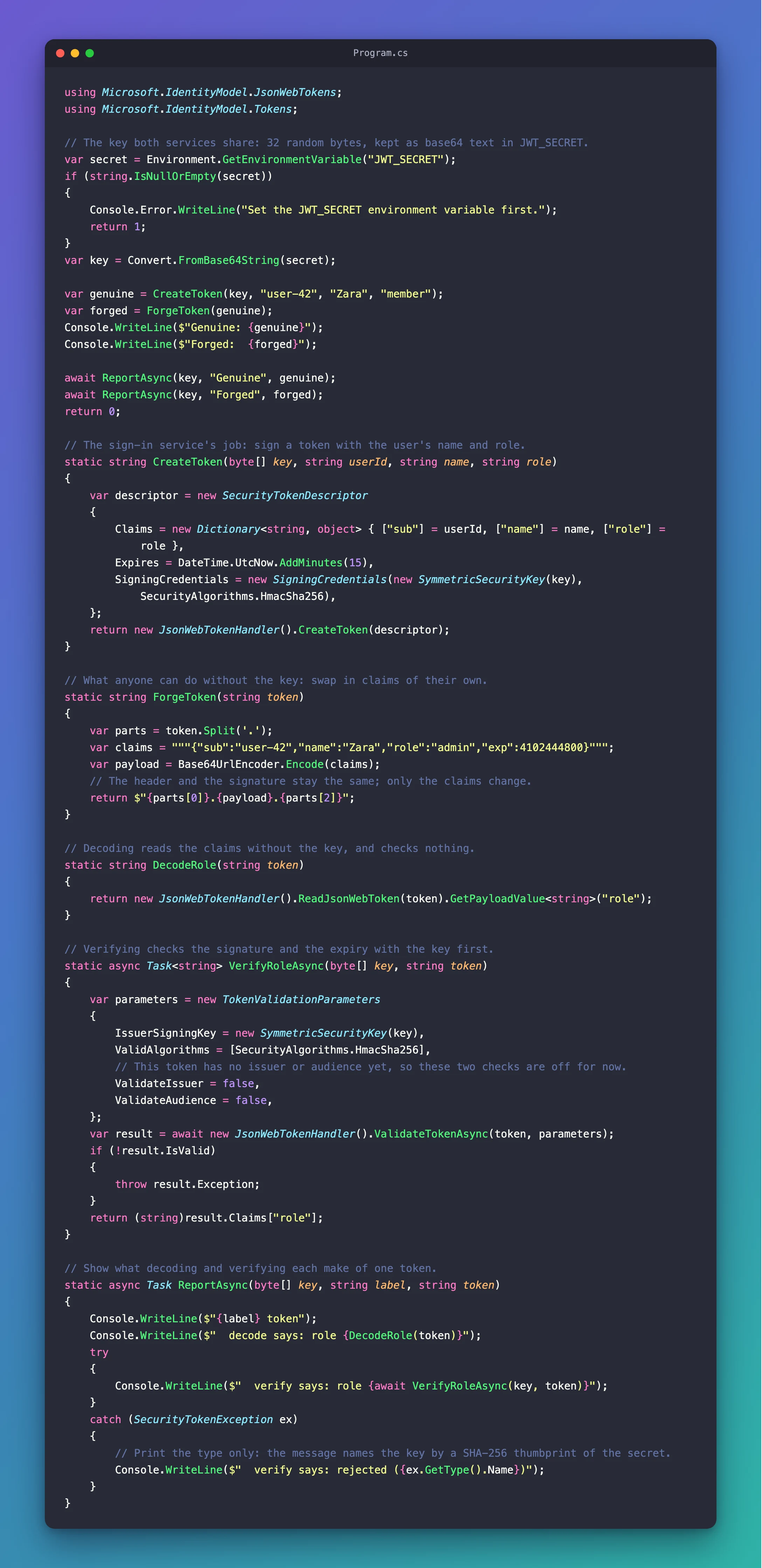
using Microsoft.IdentityModel.JsonWebTokens;
using Microsoft.IdentityModel.Tokens;

// The key both services share: 32 random bytes, kept as base64 text in JWT_SECRET.
var secret = Environment.GetEnvironmentVariable("JWT_SECRET");
if (string.IsNullOrEmpty(secret))
{
    Console.Error.WriteLine("Set the JWT_SECRET environment variable first.");
    return 1;
}
var key = Convert.FromBase64String(secret);

var genuine = CreateToken(key, "user-42", "Zara", "member");
var forged = ForgeToken(genuine);
Console.WriteLine($"Genuine: {genuine}");
Console.WriteLine($"Forged:  {forged}");

await ReportAsync(key, "Genuine", genuine);
await ReportAsync(key, "Forged", forged);
return 0;

// The sign-in service's job: sign a token with the user's name and role.
static string CreateToken(byte[] key, string userId, string name, string role)
{
    var descriptor = new SecurityTokenDescriptor
    {
        Claims = new Dictionary<string, object> { ["sub"] = userId, ["name"] = name, ["role"] = role },
        Expires = DateTime.UtcNow.AddMinutes(15),
        SigningCredentials = new SigningCredentials(new SymmetricSecurityKey(key), SecurityAlgorithms.HmacSha256),
    };
    return new JsonWebTokenHandler().CreateToken(descriptor);
}

// What anyone can do without the key: swap in claims of their own.
static string ForgeToken(string token)
{
    var parts = token.Split('.');
    var claims = """{"sub":"user-42","name":"Zara","role":"admin","exp":4102444800}""";
    var payload = Base64UrlEncoder.Encode(claims);
    // The header and the signature stay the same; only the claims change.
    return $"{parts[0]}.{payload}.{parts[2]}";
}

// Decoding reads the claims without the key, and checks nothing.
static string DecodeRole(string token)
{
    return new JsonWebTokenHandler().ReadJsonWebToken(token).GetPayloadValue<string>("role");
}

// Verifying checks the signature and the expiry with the key first.
static async Task<string> VerifyRoleAsync(byte[] key, string token)
{
    var parameters = new TokenValidationParameters
    {
        IssuerSigningKey = new SymmetricSecurityKey(key),
        ValidAlgorithms = [SecurityAlgorithms.HmacSha256],
        // This token has no issuer or audience yet, so these two checks are off for now.
        ValidateIssuer = false,
        ValidateAudience = false,
    };
    var result = await new JsonWebTokenHandler().ValidateTokenAsync(token, parameters);
    if (!result.IsValid)
    {
        throw result.Exception;
    }
    return (string)result.Claims["role"];
}

// Show what decoding and verifying each make of one token.
static async Task ReportAsync(byte[] key, string label, string token)
{
    Console.WriteLine($"{label} token");
    Console.WriteLine($"  decode says: role {DecodeRole(token)}");
    try
    {
        Console.WriteLine($"  verify says: role {await VerifyRoleAsync(key, token)}");
    }
    catch (SecurityTokenException ex)
    {
        // Print the type only: the message names the key by a SHA-256 thumbprint of the secret.
        Console.WriteLine($"  verify says: rejected ({ex.GetType().Name})");
    }
}
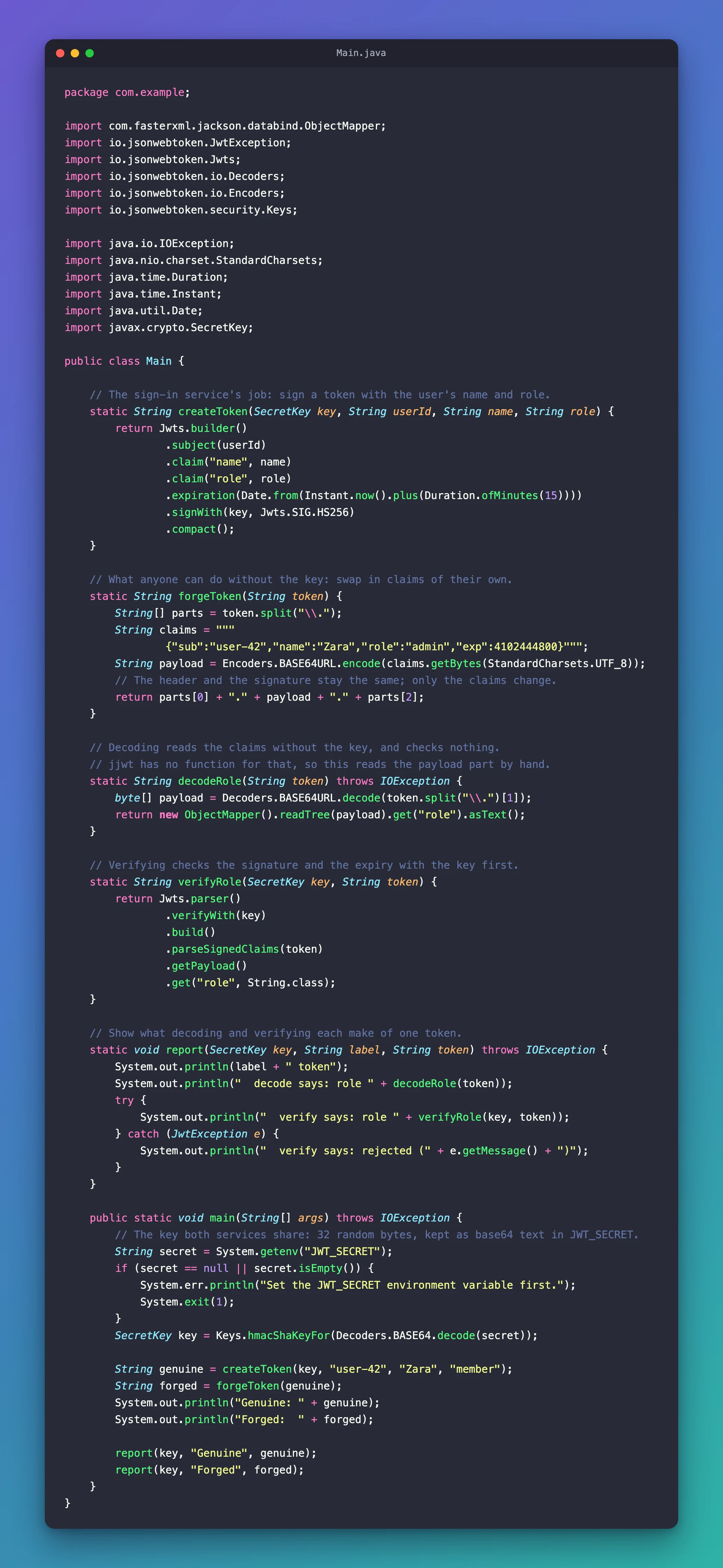
package com.example;

import com.fasterxml.jackson.databind.ObjectMapper;
import io.jsonwebtoken.JwtException;
import io.jsonwebtoken.Jwts;
import io.jsonwebtoken.io.Decoders;
import io.jsonwebtoken.io.Encoders;
import io.jsonwebtoken.security.Keys;

import java.io.IOException;
import java.nio.charset.StandardCharsets;
import java.time.Duration;
import java.time.Instant;
import java.util.Date;
import javax.crypto.SecretKey;

public class Main {

    // The sign-in service's job: sign a token with the user's name and role.
    static String createToken(SecretKey key, String userId, String name, String role) {
        return Jwts.builder()
                .subject(userId)
                .claim("name", name)
                .claim("role", role)
                .expiration(Date.from(Instant.now().plus(Duration.ofMinutes(15))))
                .signWith(key, Jwts.SIG.HS256)
                .compact();
    }

    // What anyone can do without the key: swap in claims of their own.
    static String forgeToken(String token) {
        String[] parts = token.split("\\.");
        String claims = """
                {"sub":"user-42","name":"Zara","role":"admin","exp":4102444800}""";
        String payload = Encoders.BASE64URL.encode(claims.getBytes(StandardCharsets.UTF_8));
        // The header and the signature stay the same; only the claims change.
        return parts[0] + "." + payload + "." + parts[2];
    }

    // Decoding reads the claims without the key, and checks nothing.
    // jjwt has no function for that, so this reads the payload part by hand.
    static String decodeRole(String token) throws IOException {
        byte[] payload = Decoders.BASE64URL.decode(token.split("\\.")[1]);
        return new ObjectMapper().readTree(payload).get("role").asText();
    }

    // Verifying checks the signature and the expiry with the key first.
    static String verifyRole(SecretKey key, String token) {
        return Jwts.parser()
                .verifyWith(key)
                .build()
                .parseSignedClaims(token)
                .getPayload()
                .get("role", String.class);
    }

    // Show what decoding and verifying each make of one token.
    static void report(SecretKey key, String label, String token) throws IOException {
        System.out.println(label + " token");
        System.out.println("  decode says: role " + decodeRole(token));
        try {
            System.out.println("  verify says: role " + verifyRole(key, token));
        } catch (JwtException e) {
            System.out.println("  verify says: rejected (" + e.getMessage() + ")");
        }
    }

    public static void main(String[] args) throws IOException {
        // The key both services share: 32 random bytes, kept as base64 text in JWT_SECRET.
        String secret = System.getenv("JWT_SECRET");
        if (secret == null || secret.isEmpty()) {
            System.err.println("Set the JWT_SECRET environment variable first.");
            System.exit(1);
        }
        SecretKey key = Keys.hmacShaKeyFor(Decoders.BASE64.decode(secret));

        String genuine = createToken(key, "user-42", "Zara", "member");
        String forged = forgeToken(genuine);
        System.out.println("Genuine: " + genuine);
        System.out.println("Forged:  " + forged);

        report(key, "Genuine", genuine);
        report(key, "Forged", forged);
    }
}
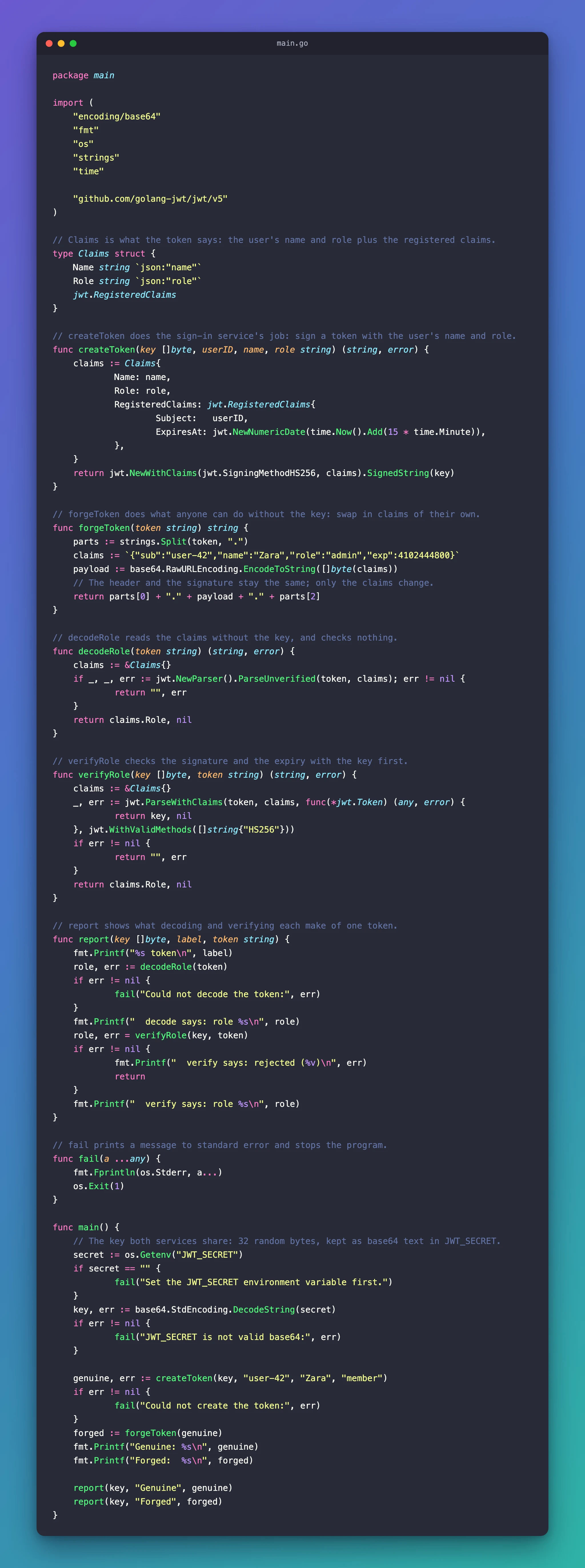
package main

import (
	"encoding/base64"
	"fmt"
	"os"
	"strings"
	"time"

	"github.com/golang-jwt/jwt/v5"
)

// Claims is what the token says: the user's name and role plus the registered claims.
type Claims struct {
	Name string `json:"name"`
	Role string `json:"role"`
	jwt.RegisteredClaims
}

// createToken does the sign-in service's job: sign a token with the user's name and role.
func createToken(key []byte, userID, name, role string) (string, error) {
	claims := Claims{
		Name: name,
		Role: role,
		RegisteredClaims: jwt.RegisteredClaims{
			Subject:   userID,
			ExpiresAt: jwt.NewNumericDate(time.Now().Add(15 * time.Minute)),
		},
	}
	return jwt.NewWithClaims(jwt.SigningMethodHS256, claims).SignedString(key)
}

// forgeToken does what anyone can do without the key: swap in claims of their own.
func forgeToken(token string) string {
	parts := strings.Split(token, ".")
	claims := `{"sub":"user-42","name":"Zara","role":"admin","exp":4102444800}`
	payload := base64.RawURLEncoding.EncodeToString([]byte(claims))
	// The header and the signature stay the same; only the claims change.
	return parts[0] + "." + payload + "." + parts[2]
}

// decodeRole reads the claims without the key, and checks nothing.
func decodeRole(token string) (string, error) {
	claims := &Claims{}
	if _, _, err := jwt.NewParser().ParseUnverified(token, claims); err != nil {
		return "", err
	}
	return claims.Role, nil
}

// verifyRole checks the signature and the expiry with the key first.
func verifyRole(key []byte, token string) (string, error) {
	claims := &Claims{}
	_, err := jwt.ParseWithClaims(token, claims, func(*jwt.Token) (any, error) {
		return key, nil
	}, jwt.WithValidMethods([]string{"HS256"}))
	if err != nil {
		return "", err
	}
	return claims.Role, nil
}

// report shows what decoding and verifying each make of one token.
func report(key []byte, label, token string) {
	fmt.Printf("%s token\n", label)
	role, err := decodeRole(token)
	if err != nil {
		fail("Could not decode the token:", err)
	}
	fmt.Printf("  decode says: role %s\n", role)
	role, err = verifyRole(key, token)
	if err != nil {
		fmt.Printf("  verify says: rejected (%v)\n", err)
		return
	}
	fmt.Printf("  verify says: role %s\n", role)
}

// fail prints a message to standard error and stops the program.
func fail(a ...any) {
	fmt.Fprintln(os.Stderr, a...)
	os.Exit(1)
}

func main() {
	// The key both services share: 32 random bytes, kept as base64 text in JWT_SECRET.
	secret := os.Getenv("JWT_SECRET")
	if secret == "" {
		fail("Set the JWT_SECRET environment variable first.")
	}
	key, err := base64.StdEncoding.DecodeString(secret)
	if err != nil {
		fail("JWT_SECRET is not valid base64:", err)
	}

	genuine, err := createToken(key, "user-42", "Zara", "member")
	if err != nil {
		fail("Could not create the token:", err)
	}
	forged := forgeToken(genuine)
	fmt.Printf("Genuine: %s\n", genuine)
	fmt.Printf("Forged:  %s\n", forged)

	report(key, "Genuine", genuine)
	report(key, "Forged", forged)
}
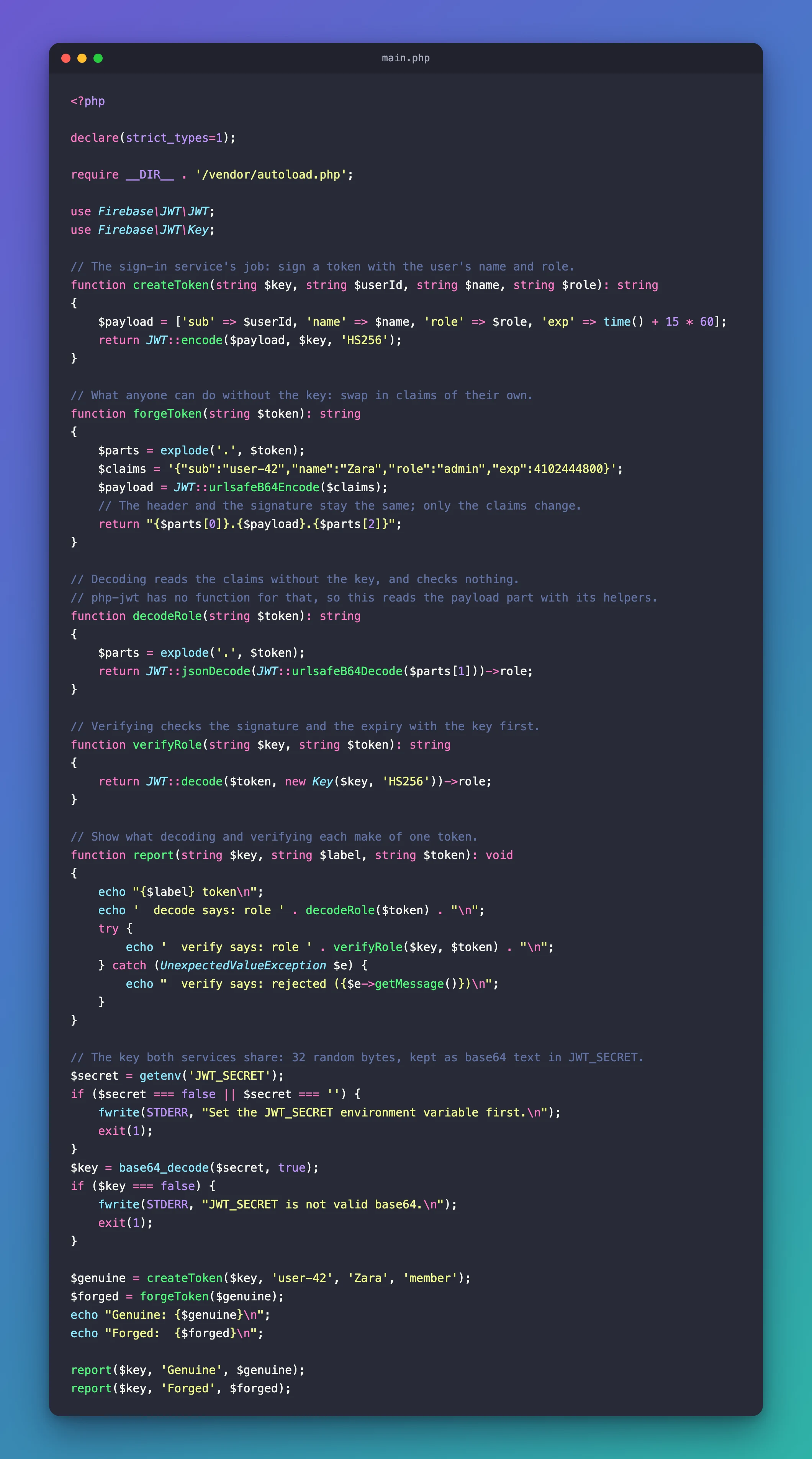
<?php

declare(strict_types=1);

require __DIR__ . '/vendor/autoload.php';

use Firebase\JWT\JWT;
use Firebase\JWT\Key;

// The sign-in service's job: sign a token with the user's name and role.
function createToken(string $key, string $userId, string $name, string $role): string
{
    $payload = ['sub' => $userId, 'name' => $name, 'role' => $role, 'exp' => time() + 15 * 60];
    return JWT::encode($payload, $key, 'HS256');
}

// What anyone can do without the key: swap in claims of their own.
function forgeToken(string $token): string
{
    $parts = explode('.', $token);
    $claims = '{"sub":"user-42","name":"Zara","role":"admin","exp":4102444800}';
    $payload = JWT::urlsafeB64Encode($claims);
    // The header and the signature stay the same; only the claims change.
    return "{$parts[0]}.{$payload}.{$parts[2]}";
}

// Decoding reads the claims without the key, and checks nothing.
// php-jwt has no function for that, so this reads the payload part with its helpers.
function decodeRole(string $token): string
{
    $parts = explode('.', $token);
    return JWT::jsonDecode(JWT::urlsafeB64Decode($parts[1]))->role;
}

// Verifying checks the signature and the expiry with the key first.
function verifyRole(string $key, string $token): string
{
    return JWT::decode($token, new Key($key, 'HS256'))->role;
}

// Show what decoding and verifying each make of one token.
function report(string $key, string $label, string $token): void
{
    echo "{$label} token\n";
    echo '  decode says: role ' . decodeRole($token) . "\n";
    try {
        echo '  verify says: role ' . verifyRole($key, $token) . "\n";
    } catch (UnexpectedValueException $e) {
        echo "  verify says: rejected ({$e->getMessage()})\n";
    }
}

// The key both services share: 32 random bytes, kept as base64 text in JWT_SECRET.
$secret = getenv('JWT_SECRET');
if ($secret === false || $secret === '') {
    fwrite(STDERR, "Set the JWT_SECRET environment variable first.\n");
    exit(1);
}
$key = base64_decode($secret, true);
if ($key === false) {
    fwrite(STDERR, "JWT_SECRET is not valid base64.\n");
    exit(1);
}

$genuine = createToken($key, 'user-42', 'Zara', 'member');
$forged = forgeToken($genuine);
echo "Genuine: {$genuine}\n";
echo "Forged:  {$forged}\n";

report($key, 'Genuine', $genuine);
report($key, 'Forged', $forged);
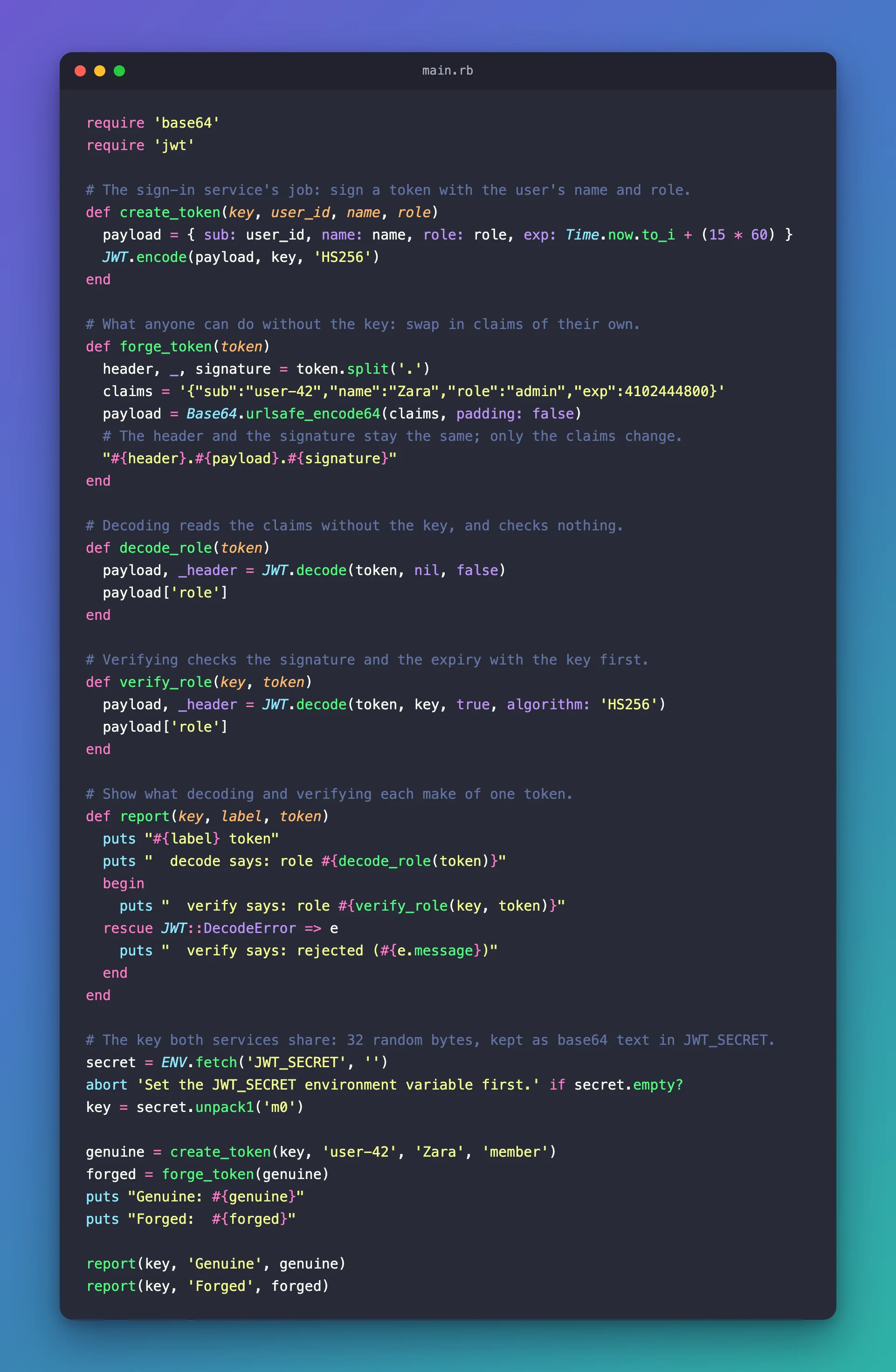
require 'base64'
require 'jwt'

# The sign-in service's job: sign a token with the user's name and role.
def create_token(key, user_id, name, role)
  payload = { sub: user_id, name: name, role: role, exp: Time.now.to_i + (15 * 60) }
  JWT.encode(payload, key, 'HS256')
end

# What anyone can do without the key: swap in claims of their own.
def forge_token(token)
  header, _, signature = token.split('.')
  claims = '{"sub":"user-42","name":"Zara","role":"admin","exp":4102444800}'
  payload = Base64.urlsafe_encode64(claims, padding: false)
  # The header and the signature stay the same; only the claims change.
  "#{header}.#{payload}.#{signature}"
end

# Decoding reads the claims without the key, and checks nothing.
def decode_role(token)
  payload, _header = JWT.decode(token, nil, false)
  payload['role']
end

# Verifying checks the signature and the expiry with the key first.
def verify_role(key, token)
  payload, _header = JWT.decode(token, key, true, algorithm: 'HS256')
  payload['role']
end

# Show what decoding and verifying each make of one token.
def report(key, label, token)
  puts "#{label} token"
  puts "  decode says: role #{decode_role(token)}"
  begin
    puts "  verify says: role #{verify_role(key, token)}"
  rescue JWT::DecodeError => e
    puts "  verify says: rejected (#{e.message})"
  end
end

# The key both services share: 32 random bytes, kept as base64 text in JWT_SECRET.
secret = ENV.fetch('JWT_SECRET', '')
abort 'Set the JWT_SECRET environment variable first.' if secret.empty?
key = secret.unpack1('m0')

genuine = create_token(key, 'user-42', 'Zara', 'member')
forged = forge_token(genuine)
puts "Genuine: #{genuine}"
puts "Forged:  #{forged}"

report(key, 'Genuine', genuine)
report(key, 'Forged', forged)
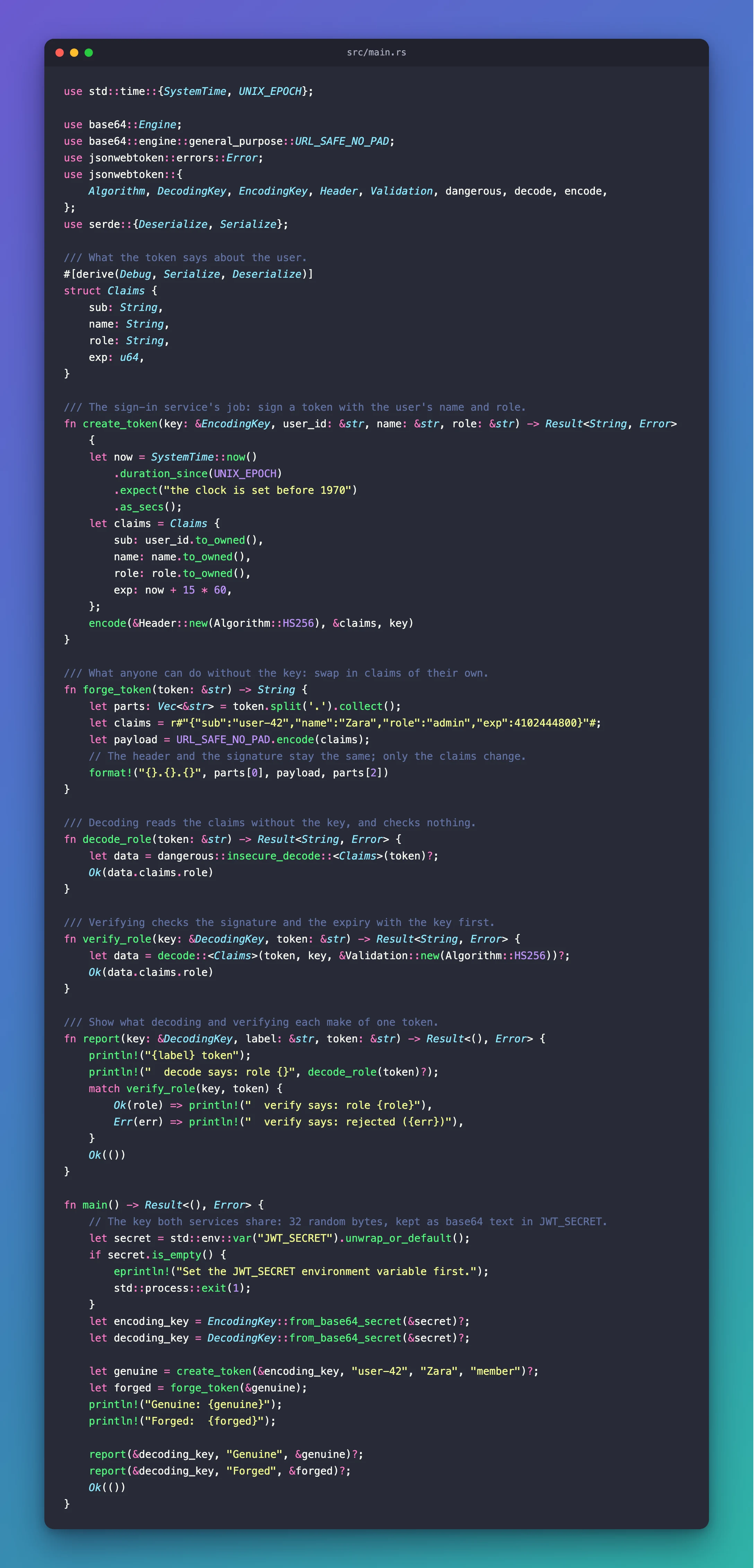
use std::time::{SystemTime, UNIX_EPOCH};

use base64::Engine;
use base64::engine::general_purpose::URL_SAFE_NO_PAD;
use jsonwebtoken::errors::Error;
use jsonwebtoken::{
    Algorithm, DecodingKey, EncodingKey, Header, Validation, dangerous, decode, encode,
};
use serde::{Deserialize, Serialize};

/// What the token says about the user.
#[derive(Debug, Serialize, Deserialize)]
struct Claims {
    sub: String,
    name: String,
    role: String,
    exp: u64,
}

/// The sign-in service's job: sign a token with the user's name and role.
fn create_token(key: &EncodingKey, user_id: &str, name: &str, role: &str) -> Result<String, Error> {
    let now = SystemTime::now()
        .duration_since(UNIX_EPOCH)
        .expect("the clock is set before 1970")
        .as_secs();
    let claims = Claims {
        sub: user_id.to_owned(),
        name: name.to_owned(),
        role: role.to_owned(),
        exp: now + 15 * 60,
    };
    encode(&Header::new(Algorithm::HS256), &claims, key)
}

/// What anyone can do without the key: swap in claims of their own.
fn forge_token(token: &str) -> String {
    let parts: Vec<&str> = token.split('.').collect();
    let claims = r#"{"sub":"user-42","name":"Zara","role":"admin","exp":4102444800}"#;
    let payload = URL_SAFE_NO_PAD.encode(claims);
    // The header and the signature stay the same; only the claims change.
    format!("{}.{}.{}", parts[0], payload, parts[2])
}

/// Decoding reads the claims without the key, and checks nothing.
fn decode_role(token: &str) -> Result<String, Error> {
    let data = dangerous::insecure_decode::<Claims>(token)?;
    Ok(data.claims.role)
}

/// Verifying checks the signature and the expiry with the key first.
fn verify_role(key: &DecodingKey, token: &str) -> Result<String, Error> {
    let data = decode::<Claims>(token, key, &Validation::new(Algorithm::HS256))?;
    Ok(data.claims.role)
}

/// Show what decoding and verifying each make of one token.
fn report(key: &DecodingKey, label: &str, token: &str) -> Result<(), Error> {
    println!("{label} token");
    println!("  decode says: role {}", decode_role(token)?);
    match verify_role(key, token) {
        Ok(role) => println!("  verify says: role {role}"),
        Err(err) => println!("  verify says: rejected ({err})"),
    }
    Ok(())
}

fn main() -> Result<(), Error> {
    // The key both services share: 32 random bytes, kept as base64 text in JWT_SECRET.
    let secret = std::env::var("JWT_SECRET").unwrap_or_default();
    if secret.is_empty() {
        eprintln!("Set the JWT_SECRET environment variable first.");
        std::process::exit(1);
    }
    let encoding_key = EncodingKey::from_base64_secret(&secret)?;
    let decoding_key = DecodingKey::from_base64_secret(&secret)?;

    let genuine = create_token(&encoding_key, "user-42", "Zara", "member")?;
    let forged = forge_token(&genuine);
    println!("Genuine: {genuine}");
    println!("Forged:  {forged}");

    report(&decoding_key, "Genuine", &genuine)?;
    report(&decoding_key, "Forged", &forged)?;
    Ok(())
}
What the Run Shows
- The forged token looks real. Its first and last pieces are the genuine token's, character for character. Only the middle piece changed, and it holds valid JSON with valid-looking claims.
- Decoding believed it in every language. Each decode call returned whatever the payload said, so a program that trusts decoded claims would have treated Zara as an admin until the year 2100.
- Verifying caught it in every language. The signature was computed over the genuine payload, so it doesn't match the forged one.
- For the genuine token, both said the same. That's what makes decode easy to misuse. In testing, every token is genuine, so decode and verify always agree, and the difference shows only when someone sends a token you didn't create.
How Each Library Says No
Each library rejected the forged token with the same error it gave the other app's token in the last tutorial. To a verifier, a changed payload and a wrong key look alike: either way, the signature doesn't match the header and payload it arrived with. Create and Verify a JWT in Code lists the error type to catch in each language.
.NET's name for it is the only one that points somewhere else: SecurityTokenSignatureKeyNotFoundException sounds like a missing key. Its full message starts with "IDX10517: Signature validation failed. The token's kid is missing.", because these tokens have no kid header to tell IdentityModel which key was meant. When a test gave the key and the token a kid, the same forgery raised SecurityTokenInvalidSignatureException instead, with "IDX10511: Signature validation failed." Both mean the signature didn't verify.
What You Can Do Now
- Tell decoding from verifying in any JWT library, by the function's name, its options or whether it takes a key.
- Forge a token's payload yourself, to check that your own code rejects it.
- Read a token without trusting it, to choose a key or to debug, and keep those claims away from decisions about the user.
- Decode a JWT by hand in Java and PHP, where the library doesn't offer it.
Common Mistakes
| Mistake | What happens | Do this instead |
|---|---|---|
| Deciding who the user is from decoded claims | Anyone can send a token with any claims, as Step 4 did | Use only the claims your library's verify call returns |
| Testing only with genuine tokens | Decode and verify give the same claims, so the bug never shows | Also send a token with a changed payload and check that it's rejected |
Leaving jwt.decode(token, options={"verify_signature": False}) in Python code that serves requests | It skips the expiry and every other claim check, not just the signature | Keep the call with the key and algorithms |
| Letting the decoded header choose how to verify | The sender decides how their own token gets checked | Pin the algorithm when you verify, and use the header only to pick a key you already trust |
Reading base64url with PHP's plain base64_decode | It silently drops - and _, and the JSON comes out wrong | Use JWT::urlsafeB64Decode |
Splitting a token with split(".") in Java | The dot matches every character, so you get no pieces at all | Use split("\\.") |
Troubleshooting
| Symptom | Likely cause | Fix |
|---|---|---|
Set the JWT_SECRET environment variable first. | Step 2 ran in another terminal, or not at all | Run Step 2 again in the terminal where you run the program |
Java: ArrayIndexOutOfBoundsException: Index 1 out of bounds for length 0 | The token was split with split(".") | Use split("\\.") |
Java: UnsupportedJwtException: Cannot verify JWS signature: unable to locate signature verification key | jjwt was asked to parse a signed token without a key | Give the parser the key with verifyWith(key), or decode the payload by hand as in Step 5 |
Rust: error[E0599]: no method named `encode` found for struct `GeneralPurpose` | use base64::Engine; is missing | Add it: encode is a method of the Engine trait |
C#: SecurityTokenSignatureKeyNotFoundException for a token you created | The token was changed after it was signed, or signed with another key | See How Each Library Says No |
An issue was encountered verifying workloads. For more information, run "dotnet workload update". | The first dotnet command under a new user account | It's harmless. Fixed: An issue was encountered verifying workloads explains it |
Frequently Asked Questions
Is it safe to decode a JWT in the browser?
Yes, for reading it, for example to show the user's name or to know when the token runs out. The browser isn't the one deciding what the user may do; the API is, and it verifies every request. Remember that decoding isn't limited to your code, so never put anything in a token you'd mind its holder reading.
Does decoding check the expiry?
No. All eight ways of decoding in this tutorial returned the claims of a token that had expired an hour earlier, without an error. Only verifying checks exp.
Why don't jjwt and php-jwt have a decode function?
jjwt's README is clear that a token whose signature fails "cannot be safely trusted and should be discarded", and none of its parse methods reads a signed token without a key. For picking a key by kid, jjwt hands your code the header during verification, through a key Locator, so you never decode it yourself. php-jwt simply has no such function; its README shows how to read a header by hand and warns that doing so "is vulnerable to attacks".
If decoding is dangerous, why do libraries offer it?
Because reading a token has real uses: choosing a key, refreshing a session in good time, debugging. The danger isn't in reading the claims. It's in trusting them.
Is the payload secret?
No. Anyone who has the token can read it, as this tutorial and the first one did. A signed JWT protects the claims from being changed, not from being read. JWTs that hide their claims are encrypted JWTs, which a later tutorial covers.
Conclusion
Decoding and verifying return the same claims for a genuine token, which is exactly why decode is so easy to misuse. Only verifying asks whether the holder of the key wrote those claims, and only verifying noticed when the payload said admin under a signature made for member. Decode a token when you need to read it; verify it before your code believes it.
Next: Registered Claims (coming soon). What iss, sub, aud, exp, nbf, iat and jti mean, and which ones your verify call should require.
Additional Resources
- decodeJwt, in the jose documentation.
- Reading the Claimset without Validation, in the PyJWT documentation.
- JsonWebTokenHandler.ReadJsonWebToken, on Microsoft Learn.
- jjwt, whose README covers parsing and key Locators.
- Parser.ParseUnverified, in the golang-jwt documentation.
- php-jwt, the PHP library.
- ruby-jwt, the Ruby gem.
- insecure_decode, in the jsonwebtoken documentation.
- RFC 8725, JSON Web Token Best Current Practices, and RFC 7515 section 5.2, how a JWS signature is validated.
