Why You Should Not Return EF Core Entities from a Web API

Taking an EF Core entity as a request body, and returning one as a response, is less code. It also ties your API to your database, and hands clients control of columns you never meant to share. Here are three real failures of that approach, on a real API, and the small records that prevent them.
Prerequisites
- Some EF Core and Web API basics. The examples use a .NET 10 minimal API, EF Core 10, MySQL 9.7, and a
Categoryentity withId,Name,CreatedAtUtcand a list ofProducts.
Problem 1: Clients Can Set Columns You Didn't Offer
This endpoint binds the entity directly:
d.MapPost("/bind-entity", async (Category category, InventoryDbContext db) =>
{
    db.Categories.Add(category);
    await db.SaveChangesAsync();
    return Results.Ok(category.Id);
});
A client sends an id of its own:
{"id":500,"name":"Chosen id","createdAtUtc":"2001-01-01T00:00:00Z"}
HTTP/1.1 200 OK
Content-Type: application/json; charset=utf-8

500
info: Microsoft.EntityFrameworkCore.Database.Command[20101]
      Executed DbCommand (4ms) [Parameters=[@p0='?' (DbType = Int32), @p1='?' (DbType = DateTime), @p2='?' (Size = 100)], CommandType='Text', CommandTimeout='30']
      INSERT INTO `categories` (`Id`, `CreatedAtUtc`, `Name`)
      VALUES (@p0, @p1, @p2);
      SELECT ROW_COUNT();
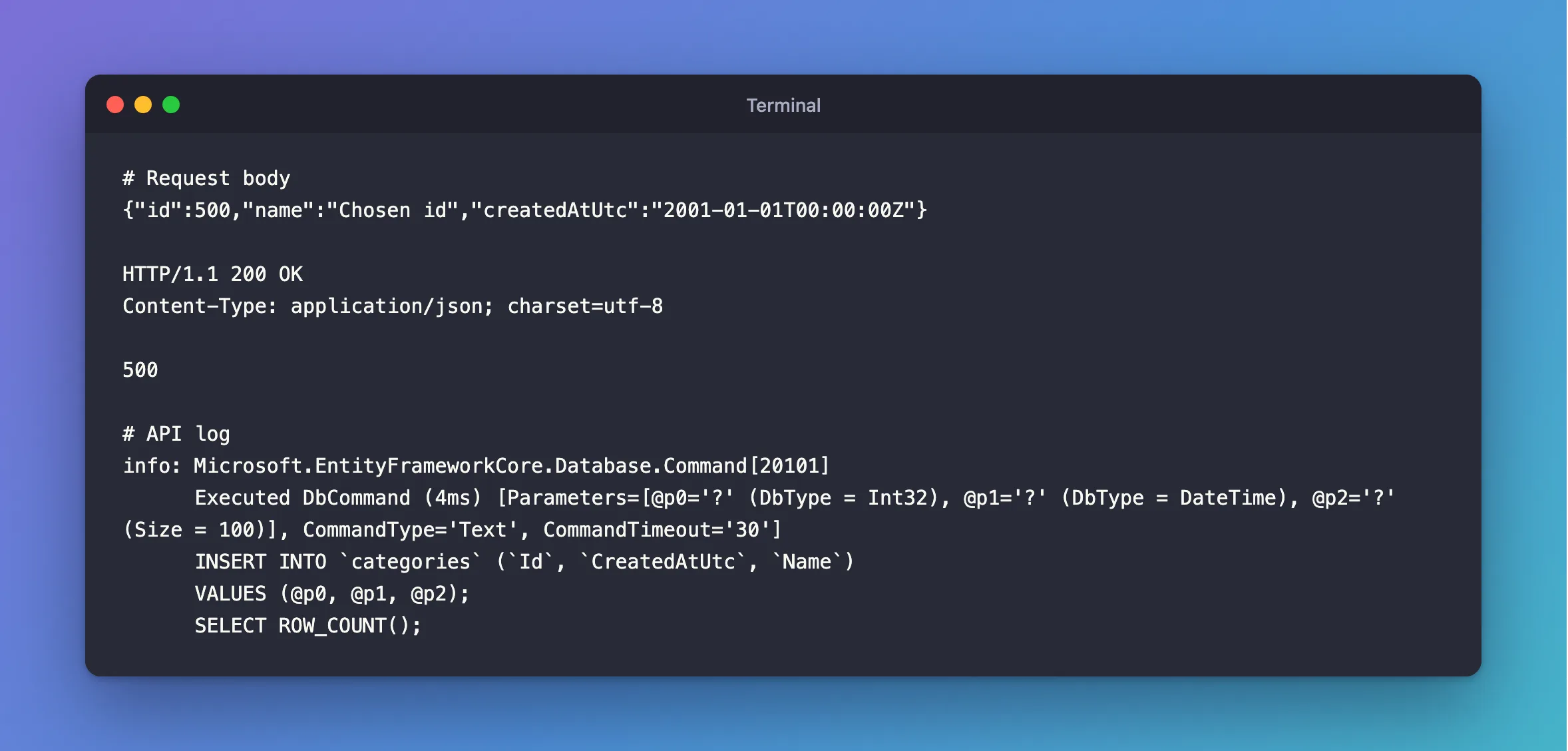
EF Core inserted the client's Id, and CreatedAtUtc too. Choosing the primary key was never meant to be possible. It also moves MySQL's counter. The next normal category got the ID after it:
HTTP/1.1 201 Created
Content-Type: application/json; charset=utf-8
Location: /api/v1/categories/501

{
  "id": 501,
  "name": "After chosen id",
  "createdAtUtc": "2026-11-04T11:43:34.324001Z"
}
This is called over-posting. Microsoft's minimal API tutorial says: "In production applications, use a subset of the model to restrict the data that clients can input and receive. Security is a major reason for this restriction." On a table with something like an IsAdmin or Price column, this is a security hole.
Problem 2: A Navigation Property Crashes the Response
Return a category with its products included, and each product points back at its category:
HTTP/1.1 500 Internal Server Error
Content-Type: application/problem+json

{
  "type": "https://tools.ietf.org/html/rfc9110#section-15.6.1",
  "title": "An error occurred while processing your request.",
  "status": 500,
  "traceId": "00-01fed7d34d160ef7fe429033a93d1f38-1b77050af5b1a51f-00"
}
fail: Microsoft.AspNetCore.Diagnostics.ExceptionHandlerMiddleware[1]
      An unhandled exception has occurred while executing the request.
      System.Text.Json.JsonException: A possible object cycle was detected. This can either be due to a cycle or if the object depth is larger than the maximum allowed depth of 64. Consider using ReferenceHandler.Preserve on JsonSerializerOptions to support cycles. Path: $.Products.Category.Products.Category.Products.Category.Products.Category.Products.Category.Products.Category.Products.Category.Products.Category.Products.Category.Products.Category.Products.Category.Products.Category.Products.Category.Products.Category.Products.Category.Products.Category.Products.Category.Products.Category.Products.Category.Products.Category.Products.Id.
The whole query ran, and then the JSON failed. This post goes through it.
Problem 3: Your Database Becomes Your API
Every property on the entity becomes a JSON field that some client may rely on. Rename a column and those clients break. Add one with an internal note in it, and it's public, with no change to the endpoint. Loading an entity also reads every column, whether you send them or not:
SELECT `p`.`Sku`, `p`.`Name`
SELECT `p`.`Id`, `p`.`ArchivedAtUtc`, `p`.`CategoryId`, `p`.`CreatedAtUtc`, `p`.`Description`, `p`.`IsArchived`, `p`.`Name`, `p`.`QuantityOnHand`, `p`.`ReorderLevel`, `p`.`Sku`, `p`.`UnitPrice`, `p`.`UpdatedAtUtc`, `p`.`Version`
The Fix: Two Small Records
One record for what the client may send, and one for what it gets back. People call these DTOs, for data transfer objects:
using System.ComponentModel.DataAnnotations;

namespace Dewiride.Inventory.Api.Features.Categories;

/// <summary>What a client sends to create or rename a category.</summary>
public sealed record CategoryRequest(
    [Required, StringLength(100)] string Name);

/// <summary>What the API returns for a category.</summary>
public sealed record CategoryResponse(
    int Id,
    string Name,
    DateTime CreatedAtUtc);
The handler builds the entity itself, choosing what comes from the client, and what comes from the server:
var category = new Category
{
    Name = request.Name.Trim(),
    CreatedAtUtc = clock.GetUtcNow().UtcDateTime,
};

db.Categories.Add(category);
Now the same request can't set the ID, because CategoryRequest has nowhere to put it. And the response is exactly the record's fields:
HTTP/1.1 201 Created
Content-Type: application/json; charset=utf-8
Location: /api/v1/categories/1

{
  "id": 1,
  "name": "Cables",
  "createdAtUtc": "2026-11-04T10:48:37.000261Z"
}
Reads get cheaper too: a Select into the record makes EF Core ask for only those columns.
Common Mistakes
| Mistake | What happens | Do this instead |
|---|---|---|
| One record used for both requests and responses | Server-only fields become settable | Separate them |
| Mapping every property of the entity across | You've rebuilt the entity, with the same problems | Add only what the client needs |
Adding IgnoreCycles to return entities | It hides one of the three problems | Return a response record |
Marking properties [JsonIgnore] on entities | The entity now holds API rules, and it's easy to forget one | Keep entities free of API concerns |
FAQ
Isn't this a lot of extra classes?
For this API, it's two short records per feature. That's cheap for keeping the database and the API free to change separately.
Do I need a mapping library?
Not at this size. A new CategoryResponse(…) is one line, and the compiler tells you when a field is missing.
Conclusion
An entity as a request lets clients write columns you didn't offer. An entity as a response can crash on navigation properties, and turns your schema into your public API. Two small records per feature, one for requests and one for responses, fix all of that.
Additional Resources
- Prevent over-posting — Microsoft's tutorial.
