Why You Should Not Do Slow Work Inside a Database Transaction

A row lock lasts until the transaction ends, not until the statement ends. So a payment call, an email or a file upload inside a transaction keeps that row locked the whole time, and everyone who wants it waits. I measured it: moving one slow call out took another request from 2.5 seconds to 0.013.
Prerequisites
- Transactions. How to Use a Transaction in EF Core with BeginTransactionAsync. I used EF Core 10.0.14 and MySQL 9.7.4.
Step 1: Put Slow Work Inside
This endpoint updates a product, and then does something slow before it commits. Task.Delay stands in for the slow call:
g.MapPost("/slow-inside/{id:int}", async (int id, InventoryDbContext db, ILogger<InventoryDbContext> log, CancellationToken cancellationToken) =>
{
    var strategy = db.Database.CreateExecutionStrategy();

    await strategy.ExecuteAsync(
        async ct =>
        {
            await using var transaction = await db.Database.BeginTransactionAsync(ct);

            await db.Products.Where(p => p.Id == id)
                .ExecuteUpdateAsync(s => s.SetProperty(p => p.ReorderLevel, p => p.ReorderLevel + 1), ct);

            // A slow call to something else: a payment service, an email, a file upload.
            await Task.Delay(3000, ct);

            await transaction.CommitAsync(ct);
        },
        cancellationToken);

    return Results.Ok();
});
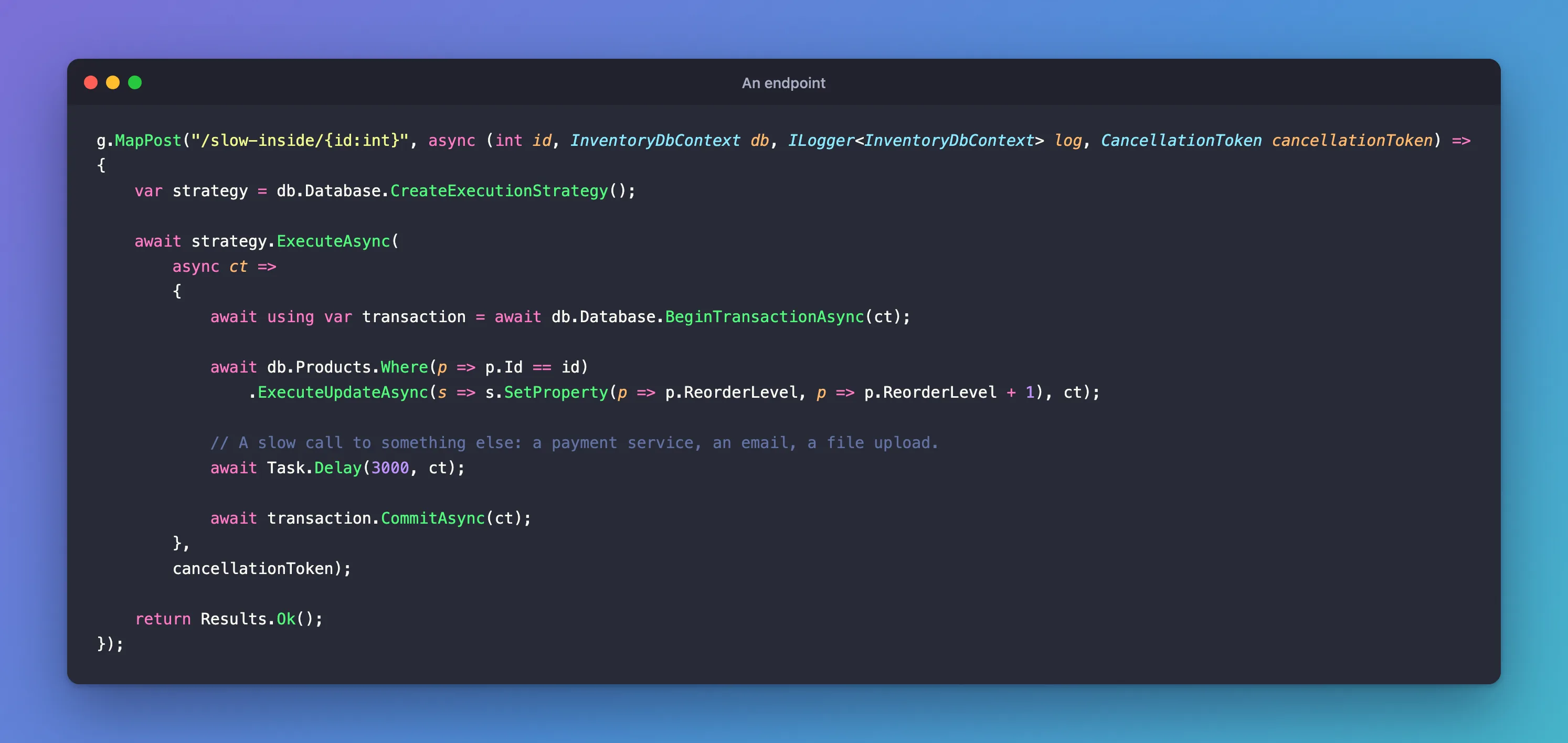
I sent one request, and half a second later a second one for the same product:
first 200 3.019258s
second 200 2.502967s
The second request does almost nothing, and it took 2.5 seconds, because it waited for the first one's lock.
Step 2: Move It Outside
g.MapPost("/slow-outside/{id:int}", async (int id, InventoryDbContext db, ILogger<InventoryDbContext> log, CancellationToken cancellationToken) =>
{
    // The slow call comes first, with no transaction open.
    await Task.Delay(3000, cancellationToken);

    var strategy = db.Database.CreateExecutionStrategy();

    await strategy.ExecuteAsync(
        async ct =>
        {
            await using var transaction = await db.Database.BeginTransactionAsync(ct);

            await db.Products.Where(p => p.Id == id)
                .ExecuteUpdateAsync(s => s.SetProperty(p => p.ReorderLevel, p => p.ReorderLevel + 1), ct);

            await transaction.CommitAsync(ct);
        },
        cancellationToken);

    return Results.Ok();
});
first 200 3.042505s
second 200 0.013594s
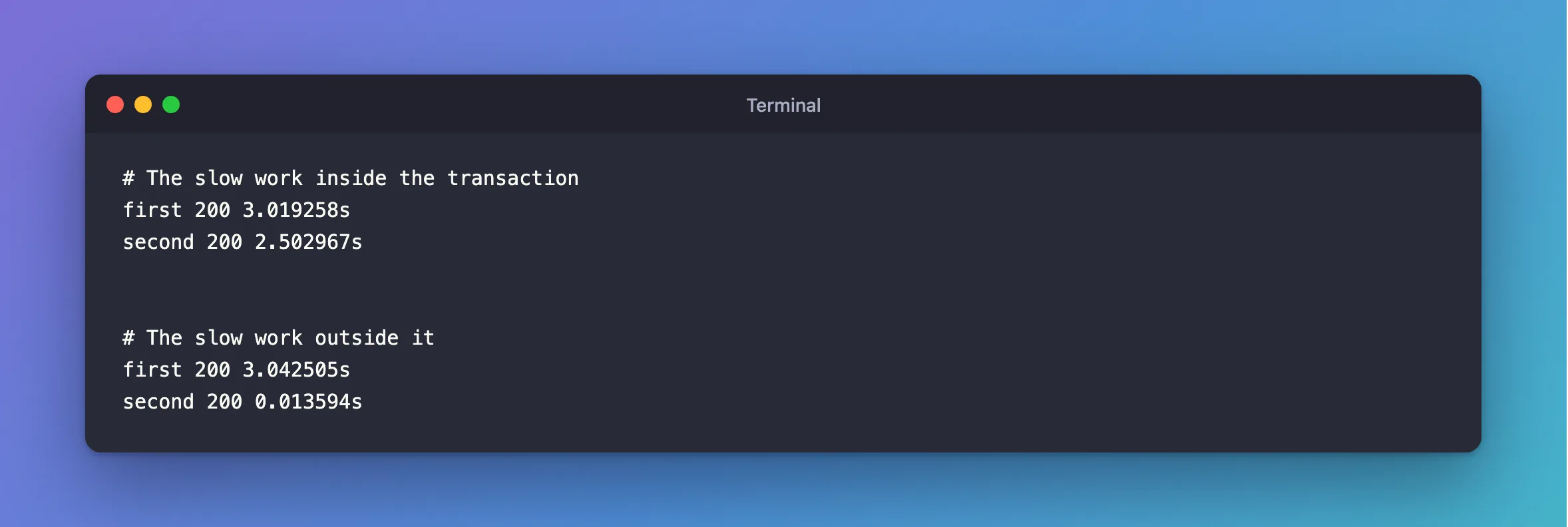
The first request takes the same 3 seconds, and the second doesn't wait at all.
Step 3: Add Up What It Costs
| Slow work inside | Slow work outside | |
|---|---|---|
| First request | 3.02 s | 3.04 s |
| Second request | 2.50 s | 0.013 s |
And that's with one other request. With a popular product, they queue up, and each may reach the lock wait limit. The transaction also holds a connection the whole time, so the pool can run out.
Step 4: Know What Going Outside Costs
Moving it out means the commit and the slow call are no longer one thing:
- Do it after the commit, when the database is the source of truth. If the email fails, the order still exists, and you can send it again.
- Do it before the transaction, when its result decides the write. Check the card, and then write.
- For anything that must eventually happen, save a row saying so in the same transaction, and have a background job do the work. That's the outbox pattern.
And it mustn't be in a retried delegate at all, or a retry repeats it.
Step 5: Find the Ones You Already Have
How to Find Long-Running Transactions in MySQL shows what's holding a transaction open right now. In the log, look for a long gap between Began transaction and Committed transaction.
Common Mistakes
| Mistake | What happens | Do this instead |
|---|---|---|
| An HTTP call inside a transaction | Locks held for as long as it takes, or longer if it hangs | Move it out |
| A user prompt inside a transaction | Locks held until someone answers | Never do this |
| Reading a lot of data before the first write | A SELECT holds no row lock, but the transaction stays open | Read before beginning |
Conclusion
A transaction holds its locks until it ends, so whatever it waits for, everyone else waits for too. Keep only database work inside, and do the slow work before or after.
Additional Resources
- How to Minimize and Handle Deadlocks — "Keep transactions small and short in duration".
- InnoDB Locking — how row locks work.
