Why a MySQL UPDATE Without an Index Locks Every Row

InnoDB has row locks, so an UPDATE of one row can't get in the way of another row. Except that it can. InnoDB locks the rows it looks at, not the rows it changes, so when the WHERE can't use an index, it looks at all of them. Here's one row's update blocking the whole table, and the index that fixes it.
Prerequisites
- MySQL, and two sessions, plus a root session to read the locks. The examples use MySQL 9.7.4 in Docker.
- A table. The examples use
products, with 14 rows, a unique index onSku, and no index onName.
Step 1: An UPDATE on a Column with No Index
START TRANSACTION;
UPDATE products SET ReorderLevel = 6 WHERE Name = 'HDMI cable, 2 m';
Query OK, 1 row affected (0.002 sec)
Rows matched: 1  Changed: 1  Warnings: 0
One row matched and changed. Now count the locks from a root session:
SELECT COUNT(*) AS locks FROM performance_schema.data_locks WHERE LOCK_TYPE = 'RECORD';
SELECT COUNT(*) AS products FROM products;
+-------+
| locks |
+-------+
|    15 |
+-------+
1 row in set (0.002 sec)
+----------+
| products |
+----------+
|       14 |
+----------+
1 row in set (0.002 sec)
15 locks, on a table of 14 rows. Here are the first few:
SELECT INDEX_NAME, LOCK_MODE, LOCK_DATA FROM performance_schema.data_locks WHERE LOCK_TYPE = 'RECORD' LIMIT 6;
+------------+-----------+------------------------+
| INDEX_NAME | LOCK_MODE | LOCK_DATA              |
+------------+-----------+------------------------+
| PRIMARY    | X         | supremum pseudo-record |
| PRIMARY    | X         | 1                      |
| PRIMARY    | X         | 3                      |
| PRIMARY    | X         | 4                      |
| PRIMARY    | X         | 5                      |
| PRIMARY    | X         | 6                      |
+------------+-----------+------------------------+
6 rows in set (0.002 sec)
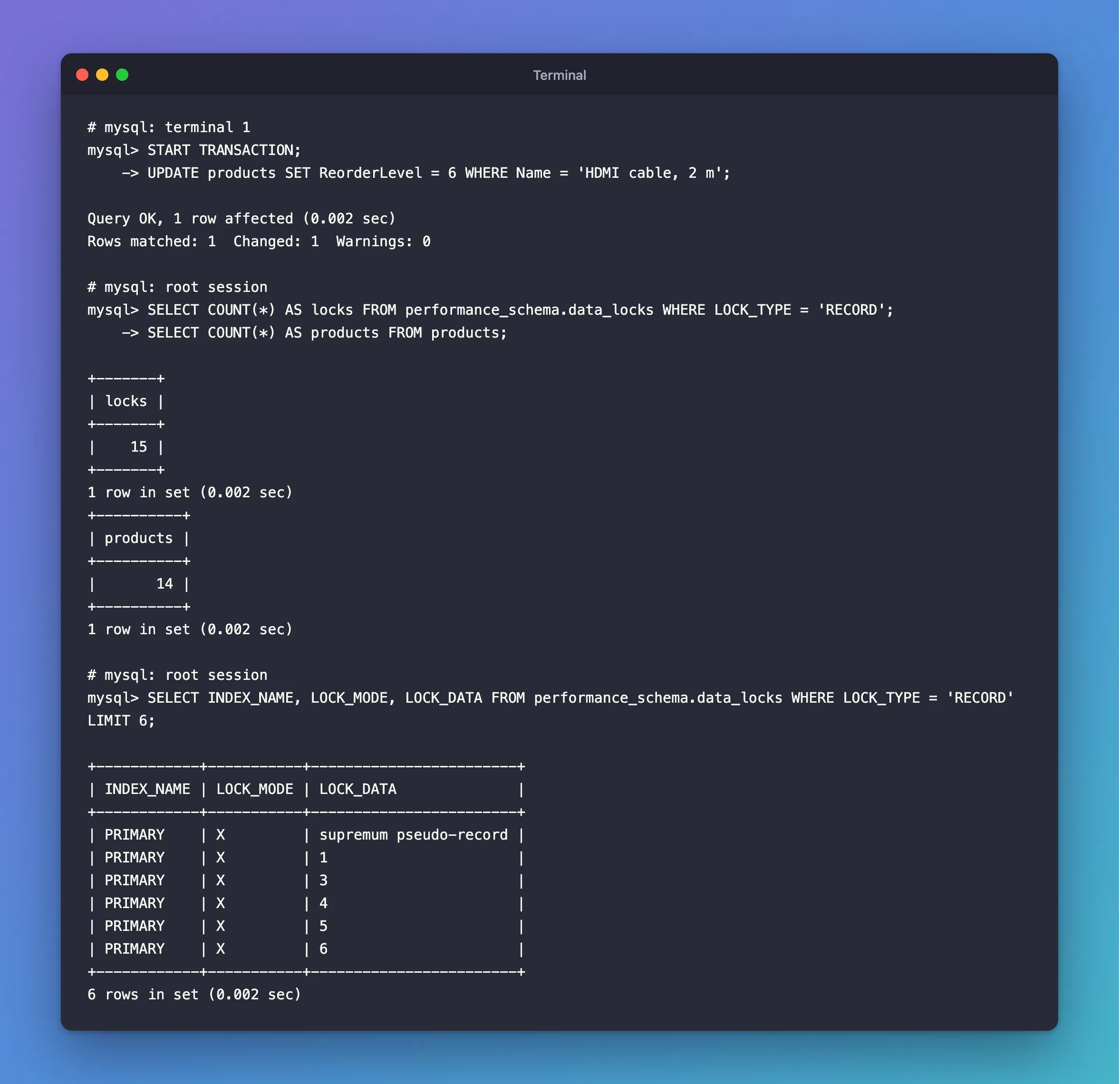
Every row has a lock, and supremum pseudo-record is the gap after the last row, so new rows can't go in either.
Step 2: See It Block a Row Nobody Touched
The other session wants a completely different product:
UPDATE products SET ReorderLevel = 7 WHERE Sku = 'CHG-USBC-20W';
It waits. When the first terminal runs ROLLBACK, three seconds later here:
Query OK, 1 row affected (3.018 sec)
Rows matched: 1  Changed: 1  Warnings: 0
Step 3: Why It Happens
MySQL's locks page says it directly: "If you have no indexes suitable for your statement and MySQL must scan the entire table to process the statement, every row of the table becomes locked, which in turn blocks all inserts by other users to the table."
EXPLAIN shows the scan. In MySQL 9.7, a plain EXPLAIN UPDATE prints <not executable by iterator executor> (that's a known result), so ask for the older format:
EXPLAIN FORMAT=TRADITIONAL UPDATE products SET ReorderLevel = 6 WHERE Name = 'HDMI cable, 2 m'\G
*************************** 1. row ***************************
           id: 1
  select_type: UPDATE
        table: products
   partitions: NULL
         type: index
possible_keys: NULL
          key: PRIMARY
      key_len: 4
          ref: NULL
         rows: 14
     filtered: 100.00
        Extra: Using where
1 row in set, 1 warning (0.002 sec)
possible_keys: NULL means there's no index for this WHERE, and rows: 14 means it reads them all.
Step 4: Use a Column with an Index
The same change through Sku, which has a unique index:
EXPLAIN FORMAT=TRADITIONAL UPDATE products SET ReorderLevel = 6 WHERE Sku = 'CBL-HDMI-2M'\G
*************************** 1. row ***************************
           id: 1
  select_type: UPDATE
        table: products
   partitions: NULL
         type: range
possible_keys: IX_products_Sku
          key: IX_products_Sku
      key_len: 130
          ref: const
         rows: 1
     filtered: 100.00
        Extra: Using where
1 row in set, 1 warning (0.002 sec)
One row to read. And the locks:
START TRANSACTION;
UPDATE products SET ReorderLevel = 6 WHERE Sku = 'CBL-HDMI-2M';
SELECT COUNT(*) AS locks FROM performance_schema.data_locks WHERE LOCK_TYPE = 'RECORD';
SELECT INDEX_NAME, LOCK_MODE, LOCK_DATA FROM performance_schema.data_locks WHERE LOCK_TYPE = 'RECORD';
+-------+
| locks |
+-------+
|     2 |
+-------+
1 row in set (0.002 sec)
+-----------------+---------------+------------------+
| INDEX_NAME      | LOCK_MODE     | LOCK_DATA        |
+-----------------+---------------+------------------+
| IX_products_Sku | X,REC_NOT_GAP | 'CBL-HDMI-2M', 3 |
| PRIMARY         | X,REC_NOT_GAP | 3                |
+-----------------+---------------+------------------+
2 rows in set (0.001 sec)
Two locks, both on the row. The other session's update of a different product now goes through at once:
Query OK, 1 row affected (0.006 sec)
Rows matched: 1  Changed: 1  Warnings: 0
The Fix
Filter by a column with an index, or add an index for the column you filter by. How to Create a Unique Index with EF Core and MySQL and How to Create a Composite Index on Two Columns with EF Core and MySQL show how from code.
Common Mistakes
| Mistake | What happens | Do this instead |
|---|---|---|
UPDATE or DELETE by an unindexed column on a busy table | Everyone waits | Index the column |
| Thinking row locks only cover changed rows | They cover the rows the search visits | Read data_locks |
Judging by EXPLAIN on the SELECT only | An UPDATE can choose differently | EXPLAIN FORMAT=TRADITIONAL UPDATE ... |
Troubleshooting
| Symptom | Likely cause | Fix |
|---|---|---|
| Updates of unrelated rows wait | The other session's WHERE has no index | See who's blocking, then index it |
INSERT waits on a table with a long UPDATE running | The scan locked the gaps too | The same |
Lock wait timeout exceeded on unrelated rows | The same | The same |
FAQ
Does READ COMMITTED help?
Yes, for the locks. The isolation levels page says: "Record locks for nonmatching rows are released after MySQL has evaluated the WHERE condition." The same UPDATE by Name, in a READ COMMITTED session, left one lock behind:
+------------+---------------+-----------+
| INDEX_NAME | LOCK_MODE     | LOCK_DATA |
+------------+---------------+-----------+
| PRIMARY    | X,REC_NOT_GAP | 3         |
+------------+---------------+-----------+
1 row in set (0.004 sec)
The other session's update went straight through. MySQL still reads every row to find the match, so the index is still worth adding.
Conclusion
InnoDB locks what it searches, not what it changes. A WHERE with no index searches everything, so one update locks the table. performance_schema.data_locks shows it, and an index fixes it: 15 locks became 2.
Additional Resources
- Locks Set by Different SQL Statements in InnoDB — what each statement locks.
- EXPLAIN Statement — the formats.
