What UseAffectedRows Does in a MySQL Connection String for .NET C#

When an UPDATE sets a column to the value it already has, did it affect the row? MySQL can answer either way, and a connection string option decides which you get. With Oracle's connector, the default is "yes", and that matters more than it looks. Turn the option on, and EF Core starts throwing an exception on some ordinary saves.
Prerequisites
- A .NET C# project with Oracle's MySQL connector. The examples use
MySql.Data26.10.0, throughMySql.EntityFrameworkCore10.0.12, EF Core 10 and MySQL 9.7.
What the Two Answers Mean
MySQL can count a row in two ways for an UPDATE:
- Found rows: the rows the
WHEREmatched. - Changed rows: the rows whose values really changed.
The mysql client shows you both. Here's a rename, then the same rename again:
mysql> UPDATE categories SET Name = 'Stands and mounts' WHERE Name = 'Stands';
Query OK, 1 row affected (0.002 sec)
Rows matched: 1  Changed: 1  Warnings: 0

mysql> UPDATE categories SET Name = 'Stands and mounts' WHERE Name = 'Stands and mounts';
Query OK, 0 rows affected (0.000 sec)
Rows matched: 1  Changed: 0  Warnings: 0
Oracle's connection options page describes the setting: "UseAffectedRows, Use Affected Rows", "Default: false", and "When true, the connection reports changed rows instead of found rows." MySQL's ROW_COUNT page explains the server's side of it: "For UPDATE statements, the affected-rows value by default is the number of rows actually changed. If you specify the CLIENT_FOUND_ROWS flag to mysql_real_connect() when connecting to mysqld, the affected-rows value is the number of rows 'found'; that is, matched by the WHERE clause."
So the connector's default asks for found rows.
Compare Them with ExecuteUpdateAsync
This endpoint sets ReorderLevel on one row, and returns the count from ExecuteUpdateAsync:
d.MapPost("/execute-update-same/{id:int}", async (int id, int level, InventoryDbContext db) =>
{
    var changed = await db.Products
        .Where(p => p.Id == id)
        .ExecuteUpdateAsync(s => s.SetProperty(p => p.ReorderLevel, level));
    return Results.Ok(new { changed });
});
Each setting ran it twice in a row. With the default:
{
  "changed": 1
}
{
  "changed": 1
}
With UseAffectedRows=True:
{
  "changed": 1
}
{
  "changed": 0
}
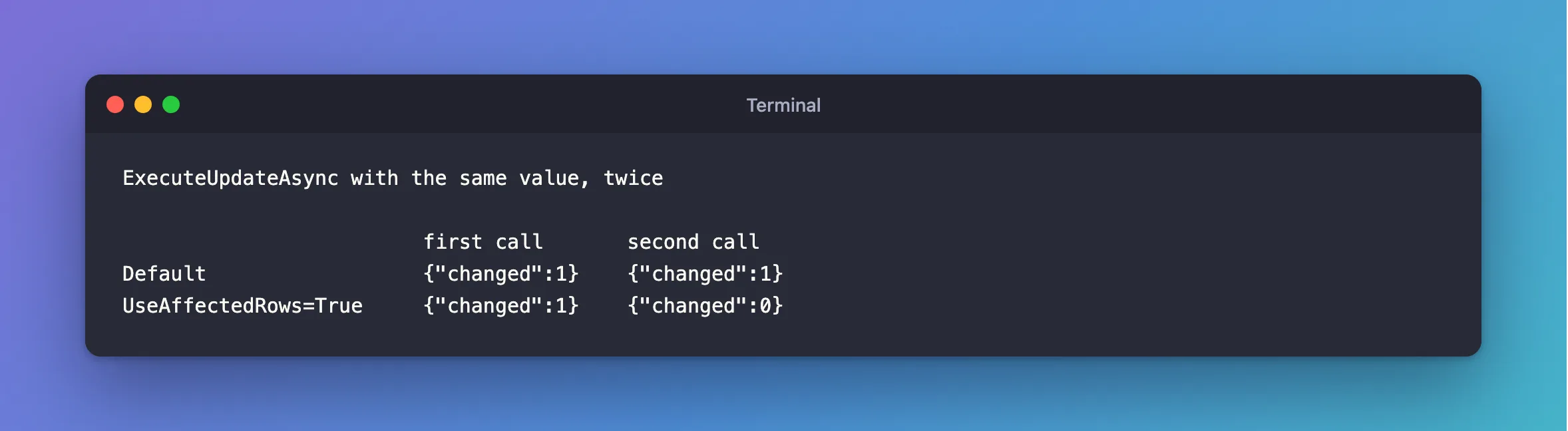
The default answers "is the row there?", which is how the archive endpoint tells 204 from 404. The other answers "did anything change?".
The Trap with SaveChanges
EF Core checks the count after each UPDATE, expecting one row. It only sends changed columns, so that usually holds. DbSet.Update is different: it writes every column, even if nothing is new.
d.MapPut("/update-same/{id:int}", async (int id, string name, InventoryDbContext db) =>
{
    var updated = new Category { Id = id, Name = name, CreatedAtUtc = new DateTime(2026, 1, 1, 0, 0, 0, DateTimeKind.Utc) };
    db.Categories.Update(updated);
    await db.SaveChangesAsync();
    return Results.Ok(new { updated.Id, updated.Name });
});
Sending the same values twice with the default setting is fine:
HTTP/1.1 200 OK
Content-Type: application/json; charset=utf-8

{
  "id": 506,
  "name": "Same name"
}
The same request with UseAffectedRows=True fails, because MySQL reports 0 rows changed, and EF Core reads that as "someone else changed it":
HTTP/1.1 500 Internal Server Error
Content-Type: application/problem+json

{
  "type": "https://tools.ietf.org/html/rfc9110#section-15.6.1",
  "title": "An error occurred while processing your request.",
  "status": 500,
  "traceId": "00-a34d28d3f87118213651eba03d1f08eb-e508bb20360291c6-00"
}
fail: Microsoft.AspNetCore.Diagnostics.ExceptionHandlerMiddleware[1]
      An unhandled exception has occurred while executing the request.
      Microsoft.EntityFrameworkCore.DbUpdateConcurrencyException: The database operation was expected to affect 1 row(s), but actually affected 0 row(s); data may have been modified or deleted since entities were loaded. See https://go.microsoft.com/fwlink/?LinkId=527962 for information on understanding and handling optimistic concurrency exceptions.
Change a value, and it works again:
HTTP/1.1 200 OK
Content-Type: application/json; charset=utf-8

{
  "id": 506,
  "name": "Other name"
}
No row was out of date in that failure, so the DbUpdateConcurrencyException is misleading. A client that saves an unchanged form would see a 500 or a false conflict.
Which to Use
Leave it at the default with EF Core. Found rows is what EF Core's check assumes: "the row was there". If you need to know whether values changed for one query, ask for it in the WHERE, for example Where(p => p.Id == id && p.ReorderLevel != level), which matches nothing when there's nothing to do.
How to Set It
It's one more option in the connection string, and it can go through user secrets or an environment variable like the rest:
Server=127.0.0.1;Port=3306;Database=inventory;User ID=inventory_app;Password=…;SslMode=Required;UseAffectedRows=True
Common Mistakes
| Mistake | What happens | Do this instead |
|---|---|---|
| Turning it on to detect "no change" | DbSet.Update with equal values throws | Put the check in the WHERE |
Reading changed: 1 as "a value changed" | With the default, it only means the row exists | Compare values if you need that |
Comparing MySQL's ROW_COUNT() in the client and in the app | The mysql client counts changed rows, and the connector found rows | Check which connection you're looking at |
| Assuming every MySQL driver has this default | I measured Oracle's connector | Check yours the same way |
FAQ
Does it change what ends up in the database?
No. The UPDATE does the same thing, and only the number reported back differs.
Does it affect an INSERT or a DELETE?
A plain INSERT or DELETE reports the rows it inserted or deleted either way. The flag matters when a row matches without changing: an UPDATE, or an INSERT … ON DUPLICATE KEY UPDATE, which the ROW_COUNT page also covers.
Conclusion
UseAffectedRows chooses between found rows, the default in Oracle's connector, and changed rows. With EF Core, keep the default: with UseAffectedRows=True, saving unchanged values through DbSet.Update throws DbUpdateConcurrencyException, even though no row is out of date.
Additional Resources
- Connector/NET connection options —
UseAffectedRows. - ROW_COUNT() — what affected rows means.
