What Is Delegation in Power Apps? (With SharePoint Lists)

When a Power Apps formula filters a SharePoint list, there are two ways it can run. Either SharePoint does the filtering and sends back only the matching items, or Power Apps downloads some items and filters them itself. The first is delegation, and it's the only way that works on a big list.
Delegation in Plain Words
Power Apps delegates a query when it can translate the whole formula into a query the data source understands. The data source runs it and returns only the results (Delegation overview).
When any part of the formula is something the data source can't do, Power Apps doesn't delegate any of it. It downloads the first 500 records and runs the formula on those. On a list with 20 items that's fine. On a list with 5,000, the results are silently incomplete: item 501 is never looked at.
The Data Row Limit
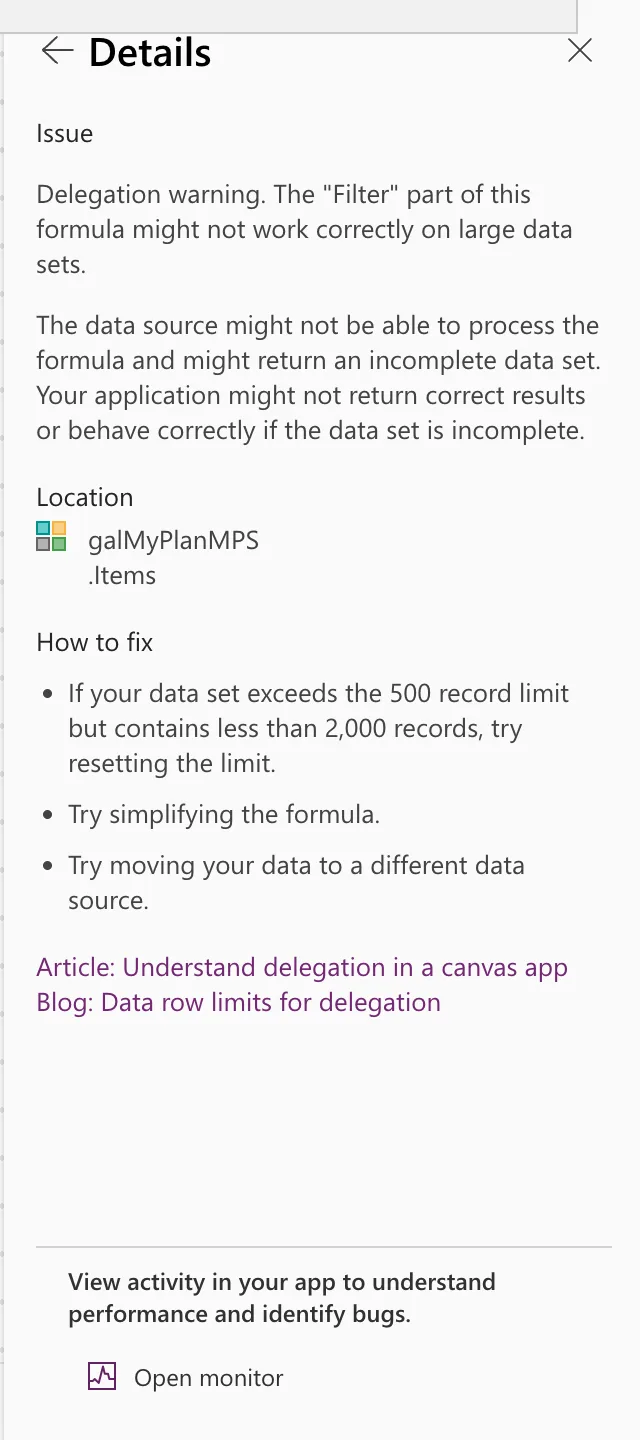
That 500 is the app's Data row limit, under Settings → General (the Career Development Plan app keeps the default, Part 3). Microsoft's delegation article says it can go up to 10,000, while the App checker's own advice, shown below, still mentions 2,000. Raising it only moves the cliff. Microsoft's tip for testing is the opposite: set it to 1 for a while, and any formula that isn't delegated returns a single record, which is easy to spot.
What SharePoint Can Delegate
From Microsoft's table for SharePoint (SharePoint delegation):
| Operation | Number | Text | Yes/No | Date | Choice, Lookup, Person |
|---|---|---|---|---|---|
= | Yes | Yes | Yes | Yes | By subfield |
<, <=, <>, >, >= | Yes | No | No | Yes | By subfield |
| Filter, LookUp | Yes | Yes | Yes | Yes | By subfield |
| Sort | Yes | Yes | Yes | Yes | No |
| StartsWith | Yes | No for Choice and Lookup | |||
| IsBlank | No | No |
Conditions joined with And or Or delegate; Not doesn't. Microsoft also notes that IsBlank(Column) doesn't delegate but Column = Blank() does, for = only, and that the ID column delegates only =.
Spotting a Delegation Warning
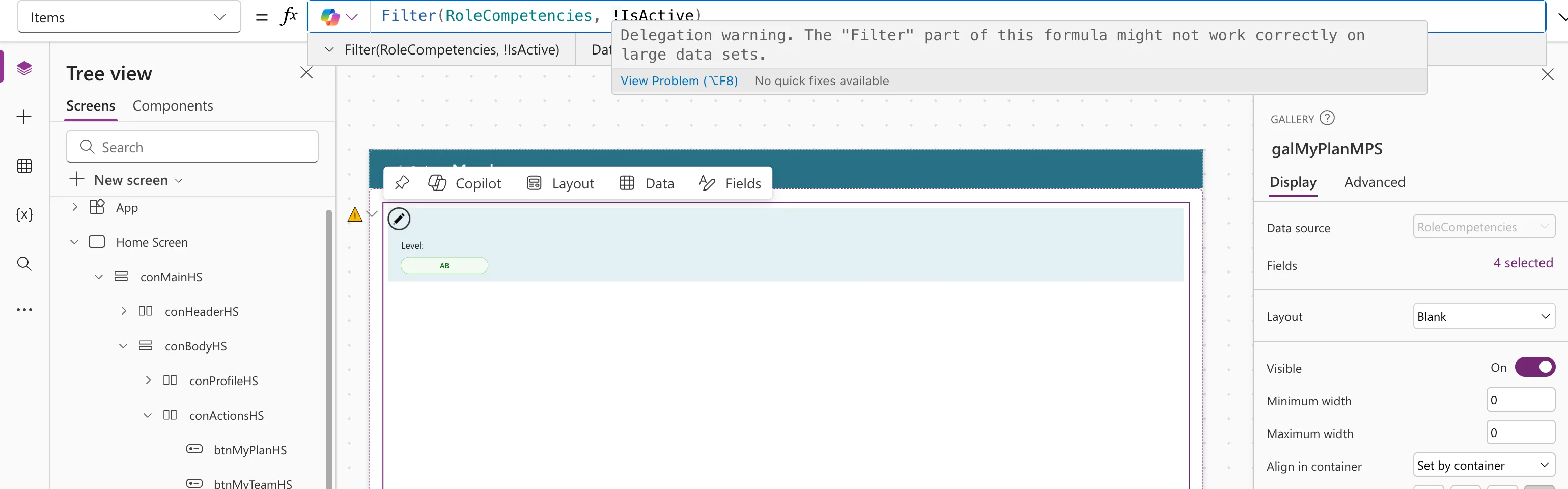
Studio flags a formula it can't delegate in three places. In the example, Filter(RoleCompetencies, !IsActive) was typed in a gallery's Items, to list removed competencies:
- A yellow triangle next to the control, and a wavy underline in the formula. Hover it for the message, Delegation warning. The "Filter" part of this formula might not work correctly on large data sets.
- The App checker (the stethoscope icon on the right) → Formulas → Warnings, with its Details:
Rewritten as Filter(RoleCompetencies, IsActive = false), which finds the same items, the filter delegates and the warning disappears. Fixed: Delegation Warning has the full story.
Two Rules That Keep You Safe
- Filter on the source, with delegable conditions. Compare columns with
=and join conditions with&&, as inFilter(RoleCompetencies, JobTitle = MyJobTitle && IsActive). - Do the rest on the small result. Work that isn't delegated, such as AddColumns, or a LookUp on a variable, is fine on a handful of rows that a delegated query already returned.
On big SharePoint lists, also index the column you filter on first (How to Index a Column in a SharePoint List): SharePoint blocks queries that have to scan more than about 5,000 items.
Common Mistakes
| Mistake | What happens | Do this instead |
|---|---|---|
| Ignoring the warning because the list is small today | Results go wrong when it grows | Rewrite the formula now |
| Raising the data row limit to "fix" it | The problem moves to a bigger number | Make the formula delegable |
!IsActive or Not(...) on a SharePoint column | Not delegated | IsActive = false |
| Sorting by a Choice column | Not delegated | Sort by a text, number or date column |
Troubleshooting
| Symptom | Likely cause | Fix |
|---|---|---|
| A yellow triangle on a gallery | A non-delegable part in Items | Hover the underline to find it |
| Items you know exist don't appear | The query wasn't delegated, and they're past the first 500 | Fix the delegation warning |
FAQ
Do collections and variables need delegation?
No. They're already in the app's memory, so every function works on them. The query that filled them is the one that needs to be delegable.
Does this apply to Dataverse too?
Yes, with its own list of delegable functions. Each data source supports different operations: Microsoft's example is that Dataverse can delegate the in operator and Excel can't.
Conclusion
Delegation means the data source does the work. On SharePoint, stick to = comparisons, And/Or, Filter, LookUp and Sort on simple columns, and treat every delegation warning as a bug to fix, not a note to ignore.
