MySql.Data SslMode Options Explained: Disabled, Preferred, Required, VerifyCA and VerifyFull

SslMode in a MySql.Data connection string decides two things: whether the connection is encrypted, and whether the driver checks who's on the other end. Required, the one most examples show, does the first and not the second. I tested each mode to see what it really does.
The Short Version
SslMode | Encrypted? | Checks who signed the certificate? | Checks the name on it? | Needs |
|---|---|---|---|---|
Disabled | No | No | No | Nothing |
Preferred | If the server offers it | No | No | Nothing. It's the default |
Required | Yes | No | No | Nothing |
VerifyCA | Yes | Yes | No | SslCa |
VerifyFull | Yes | Yes | Yes | SslCa, SslCert and SslKey |
Use VerifyFull in production, or VerifyCA where only your own servers use that CA. The examples below use the one-file tester from How to Write a MySQL Connection String for .NET C#, which prints the account and the TLS version.
Disabled
- macOS / Linux
- Windows (PowerShell)
export MYSQL_CONNECTION_STRING="Server=127.0.0.1;Port=3306;Database=inventory;User ID=inventory_app;Password=$(grep '^MYSQL_PASSWORD=' ../dewiride-inventory-api/.env | cut -d= -f2-);SslMode=Disabled"
dotnet run test-connection.cs
$password = (Get-Content ../dewiride-inventory-api/.env | Where-Object { $_ -like 'MYSQL_PASSWORD=*' }).Substring('MYSQL_PASSWORD='.Length)
$env:MYSQL_CONNECTION_STRING = "Server=127.0.0.1;Port=3306;Database=inventory;User ID=inventory_app;Password=$password;SslMode=Disabled"
dotnet run test-connection.cs
Connected as inventory_app@% to MySQL 9.7.4
TLS: not used
No encryption: anyone on the network path can read the traffic. None, the old name for this, is gone: Oracle removed it in Connector/NET 9.6.0.
Preferred
This is what you get if you leave SslMode out. It uses TLS when the server offers it:
Connected as inventory_app@% to MySQL 9.7.4
TLS: TLSv1.2
The catch is the fallback. If a server, or something pretending to be one, doesn't offer TLS, it connects unencrypted without saying so. Oracle's description: "Use SSL if the server supports it, but allow connection in all cases."
Required
"Always use SSL. Deny connection if server does not support SSL."
Connected as inventory_app@% to MySQL 9.7.4
TLS: TLSv1.2
It looks the same as Preferred when all is well, but it won't fall back. What it doesn't do is check the certificate. To see what that means, I started a second MySQL on port 3307, with the same account and password, and its own certificate:
Server=127.0.0.1;Port=3307;Database=inventory;User ID=inventory_app;Password=…;SslMode=Required
Connected as inventory_app@% to MySQL 9.7.4
TLS: TLSv1.2
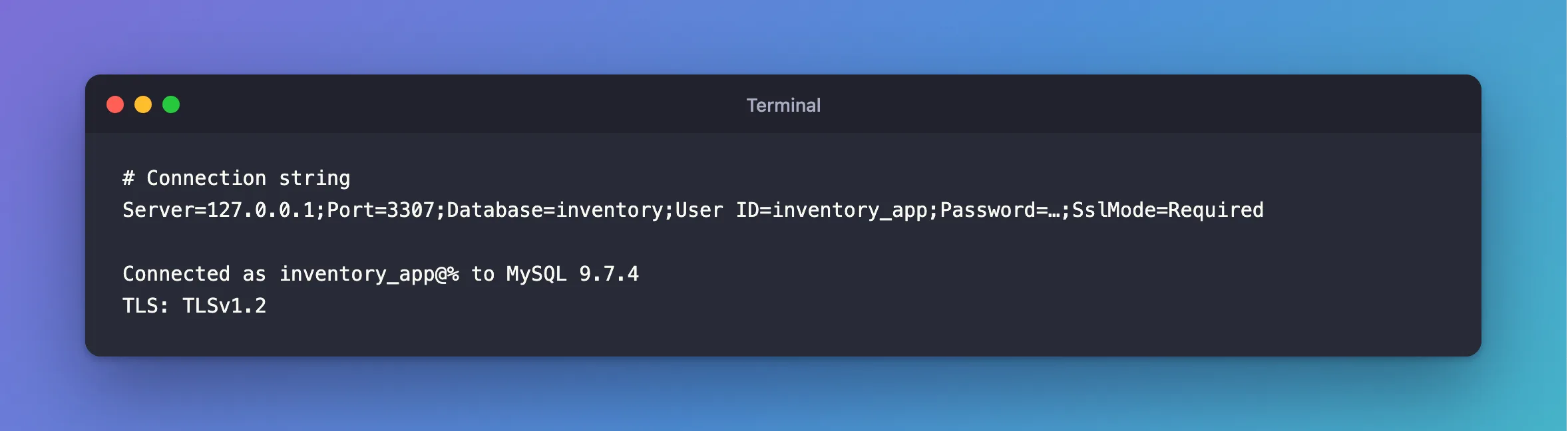
It connected, and sent its login. Encrypted, to the wrong server. An expired certificate gets the same free pass: Required connects to it without a word.
VerifyCA
"Always use SSL. Validate the certificate authorities (CA), but tolerate a name mismatch." It needs the CA's file, which you can copy from the server:
- macOS / Linux
- Windows (PowerShell)
export MYSQL_CONNECTION_STRING="Server=127.0.0.1;Port=3306;Database=inventory;User ID=inventory_app;Password=$(grep '^MYSQL_PASSWORD=' ../dewiride-inventory-api/.env | cut -d= -f2-);SslMode=VerifyCA;SslCa=$PWD/certs/ca.pem"
dotnet run test-connection.cs
$password = (Get-Content ../dewiride-inventory-api/.env | Where-Object { $_ -like 'MYSQL_PASSWORD=*' }).Substring('MYSQL_PASSWORD='.Length)
$env:MYSQL_CONNECTION_STRING = "Server=127.0.0.1;Port=3306;Database=inventory;User ID=inventory_app;Password=$password;SslMode=VerifyCA;SslCa=$PWD/certs/ca.pem"
dotnet run test-connection.cs
Connected as inventory_app@% to MySQL 9.7.4
TLS: TLSv1.2
The same CA against that second server is refused:
Unhandled exception. System.Exception: The provided key is invalid
 ---> Org.BouncyCastle.Security.InvalidKeyException: Public key presented not for certificate signature
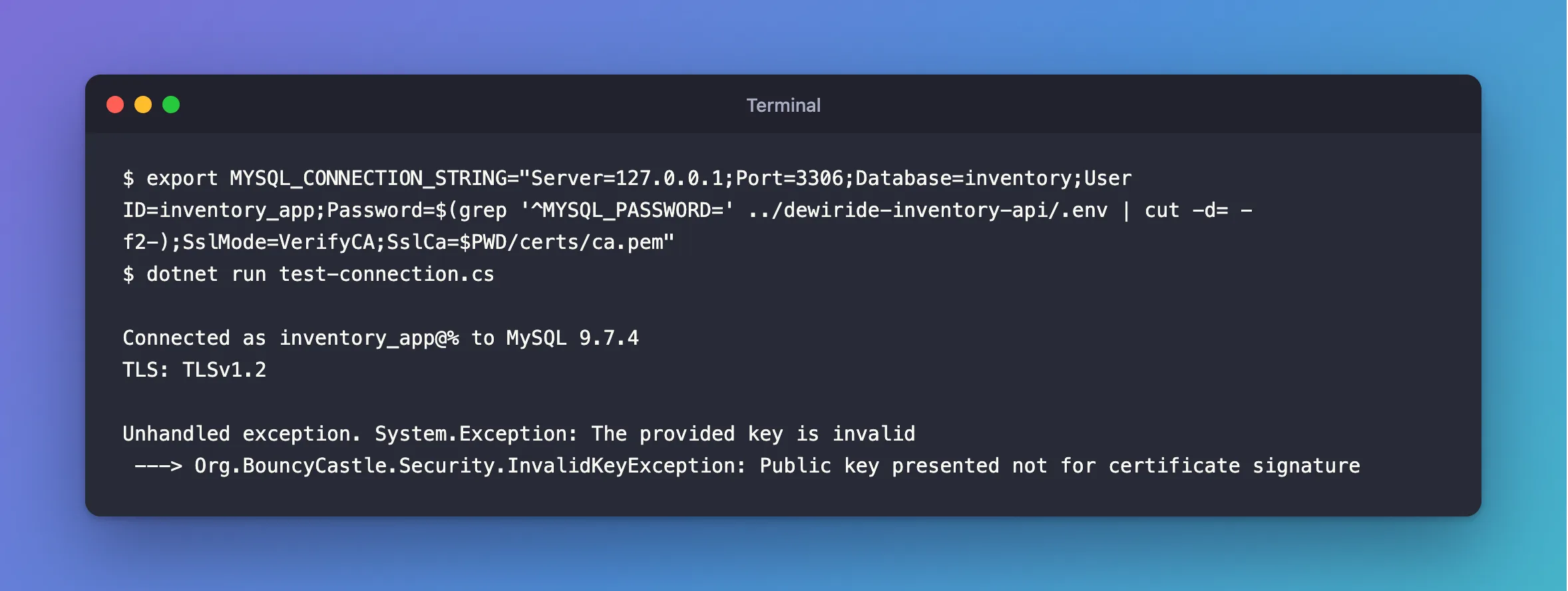
How to Verify a MySQL Server Certificate in .NET C# with VerifyCA has the steps.
VerifyFull
"Always use SSL. Fail if the host name is not correct." This adds a check that Server= is a name on the certificate. It matters when one CA signs for many servers, because VerifyCA would accept any of them. It also takes more setup, which How to Use VerifyFull with MySql.Data in .NET C# goes through.
Connected as inventory_app@% to MySQL 9.7.4
TLS: TLSv1.2
Which to Use
- In production:
VerifyFull. If your own server's certificate has the wrong name,VerifyCAis a good step on the way. - On your own computer, with MySQL in Docker:
Requiredis fine while you're building, because the connection never leaves your machine. Preferred: don't rely on it. If you want TLS, say so.Disabled: only on a link you already trust, and only with a reason.
And to make the server insist as well, turn on require_secure_transport.
Common Mistakes
| Mistake | What happens | Do this instead |
|---|---|---|
Treating Required as "secure" | It's encrypted to whoever answers | Use VerifyFull |
Leaving out SslMode | Preferred falls back to no encryption | Set it |
Going back to Required when a check fails | You've switched off what caught it | Fix the cause |
Troubleshooting
| Symptom | Likely cause | Fix |
|---|---|---|
No file path has been provided … SslCa | VerifyCA without a CA file | The fix |
No file path has been provided … SslCert | VerifyFull wants a client pair | The fix |
The host name does not match the name on the certificate | VerifyFull found a wrong name | The fix |
Retrieval of the RSA public key is not enabled | Disabled, and a first login | The fix |
Conclusion
Required encrypts. VerifyCA adds who signed it. VerifyFull adds the name. Only the last two would notice the wrong server.
Additional Resources
- Connector/NET Connection Options —
SslMode, quoted above. - Configuring MySQL to Use Encrypted Connections — the same modes, on the
mysqlclient.
