IsBlank vs IsEmpty in Power Apps (and the Blank Function)

"Is there anything there?" sounds like one question, but Power Apps answers it with two functions. IsBlank checks a single value or record. IsEmpty checks whether a table has any rows. Use the wrong one and the answer is always false. Here's the difference, with real results, plus Blank(), which creates the "nothing" they test for.
The Short Version
| You have | Ask | Function |
|---|---|---|
| A value: text, number, date, a record | Is it missing? | IsBlank |
| A table: rows from a list, a connector or a filter | Does it have rows? | IsEmpty |
From Microsoft's reference:
- IsBlank is true for a blank value and for an empty string
"". - IsBlank treats an empty table as not blank, so it's the wrong test for tables.
- IsEmpty is the same as checking that CountRows is zero.
Prerequisites
- A canvas app with a Text control to try formulas in. The example uses the Career Development Plan app's Home screen, from Part 4 of the series, and two of its named formulas:
MyManager, a record, andMyDirectReports, a table.
IsBlank: Is the Value Missing?
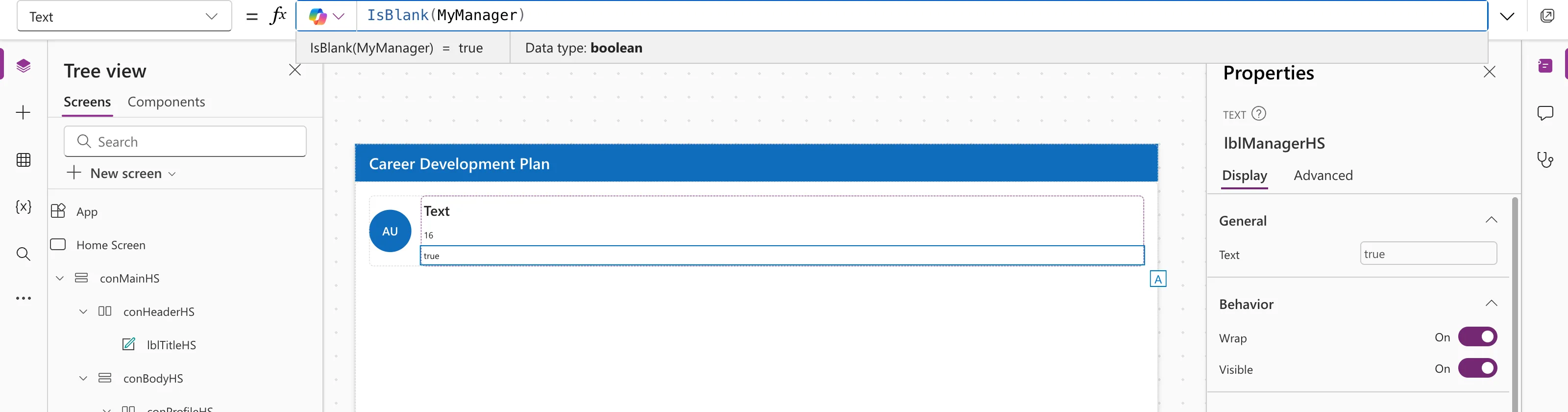
In the example, the signed-in admin has no manager, so MyManager is blank:
IsBlank(MyManager)
The app uses it to choose what to show:
If(
    IsBlank(MyManager),
    "Your Microsoft 365 profile has no manager, so nobody can review your responses yet. Ask your IT admin to add one.",
    "Manager: " & MyManager.displayName
)
IsEmpty: Does the Table Have Rows?
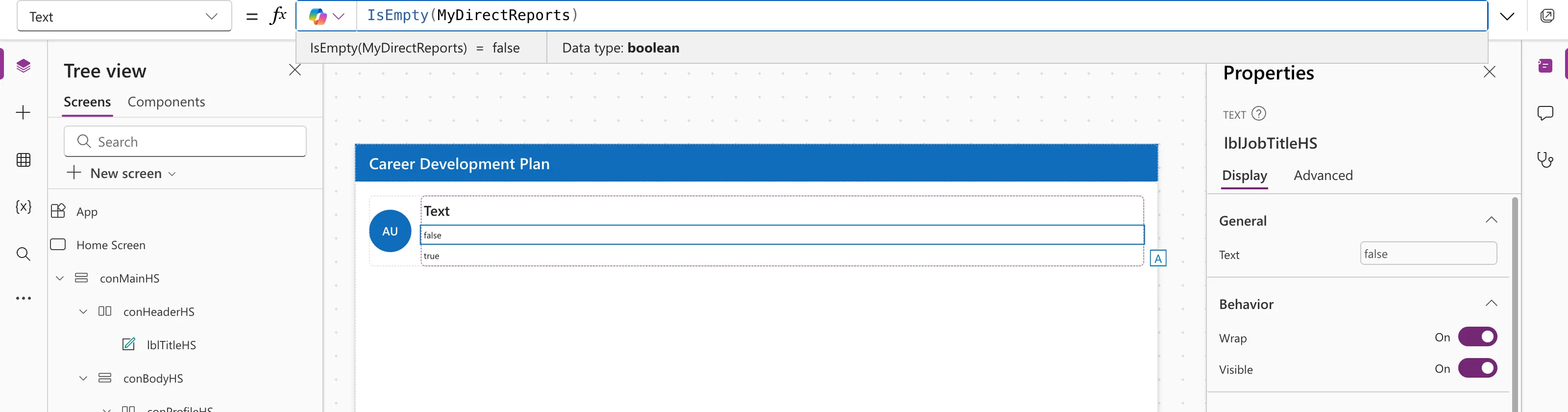
MyDirectReports is a table of the people who report to the admin; it has one row:
IsEmpty(MyDirectReports)
"Is this person a manager?" is "is their direct reports table not empty?":
IsManager = !IsEmpty(MyDirectReports);
See How to Use Not in Power Apps.
Blank(): Making Nothing on Purpose
Blank() returns a blank value. The example uses it twice:
- As the fallback when there's no manager:
IfError(Office365Users.ManagerV2(...), Blank()); see How to Handle Errors in Power Apps with IfError. - To switch off the Avatar's presence badge: Badge =
Blank(); see How to Add an Avatar Control in Power Apps.
Microsoft also notes you can use it to clear a field in a data source that supports empty values.
Common Mistakes
| Mistake | What happens | Do this instead |
|---|---|---|
IsBlank(SomeTable) | Always false, even with no rows | IsEmpty(SomeTable) |
IsEmpty(SomeText) | An error: it needs a table | IsBlank(SomeText) |
Testing = "" for missing text | Misses blank values | IsBlank covers both |
Troubleshooting
| Symptom | Likely cause | Fix |
|---|---|---|
| A "no data" message never shows | IsBlank on a table | Use IsEmpty |
| IsBlank is true for text that looks fine | It's an empty string "" | Expected: IsBlank counts "" as blank |
| Need blank or an error | Errors aren't blank | Use IsBlankOrError, or IfError first |
FAQ
Is a blank record the same as an empty table?
No. A record is one value, tested with IsBlank. A table is a set of rows, tested with IsEmpty.
How do I replace a blank with a default?
Use Coalesce; see How to Replace Blank Values in Power Apps with Coalesce.
What about delegation with IsBlank in filters?
Some data sources can't delegate IsBlank inside Filter. Check your data source's delegation list before using it on large lists.
Conclusion
IsBlank for values and records, IsEmpty for tables, and Blank() when you need "nothing" on purpose. Pick by what you're testing, and the answers come out right.
Additional Resources
- Blank, Coalesce, IsBlank, and IsEmpty functions: the full reference.
- Understand delegation: which functions each data source can run.
