How to Write the main Method of a Java Program

Every Java program starts somewhere: the main method. When you run a program, Java looks for main in the class you named and runs it, passing in the words you typed after the program's name.
Syntax
public class <ClassName> {
    public static void main(String[] args) {
        <the program's first statements>
    }
}
| Part | What it does |
|---|---|
public static void main | The method Java calls first. static means it runs without creating an object first. |
String[] args | The command-line arguments, as an array of strings. |
<ClassName> | The class that holds main; its file is usually named after it, such as Main.java. |
The Java Language Specification, section 12.1.4, describes how Java picks the method: one with "a single formal parameter whose declared type is an array of String, a void result", or, since Java SE 25, one with "no formal parameters". It adds that "The form of a candidate main method expanded significantly in Java SE 25."
The Example
The example prints a greeting and the number of arguments it received, once without arguments and once with two.
Prerequisites
- A JDK, the Java Development Kit.
java Main.javaruns a single file without compiling it first. This guide uses OpenJDK 25.0.5.1.
Step 1: Write the Class
Create a file named Main.java:
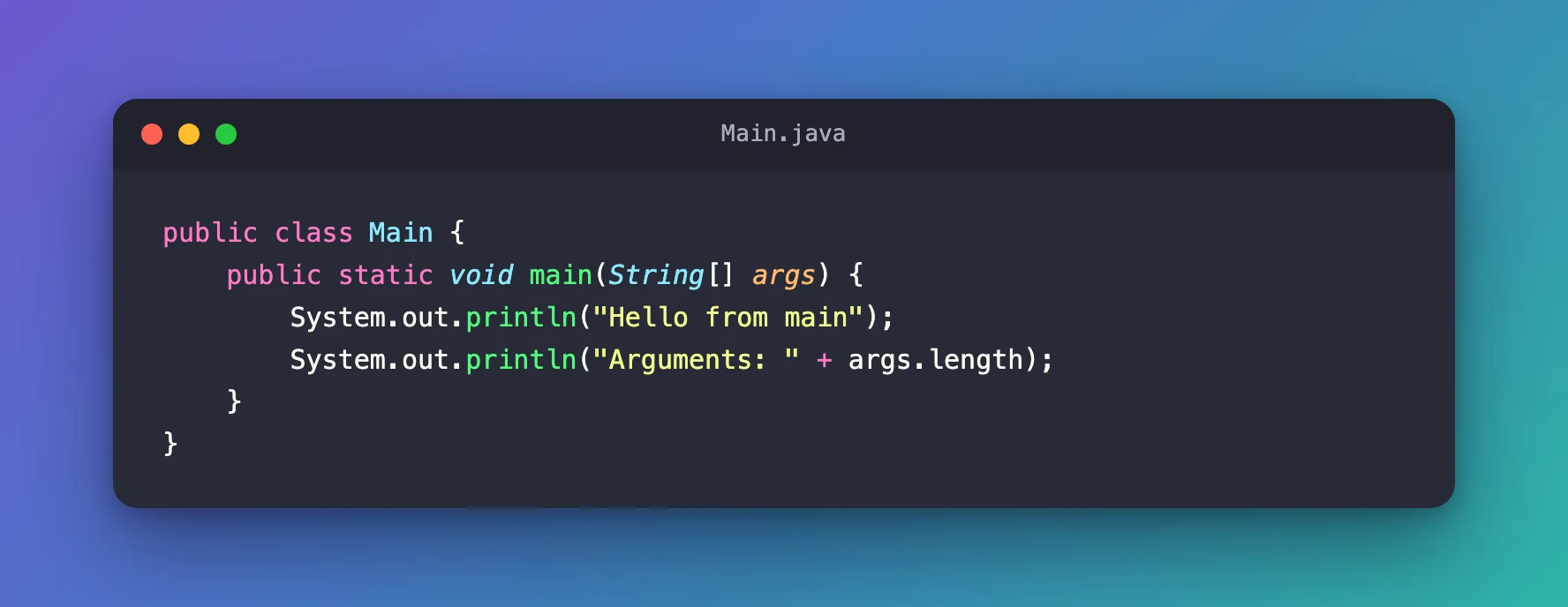
public class Main {
    public static void main(String[] args) {
        System.out.println("Hello from main");
        System.out.println("Arguments: " + args.length);
    }
}
Step 2: Run It With and Without Arguments
java Main.java
java Main.java one two
Hello from main
Arguments: 0
Hello from main
Arguments: 2
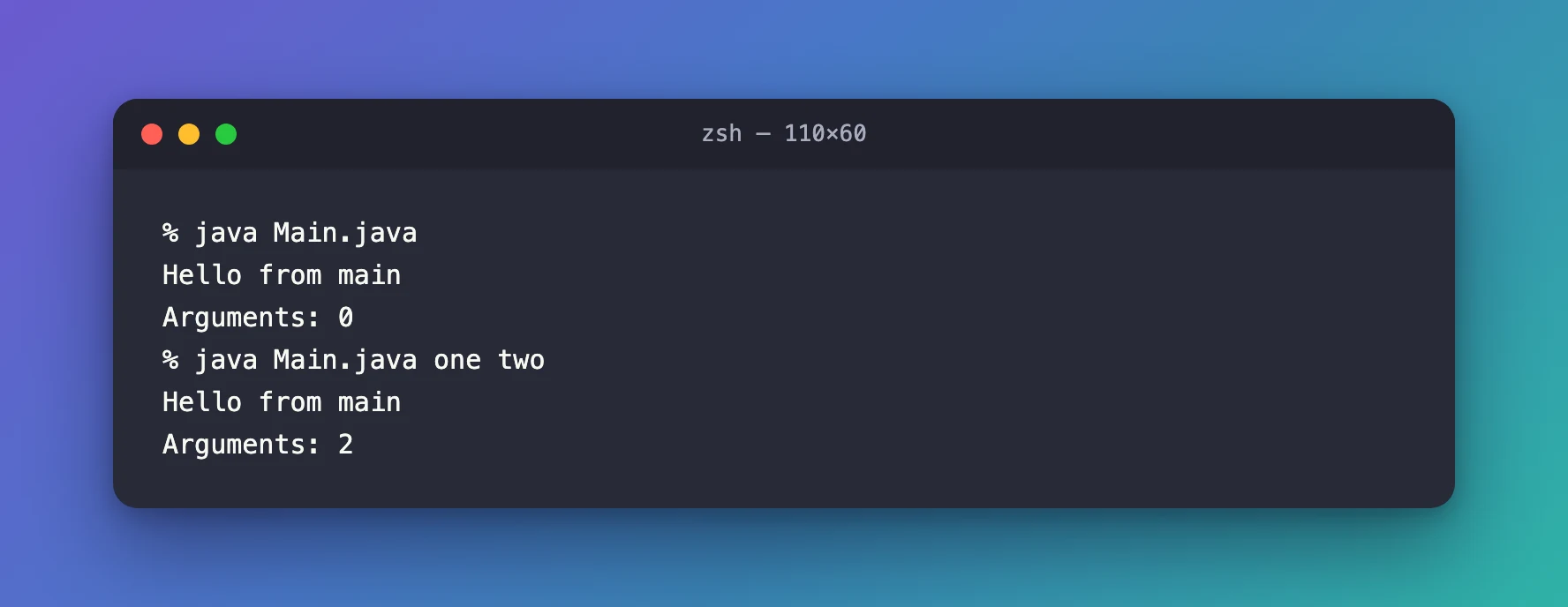
java Main.java compiled the file in memory and ran main. The words after the file name became args, so the second run counted two. The commands are the same in zsh, bash and PowerShell.
The Shorter Form in Java 25
Java 25 also accepts a much shorter program. A file with no class around its main is a compact source file:
void main() {
    IO.println("Hello from a compact source file");
}
Run with java Hello.java, it printed Hello from a compact source file. JEP 512 introduced this form so that "beginners can write their first programs without needing to understand language features designed for large programs." The classic form above still works everywhere and is what most existing code uses.
Common Mistakes
| Mistake | What happens | Do this instead |
|---|---|---|
Misspelling main, or giving it other parameters | error: can't find main(String[]) or main() method in class: Main | Name it exactly main, with String[] args or no parameters |
Expecting args[0] when no argument was given | java.lang.ArrayIndexOutOfBoundsException: Index 0 out of bounds for length 0 | Check args.length first |
| Using a compact source file on an older JDK | JDK 17 stopped with error: class, interface, enum, or record expected | Use the classic form there, or JDK 25 |
Troubleshooting
| Symptom | Likely cause | Fix |
|---|---|---|
can't find main(String[]) or main() method | No method named main with an accepted form | Add public static void main(String[] args) |
java Main.java isn't recognized | No JDK on the PATH | Install a JDK and check with java -version |
FAQ
Does main have to be static?
Not any more: since Java 25, Java can create an object of the class and call an instance main. The static form is still the common one.
Do I need javac first?
Not for a single file: java Main.java compiles it in memory. Larger programs compile with javac and then run with java.
Conclusion
public static void main(String[] args) is where a Java program starts, and args holds the command-line arguments. Java 25 also accepts a plain void main(), which keeps first programs short.
Additional Resources
- JLS 12.1.4: Invoke a main Method, in the Java Language Specification.
- JEP 512: Compact Source Files and Instance Main Methods.
- JEP 330: Launch Single-File Source-Code Programs.
