How to Write JSON Logs in ASP.NET Core

Plain-text logs are nice to read, and hard for a log tool to search. AddJsonConsole writes one JSON object per entry, with each value in a field of its own. Keep plain text in Development, and use JSON everywhere else.
What You Need
The .NET 10 SDK, and a small project: dotnet new web --no-https -n WebDemo. It's built in.
Step 1: Turn It On Outside Development
Replace Program.cs:
var builder = WebApplication.CreateBuilder(args);

// One JSON object per log entry outside Development, for log tools to read.
if (!builder.Environment.IsDevelopment())
{
    builder.Logging.AddJsonConsole(options =>
    {
        options.UseUtcTimestamp = true;
        options.TimestampFormat = "yyyy-MM-ddTHH:mm:ss.fffZ";
    });
}

var app = builder.Build();

app.MapGet("/orders/{id:int}", (int id, ILogger<Program> logger) =>
{
    logger.LogInformation("Looking up order {OrderId}", id);
    return id;
});

app.Run();
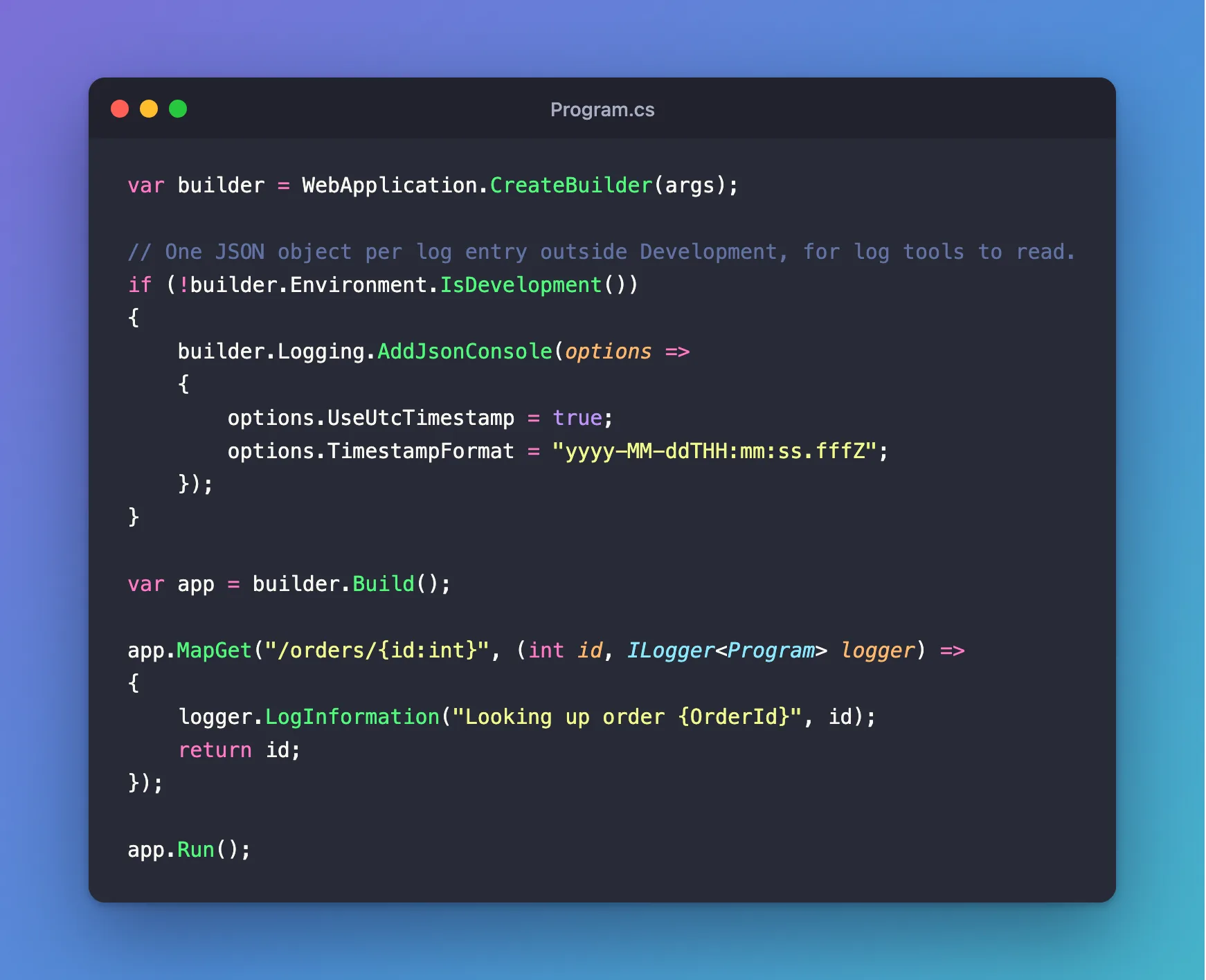
IsDevelopmentleaves your own terminal readable.UseUtcTimestampkeeps every server on one clock.TimestampFormatadds aTimestampfield, which isn't there by default.
Step 2: Compare the Two
With no launch profile and no ASPNETCORE_ENVIRONMENT, the app runs as Production:
dotnet run --no-launch-profile --urls http://localhost:5300
Send a request to http://localhost:5300/orders/42, and the log says:
{"Timestamp":"2026-11-06T06:24:41.702Z","EventId":0,"LogLevel":"Information","Category":"Program","Message":"Looking up order 42","State":{"OrderId":42,"{OriginalFormat}":"Looking up order {OrderId}"}}
As Development, in plain text:
info: Program[0]
      Looking up order 42
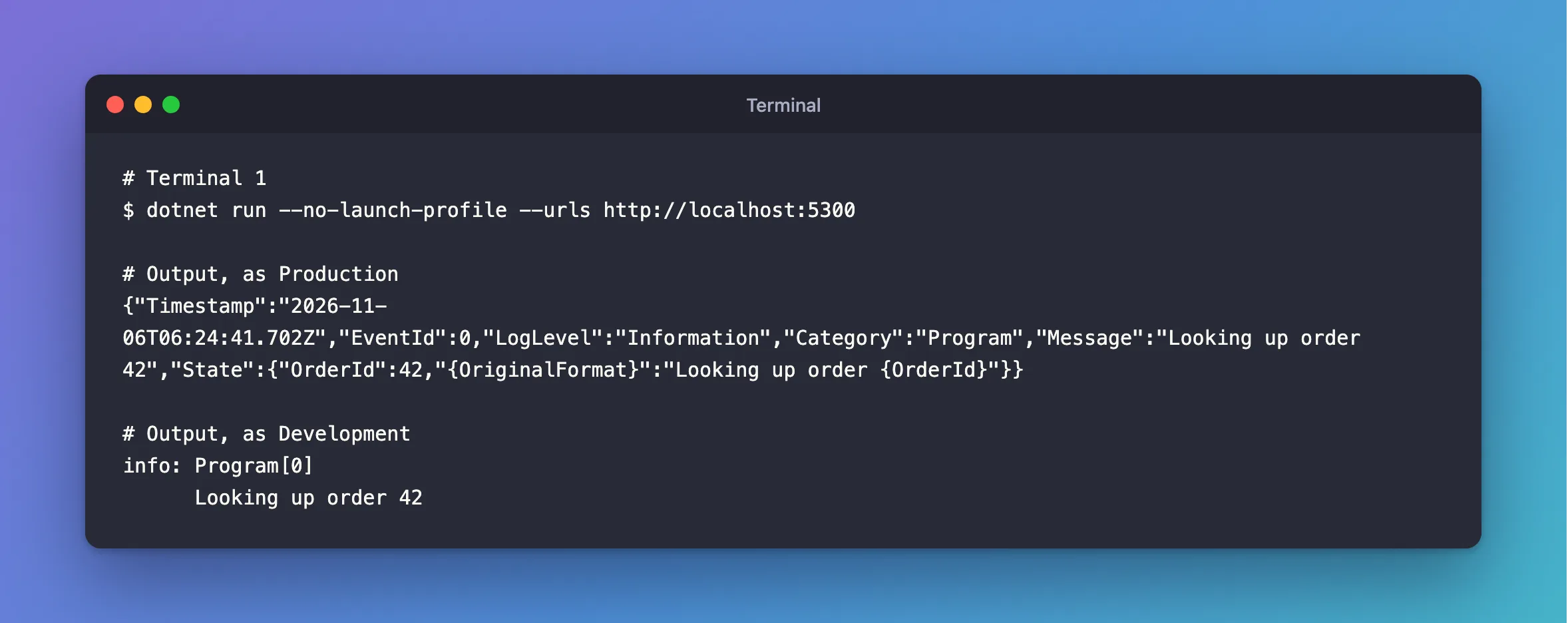
Look at State: the value from {OrderId} has a field of its own, as a number. So a log tool can find State.OrderId = 42, which is what you want from structured logging. That only works if you log with named placeholders. With $"…{id}", there's nothing to separate.
Do It in Configuration Instead
Microsoft's documentation shows the same through appsettings.json:
"Logging": {
  "Console": {
    "FormatterName": "json",
    "FormatterOptions": {
      "UseUtcTimestamp": true,
      "TimestampFormat": "yyyy-MM-ddTHH:mm:ss.fffZ"
    }
  }
}
That applies in every environment, so Development has to switch back, with "FormatterName": "simple" in appsettings.Development.json. When I did that, the timestamp options carried over into the plain logs, and the timestamp stuck to the log level. Setting it in code, once, is simpler.
Keep Secrets Out
JSON makes logs easier to search, including for whoever reads them later. So:
- Never log a connection string. How to Log the Database Settings When an ASP.NET Core App Starts logs what you need without it.
- Keep
EnableSensitiveDataLoggingoff, so that EF Core logs@p0='?'and not the values. - Don't log people's names and emails. I searched a production run's log for a customer's email, and for each password: none were there.
Common Mistakes
| Mistake | What happens | Do this instead |
|---|---|---|
Interpolating with $"…" in a log call | No fields, and an analyzer warning | Use named placeholders |
| JSON in Development too | Your terminal's hard to read | Check the environment |
Assuming Timestamp is there | It isn't, without TimestampFormat | Set it |
Troubleshooting
| Symptom | Likely cause | Fix |
|---|---|---|
| Plain text in production | The environment is Development | Check it |
' in messages | The JSON writer escapes ' by default | Valid JSON: tools read it correctly |
CA1848 | The analyzer wants LoggerMessage | The fix |
2026-11-06T07:50:17.723Zinfo: | A timestamp format with no space, in plain logs | The fix |
Conclusion
builder.Logging.AddJsonConsole outside Development gives log tools a field for each value, and leaves your own terminal readable.
Additional Resources
- Console log formatting — the JSON formatter and its options.
- Logging in .NET — categories, levels and placeholders.
