How to Write and Read Bytes in Memory with MemoryStream in C#

A MemoryStream works like a file that lives in memory: you write bytes, move back to the start, and read them again. It's handy wherever a method wants a Stream and you don't want a real file.
Microsoft's reference: Creates a stream whose backing store is memory. Like every stream, it has a position: The current position of a stream is the position at which the next read or write operation could take place.
Syntax
using MemoryStream <stream> = new();

<stream>.Write(<bytes>);
<stream>.Seek(0, SeekOrigin.Begin);
byte[] <all> = <stream>.ToArray();
| Part | What it is |
|---|---|
Write(<bytes>) | Writes bytes at the current position, and moves the position past them |
Seek(0, SeekOrigin.Begin) | Moves the position back to the start, so that a read starts there |
ToArray() | Copies every byte, wherever the position is |
The reference: Seek sets the position within the current stream to the specified value, and ToArray writes the stream contents to a byte array, regardless of the Position property.
The Example
A console app called MemoryStreams writes Hello, stream! into a memory stream, reads it back as text, and copies the bytes out.
Prerequisites
- The .NET 10 SDK.
dotnet --versionprints a version that starts with10.0.
Step 1: Create a Console App
dotnet new console -n MemoryStreams
cd MemoryStreams
The template "Console App" was created successfully.

Processing post-creation actions...
Restoring /Users/you/source/MemoryStreams/MemoryStreams.csproj:
  Determining projects to restore...
  Restored /Users/you/source/MemoryStreams/MemoryStreams.csproj (in 45 ms).
Restore succeeded.
dotnet new console -n MemoryStreams creates a folder named MemoryStreams with a project file and a Program.cs, and cd moves into it. Everything this example uses is part of .NET, so there's no package to add. Open the folder in VS Code, or MemoryStreams.csproj in Visual Studio.
Step 2: Write the Code
Replace everything in Program.cs. First write the bytes:
using System.Text;

using MemoryStream stream = new();

byte[] hello = Encoding.UTF8.GetBytes("Hello, stream!");
stream.Write(hello);
Console.WriteLine($"Length: {stream.Length}, Position: {stream.Position}");
Encoding.UTF8.GetBytes turns the text into bytes, and Write puts them in the stream.
Then read them back:
// Go back to the start before reading.
stream.Seek(0, SeekOrigin.Begin);

using StreamReader reader = new(stream);
Console.WriteLine(reader.ReadToEnd());

// ToArray copies every byte, wherever the position is.
Console.WriteLine($"ToArray: {stream.ToArray().Length} bytes");
StreamReader reads text from any stream, here from the position that Seek set.
Step 3: Run It
Run it in VS Code's terminal, or press Ctrl+F5 in Visual Studio:
dotnet run
Length: 14, Position: 14
Hello, stream!
ToArray: 14 bytes
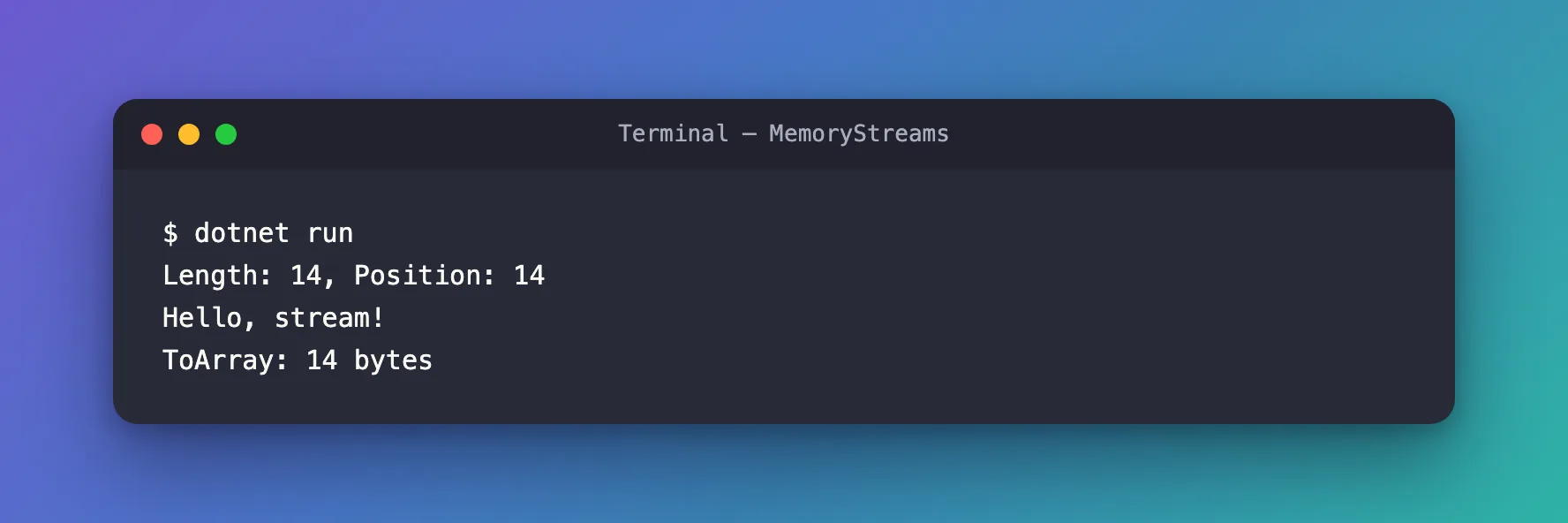
After the write, the position was 14, the end of the data. Seek moved it back to 0 so that ReadToEnd could read the text, and ToArray copied all 14 bytes.
The Complete File
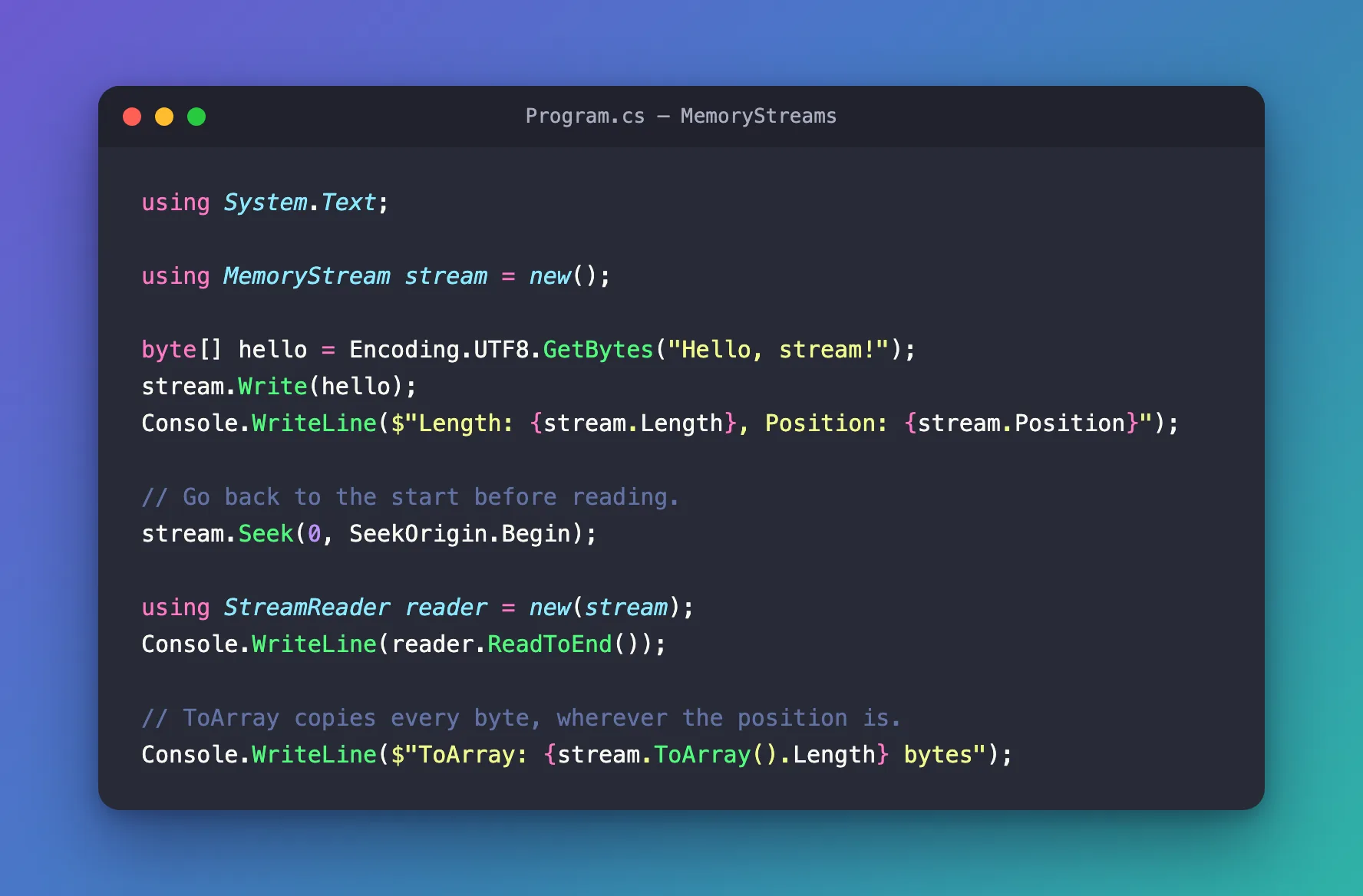
using System.Text;

using MemoryStream stream = new();

byte[] hello = Encoding.UTF8.GetBytes("Hello, stream!");
stream.Write(hello);
Console.WriteLine($"Length: {stream.Length}, Position: {stream.Position}");

// Go back to the start before reading.
stream.Seek(0, SeekOrigin.Begin);

using StreamReader reader = new(stream);
Console.WriteLine(reader.ReadToEnd());

// ToArray copies every byte, wherever the position is.
Console.WriteLine($"ToArray: {stream.ToArray().Length} bytes");
Common Mistakes
| Mistake | What happens | Do this instead |
|---|---|---|
| Reading without going back to the start | The read starts at the end of the data: without Seek, ReadToEnd returned an empty string | Call Seek(0, SeekOrigin.Begin) before reading. Position = 0 works too: it gave Hello, stream! |
| Using the stream after it's closed | Seek after Dispose threw ObjectDisposedException: Cannot access a closed Stream. | Finish reading and writing before you dispose the stream |
FAQ
Can I get the bytes after closing the stream?
Yes, with ToArray: after Dispose, it still returned all 14 bytes. The reference: This method works when the MemoryStream is closed.
Conclusion
A MemoryStream gives you a stream without a file: write bytes, Seek back to the start, and read. ToArray copies everything at once, even after the stream is closed.
Additional Resources
- MemoryStream class — every member.
- MemoryStream.ToArray — copying the bytes.
