How to Write an Extension Method in C#

greeting.Shout(3) works even though string has no Shout method. An extension method is an ordinary static method that the compiler lets you call as if it were one of the type's own.
Microsoft's guide: Extension members enable you to "add" methods to existing types without creating a new derived type, recompiling, or otherwise modifying the original type. And: Extension methods are static methods, but they're called as if they were instance methods on the extended type.
Syntax
public static class <ClassName>
{
    public static <type> <Method>(this <ExtendedType> <receiver>, <more parameters>)
    {
        // use <receiver> like any other parameter
    }
}

// The call:
<value>.<Method>(<more arguments>);
| Part | What it is |
|---|---|
static class <ClassName> | The class that holds extension methods: static, not generic, and not inside another class |
static <type> <Method> | The extension method itself, also static |
this <ExtendedType> <receiver> | The first parameter, marked this: the type you extend. In a call, it's the value before the dot |
<more parameters> | Optional: the values you pass in the parentheses |
The rules, from Microsoft's guide: Both forms of extensions must be defined inside a non-nested, nongeneric static class. And: Extension methods are only in scope when you explicitly import the namespace into your source code with a using directive.
The Example
A console app called ExtensionMethod adds a Shout method to string in a TextTools namespace, then calls it twice: once the extension way, and once as the ordinary static method it is.
Prerequisites
- The .NET 10 SDK.
dotnet --versionprints a version that starts with10.0.
Step 1: Create a Console App
dotnet new console -n ExtensionMethod
cd ExtensionMethod
The template "Console App" was created successfully.

Processing post-creation actions...
Restoring /Users/you/source/ExtensionMethod/ExtensionMethod.csproj:
  Determining projects to restore...
  Restored /Users/you/source/ExtensionMethod/ExtensionMethod.csproj (in 40 ms).
Restore succeeded.
dotnet new console -n ExtensionMethod creates a folder named ExtensionMethod with a project file and a Program.cs, and cd moves into it. Everything this example uses is part of .NET, so there's no package to add. Open the folder in VS Code, or ExtensionMethod.csproj in Visual Studio.
Step 2: Write the Code
Replace everything in Program.cs. First the calls:
using TextTools;

string greeting = "good morning";

// Shout is called as if it were one of string's own methods.
Console.WriteLine(greeting.Shout(3));

// It's still a static method, and it can be called like one.
Console.WriteLine(TextExtensions.Shout(greeting, 3));
using TextTools; brings in the TextTools namespace, where Shout lives. That namespace is declared at the end of the file. The first call reads as if string had a Shout method. The second calls the same method the ordinary way, with the string as its first argument.
Then the extension method, at the end of the file:
namespace TextTools
{
    // An extension method lives in a static class.
    public static class TextExtensions
    {
        // "this string text": Shout extends string, and text is the string before the dot.
        public static string Shout(this string text, int marks) =>
            text.ToUpper() + new string('!', marks);
    }
}
public static class TextExtensions: the static class that holds the method.this string text:thismakesShoutan extension ofstring. Ingreeting.Shout(3),textisgreeting, andtext.ToUpper()gives it in capital letters.int marks: an ordinary parameter.new string('!', marks)makes a string of that many exclamation marks.
That's why the first call passes only 3. Microsoft's guide: The first parameter is not specified by calling code because it represents the type on which the method is being applied, and the compiler already knows the type of your object.
Step 3: Run It
Run it in VS Code's terminal, or press Ctrl+F5 in Visual Studio:
dotnet run
GOOD MORNING!!!
GOOD MORNING!!!
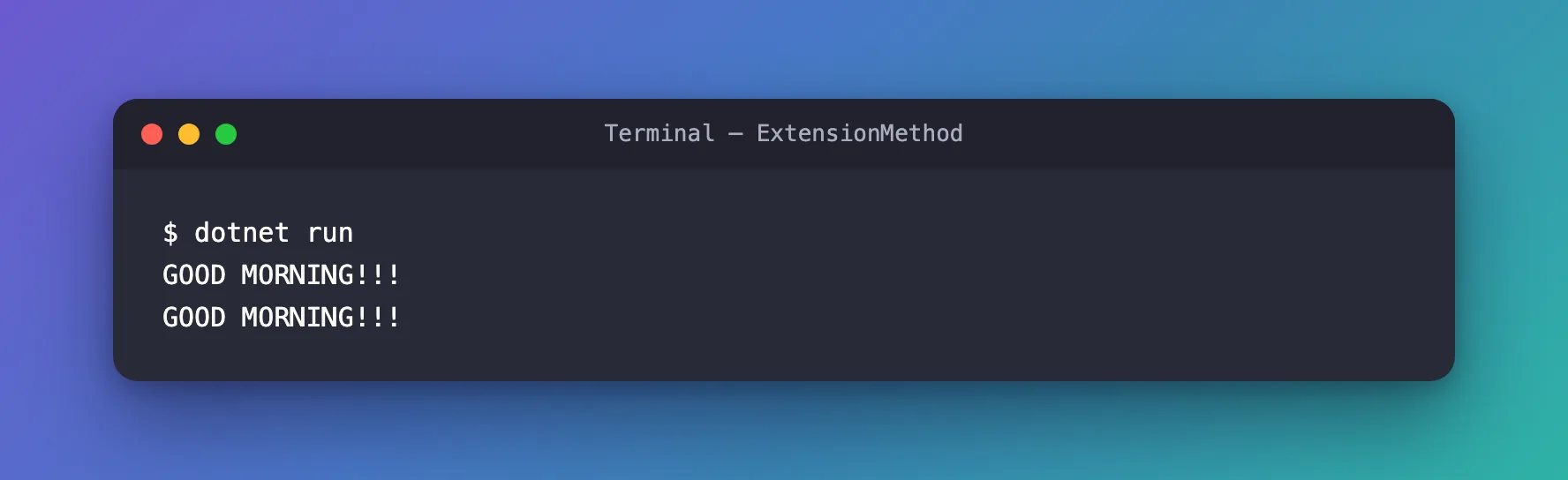
Both lines are GOOD MORNING!!!, with 3 exclamation marks: greeting.Shout(3) and TextExtensions.Shout(greeting, 3) ran the same static method, called two ways.
The Complete File
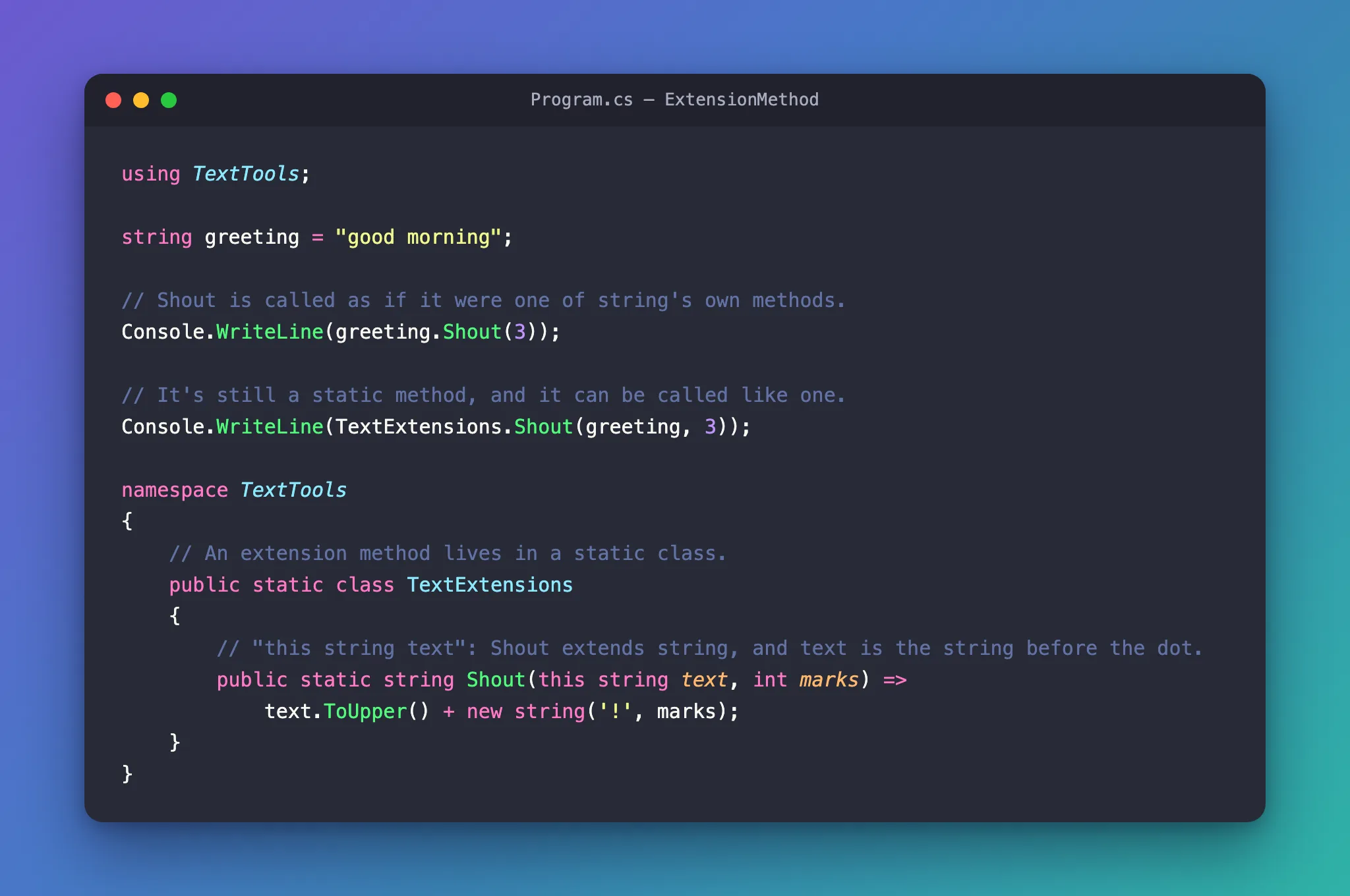
using TextTools;

string greeting = "good morning";

// Shout is called as if it were one of string's own methods.
Console.WriteLine(greeting.Shout(3));

// It's still a static method, and it can be called like one.
Console.WriteLine(TextExtensions.Shout(greeting, 3));

namespace TextTools
{
    // An extension method lives in a static class.
    public static class TextExtensions
    {
        // "this string text": Shout extends string, and text is the string before the dot.
        public static string Shout(this string text, int marks) =>
            text.ToUpper() + new string('!', marks);
    }
}
Common Mistakes
| Mistake | What happens | Do this instead |
|---|---|---|
The class or the method isn't static | error CS1106: Extension method must be defined in a non-generic static class for the class, error CS1105: Extension method must be static, along with CS0708, for the method | Write static on both |
No this before the first parameter | "good morning".Shout(3) doesn't build: error CS1061: 'string' does not contain a definition for 'Shout' and no accessible extension method 'Shout' accepting a first argument of type 'string' could be found (are you missing a using directive or an assembly reference?) | Write this before the first parameter |
No using for the namespace | The same error CS1061 | Add using with the namespace of the static class, here using TextTools; |
| A name the type already has | An extension method named ToUpper never ran: "good morning".ToUpper() printed GOOD MORNING, from string's own method | Choose a new name. The guide: An extension method isn't called if it has the same signature as a method defined in the type. |
FAQ
What about the extension blocks in C# 14?
They're a second way to write extensions. Microsoft's guide: Beginning with C# 14, there are two syntaxes you use to define extension methods. This extension block built and ran on the .NET 10 SDK, printing good morning...:
Console.WriteLine("GOOD MORNING".Whisper());

public static class TextExtensions
{
    // C# 14: an extension block. text is the string before the dot.
    extension(string text)
    {
        public string Whisper() => text.ToLower() + "...";
    }
}
The guide adds: Both forms of extension methods are compiled to the same IL (Intermediate Language).
Conclusion
Put a public static method in a public static class, mark its first parameter with this, and import its namespace with using: the method then reads like part of the type it extends. If the type already has a method with the same signature, the type's own method wins.
Additional Resources
- Extension members — both ways to write them, and how calls are matched.
- How to implement and call a custom extension method — the steps, start to finish.
- Extension declaration (C# reference) — extension blocks.
