How to Write an Audit Log with LoggerMessage in .NET C#

An audit log records who did what, and it has to survive whatever log level the rest of the app runs at. Write each audit entry as a [LoggerMessage] method in a logging category of its own, and give that category its own level with AddFilter.
Every ILogger has a category. Microsoft's logging guide says That category is included with each log message created by that instance of ILogger, and filter rules are chosen by category: the logger factory selects rules with longest matching category prefix. An audit trail in a category of its own can be told apart from everything else by that one name: sent to its own store, searched, kept longer and protected on its own. And its level can be set on purpose, so a quieter default for the rest of the app can't drop it.
What goes into each entry matters as much. The who should come from the signed-in user, never from what a request says, because a request can name anyone.
Syntax
public partial class <AuditClass>(ILoggerFactory loggerFactory)
{
    private readonly ILogger logger = loggerFactory.CreateLogger("<category>");

    [LoggerMessage(EventId = <id>, EventName = "<eventName>", Level = LogLevel.<level>,
        Message = "<messageTemplate>")]
    public partial void <MethodName>(<parameters>);
}
And the filter rule, where you set up logging:
logging.AddFilter("<category>", LogLevel.<level>);
| Part | What it is |
|---|---|
<AuditClass> | Your audit class. Microsoft's guide: the consuming class and method need to be partial |
<category> | The category every audit entry is logged under: one name for the whole audit trail |
private readonly ILogger logger | The logger the methods write to. For an instance method, the logging method gets the logger by accessing an ILogger field in the containing class |
<id> | The event ID: a number that's the same every time this event is logged |
<eventName> | The event's name. An event ID is a structure with an Id and optional Name |
<level> | How important the entry is, a LogLevel such as Information |
<messageTemplate> | The message, with a placeholder such as {MemberId} for each value |
<MethodName>(<parameters>) | The method you call. Its parameters fill the placeholders by name. It returns void, and you don't write its body: the source generator autogenerates the implementation |
AddFilter("<category>", LogLevel.<level>) | A filter rule for that category. When a LogLevel is specified, logging is enabled for messages at the specified level and higher |
The Example
LibraryLoans is a console app for a library. Its audit trail, in the category Library.Audit, records two events: a member borrows a book (event 1, BookBorrowed) and returns it (event 2, BookReturned). The rest of the app logs in Library.Catalog. The app logs only warnings and errors, except for the audit trail, which it keeps whole.
Prerequisites
- The .NET 10 SDK.
Step 1: Create the App
dotnet new console -n LibraryLoans
cd LibraryLoans
The template "Console App" was created successfully.

Processing post-creation actions...
Restoring /Users/you/source/LibraryLoans/LibraryLoans.csproj:
Restore succeeded.
dotnet new console creates a console app in a new LibraryLoans folder, and cd moves into it. Add the console logger, so the entries have somewhere to go:
dotnet add package Microsoft.Extensions.Logging.Console --version 10.0.15
info : PackageReference for package 'Microsoft.Extensions.Logging.Console' version '10.0.15' added to file '/Users/you/source/LibraryLoans/LibraryLoans.csproj'.
info : Generating MSBuild file /Users/you/source/LibraryLoans/obj/LibraryLoans.csproj.nuget.g.targets.
info : Writing assets file to disk. Path: /Users/you/source/LibraryLoans/obj/project.assets.json
log  : Restored /Users/you/source/LibraryLoans/LibraryLoans.csproj (in 739 ms).
Step 2: Write the Audit Class
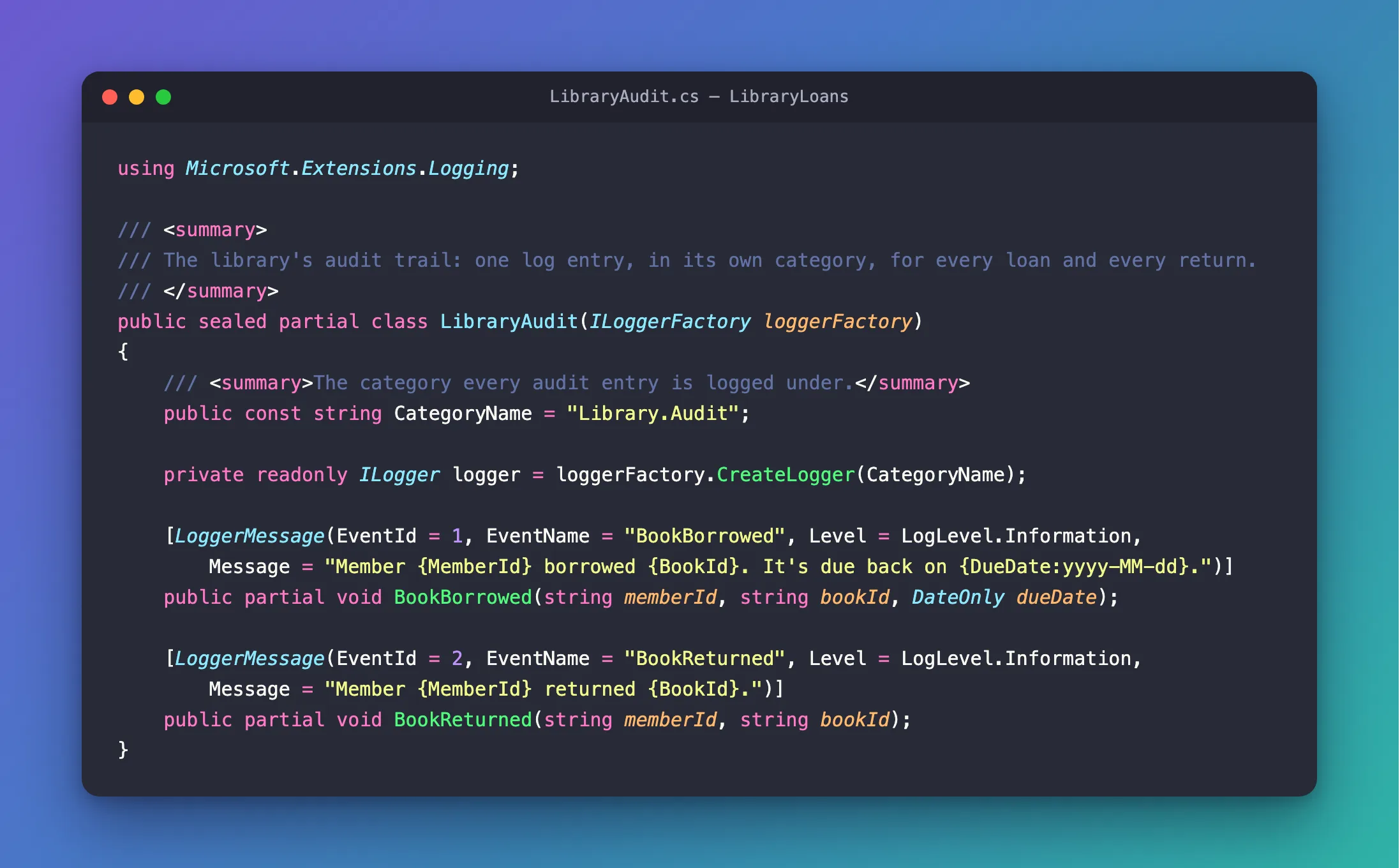
Create LibraryAudit.cs:
using Microsoft.Extensions.Logging;

/// <summary>
/// The library's audit trail: one log entry, in its own category, for every loan and every return.
/// </summary>
public sealed partial class LibraryAudit(ILoggerFactory loggerFactory)
{
    /// <summary>The category every audit entry is logged under.</summary>
    public const string CategoryName = "Library.Audit";

    private readonly ILogger logger = loggerFactory.CreateLogger(CategoryName);

    [LoggerMessage(EventId = 1, EventName = "BookBorrowed", Level = LogLevel.Information,
        Message = "Member {MemberId} borrowed {BookId}. It's due back on {DueDate:yyyy-MM-dd}.")]
    public partial void BookBorrowed(string memberId, string bookId, DateOnly dueDate);

    [LoggerMessage(EventId = 2, EventName = "BookReturned", Level = LogLevel.Information,
        Message = "Member {MemberId} returned {BookId}.")]
    public partial void BookReturned(string memberId, string bookId);
}
- The class takes an
ILoggerFactoryand creates its own logger withCreateLogger(CategoryName). Every audit entry lands inLibrary.Audit, whichever part of the app records it. Microsoft's guide describes this way of naming a category yourself: explicitly specify the category using LoggerFactory.CreateLogger. CategoryNameis a constant, so the filter rule inProgram.csuses exactly the same name.- Each
[LoggerMessage]method sets the event ID, the event name, the level and the message in one place. CallingBookBorrowedreads like calling any other method. {DueDate:yyyy-MM-dd}formats the date inside the message. Microsoft's guide lists format specifiers among the attribute's features: Use format specifiers to format logging parameters.
The member ID comes in as a parameter here, to keep the example small. In an app with sign-in, pass the signed-in user's ID, not one the request supplies.
Step 3: Keep the Audit Category at Information
Replace everything in Program.cs, starting with the logging setup:
using Microsoft.Extensions.Logging;

using ILoggerFactory loggerFactory = LoggerFactory.Create(logging => logging
    .AddConsole()
    // Only warnings and errors from everything else...
    .SetMinimumLevel(LogLevel.Warning)
    // ...but every audit entry, whatever the default level is.
    .AddFilter(LibraryAudit.CategoryName, LogLevel.Information));
LoggerFactory.Createcreates the logger factory directly. Microsoft's guide: The ILoggerFactory stores all the configuration that determines where log messages are sent.AddConsole()sends them to the console.SetMinimumLevel(LogLevel.Warning)Sets a minimum LogLevel requirement for log messages to be logged.AddFilter(LibraryAudit.CategoryName, LogLevel.Information)adds a rule forLibrary.Audit.
For each category, the logger factory picks one rule. Microsoft's guide: it selects rules with longest matching category prefix, and If no rules are selected, use LoggingBuilderExtensions.SetMinimumLevel(ILoggingBuilder, LogLevel) to specify the minimum logging level. So Library.Audit gets Information from its rule, and Library.Catalog, which no rule matches, gets Warning.
Step 4: Log a Loan and a Return
Add the rest of Program.cs:
ILogger catalog = loggerFactory.CreateLogger("Library.Catalog");
LibraryAudit audit = new(loggerFactory);

catalog.LogInformation("Searching the catalog for {Title}", "The Odyssey");
audit.BookBorrowed("member-17", "978-0140268867", new DateOnly(2026, 12, 12));

catalog.LogWarning("Only {Copies} copy of {Title} left", 1, "The Odyssey");
audit.BookReturned("member-17", "978-0140268867");
The catalog writes one entry at Information and one at Warning. The audit trail records the loan and the return.
Step 5: Run It
dotnet run
info: Library.Audit[1]
      Member member-17 borrowed 978-0140268867. It's due back on 2026-12-12.
warn: Library.Catalog[0]
      Only 1 copy of The Odyssey left
info: Library.Audit[2]
      Member member-17 returned 978-0140268867.
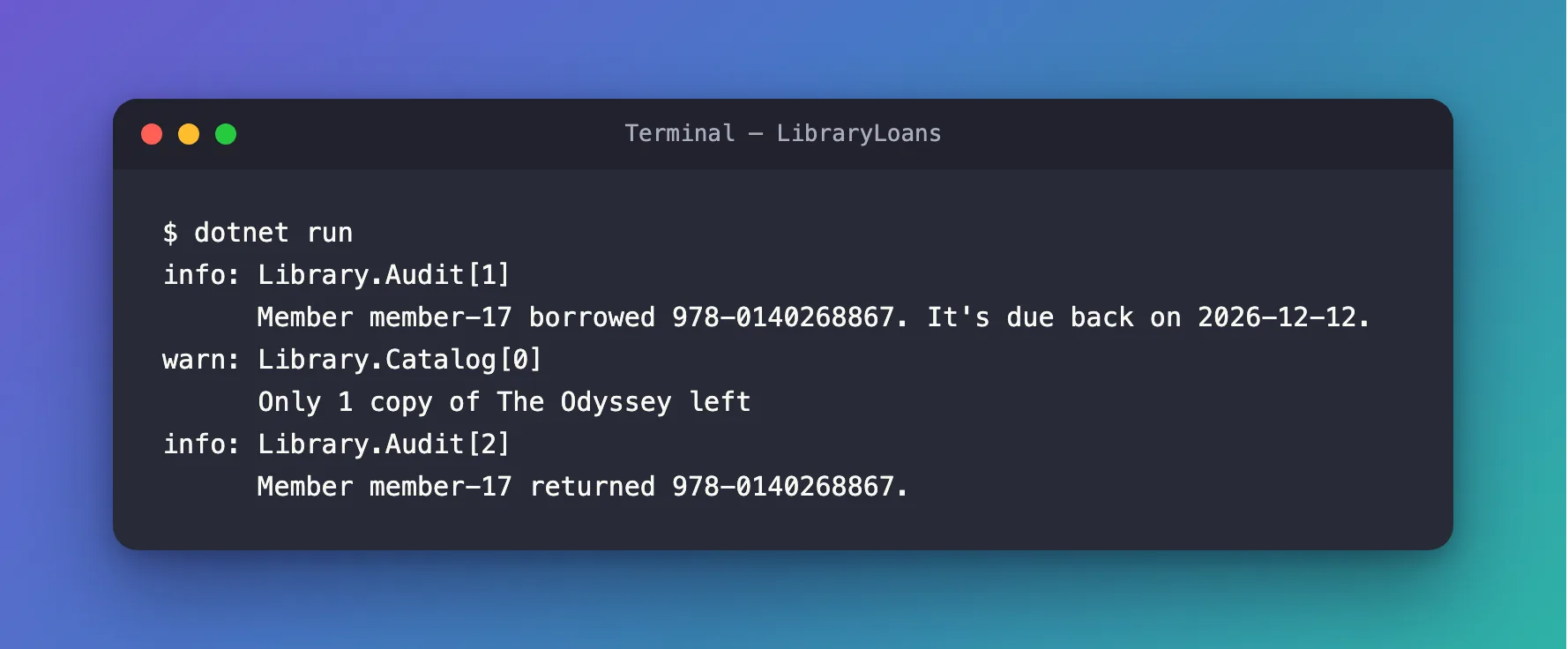
- Both audit entries are there, at
info, even though the default level isWarning. - The catalog's Searching the catalog entry is gone. It's
Informationtoo, but its category has no rule of its own. Its warning made it through. [1]and[2]are the event IDs. Microsoft's guide: The console provider shows event IDs in brackets after the category. The catalog's entries have no event ID, so they show[0].
The console doesn't print the event names. A name travels in the same event ID, which Microsoft's guide describes as a structure with an Id and optional Name, and each logging provider decides what to show: The logging provider might log the event ID in an ID field, in the logging message, or not at all.
The Complete Files
using Microsoft.Extensions.Logging;

using ILoggerFactory loggerFactory = LoggerFactory.Create(logging => logging
    .AddConsole()
    // Only warnings and errors from everything else...
    .SetMinimumLevel(LogLevel.Warning)
    // ...but every audit entry, whatever the default level is.
    .AddFilter(LibraryAudit.CategoryName, LogLevel.Information));

ILogger catalog = loggerFactory.CreateLogger("Library.Catalog");
LibraryAudit audit = new(loggerFactory);

catalog.LogInformation("Searching the catalog for {Title}", "The Odyssey");
audit.BookBorrowed("member-17", "978-0140268867", new DateOnly(2026, 12, 12));

catalog.LogWarning("Only {Copies} copy of {Title} left", 1, "The Odyssey");
audit.BookReturned("member-17", "978-0140268867");
using Microsoft.Extensions.Logging;

/// <summary>
/// The library's audit trail: one log entry, in its own category, for every loan and every return.
/// </summary>
public sealed partial class LibraryAudit(ILoggerFactory loggerFactory)
{
    /// <summary>The category every audit entry is logged under.</summary>
    public const string CategoryName = "Library.Audit";

    private readonly ILogger logger = loggerFactory.CreateLogger(CategoryName);

    [LoggerMessage(EventId = 1, EventName = "BookBorrowed", Level = LogLevel.Information,
        Message = "Member {MemberId} borrowed {BookId}. It's due back on {DueDate:yyyy-MM-dd}.")]
    public partial void BookBorrowed(string memberId, string bookId, DateOnly dueDate);

    [LoggerMessage(EventId = 2, EventName = "BookReturned", Level = LogLevel.Information,
        Message = "Member {MemberId} returned {BookId}.")]
    public partial void BookReturned(string memberId, string bookId);
}
Common Mistakes
| Mistake | What happens | Do this instead |
|---|---|---|
| Writing audit entries in a class's ordinary category | A quieter default level drops them, the way Warning dropped the catalog's Searching the catalog entry here | Give the audit trail its own category and a rule for it |
| Taking the who from the request | Anyone can record an entry in someone else's name | Take it from the signed-in user |
The same EventId on two methods | The generator emits warnings for duplicate event IDs | Give each event its own ID |
| Names, emails or other personal data in the message | Microsoft's guide: logging raw sensitive values can lead to data leaks and compliance issues | Log IDs, as this example does |
FAQ
Why not use the class's own ILogger?
An ILogger<T> takes its category from the class: Microsoft's guide says the convention is to use the fully qualified class name. Audit entries would then spread over as many categories as there are classes that write them, and one rule would cover them only if those names shared a prefix. One audit class with one category keeps the trail in a single place.
Where do the audit entries end up?
Wherever the logging providers send them. Here it's the console. With OpenTelemetry, they reach a backend such as the Aspire Dashboard, which can filter structured logs by category.
Can the level go in appsettings.json instead?
In an app that reads its logging settings from configuration, yes: a Logging:LogLevel entry for the category sets its level, as Microsoft's guide shows with Specific categories: For example, Logging:LogLevel:Microsoft:Warning.
Conclusion
Put the audit trail in one class with one category, write each event as a [LoggerMessage] method with an ID and a name, and add a filter rule that keeps the category at Information. In the example, the default level of Warning dropped the catalog's Information entry, and every audit entry still came through.
Additional Resources
- Compile-time logging source generation — the
[LoggerMessage]attribute, instance methods and format specifiers. - Logging in C# and .NET — categories, event IDs, and how filter rules are chosen.
