How to Write an async Method That Returns Task in C#

Methods that wait for something, such as a web request, a file or a timer, are written with async in C#. One that returns nothing is declared async Task, one that returns a value is async Task<int> or whichever type it returns, and the caller gets the result with await.
Syntax
async Task <Name>(<parameters>)
{
    await <somethingAsync>;
}

async Task<TResult> <Name>(<parameters>)
{
    await <somethingAsync>;
    return <value>;
}
| Part | What it does |
|---|---|
async | Allows await inside the method. |
Task | The return type of an async method that returns no value. |
Task<TResult> | The return type of an async method that returns a value of type TResult, such as Task<int>. The method itself returns a plain TResult. |
await <somethingAsync> | Waits for another asynchronous operation without blocking the thread. |
By convention, the method's name ends in Async. Microsoft's async return types article lists "Task, for an async method that performs an operation but returns no value." and "Task<TResult>, for an async method that returns a value." The await operator reference: "The await operator suspends evaluation of the enclosing async method until the asynchronous operation represented by its operand completes."
The Example
Two async methods each wait half a second: GreetLaterAsync then prints a greeting and returns nothing, and AddLaterAsync returns the sum of two numbers. The program awaits both.
Prerequisites
- The .NET 10 SDK or newer, which runs a single
.csfile withdotnet run. This guide uses .NET SDK 10.0.404.
Step 1: Write the Code
Create a file named main.cs in an empty folder:
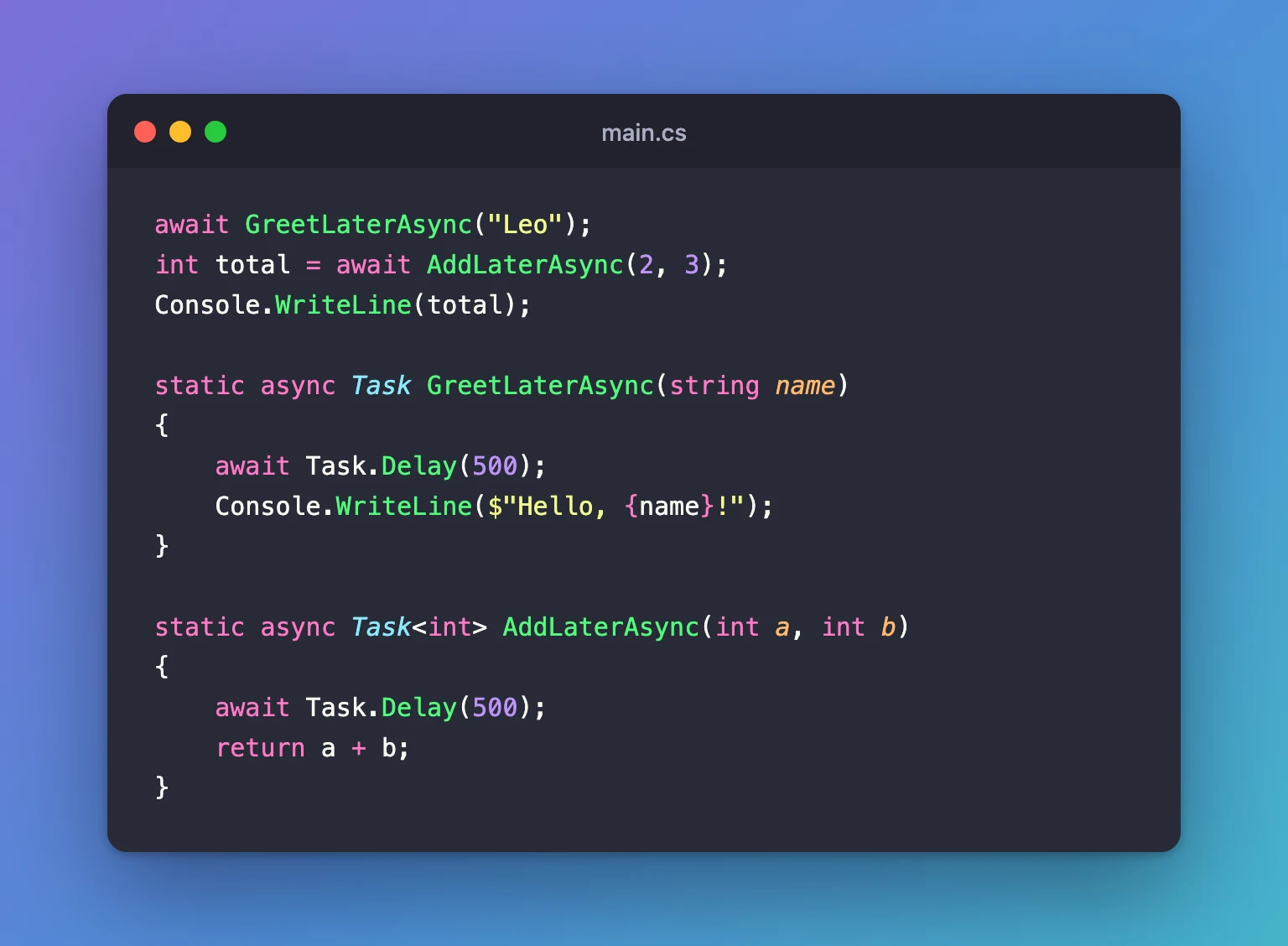
await GreetLaterAsync("Leo");
int total = await AddLaterAsync(2, 3);
Console.WriteLine(total);

static async Task GreetLaterAsync(string name)
{
    await Task.Delay(500);
    Console.WriteLine($"Hello, {name}!");
}

static async Task<int> AddLaterAsync(int a, int b)
{
    await Task.Delay(500);
    return a + b;
}
AddLaterAsync is declared as returning Task<int>, but its body returns a + b, a plain int. await unwraps it again, so total is an int.
Step 2: Run It
dotnet run main.cs
Hello, Leo!
5
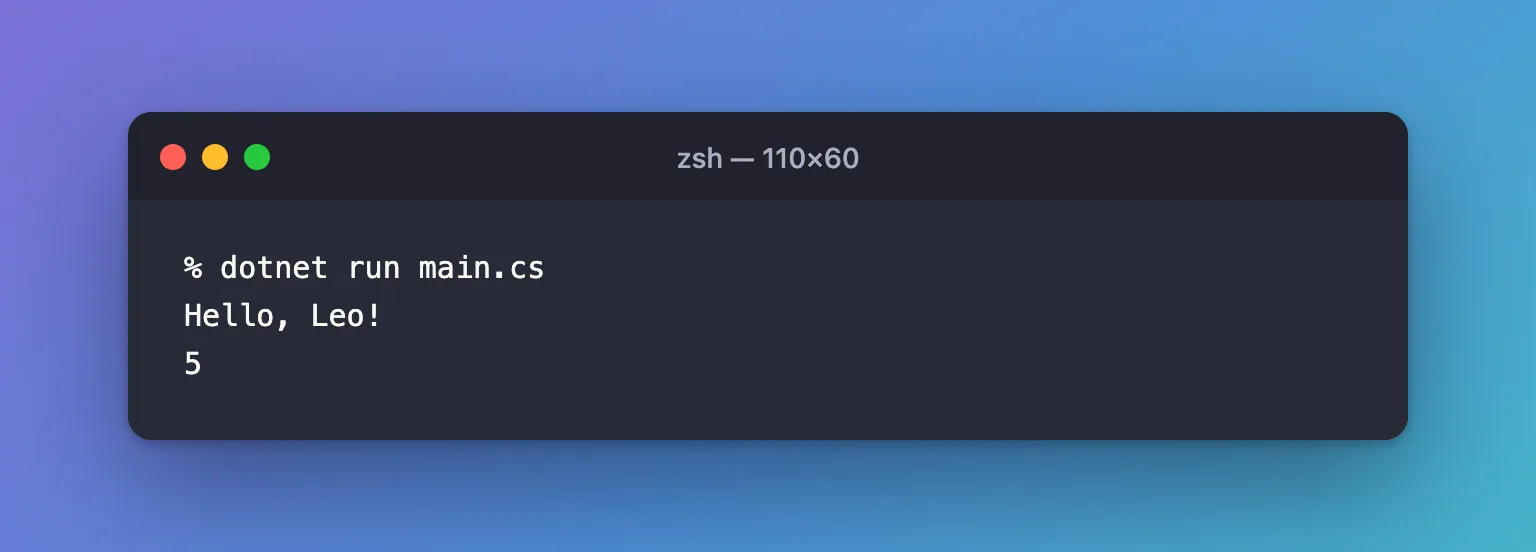
Each call waited its half second; the greeting came first, then the sum. The command is the same in zsh, bash and PowerShell.
What Happens Without await
Call the method without await, and nothing waits for it:
GreetLaterAsync("Leo");
Console.WriteLine("Main is done.");

static async Task GreetLaterAsync(string name)
{
    await Task.Delay(500);
    Console.WriteLine($"Hello, {name}!");
}
/Users/you/demo/main.cs(1,1): warning CS4014: Because this call is not awaited, execution of the current method continues before the call is completed. Consider applying the 'await' operator to the result of the call.
Main is done.
The greeting never appeared: the program ended while GreetLaterAsync was still waiting. Microsoft's async errors reference explains CS4014: "Without await, any exception thrown by the asynchronous operation is silently lost, and the calling method continues executing before the operation finishes, which can cause subtle ordering and correctness bugs."
Common Mistakes
| Mistake | What happens | Do this instead |
|---|---|---|
Calling an async method without await | warning CS4014, and the work may never finish or its errors are lost | await every call that returns a Task |
Declaring async Task<int> and returning a Task<int> yourself | The body should return the int; async wraps it | Write return a + b; |
Leaving out async but using await inside | The build fails, because await needs an async method | Add async to the declaration |
Troubleshooting
| Symptom | Likely cause | Fix |
|---|---|---|
CS4014 | A Task is created but not awaited | Add await |
| Output from an async method is missing | The program or method finished before the task did | await the call |
FAQ
Why is the result of await an int and not a Task?
The reference: "The type of expression await t is TResult if the type of expression t is Task<TResult> or ValueTask<TResult>." So awaiting a Task<int> gives an int.
Do I need async Task Main?
Not in a program with top-level statements, like this one: await works at the top of the file, and C# generates the asynchronous entry point.
Conclusion
Declare async Task for a method that returns nothing and async Task<T> for one that returns a T, return the plain value inside, and await every call. The CS4014 warning means a call is running on its own, unawaited.
Additional Resources
- Async return types, on Microsoft Learn.
- The await operator, on Microsoft Learn.
