How to Write an async Lambda in C#

Put async in front of a lambda's parameters, and its body can use await: async () => { await Task.Delay(300); } is a lambda that waits without blocking. It returns a Task, and whoever calls it can await that task.
Microsoft's reference: By using the async and await keywords, you can easily create lambda expressions and statements that incorporate asynchronous processing. The async goes in one place: add an async modifier before the lambda parameter list.
Syntax
async (<parameters>) => await <expression>

async (<parameters>) =>
{
    <statements with await>
    return <value>;
}
| Part | What it is |
|---|---|
async | Goes before the parameter list and lets the body use await |
(<parameters>) | The parameters, as in any lambda. One parameter needs no parentheses, as in async name => |
await <expression> | Waits for a task without blocking the thread, then carries on |
return <value> | Optional: the result, which the caller gets by awaiting the lambda's task |
The await reference: You can use the await operator only in a method, lambda expression, or anonymous method that is modified by the async keyword. The lambda's type says what its task gives back: Func<Task> for nothing, and Func<string, Task<string>> for a lambda that takes a string and gives back a string.
The Example
A console app called AsyncLambda stores an async lambda that waits half a second and returns a greeting. Then it passes a second async lambda to a RunStepAsync method, which prints a line before and after awaiting it.
Prerequisites
- The .NET 10 SDK.
dotnet --versionprints a version that starts with10.0.
Step 1: Create a Console App
dotnet new console -n AsyncLambda
cd AsyncLambda
The template "Console App" was created successfully.

Processing post-creation actions...
Restoring /Users/you/source/AsyncLambda/AsyncLambda.csproj:
  Determining projects to restore...
  Restored /Users/you/source/AsyncLambda/AsyncLambda.csproj (in 41 ms).
Restore succeeded.
dotnet new console -n AsyncLambda creates a folder named AsyncLambda with a project file and a Program.cs, and cd moves into it. Everything this example uses is part of .NET, so there's no package to add. Open the folder in VS Code, or AsyncLambda.csproj in Visual Studio.
Step 2: Write the Code
Replace everything in Program.cs. First the lambda in a variable:
// An async lambda: async goes before the parameters, and the body can await.
Func<string, Task<string>> greetLaterAsync = async name =>
{
    await Task.Delay(500);
    return $"Hello, {name}!";
};

// Awaiting the call gives the string that the lambda returned.
string greeting = await greetLaterAsync("Asha");
Console.WriteLine(greeting);
async name =>marks the lambda as asynchronous, so its body can useawait.await Task.Delay(500);waits half a second without blocking. It stands in for real work, such as a web request.Func<string, Task<string>>is the lambda's type: it takes astringand returns aTask<string>. The body returns a plainstring, andasyncputs it in the task.await greetLaterAsync("Asha")calls the lambda and waits for its task, which gives back the string.
Then a lambda passed to a method:
// An async lambda passed to a method that takes a Func<Task>.
await RunStepAsync("Boil the water", async () =>
{
    await Task.Delay(300);
    Console.WriteLine("  The water is boiling.");
});

static async Task RunStepAsync(string name, Func<Task> step)
{
    Console.WriteLine($"Started: {name}");
    await step();
    Console.WriteLine($"Finished: {name}");
}
RunStepAsync takes a Func<Task>: something to call that takes no arguments and returns a Task. await step(); runs the lambda and waits for its task before the last line prints.
Step 3: Run It
Run it in VS Code's terminal, or press Ctrl+F5 in Visual Studio:
dotnet run
Hello, Asha!
Started: Boil the water
  The water is boiling.
Finished: Boil the water
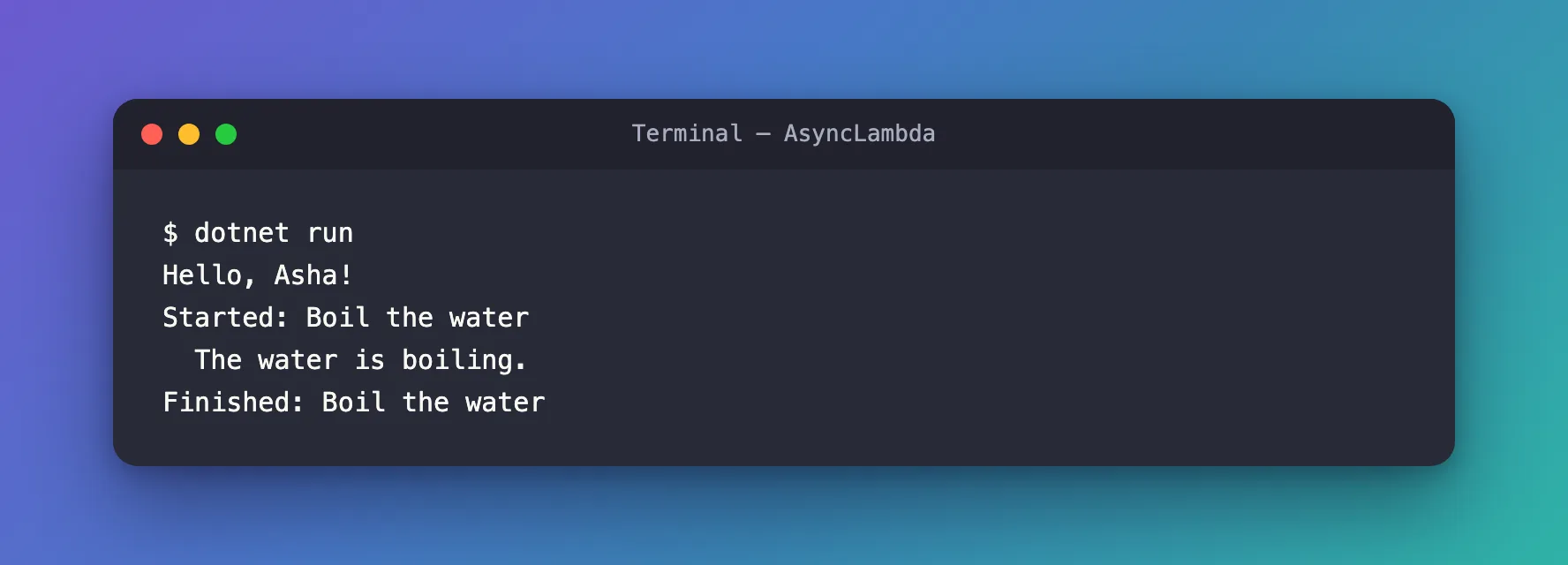
The first lambda's task gave back Hello, Asha!. Finished came after the lambda's own line, because RunStepAsync awaited the task that the lambda returned.
The Complete File
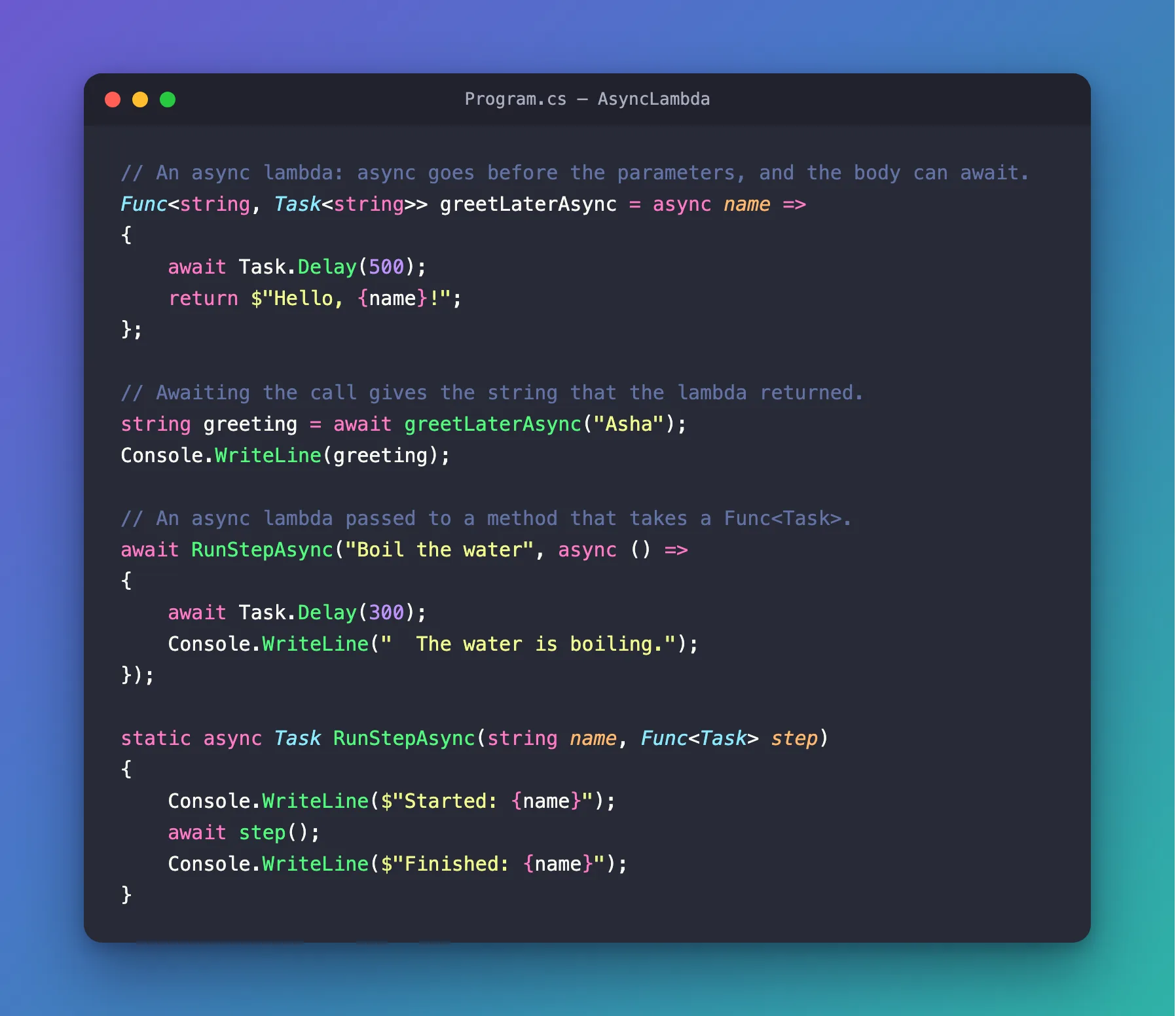
// An async lambda: async goes before the parameters, and the body can await.
Func<string, Task<string>> greetLaterAsync = async name =>
{
    await Task.Delay(500);
    return $"Hello, {name}!";
};

// Awaiting the call gives the string that the lambda returned.
string greeting = await greetLaterAsync("Asha");
Console.WriteLine(greeting);

// An async lambda passed to a method that takes a Func<Task>.
await RunStepAsync("Boil the water", async () =>
{
    await Task.Delay(300);
    Console.WriteLine("  The water is boiling.");
});

static async Task RunStepAsync(string name, Func<Task> step)
{
    Console.WriteLine($"Started: {name}");
    await step();
    Console.WriteLine($"Finished: {name}");
}
Common Mistakes
| Mistake | What happens | Do this instead |
|---|---|---|
await in a lambda without async | The build fails with error CS4034: The 'await' operator can only be used within an async lambda expression. Consider marking this lambda expression with the 'async' modifier., plus two errors about the return (CS0029 and CS1662) | Put async before the parameters: async name => |
Passing an async lambda where an Action is expected | It builds, but nothing waits for it. With RunStep(string name, Action step), the output was Started: Boil the water, Finished: Boil the water, and only then The water is boiling. Microsoft's pitfalls guide: When the target parameter is an Action, the compiler maps the async lambda to an async void method. The caller has no way to track completion. | Make the parameter a Func<Task> and await it, as RunStepAsync does |
Returning a value from a lambda typed Func<Task> | return 42; in it fails with error CS8031: Async lambda expression converted to a 'Task' returning delegate cannot return a value | Put the result type in the task: as a Func<Task<int>>, the same lambda returned 42 |
FAQ
Can I store an async lambda in var?
Yes, when its parameters have types. Without one, var greetLaterAsync = async name => failed with error CS8917: The delegate type could not be inferred. With (string name), it worked:
var greetLaterAsync = async (string name) =>
{
    await Task.Delay(100);
    return $"Hello, {name}!";
};

Console.WriteLine(greetLaterAsync.GetType());
Console.WriteLine(await greetLaterAsync("Asha"));
System.Func`2[System.String,System.Threading.Tasks.Task`1[System.String]]
Hello, Asha!
The first line is .NET's own name for Func<string, Task<string>>, the type that the example spells out.
Conclusion
Put async before a lambda's parameters so its body can await, keep it in a Func that returns a Task, and await the call. When you pass one to a method, check that the parameter is a Func<Task> or a Func with a Task<T> result, never an Action.
Additional Resources
- Lambda expressions: async lambdas — the async modifier on a lambda.
- Async lambda pitfalls — which delegate types are safe for async lambdas.
- await operator — where await can be used, and what it gives back.
