How to Write an Array of Arrays in JSON

Rows of values without names, such as the rows of a small table, are written in JSON as an array of arrays: square brackets around one inner array per row. A comma separates one row from the next, just as it separates any two values in an array.
Syntax
[
  [<value>, <value>, <value>],
  [<value>, <value>, <value>]
]
- The outer
[and]: the list of rows, an array. - Each inner
[ … ]: one row, an array of its own values. ,between rows: the same comma that separates any two values in an array, and none after the last row.
Nothing new is needed for this. The JSON standard, RFC 8259, says An array structure is represented as square brackets surrounding zero or more values (or elements), and A JSON value MUST be an object, array, number, or string, so an array can be one of the values inside another.
The Example
A file called table.json holds a small multiplication table: three rows of three numbers. jq, a command-line JSON tool, checks that it's valid and reads values from it.
Prerequisites
- jq, to check the file. Run
jq --versionto see which one you have; this guide uses jq 1.8.2 (Download jq).
Step 1: Write the Rows
Create a file called table.json with this text:
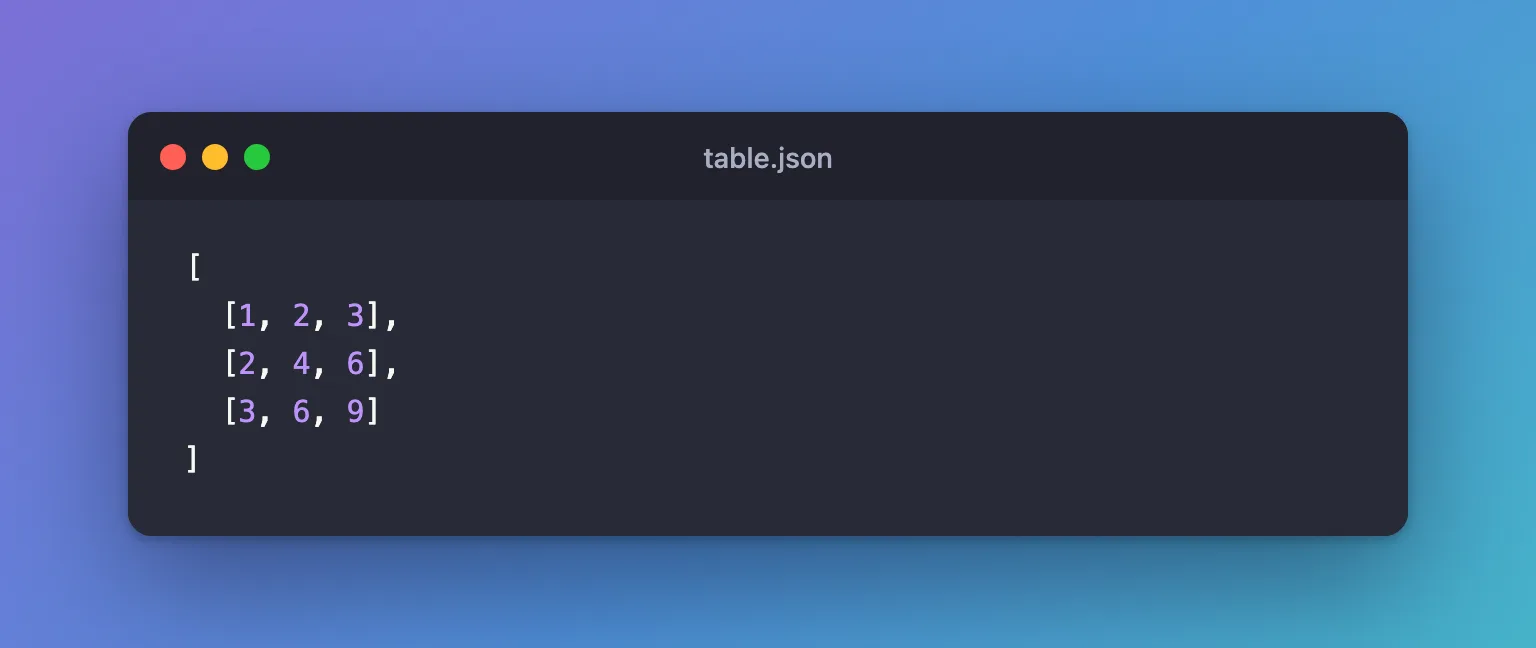
[
  [1, 2, 3],
  [2, 4, 6],
  [3, 6, 9]
]
Each row sits on its own line, which keeps the table readable. The commas at the ends of the first two rows separate the three inner arrays.
Step 2: Print Each Row with jq
In a terminal, in the folder with the file, run:
jq -c '.[]' table.json
[1,2,3]
[2,4,6]
[3,6,9]
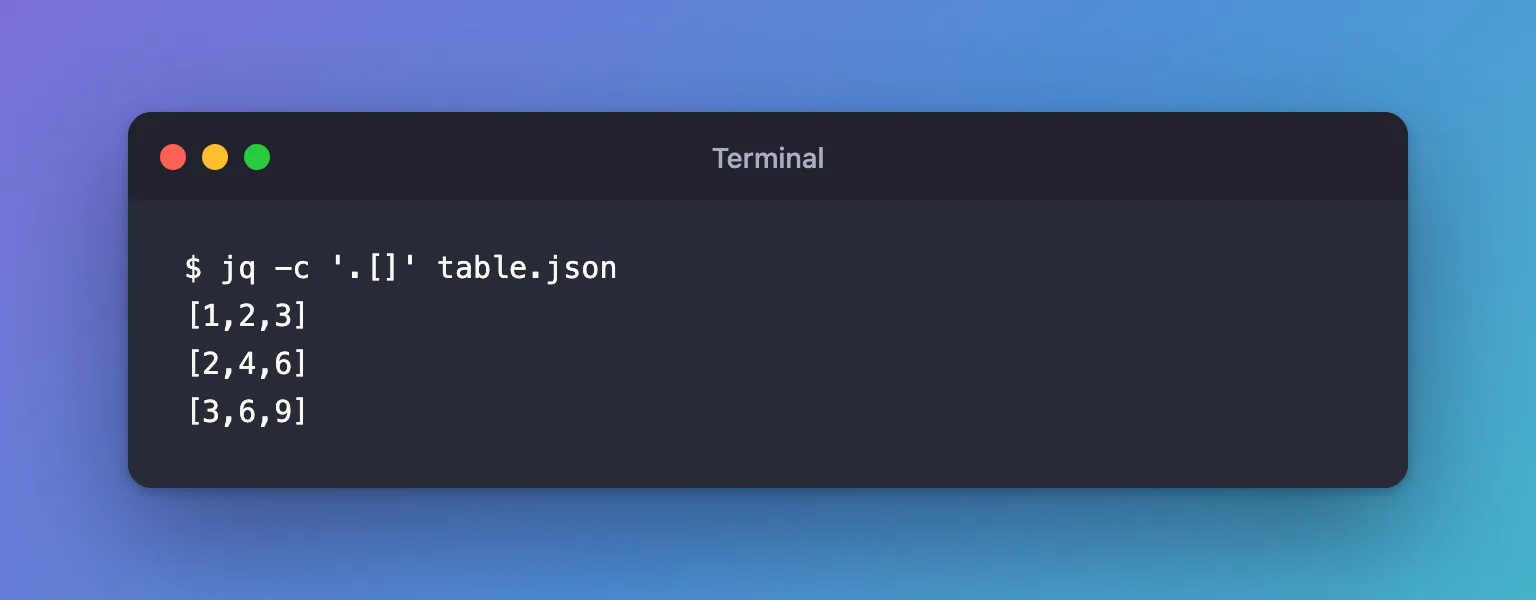
The file was valid, and jq printed each element of the outer array, one row per line. jq's manual explains both parts. For .[]: If you use the .[index] syntax, but omit the index entirely, it will return all of the elements of an array. For -c: Using this option will result in more compact output by instead putting each JSON object on a single line.
Step 3: Read One Value
A value is found by its row and its position in the row:
jq '.[1][2]' table.json
6
.[1] is the second row, [2, 4, 6], and [2] is the third value in it, 6. Counting starts at 0; the jq manual: Arrays are zero-based, so .[2] returns the third element.
Common Mistakes
I removed the comma after the first row in a copy of table.json and ran jq . on it. jq 1.8.2 said:
jq: parse error: Expected separator between values at line 3, column 3
Line 3 is where the second row starts: jq expected a comma before it.
| Mistake | What happens | Do this instead |
|---|---|---|
| No comma between rows | Expected separator between values | Add a comma after each row but the last |
| A comma after the last row | Expected another array element at line 5, column 1 | Remove it |
Counting rows from 1: .[3][0] for the third row | There's no fourth row, so jq printed null | Count from 0: the third row is .[2] |
Troubleshooting
| Symptom | Likely cause | Fix |
|---|---|---|
| Expected separator between values at the start of a row | The comma before that row is missing | Add it |
| Expected another array element | A comma after the last row | Remove it |
jq prints null for a value | The row or position is past the end of the array | Count from 0 |
FAQ
Must every row have the same number of values?
No. [[1, 2, 3], [2, 4]] is valid: jq -c . printed it back as it is. The standard also says There is no requirement that the values in an array be of the same type. Keeping rows the same length is what makes them easy to read as a table.
Where does this shape appear?
Wherever rows of values travel without names. MLflow's model server, for example, accepts rows of numbers as an array of arrays under inputs, one inner array per row.
Conclusion
An array of arrays is [ [ … ], [ … ] ]: one inner array per row, a comma between rows, and none after the last. jq -c '.[]' table.json printed the three rows, and jq '.[1][2]' read the value 6 from the second row.
Additional Resources
- RFC 8259: The JavaScript Object Notation (JSON) Data Interchange Format: the JSON standard.
- Introducing JSON: the format's diagrams, on its original site.
- jq manual:
.[],.[<number>]and jq's other filters.
