How to Write a Verbatim String Literal in C#

In a normal C# string, a backslash starts an escape sequence: \n is a line break. Put @ in front of the string and a backslash is just a backslash, so @"C:\Reports\2026" means exactly what it shows.
Microsoft's reference: The advantage of verbatim strings is that escape sequences aren't processed, which makes them easy to write. The only character that still needs care is the double quote, which you write twice.
Syntax
string <text> = @"<characters>";
| Part | What it is |
|---|---|
@ | Right before the opening quote: makes the string verbatim |
<characters> | Taken exactly as written, backslashes included. The string can also continue over several lines |
"" inside the string | Two double quotes give one " |
For the quotes, the reference says: To include a double quotation mark in an @-quoted string, double it.
The Example
A console app called VerbatimStrings prints a Windows path written both ways, a sentence with quotes in it, and a string that spans two lines.
Prerequisites
- The .NET 10 SDK.
dotnet --versionprints a version that starts with10.0.
Step 1: Create a Console App
dotnet new console -n VerbatimStrings
cd VerbatimStrings
The template "Console App" was created successfully.

Processing post-creation actions...
Restoring /Users/you/source/VerbatimStrings/VerbatimStrings.csproj:
  Determining projects to restore...
  Restored /Users/you/source/VerbatimStrings/VerbatimStrings.csproj (in 49 ms).
Restore succeeded.
dotnet new console -n VerbatimStrings creates a folder named VerbatimStrings with a project file and a Program.cs, and cd moves into it. Everything this example uses is part of .NET, so there's no package to add. Open the folder in VS Code, or VerbatimStrings.csproj in Visual Studio.
Step 2: Write the Code
Replace everything in Program.cs. First the four strings:
string path = @"C:\Reports\2026\notes.txt";
string escaped = "C:\\Reports\\2026\\notes.txt";
string quote = @"She said ""hello"" and left.";
string twoLines = @"First line
Second line";
@"C:\Reports\2026\notes.txt"is the path as you'd type it in File Explorer."C:\\Reports\\2026\\notes.txt"is the same path in a normal string, where each backslash has to be written twice.@"She said ""hello"" and left."has two pairs of double quotes, each of which becomes one".twoLinesstarts on one line and ends on the next: the line break becomes part of the string.
Then print them, and compare the two paths:
Console.WriteLine(path);
Console.WriteLine(path == escaped);
Console.WriteLine(quote);
Console.WriteLine(twoLines);
Step 3: Run It
Run it in VS Code's terminal, or press Ctrl+F5 in Visual Studio:
dotnet run
C:\Reports\2026\notes.txt
True
She said "hello" and left.
First line
Second line
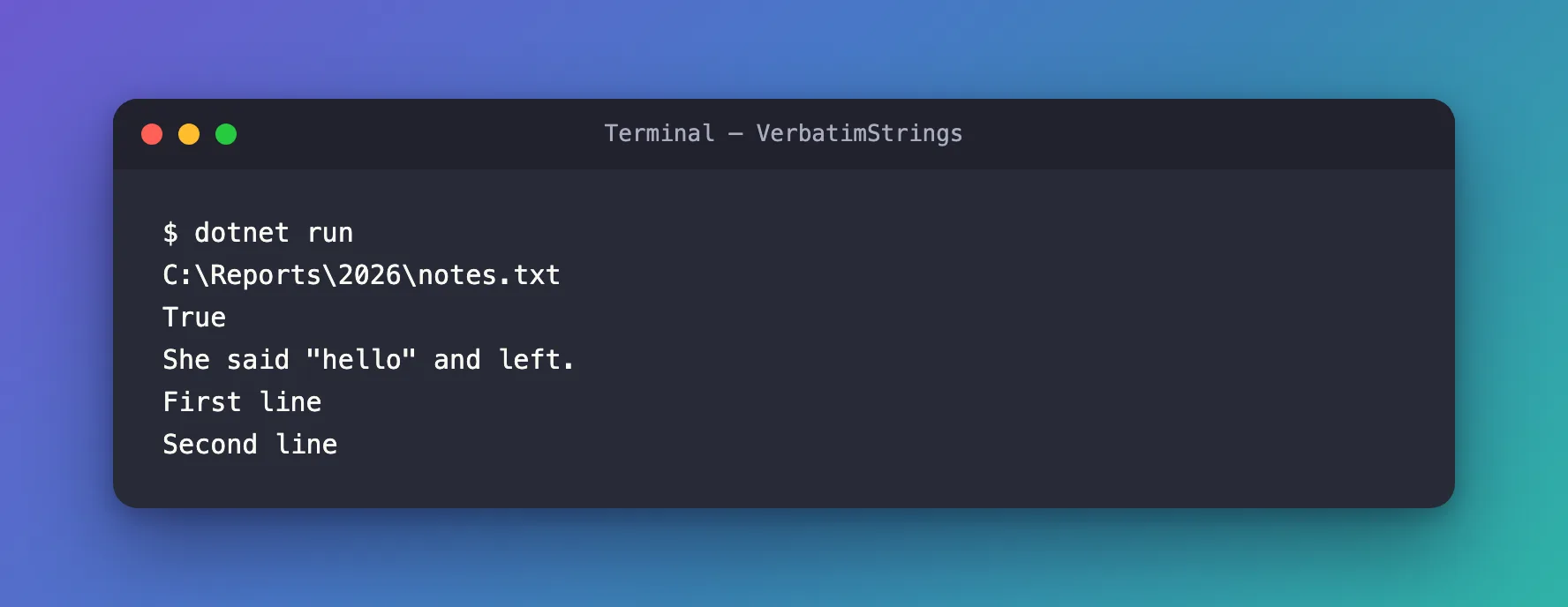
The path printed exactly as written, and True shows that the verbatim and the escaped versions hold the same text. The doubled quotes printed as single ones, and the line break inside twoLines printed as a real line break.
The Complete File
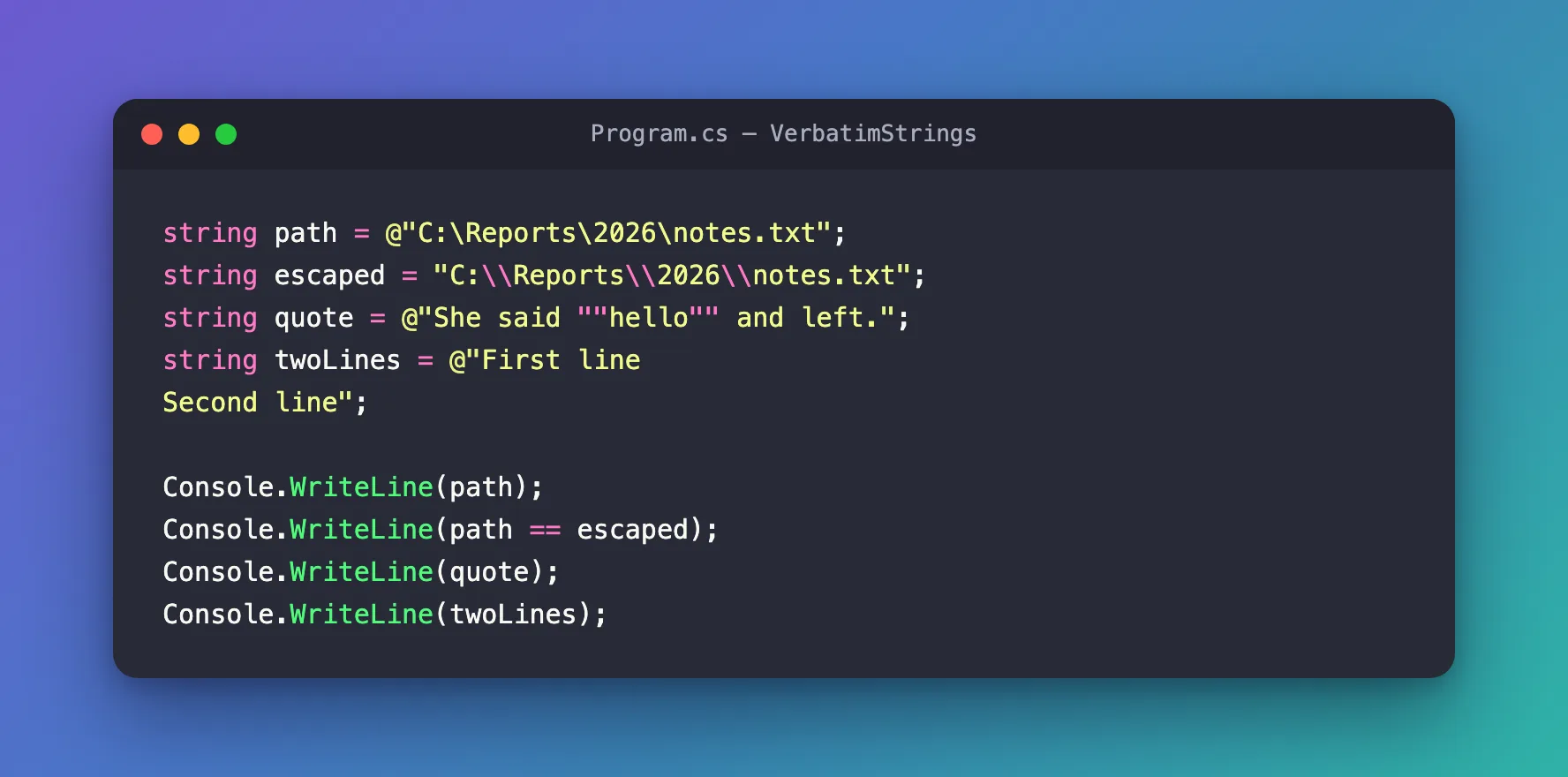
string path = @"C:\Reports\2026\notes.txt";
string escaped = "C:\\Reports\\2026\\notes.txt";
string quote = @"She said ""hello"" and left.";
string twoLines = @"First line
Second line";

Console.WriteLine(path);
Console.WriteLine(path == escaped);
Console.WriteLine(quote);
Console.WriteLine(twoLines);
Common Mistakes
| Mistake | What happens | Do this instead |
|---|---|---|
Writing a Windows path without @ | "C:\Reports\2026\notes.txt" doesn't build: error CS1009: Unrecognized escape sequence, once for \R and once for \2 | Add @, or double every backslash |
A path where the backslash happens to form a valid escape, such as "C:\new folder" | It builds, but \n is a line break: it printed C: and ew folder on two lines | Use @"C:\new folder" |
Escaping a quote with \" inside a verbatim string | The build fails with error CS1003: Syntax error, ',' expected and error CS1056: Unexpected character '\' | Double the quote: @"She said ""hello""" |
FAQ
When should I use a verbatim string?
For Windows paths, for regular expressions, which are full of backslashes, and for text over several lines.
Is there an easier way for text with many quotes?
A raw string literal, which starts and ends with three double quotes: """She said "hello" and left.""" printed the quotes as they are, without doubling them.
Conclusion
An @ before a string makes C# take every backslash literally and lets the string run over several lines; only a double quote needs writing twice. It's the clearest way to write paths and regular expressions.
Additional Resources
- Verbatim text — the
@character and what it does to a string. - The string type — normal, verbatim and raw string literals.
