How to Write a Text Block in Java

A text block is a Java string written between """ and """, over as many lines as you like, with double quotes needing no backslashes. It's the easiest way to put JSON in Java code, and where you put the closing """ decides whether the text ends with a line break.
Syntax
String <text> = """
        <line>
        <line>""";

String <text> = """
        <line>
        <line>
        """;
| Part | What it does |
|---|---|
Opening """ | Must be followed by a line break; the text starts on the next line. |
Closing """ on the last text line | The text ends without a line break. |
Closing """ on its own line | The text ends with a line break. |
| Indentation | The spaces shared by every line, the closing line included, are removed. |
The Java Language Specification, section 3.10.6: "A text block consists of zero or more characters enclosed by opening and closing delimiters." And: "The opening delimiter is a sequence that starts with three double quote characters ("""), continues with zero or more space, tab, and form feed characters, and concludes with a line terminator."
The Example
The example writes a short piece of JSON as a text block that closes on its own line of text, the same JSON spread over several lines with the closing """ on a line of its own, and then checks whether the second one ends with a line break.
Prerequisites
- A JDK, the Java Development Kit.
java Main.javaruns a single file without compiling it first. This guide uses OpenJDK 25.0.5.1.
Step 1: Write the Code
Create a file named Main.java:
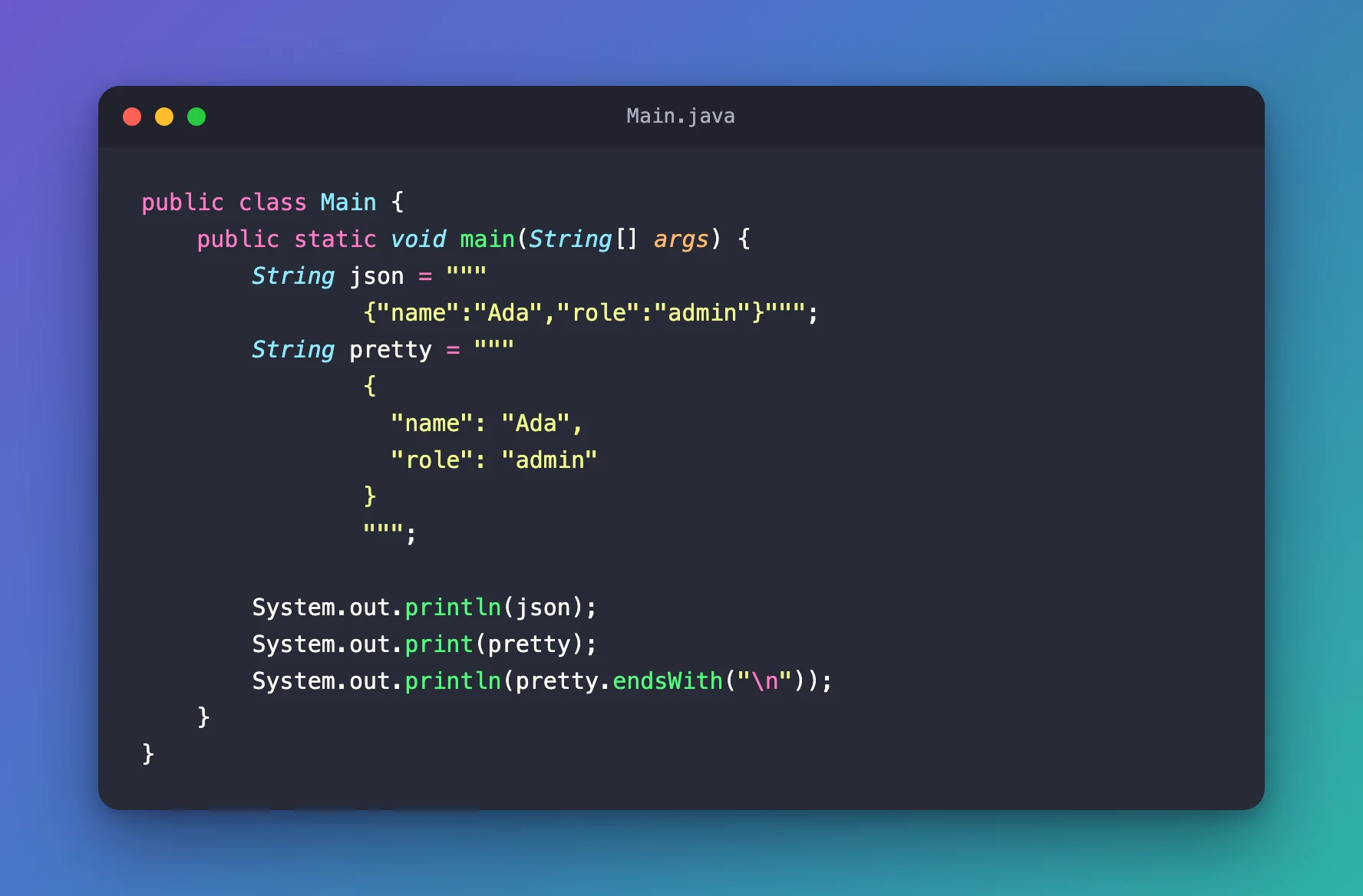
public class Main {
    public static void main(String[] args) {
        String json = """
                {"name":"Ada","role":"admin"}""";
        String pretty = """
                {
                  "name": "Ada",
                  "role": "admin"
                }
                """;

        System.out.println(json);
        System.out.print(pretty);
        System.out.println(pretty.endsWith("\n"));
    }
}
Step 2: Run It
java Main.java
{"name":"Ada","role":"admin"}
{
  "name": "Ada",
  "role": "admin"
}
true
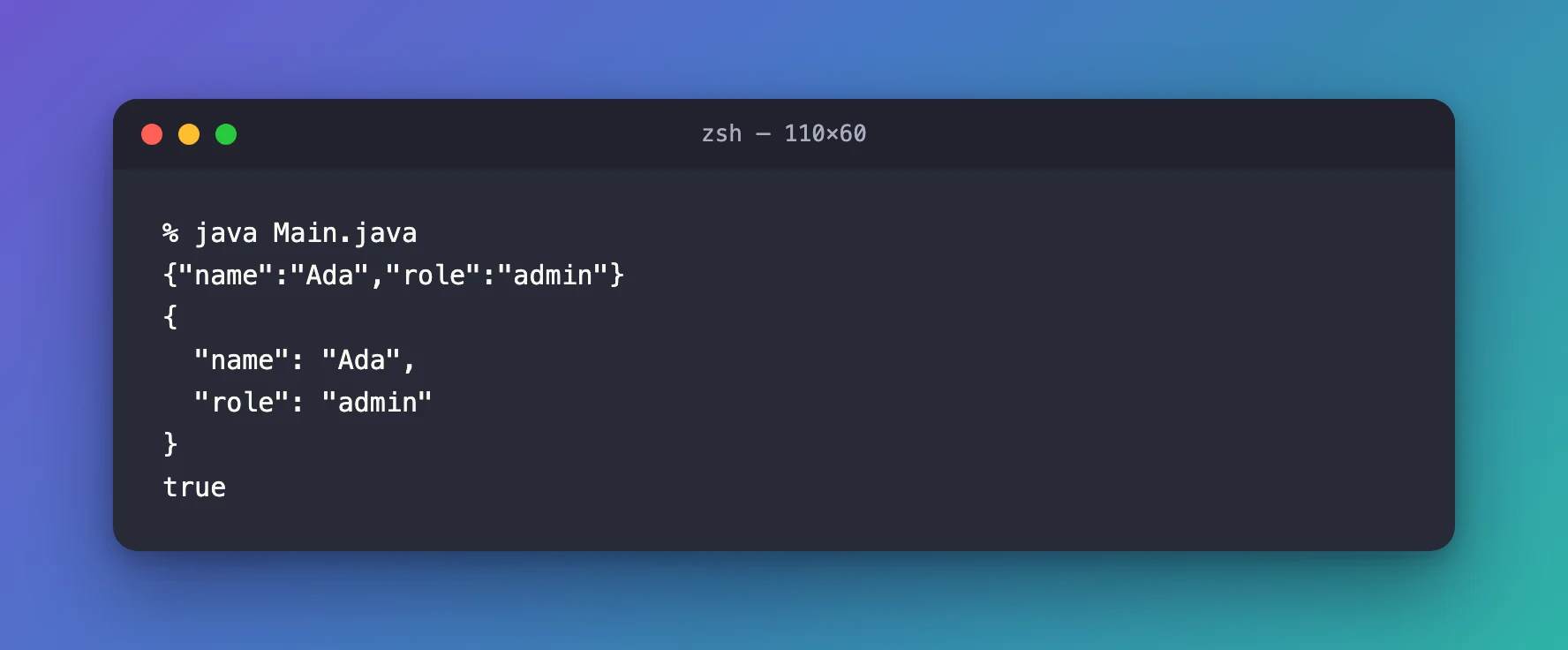
The command is the same in zsh, bash and PowerShell.
What Happened
jsonprinted its double quotes as they are. Its closing"""sits on the line of text, so there's no line break at the end.prettylost the indentation it shared with its closing line, so the JSON starts at the left edge. Its closing"""has a line of its own, so the text ends with a line break, which is why the code prints it withprintinstead ofprintln.pretty.endsWith("\n")confirmed the line break:true.
Common Mistakes
| Mistake | What happens | Do this instead |
|---|---|---|
Putting text right after the opening """ | error: illegal text block open delimiter sequence, missing line terminator | Start the text on the next line |
Putting the closing """ on its own line when you don't want a line break | The string ends with \n, which breaks exact comparisons | Close on the last line of text |
Expecting \n inside a text block to stay as two characters | Escape sequences still work: a text block holding a\nb gave two lines | Write \\n for a literal backslash and n |
Troubleshooting
| Symptom | Likely cause | Fix |
|---|---|---|
| An extra blank line when printing | The text ends with a line break and println adds another | Use print, or close the block on the last text line |
| Unexpected spaces at the start of each line | The closing """ sits further left than the text | Move it to the same indentation as the text |
FAQ
Which Java version do I need?
Java 15 or later. Oracle's Programmer's Guide to Text Blocks: "JEP 378 adds the language feature text blocks to Java SE 15 and later."
Can I insert values into a text block?
Not with special syntax, but you can call formatted on one: a text block holding Hello, %s!, followed by .formatted("Ada"), gave Hello, Ada!.
Conclusion
Put text between a """ that ends its line and a closing """, and write it exactly as it should appear, quotes and all. Close on the last line of text for no trailing line break, or on a line of its own to get one.
Additional Resources
- Text Blocks, section 3.10.6 of the Java Language Specification.
- Programmer's Guide to Text Blocks, in the Java SE documentation.
