How to Write a Single-Quoted String in Ruby

Ruby treats single and double quotes differently. In double quotes, #{name} is replaced by the value of name and \n becomes a line break. In single quotes, both stay exactly as written, which is what you want for JSON and other text full of " or #.
Syntax
'<text, "double quotes" and #{braces} as they are>'
'<it\'s with an escaped quote and a backslash: \\>'
| Part | What it does |
|---|---|
'...' | A single-quoted string. No interpolation, and no escape sequences except two. |
\' | A single quote inside the string. |
\\ | A backslash. |
The Ruby documentation on string literals: "In addition to disabling interpolation, single-quoted strings also disable all escape sequences except for the single-quote (\') and backslash (\\). In a single-quoted string, any other character following a backslash is interpreted as is: a backslash and the character itself."
The Example
The example prints the same greeting twice, once in single quotes and once in double quotes, then a piece of JSON in single quotes, and a string with an escaped single quote and a backslash.
Prerequisites
- Ruby. This guide uses Ruby 4.0.10.
Step 1: Write the Code
Create a file named main.rb:
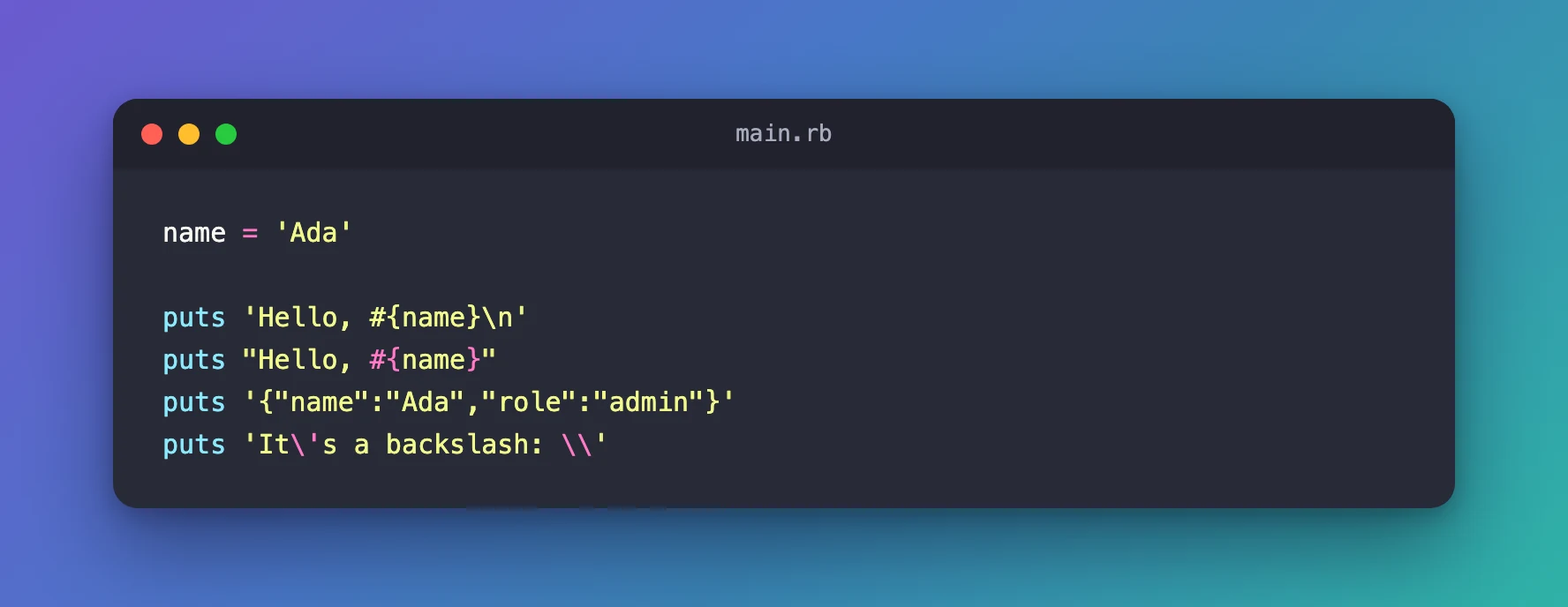
name = 'Ada'

puts 'Hello, #{name}\n'
puts "Hello, #{name}"
puts '{"name":"Ada","role":"admin"}'
puts 'It\'s a backslash: \\'
Step 2: Run It
ruby main.rb
Hello, #{name}\n
Hello, Ada
{"name":"Ada","role":"admin"}
It's a backslash: \
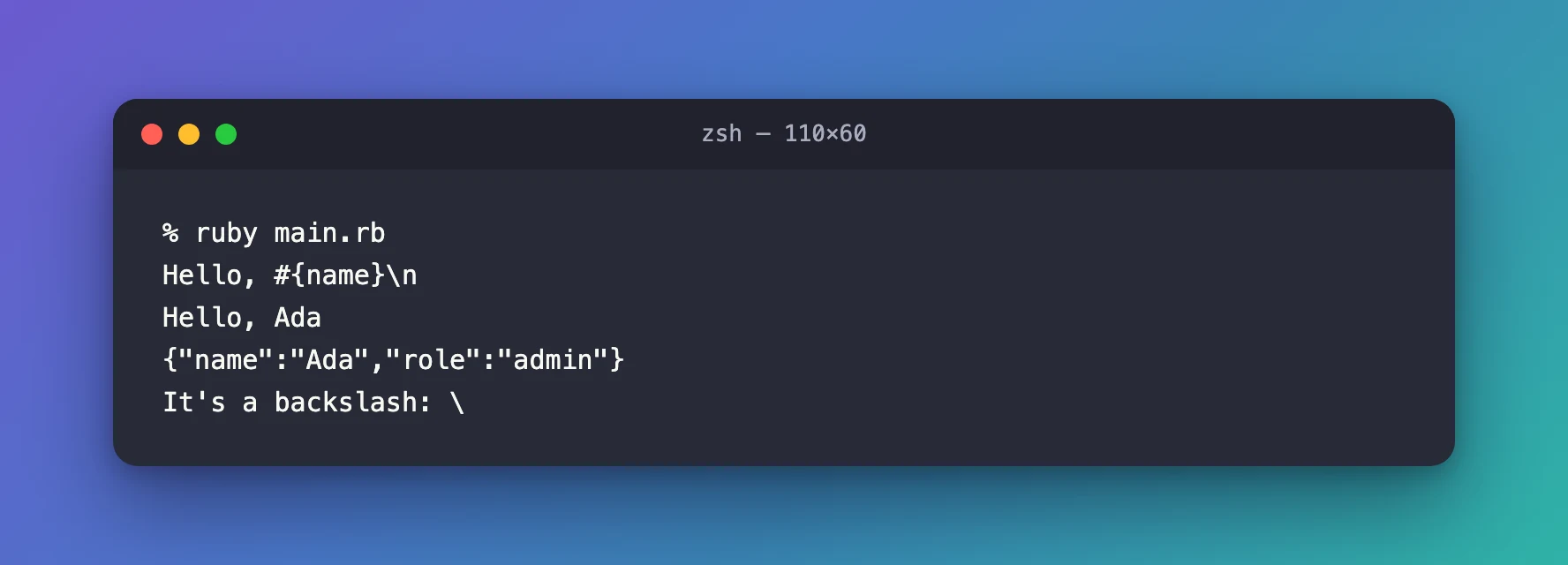
The command is the same in zsh, bash and PowerShell.
What Happened
- In single quotes, the interpolation and the
\ncame out as those characters. - In double quotes, the interpolation became
Ada. - The JSON kept its double quotes with no escaping.
\'gave a single quote and\\a single backslash.
Common Mistakes
| Mistake | What happens | Do this instead |
|---|---|---|
| Expecting interpolation in single quotes | The braces and the name are printed as they are | Use double quotes |
Writing '\n' for a line break | It prints a backslash and an n | Use "\n" |
An unescaped single quote, as in 'It's' | A syntax error: unexpected local variable or method, expecting end-of-input | Write 'It\'s', or use double quotes |
Troubleshooting
| Symptom | Likely cause | Fix |
|---|---|---|
| Interpolation braces appear in the output | The string is in single quotes | Switch to double quotes |
| A syntax error near an apostrophe | The apostrophe ended a single-quoted string | Escape it, or use double quotes |
FAQ
Which should I use by default?
Either; many Ruby style guides prefer single quotes unless the string needs interpolation or escape sequences. Choose by what the text contains.
Are there other ways to write a string with both kinds of quote?
Yes: %q(It's "fine") works like single quotes and %Q(...) like double quotes, so neither kind of quote needs escaping.
Conclusion
A single-quoted Ruby string keeps its text exactly as written, apart from \' and \\. That makes it the right choice for JSON and anything full of " or #, and the wrong one when you need interpolation or a line break.
Additional Resources
- Literals, in the Ruby documentation.
