How to Write a Single-Quoted String in PHP

PHP treats single and double quotes differently. In double quotes, $name is replaced by the variable's value and \n becomes a line break. In single quotes, both stay exactly as written, which is what you want for JSON, patterns and any text full of $ or ".
Syntax
$<text> = '<text, "double quotes" and $dollars as they are>';
$<text> = '<it\'s with an escaped quote and a backslash: \\>';
| Part | What it does |
|---|---|
'...' | A single-quoted string. Variables and escape sequences such as \n aren't processed. |
\' | A single quote inside the string. |
\\ | A backslash, needed before a single quote, before another backslash, or at the end of the string. |
The PHP manual on single-quoted strings: "To specify a literal single quote, escape it with a backslash (\). A literal backslash can be specified by doubling it (\\), which is required before a single quote, before another backslash, or at the end of the string. All other instances of backslash will be treated as a literal backslash: this means that the other escape sequences you might be used to, such as \r or \n, will be output literally as specified rather than having any special meaning."
The Example
The example echoes the same greeting twice, once in single quotes and once in double quotes, then a piece of JSON in single quotes, and a string with an escaped single quote and a backslash.
Prerequisites
- PHP for the command line. This guide uses PHP 8.6.0.
Step 1: Write the Code
Create a file named main.php:
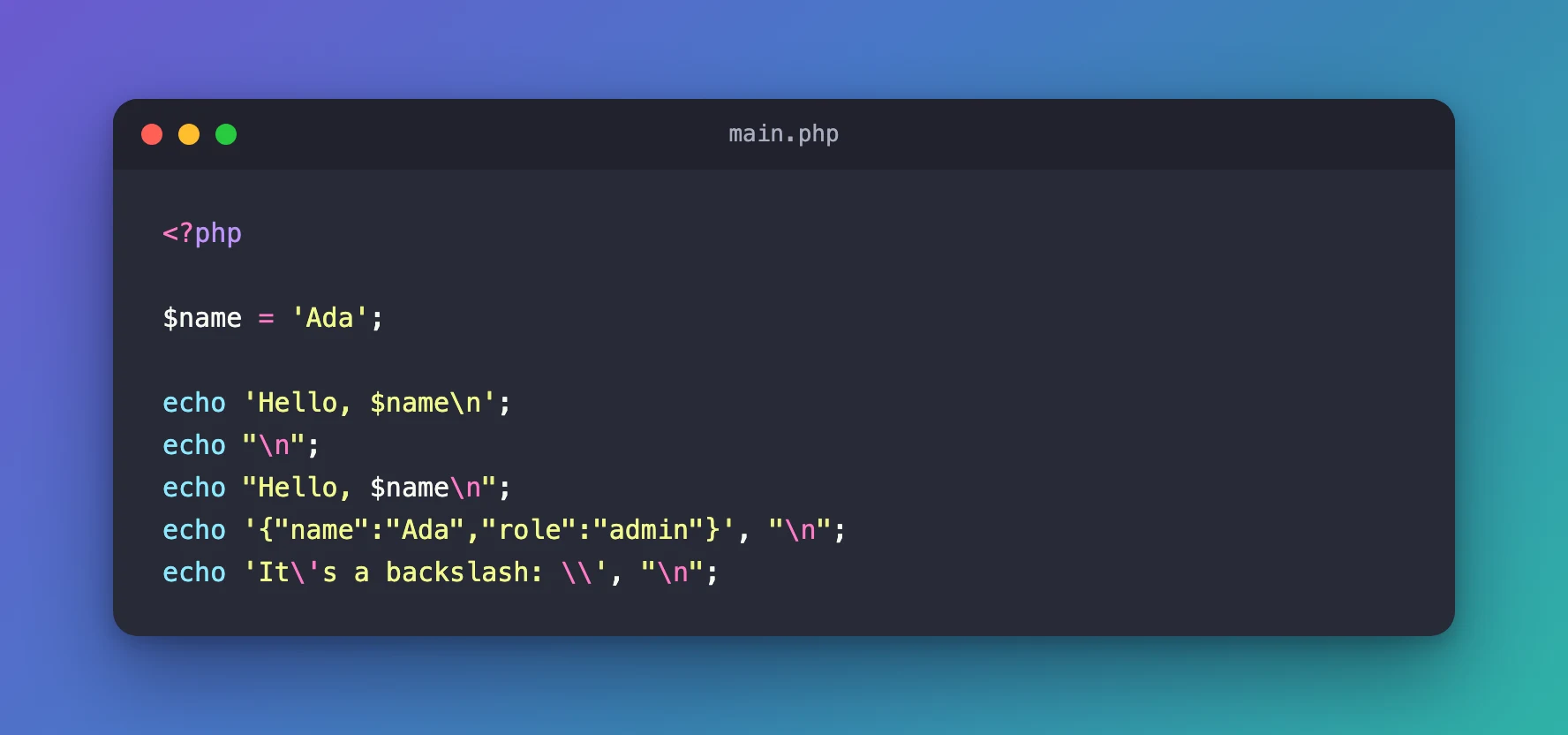
<?php

$name = 'Ada';

echo 'Hello, $name\n';
echo "\n";
echo "Hello, $name\n";
echo '{"name":"Ada","role":"admin"}', "\n";
echo 'It\'s a backslash: \\', "\n";
Step 2: Run It
php main.php
Hello, $name\n
Hello, Ada
{"name":"Ada","role":"admin"}
It's a backslash: \
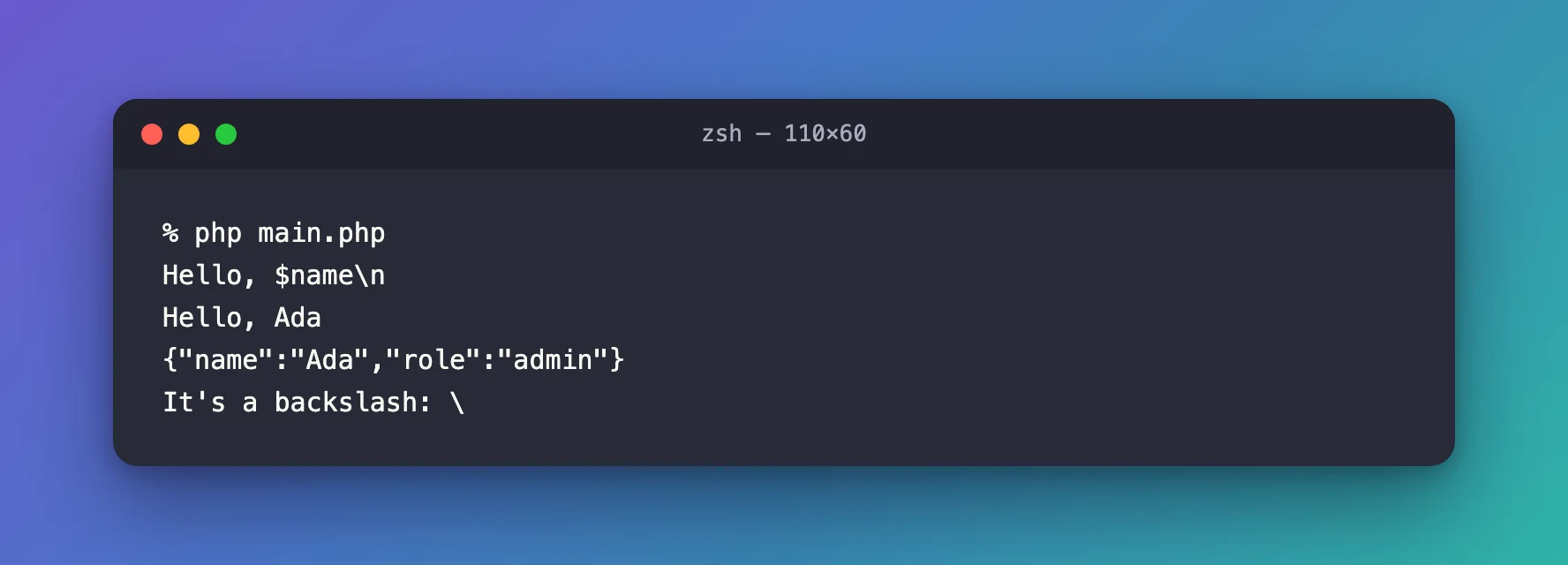
The command is the same in zsh, bash and PowerShell.
What Happened
- In single quotes,
$nameand\ncame out as those characters, so the nextecho "\n"was needed to end the line. - In double quotes,
$namebecameAdaand\nbecame a line break. - The JSON kept its double quotes with no escaping.
\'gave a single quote and\\a single backslash.
Common Mistakes
| Mistake | What happens | Do this instead |
|---|---|---|
| Expecting a variable to be replaced in single quotes | 'Hello, $name' prints $name as is | Use double quotes, or join with . |
Writing '\n' for a line break | It prints a backslash and an n | Use "\n" in double quotes |
An unescaped single quote, as in 'It's' | The string ends at the apostrophe and the line doesn't parse | Write 'It\'s', or use double quotes |
Troubleshooting
| Symptom | Likely cause | Fix |
|---|---|---|
| A variable's name appears instead of its value | The string is in single quotes | Switch to double quotes |
\n appears in the output | The line break was written in single quotes | Use "\n" |
FAQ
Are single quotes faster than double quotes?
The difference isn't worth choosing for. Choose by what the text contains: single quotes when it should stay literal, double quotes when it needs variables or escape sequences.
Can I mix both in one line?
Yes, by joining them with .: 'Price: $' . $amount . "\n".
Conclusion
A single-quoted PHP string keeps its text exactly as written, apart from \' and \\. That makes it the safe choice for JSON and anything with $ or " in it, and the wrong one when you need a variable or a line break inside.
Additional Resources
- Strings, in the PHP manual.
