How to Write a Search Filter for MLflow Runs

MLflow finds runs with a filter string, a short condition such as metrics.loss < 0.35. The same string works in the UI's search box and in Python's mlflow.search_runs(). It looks like the WHERE part of SQL, with a few rules of its own: which comparisons each kind of value allows, what needs quotes, and no OR. This guide gives the general form, runs five filters on three small runs, and lists the exact errors MLflow 3.18.0 gives when a rule is broken.
Syntax
<prefix>.<key> <comparator> <value>
<condition> AND <condition>
| Part | What it means |
|---|---|
<prefix> | What kind of value to look at: metrics, params, tags, attributes (the run's own fields, such as its name or status) or datasets. The singular forms, such as metric or param, work too |
<key> | The name: a metric such as loss, a parameter such as optimizer, a tag such as team, an attribute such as run_name, or a dataset's name, digest or context. Put a name in backticks if it has spaces or dashes: metrics.`f1 score` |
<comparator> | Metrics, and the times attributes.start_time and attributes.end_time: =, !=, >, >=, <, <=. Parameters and tags: =, !=, LIKE, ILIKE, IS NULL, IS NOT NULL. Other attributes and datasets: =, !=, LIKE, ILIKE, and IN for dataset fields and attributes.run_id |
<value> | A number for metrics and times, with no quotes. Text in single or double quotes for everything else. A list in parentheses for IN: ('a', 'b') |
AND | Joins conditions; a run must meet all of them. There is no OR |
LIKE matches a pattern, where % stands for any number of characters and _ for exactly one; ILIKE does the same but ignores upper and lower case. IS NULL matches runs that never logged that parameter or tag.
Prerequisites
- An MLflow tracking server at
http://127.0.0.1:8080. MLflow's tracking server guide shows how to start one.
Step 1: Create Three Runs
The example is three training runs: two with the adam optimizer and one with sgd, each with a number of layers, a loss and a team tag. Create filter_runs.py:
import mlflow

mlflow.set_tracking_uri("http://127.0.0.1:8080")
mlflow.set_experiment("filter-demo")

for name, optimizer, layers, loss, team in [
    ("adam-small", "adam", 2, 0.30, "vision"),
    ("adam-large", "adam", 8, 0.22, "vision"),
    ("sgd-small", "sgd", 2, 0.41, "speech"),
]:
    with mlflow.start_run(run_name=name):
        mlflow.log_params({"optimizer": optimizer, "layers": layers})
        mlflow.log_metric("loss", loss)
        mlflow.set_tag("team", team)
uv run python filter_runs.py
It prints a View run link for each run.
Step 2: Run Five Filters
Create filters.py. It passes each filter string to mlflow.search_runs() and prints the names of the runs that match:
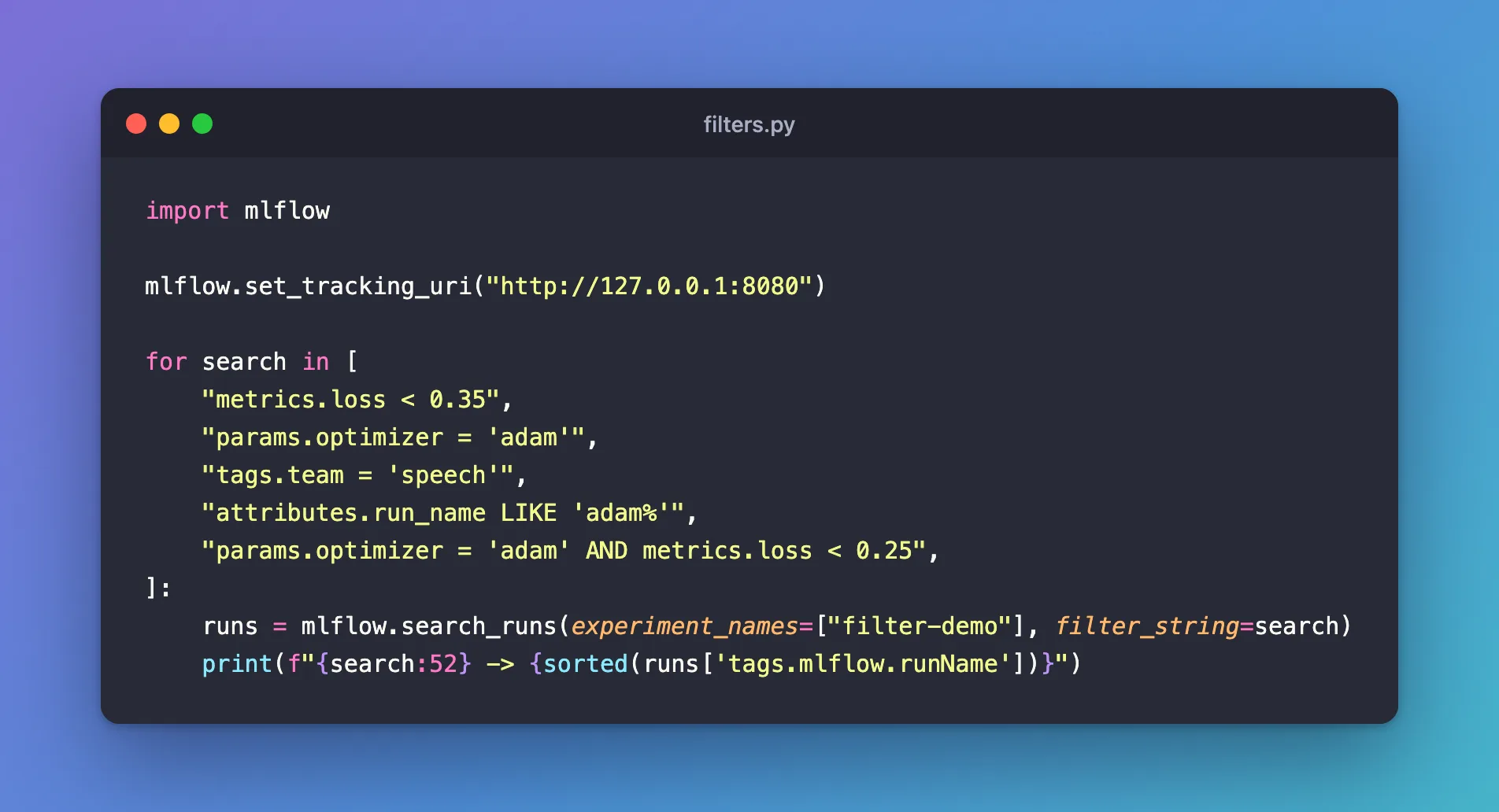
import mlflow

mlflow.set_tracking_uri("http://127.0.0.1:8080")

for search in [
    "metrics.loss < 0.35",
    "params.optimizer = 'adam'",
    "tags.team = 'speech'",
    "attributes.run_name LIKE 'adam%'",
    "params.optimizer = 'adam' AND metrics.loss < 0.25",
]:
    runs = mlflow.search_runs(experiment_names=["filter-demo"], filter_string=search)
    print(f"{search:52} -> {sorted(runs['tags.mlflow.runName'])}")
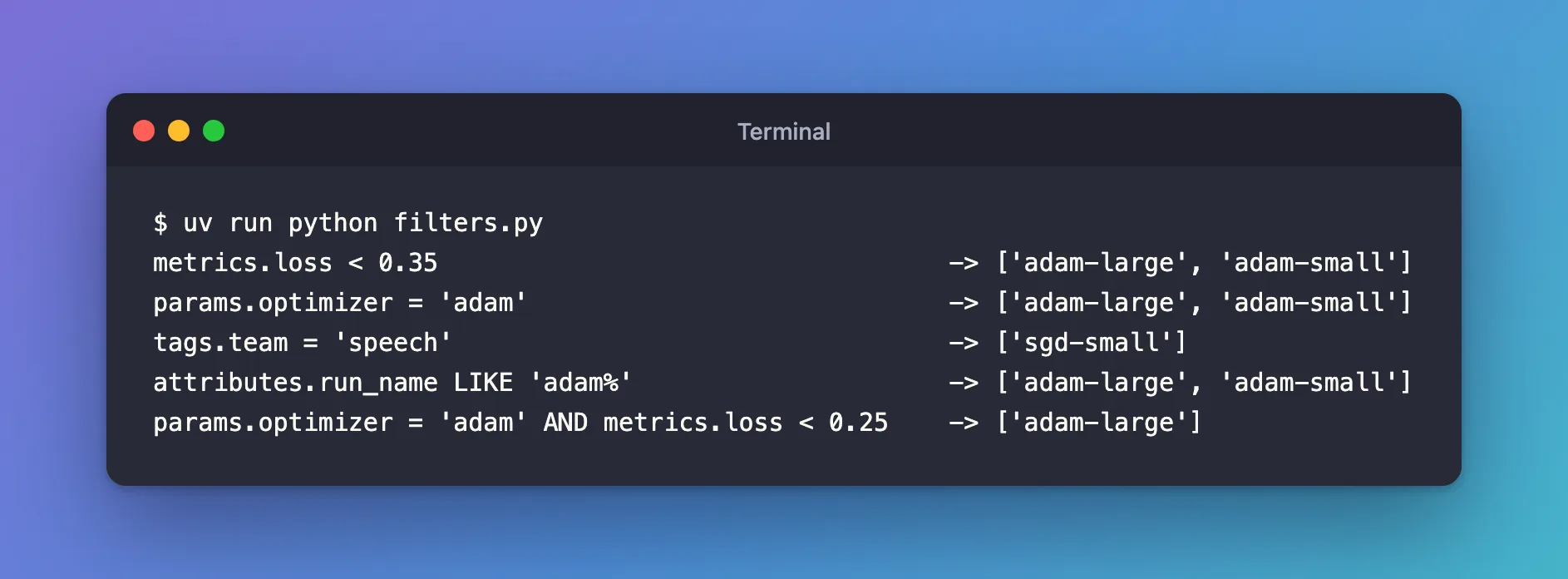
uv run python filters.py
metrics.loss < 0.35                                  -> ['adam-large', 'adam-small']
params.optimizer = 'adam'                            -> ['adam-large', 'adam-small']
tags.team = 'speech'                                 -> ['sgd-small']
attributes.run_name LIKE 'adam%'                     -> ['adam-large', 'adam-small']
params.optimizer = 'adam' AND metrics.loss < 0.25    -> ['adam-large']
| Filter | Why these runs |
|---|---|
metrics.loss < 0.35 | A number with no quotes: losses 0.30 and 0.22 are below it, 0.41 isn't |
params.optimizer = 'adam' | Parameters are text, so the value is quoted |
tags.team = 'speech' | Tags are text too |
attributes.run_name LIKE 'adam%' | The run's own name, starting with adam |
... AND metrics.loss < 0.25 | Both conditions must hold; only adam-large has adam and a loss below 0.25 |
You can paste any of these filters into the UI's search box and get the same runs.
Step 3: Know the Rules That Raise Errors
Each of these was run against the same three runs. MLflow refuses the filter and says why:
| Filter | Error |
|---|---|
params.optimizer = 'adam' OR params.optimizer = 'sgd' | Invalid clause(s) in filter string: 'OR' |
params.optimizer IN ('adam', 'sgd') | Expected a quoted string value for parameter (e.g. 'my-value'). Got value ('adam', 'sgd') |
params.layers > '2' | Invalid comparator '>' not one of '{'IS NULL', 'ILIKE', 'IS NOT NULL', '=', '!=', 'LIKE'}' |
params.optimizer = adam | Parameter value is either not quoted or unidentified quote types used for string value adam. Use either single or double quotes. |
metrics.loss < "0.35" | Expected numeric value type for metric. Found "0.35" |
metrics.loss IS NULL | IS NULL / IS NOT NULL is only supported for tags and params, not for 'metric' 'loss' |
Through the tracking server, each message starts with INVALID_PARAMETER_VALUE:; in the UI it appears under Request error.
Common Mistakes
| Mistake | What happens | Do this instead |
|---|---|---|
Using OR | Invalid clause(s) in filter string: 'OR' | Run two searches, or use LIKE or IN where they fit |
Comparing a parameter with > or < | Invalid comparator '>' not one of ... | Compare with = or LIKE; parameters are text: Fixed: "Invalid comparator '>' not one of" |
| Quoting a metric's value | Expected numeric value type for metric. Found "0.35" | Write numbers bare: metrics.loss < 0.35 |
| Writing an apostrophe inside single quotes | The filter breaks or matches nothing | Wrap that value in double quotes: attributes.run_name = "bob's run" |
Troubleshooting
| Symptom | Likely cause | Fix |
|---|---|---|
| A filter returns no runs and no error | A name's spelling or capitalisation differs from what was logged | Copy the name from the run's page |
Invalid attribute key '...' specified | The prefix is missing, so the name is read as a run attribute | Add metrics., params. or tags. |
LIKE 'Adam%' misses adam runs | LIKE is case-sensitive | Use ILIKE |
FAQ
Do the UI and Python use exactly the same syntax?
Yes. The UI's search box sends the same filter string to the same search as mlflow.search_runs(filter_string=...).
How do I match one character in a pattern?
_ matches exactly one: attributes.run_name LIKE 'adam-_____' matches adam-small and adam-large, which both have five letters after the dash.
How do I get "this or that" without OR?
For datasets and run IDs, IN takes a list. For other fields, run one search per value and combine the results, or use a LIKE pattern that covers both.
Conclusion
A filter is <prefix>.<key> <comparator> <value>, joined with AND: numbers bare for metrics, text in quotes for parameters, tags and attributes, LIKE and ILIKE for patterns, IS NULL for missing parameters and tags, and no OR. MLflow's error messages say exactly which rule a filter broke.
Additional Resources
- Search Runs — MLflow's guide to the syntax, with more examples.
- mlflow.search_runs — the function's reference.
