How to Write a Raw String Literal in Go

A raw string literal in Go is text between backquotes. Inside it, nothing is special: double quotes, backslashes and line breaks are just characters. That makes it the easiest way to write JSON, Windows paths and regular expressions in Go code.
Syntax
<name> := `<text with "quotes" and \backslashes>`
| Part | What it does |
|---|---|
`...` | A raw string literal. Everything between the backquotes is taken as it is. |
"..." | An interpreted string literal, for comparison: backslash sequences such as \n and \" are turned into special characters. |
The Go language specification on string literals: "Raw string literals are character sequences between back quotes, as in foo. Within the quotes, any character may appear except back quote."
The Example
The example writes a small piece of JSON as a raw string, writes the Windows path C:\temp\new as a raw string, and compares that path with the same path written as an interpreted string, where each backslash has to be doubled.
Prerequisites
- Go.
go runcompiles and runs a single file. This guide uses Go 1.27.4.
Step 1: Write the Code
Create a file named main.go:
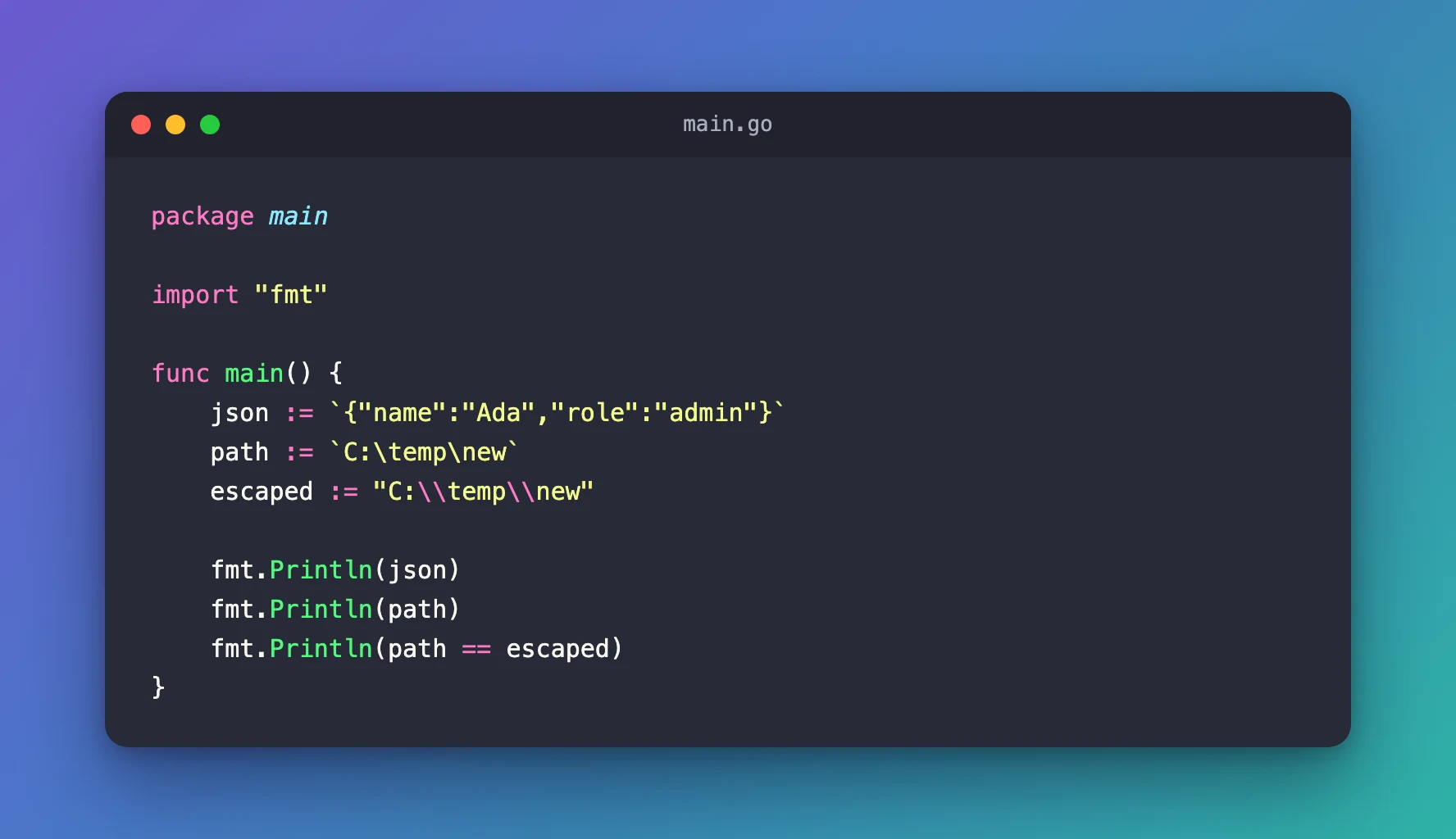
package main

import "fmt"

func main() {
	json := `{"name":"Ada","role":"admin"}`
	path := `C:\temp\new`
	escaped := "C:\\temp\\new"

	fmt.Println(json)
	fmt.Println(path)
	fmt.Println(path == escaped)
}
Step 2: Run It
go run main.go
{"name":"Ada","role":"admin"}
C:\temp\new
true
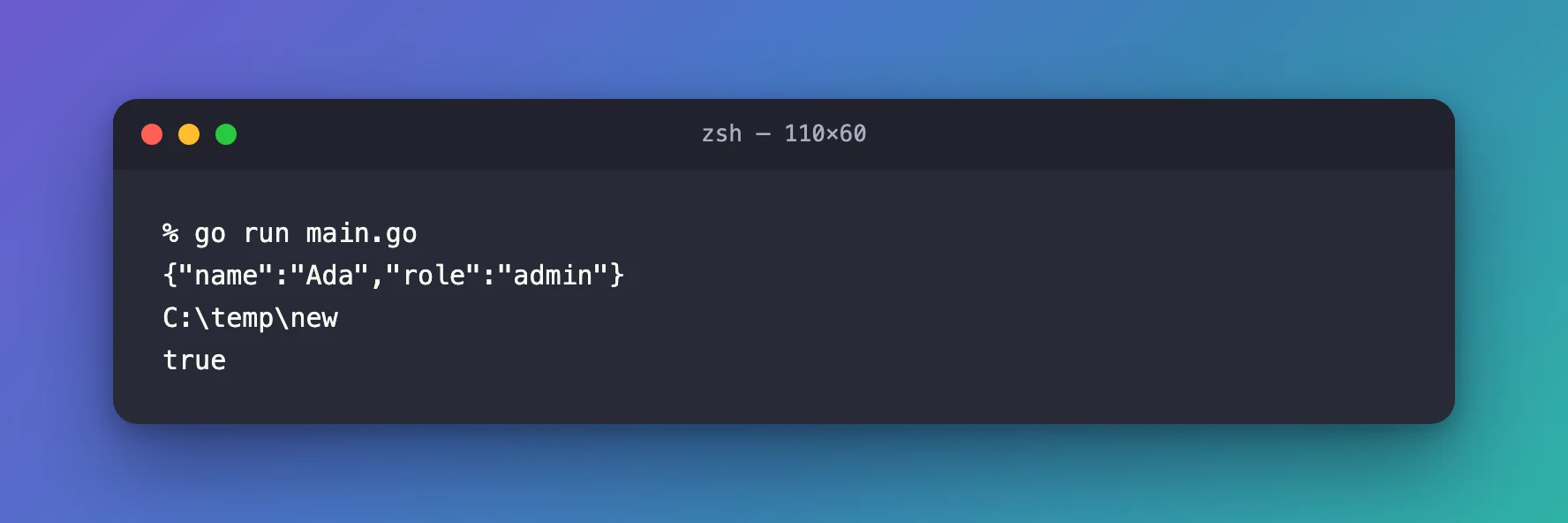
The command is the same in zsh, bash and PowerShell.
What Happened
- The JSON printed its double quotes as they are, with no backslashes in the code.
- In the raw path,
\tand\nstayed as a backslash followed by a letter. In an interpreted string they would have become a tab and a line break. "C:\\temp\\new"says the same thing with each backslash doubled, so the comparison printedtrue.
Common Mistakes
| Mistake | What happens | Do this instead |
|---|---|---|
| Writing a Windows path in double quotes with single backslashes | \t becomes a tab and \n a line break | Use a raw string, or double each backslash |
Expecting \n in a raw string to be a line break | It stays a backslash and an n | Put a real line break in the raw string, or use an interpreted string |
| Putting a backquote inside a raw string | It ends the string there | Write that part as an interpreted string and join the two with + |
Troubleshooting
| Symptom | Likely cause | Fix |
|---|---|---|
| A tab or a missing character in a printed path | The path was in double quotes with single backslashes | Use backquotes |
A literal \n printed instead of a new line | The text is a raw string | Use a real line break, or double quotes |
FAQ
Can a raw string span several lines?
Yes. A line break inside backquotes is part of the string: a raw string with line one, a line break and line two printed two lines.
Is a raw string slower?
No. Both kinds produce an ordinary string; they differ only in how the text is written in the code.
Conclusion
Put text between backquotes in Go and it stays exactly as written: double quotes, backslashes and line breaks included. Use it for JSON, paths and regular expressions, and switch to double quotes when you need escape sequences or a backquote.
Additional Resources
- String literals, in the Go language specification.
