How to Write a Raw String Literal in C#

A raw string literal starts and ends with three double quotes, """, and everything between them is plain text: double quotes, backslashes and braces need no escaping. That makes it the easiest way to write JSON inside C# code.
Syntax
var <text> = """<text with "quotes">""";

var <text> = """
    <line>
    <line>
    """;

var <text> = $$"""{"<key>":"{{<expression>}}"}""";
| Part | What it does |
|---|---|
"""...""" on one line | A single-line raw string. Quotes inside it are ordinary characters. |
""" on its own line, text, """ on its own line | A multi-line raw string. The indentation to the left of the closing """ is removed from every line. |
$$"""...""" | An interpolated raw string. With two $, single braces are ordinary text and {{...}} inserts a value. |
Microsoft Learn on raw string literals: "A raw string literal starts and ends with a minimum of three double quote (") characters." And: "Any whitespace to the left of the closing quotes is removed from all lines of the raw string literal."
The Example
The example writes a small piece of JSON as a single-line raw string, the same JSON indented over several lines, and a third piece of JSON with a name inserted through $$ and double braces.
Prerequisites
- The .NET 10 SDK or newer, which runs a single
.csfile withdotnet run. This guide uses .NET SDK 10.0.404.
Step 1: Write the Code
Create a file named main.cs:
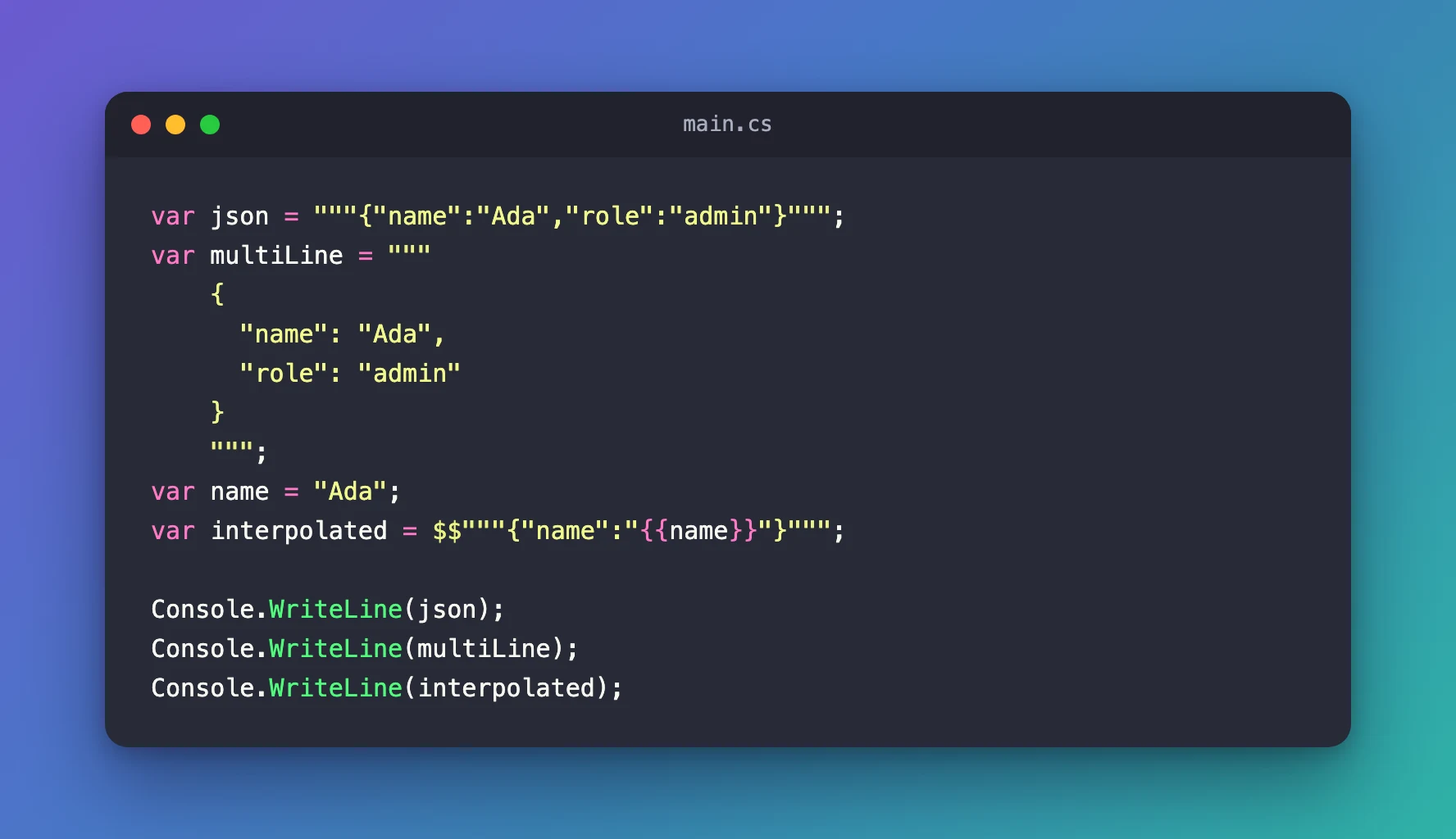
var json = """{"name":"Ada","role":"admin"}""";
var multiLine = """
    {
      "name": "Ada",
      "role": "admin"
    }
    """;
var name = "Ada";
var interpolated = $$"""{"name":"{{name}}"}""";

Console.WriteLine(json);
Console.WriteLine(multiLine);
Console.WriteLine(interpolated);
Step 2: Run It
dotnet run main.cs
{"name":"Ada","role":"admin"}
{
  "name": "Ada",
  "role": "admin"
}
{"name":"Ada"}
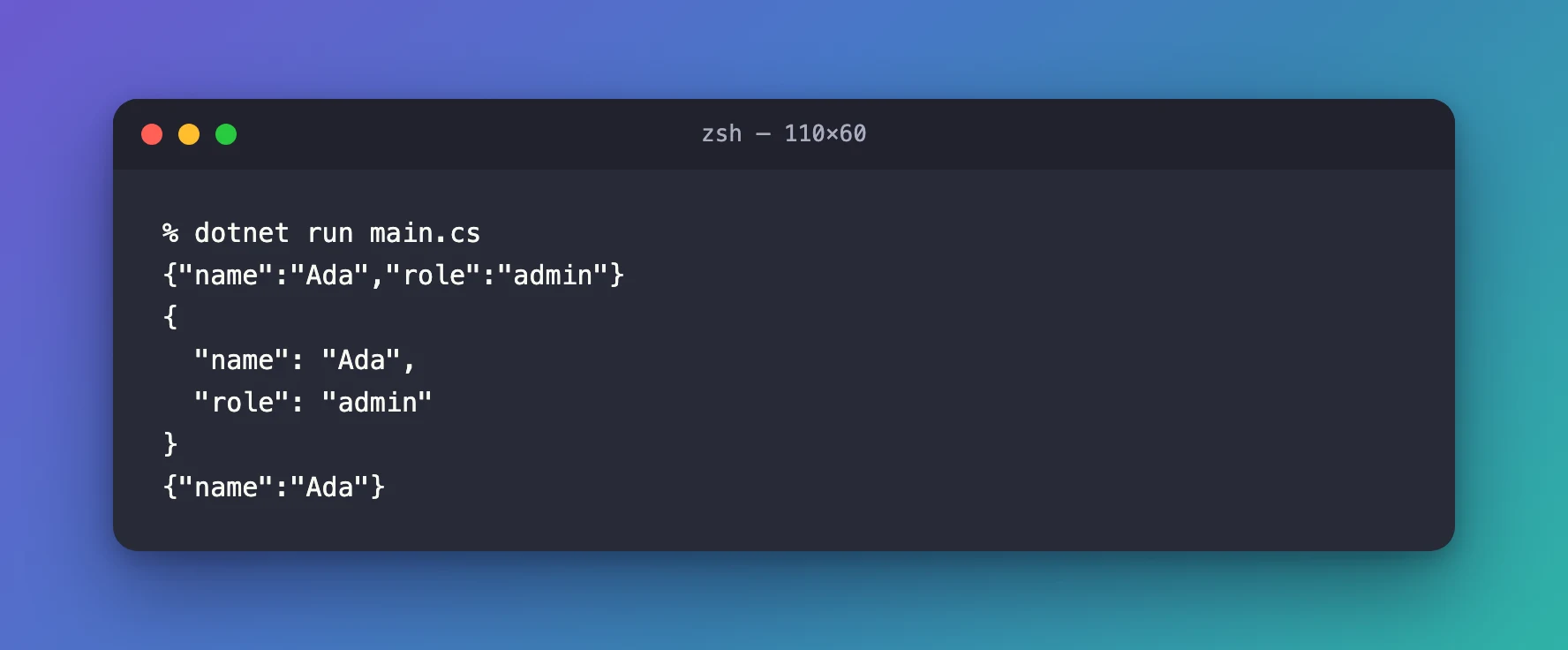
The command is the same in zsh, bash and PowerShell.
What Happened
- The single-line raw string printed its double quotes as they are, with no backslashes anywhere.
- The multi-line one lost the four spaces of indentation that sit to the left of its closing
""", so the JSON starts at the left edge. The line break before the closing quotes isn't part of the text either. - In
$$"""{"name":"{{name}}"}""", the single braces of the JSON stayed as text and{{name}}becameAda.
Common Mistakes
| Mistake | What happens | Do this instead |
|---|---|---|
Interpolating JSON with a single $ | The JSON's own { opens an expression: error CS8076: Missing close delimiter '}' for interpolated expression started with '{'. | Use $$ and write the values as {{value}} |
Text after the opening """ of a multi-line string | The compiler requires the opening quotes to end their line | Start the text on the next line |
Indenting a line less than the closing """ | The compiler can't remove that much indentation from it | Indent every line at least as far as the closing quotes |
Troubleshooting
| Symptom | Likely cause | Fix |
|---|---|---|
| Unexpected spaces at the start of each line | The closing """ sits further left than the text | Move the closing quotes to the same indentation as the text |
error CS8076: Missing close delimiter '}' for interpolated expression | A $""" string contains literal braces | Add a second $ |
FAQ
What if the text contains three quotes in a row?
Start and end the raw string with four quotes instead. Learn: "Raw string literals can start and end with a sequence of at least three double-quote characters."
Which C# version do I need?
Raw string literals came in C# 11, so .NET 7 and later. .NET 10 uses C# 14.
Conclusion
Put text between """ and """ and write it exactly as it should appear, quotes and all. Use the multi-line form for longer text, and $$ with {{value}} when JSON needs a value inserted.
Additional Resources
- Raw string literal text, in the C# language reference.
- Interpolated raw string literals, on Microsoft Learn.
