How to Write a Date to a Cell with an Office Script

Excel keeps a date as a number of days, and shows it as a date only because of the cell's number format. An Office Script that writes a date the reliable way does both: it writes Excel's day number, then gives the cell a date format.
Syntax
const milliseconds = Date.parse("<yyyy-mm-dd>T00:00:00Z");
cell.setValue(milliseconds / 86400000 + 25569);
cell.setNumberFormat("<date format>");
Date.parse("<yyyy-mm-dd>T00:00:00Z"): JavaScript's count of milliseconds from 1 January 1970 to that date. TheZat the end means UTC, so the result doesn't depend on the computer's time zone./ 86400000: milliseconds to days. A day has 86,400,000 milliseconds.+ 25569: Excel's day number for 1 January 1970. Microsoft's Office Scripts tutorial does the same sum the other way round,(excelDateValue - 25569) * 86400 * 1000, to read an Excel date into JavaScript.setNumberFormat("<date format>"): how the cell shows the number, such as"dd/mm/yyyy".
The Example
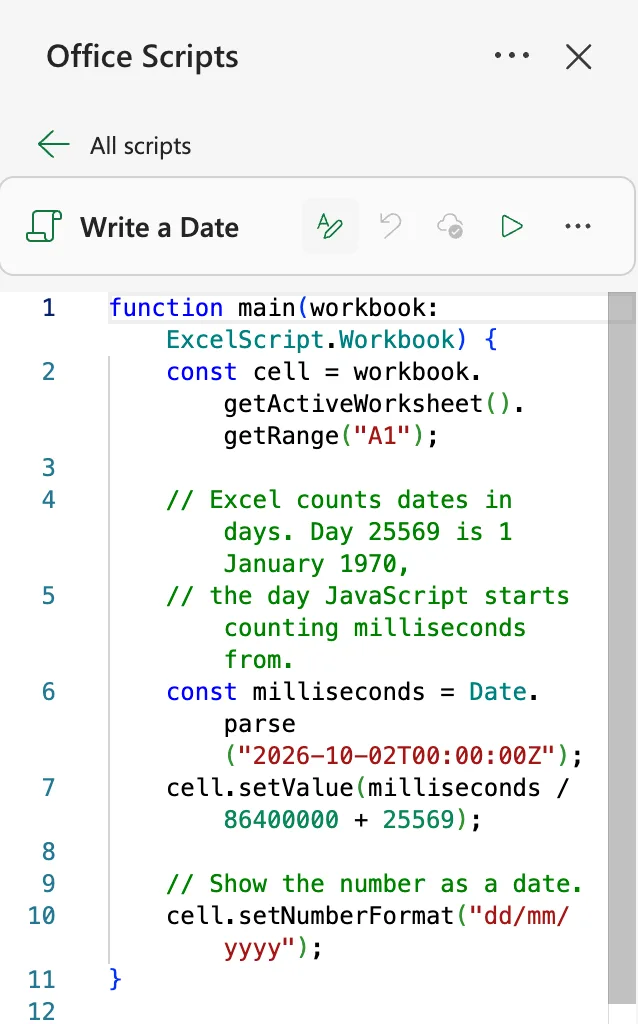
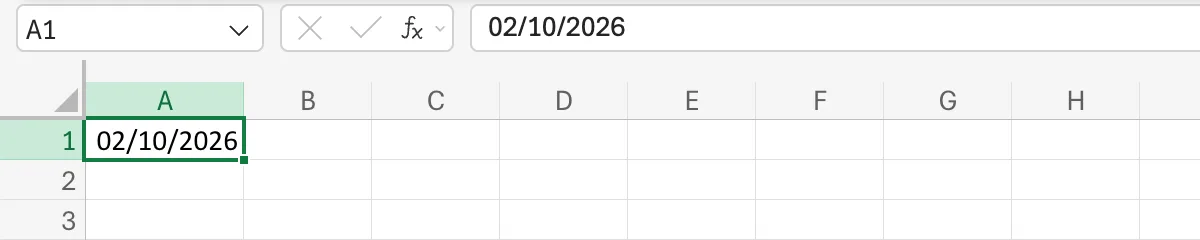
Write a Date writes 2 October 2026 into A1 of a blank sheet and shows it as 02/10/2026. Create the script as in How to Create and Run an Office Script in Excel:
function main(workbook: ExcelScript.Workbook) {
    const cell = workbook.getActiveWorksheet().getRange("A1");

    // Excel counts dates in days. Day 25569 is 1 January 1970,
    // the day JavaScript starts counting milliseconds from.
    const milliseconds = Date.parse("2026-10-02T00:00:00Z");
    cell.setValue(milliseconds / 86400000 + 25569);

    // Show the number as a date.
    cell.setNumberFormat("dd/mm/yyyy");
}
The Result
After Run, A1 shows the date, and the formula bar does too:
To see what the script wrote, I set the cell's number format to General: the cell holds the number 46297, the day number of 2 October 2026 (How to See the Serial Number Behind a Date in Excel):
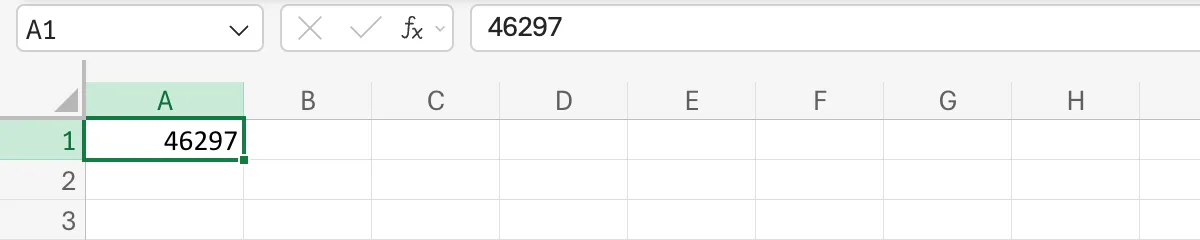
Because the cell holds a number, the date sorts, filters and works in sums like any date you type.
Why Not Write the Date as Text?
setValue("02/10/2026") can also end up as a date, but Excel reads text like that in the day and month order of the workbook's regional format (How to Change the Regional Format in Excel for the Web (UK Dates)): 2 October in one workbook can be 10 February in another. Microsoft's Date example writes toLocaleDateString() text, which also depends on the settings of whoever runs it. A day number is the same date everywhere.
Common Mistakes
| Mistake | What happens | Do this instead |
|---|---|---|
Leaving out setNumberFormat | The cell shows a number such as 46297 | Give the cell a date format |
Date.parse("2026-10-02T00:00:00") without Z | JavaScript reads a date and time without Z as local time, so the day number moves by the time zone's offset | End the timestamp with Z |
Writing "02/10/2026" as text | The date depends on the workbook's regional format | Write the day number |
Troubleshooting
| Symptom | Likely cause | Fix |
|---|---|---|
| The date is a day early | A timestamp without Z, run in a time zone ahead of UTC | Add Z |
######## in the cell | The column is too narrow for the date | Widen the column (How to AutoFit Columns with an Office Script) |
| The number has decimals | The timestamp had a time of day | That's the time: keep it, or use midnight |
FAQ
How do I write a date and a time?
Use the time in the timestamp, Date.parse("2026-10-02T19:00:00Z"), and a format with time, "dd/mm/yyyy hh:mm". The part after the decimal point is the time of day.
Does this work for dates before 1970?
For dates from 1900 on, yes: Date.parse returns a negative number for them, and the sum still gives Excel's day number.
Can I format a whole column at once?
Yes: getRange("A:A").setNumberFormat("dd/mm/yyyy"), or a table column's data range.
Conclusion
Write Date.parse("<date>T00:00:00Z") / 86400000 + 25569 into the cell, then setNumberFormat("dd/mm/yyyy"). The cell holds a real date, the same one in every country.
