How to Write a Custom Session Store for Microsoft Agent Framework in C#

Microsoft Agent Framework keeps hosted conversations through an AgentSessionStore, and it doesn't come with a durable one. To keep them in a file, a database or a cache, you write your own: one class with three methods. Here's how, with a small store that keeps each conversation as a JSON file.
An agent's conversation lives in an AgentSession. Agent Framework's hosting layer, the part that serves agents over protocols such as AG-UI, loads the session from an AgentSessionStore before each run and saves it after. The base class describes what a store is for: Implementations enable persistent storage of conversation sessions, allowing conversations to be resumed across HTTP requests, application restarts, or different service instances in hosted scenarios. Microsoft's self-hosting guide adds that MAF doesn't include a general-purpose durable session store: for anything that outlives the process, you write one.
Syntax
A store derives from AgentSessionStore and overrides three methods:
public sealed class <StoreName> : AgentSessionStore
{
    public override async ValueTask SaveSessionAsync(
        AIAgent agent, AgentSessionStoreKey key, AgentSession session, CancellationToken cancellationToken = default)
    {
        JsonElement state = await agent.SerializeSessionAsync(session, cancellationToken: cancellationToken);
        // Write <state> under agent.Id + key.
    }

    public override async ValueTask<AgentSession?> GetSessionAsync(
        AIAgent agent, AgentSessionStoreKey key, CancellationToken cancellationToken = default)
    {
        // Read the <state> stored under agent.Id + key, or return null when there's none.
        return await agent.DeserializeSessionAsync(<state>, cancellationToken: cancellationToken);
    }

    public override ValueTask DeleteSessionAsync(
        AIAgent agent, AgentSessionStoreKey key, CancellationToken cancellationToken = default)
    {
        // Delete what's stored under agent.Id + key; a missing session is not an error.
    }
}
| Part | What it is |
|---|---|
<StoreName> | Your store's class name |
agent | The agent that owns the session. Its Id is part of where the session is kept, and it turns sessions into JSON and back with SerializeSessionAsync and DeserializeSessionAsync |
key | An AgentSessionStoreKey: a SessionId, plus optional Partitions, named values such as the user. The reference: Every partition is part of the identity and must be honored by implementations |
SaveSessionAsync | Saves the session |
GetSessionAsync | Returns the stored session, or null when nothing is stored: This method never creates a session. Each call must return a new instance, so two callers never share one |
DeleteSessionAsync | Deletes the session. Implementations delete the session and treat a missing session as a no-op |
<state> | The session as a JsonElement, the form you store |
The base class adds GetOrCreateSessionAsync, which calls your GetSessionAsync and creates a new session only when the lookup returns null, so you don't write it.
The Example
A small agent helps people plan a vegetable garden. The console app takes a user name and a message, keeps one conversation per user in a sessions folder, one JSON file each, and forgets a user's conversation when the message is /forget.
Prerequisites
- A model deployment in a Microsoft Foundry project, and the Foundry User role on the Foundry resource for your account. The app calls the model as you.
- The .NET 10 SDK (
dotnet --versionprints a version that starts with10.0) and the Azure CLI, signed in withaz login.
Step 1: Create a Console App
dotnet new console -n GardenHelper
cd GardenHelper
dotnet add package Microsoft.Agents.AI.Foundry --version 1.28.0-preview.261106.1
dotnet add package Azure.Identity --version 1.21.0
log  : Restored /Users/you/source/GardenHelper/GardenHelper.csproj (in 2.53 sec).
log  : Restored /Users/you/source/GardenHelper/GardenHelper.csproj (in 964 ms).
Microsoft.Agents.AI.Foundry turns a model in a Foundry project into an agent and brings in Agent Framework 1.28, which has AgentSessionStore. Azure.Identity signs the app in with your Azure CLI sign-in. Open the folder in VS Code, or GardenHelper.csproj in Visual Studio.
Step 2: Write the Store
Create FileSessionStore.cs. It starts by agreeing to an experimental API:
// AgentSessionStore and AgentSessionStoreKey are experimental in Agent Framework 1.28 (MAAI001): I accept that they can change.
#pragma warning disable MAAI001
In Agent Framework 1.28, AgentSessionStore and AgentSessionStoreKey are experimental, and the build fails with MAAI001 until you suppress it (Fixed). The suppression covers this file only.
Saving asks the agent for the session's JSON and writes it to the session's file:
public override async ValueTask SaveSessionAsync(
    AIAgent agent, AgentSessionStoreKey key, AgentSession session, CancellationToken cancellationToken = default)
{
    // The agent turns its own session into JSON.
    JsonElement state = await agent.SerializeSessionAsync(session, cancellationToken: cancellationToken);
    Directory.CreateDirectory(folder);
    await File.WriteAllTextAsync(PathFor(agent, key), state.GetRawText(), cancellationToken);
}
Loading returns null when there's no file, and otherwise reads the JSON and gives it back to the agent. Every call builds a new session from the file, so callers never share one instance:
public override async ValueTask<AgentSession?> GetSessionAsync(
    AIAgent agent, AgentSessionStoreKey key, CancellationToken cancellationToken = default)
{
    string path = PathFor(agent, key);
    if (!File.Exists(path))
    {
        // Nothing stored yet. GetOrCreateSessionAsync then creates a new session.
        return null;
    }

    // A new session from the file every time, so callers never share one instance.
    JsonElement state = JsonSerializer.Deserialize<JsonElement>(await File.ReadAllTextAsync(path, cancellationToken));
    return await agent.DeserializeSessionAsync(state, cancellationToken: cancellationToken);
}
Deleting removes the file, if there is one:
public override ValueTask DeleteSessionAsync(
    AIAgent agent, AgentSessionStoreKey key, CancellationToken cancellationToken = default)
{
    // A missing session is not an error.
    string path = PathFor(agent, key);
    if (File.Exists(path))
    {
        File.Delete(path);
    }

    return ValueTask.CompletedTask;
}
Where a session goes is the one design decision. The file must belong to exactly one agent, session ID and set of partitions, and the IDs can contain anything, including / or .., which must never reach a file path. So PathFor writes every part as its length, a colon and the text, sorts the partitions by name, and hashes the whole with SHA-256 into a 64-character file name. How to Hash Several Strings into One ID with SHA-256 in C# explains why each part needs its length:
// One file per agent, session and partitions. The hash is a safe file name, whatever the IDs contain.
private string PathFor(AIAgent agent, AgentSessionStoreKey key)
{
    StringBuilder identity = new();
    Append(agent.Id);
    Append(key.SessionId);
    foreach (KeyValuePair<string, string> partition in (key.Partitions ?? new Dictionary<string, string>())
                 .OrderBy(p => p.Key, StringComparer.Ordinal))
    {
        Append(partition.Key);
        Append(partition.Value);
    }

    byte[] hash = SHA256.HashData(Encoding.UTF8.GetBytes(identity.ToString()));
    return Path.Combine(folder, Convert.ToHexStringLower(hash) + ".json");

    // Each part is written as its length, a colon and the text, so different parts can't run together.
    void Append(string part) => identity.Append(part.Length).Append(':').Append(part);
}
Sorting matters because Partition ordering does not affect identity: the same partitions in another order are the same key, and must find the same file.
The complete file:
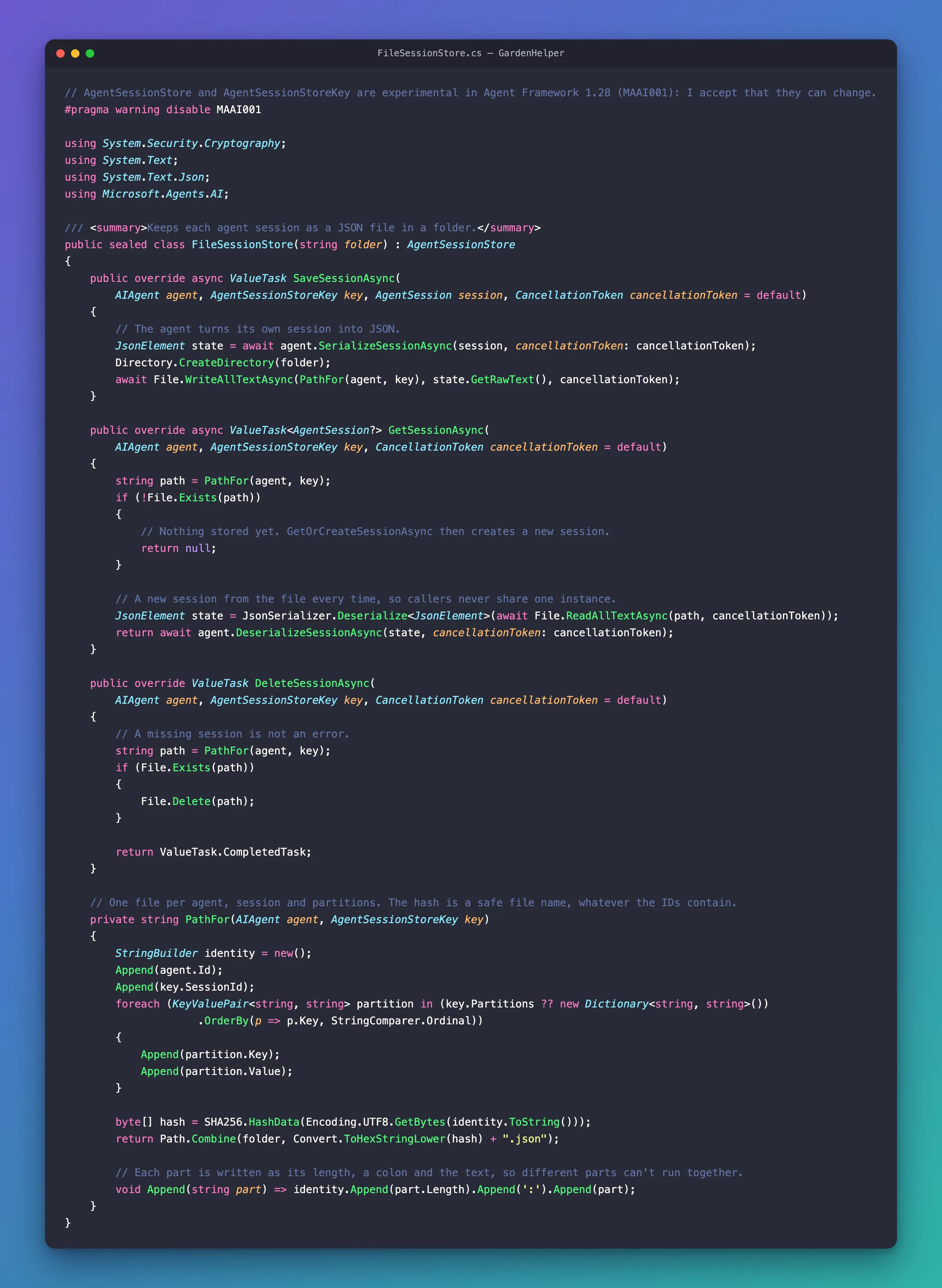
// AgentSessionStore and AgentSessionStoreKey are experimental in Agent Framework 1.28 (MAAI001): I accept that they can change.
#pragma warning disable MAAI001

using System.Security.Cryptography;
using System.Text;
using System.Text.Json;
using Microsoft.Agents.AI;

/// <summary>Keeps each agent session as a JSON file in a folder.</summary>
public sealed class FileSessionStore(string folder) : AgentSessionStore
{
    public override async ValueTask SaveSessionAsync(
        AIAgent agent, AgentSessionStoreKey key, AgentSession session, CancellationToken cancellationToken = default)
    {
        // The agent turns its own session into JSON.
        JsonElement state = await agent.SerializeSessionAsync(session, cancellationToken: cancellationToken);
        Directory.CreateDirectory(folder);
        await File.WriteAllTextAsync(PathFor(agent, key), state.GetRawText(), cancellationToken);
    }

    public override async ValueTask<AgentSession?> GetSessionAsync(
        AIAgent agent, AgentSessionStoreKey key, CancellationToken cancellationToken = default)
    {
        string path = PathFor(agent, key);
        if (!File.Exists(path))
        {
            // Nothing stored yet. GetOrCreateSessionAsync then creates a new session.
            return null;
        }

        // A new session from the file every time, so callers never share one instance.
        JsonElement state = JsonSerializer.Deserialize<JsonElement>(await File.ReadAllTextAsync(path, cancellationToken));
        return await agent.DeserializeSessionAsync(state, cancellationToken: cancellationToken);
    }

    public override ValueTask DeleteSessionAsync(
        AIAgent agent, AgentSessionStoreKey key, CancellationToken cancellationToken = default)
    {
        // A missing session is not an error.
        string path = PathFor(agent, key);
        if (File.Exists(path))
        {
            File.Delete(path);
        }

        return ValueTask.CompletedTask;
    }

    // One file per agent, session and partitions. The hash is a safe file name, whatever the IDs contain.
    private string PathFor(AIAgent agent, AgentSessionStoreKey key)
    {
        StringBuilder identity = new();
        Append(agent.Id);
        Append(key.SessionId);
        foreach (KeyValuePair<string, string> partition in (key.Partitions ?? new Dictionary<string, string>())
                     .OrderBy(p => p.Key, StringComparer.Ordinal))
        {
            Append(partition.Key);
            Append(partition.Value);
        }

        byte[] hash = SHA256.HashData(Encoding.UTF8.GetBytes(identity.ToString()));
        return Path.Combine(folder, Convert.ToHexStringLower(hash) + ".json");

        // Each part is written as its length, a colon and the text, so different parts can't run together.
        void Append(string part) => identity.Append(part.Length).Append(':').Append(part);
    }
}
Step 3: Use the Store
Replace everything in Program.cs. It uses the store the way the hosting layer does: load or create the session, run the agent, save the session:
// AgentSessionStore and AgentSessionStoreKey are experimental in Agent Framework 1.28 (MAAI001): I accept that they can change.
#pragma warning disable MAAI001

using Azure.AI.Projects;
using Azure.Identity;
using Microsoft.Agents.AI;
using Microsoft.Extensions.AI;

if (args.Length != 2)
{
    Console.WriteLine("Usage: dotnet run -- <user> <message>, or dotnet run -- <user> /forget");
    return;
}

string user = args[0];
string message = args[1];

AIAgent agent = new AIProjectClient(
        new Uri("https://foundry-devblogs-exp.services.ai.azure.com/api/projects/proj-devblogs-exp"),
        new AzureCliCredential())
    .AsAIAgent(new ChatClientAgentOptions
    {
        // A fixed ID: the store files each session under the agent's ID, so it must be the same in every run.
        Id = "garden-helper",
        Name = "garden-helper",
        ChatOptions = new ChatOptions
        {
            ModelId = "gpt-5.6-luna",
            Instructions = "You help people plan a vegetable garden. Answer in one sentence.",
        },
    });

AgentSessionStore store = new FileSessionStore("sessions");

// Every user has one conversation: the same session ID, with the user as a partition.
AgentSessionStoreKey key = new AgentSessionStoreKey("garden-chat").WithPartition("user", user);

if (message == "/forget")
{
    await store.DeleteSessionAsync(agent, key);
    Console.WriteLine($"[{user}] conversation deleted");
    return;
}

// Load the user's conversation, or start one, then save it after the run.
AgentSession session = await store.GetOrCreateSessionAsync(agent, key);
AgentResponse response = await agent.RunAsync(message, session);
await store.SaveSessionAsync(agent, key, session);

Console.WriteLine($"[{user}] {message}");
Console.WriteLine(response.Text);
Id = "garden-helper"gives the agent a fixed ID. An agent built in your app gets a random ID in every run unless you set one, and a store that files sessions byagent.Idwould then never find yesterday's conversations (Fixed).new AgentSessionStoreKey("garden-chat").WithPartition("user", user)is the same session ID for everyone, with the user as a partition, so each user has a conversation of their own.GetOrCreateSessionAsynccomes from the base class: it callsGetSessionAsyncand creates a session when that returnsnull.SaveSessionAsyncafterRunAsyncstores the session as it is after the run.
Use your own Foundry project endpoint and model deployment. dotnet build should end with Build succeeded and no MAAI001 errors:
Restore complete (0.2s)
  GardenHelper net10.0 succeeded (1.4s) → bin/Debug/net10.0/GardenHelper.dll

Build succeeded in 2.0s
Step 4: Run It
Each dotnet run is a new process, so whatever the agent remembers between runs came from the store. Tell it something as maria, ask about it as maria, then ask the same as sam:
$ dotnet run -- maria "I'm planting tomatoes this weekend."
[maria] I'm planting tomatoes this weekend.
Choose a sunny, well-drained spot, enrich the soil with compost, space plants about 18–24 inches apart, plant them deeply, and water thoroughly.

$ dotnet run -- maria "What am I planting this weekend?"
[maria] What am I planting this weekend?
You’re planting tomatoes this weekend.

$ dotnet run -- sam "What am I planting this weekend?"
[sam] What am I planting this weekend?
That depends on your location, sunlight, and last-frost date—share those details and I’ll suggest what to plant this weekend.
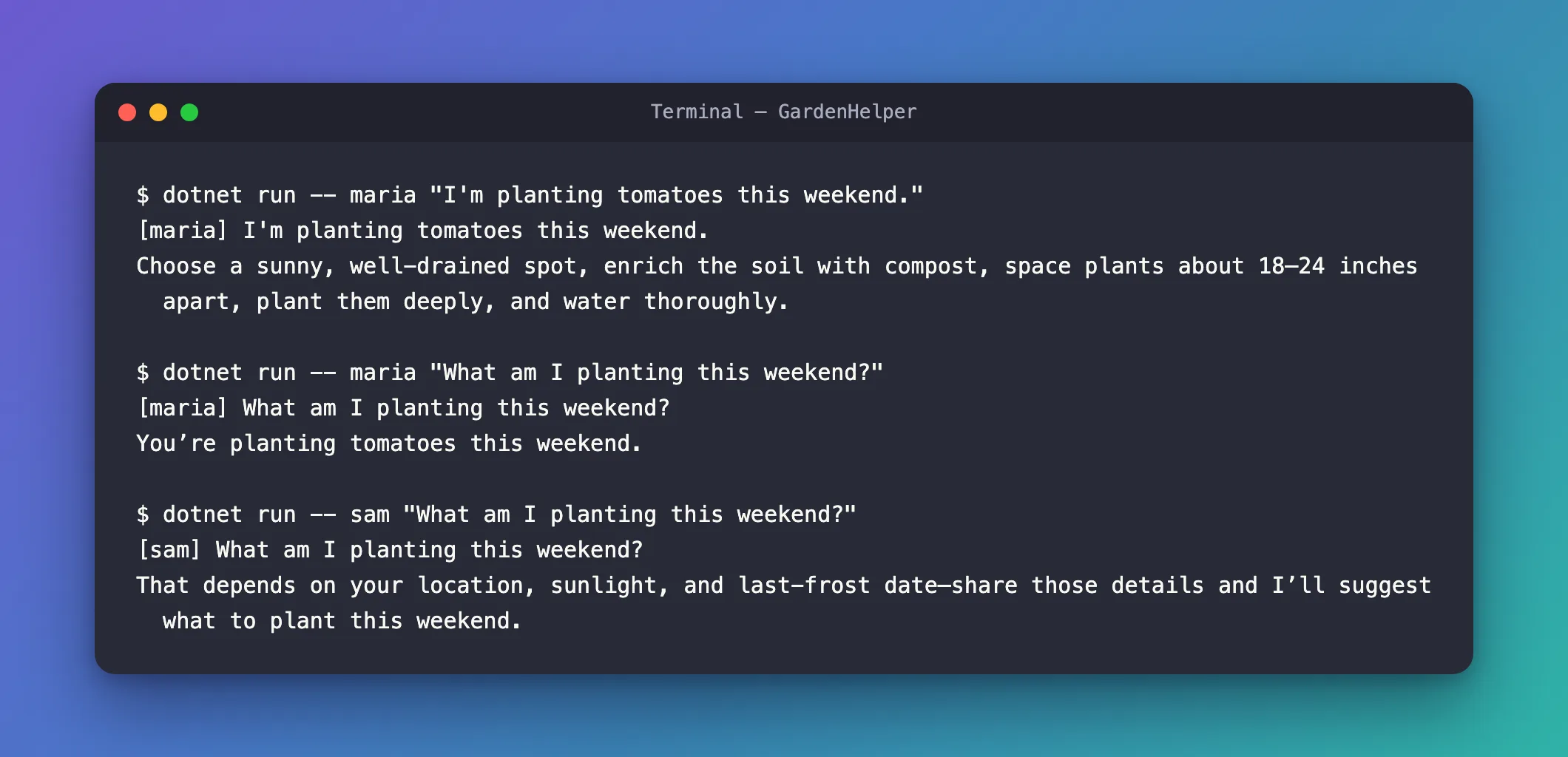
Maria's conversation survived the restart. Sam's question used the same session ID, garden-chat, but another partition, so it went to a conversation of its own. The sessions folder has one file for each:
$ ls sessions
819278ad504390e7e2fe603eeb7fa5ded0e096a4c42e237081ae1cb2813117f3.json
a0b8ef5b534027f09fd2b1140911476c0d62ff487aded932bf361ec68427417f.json
Maria's file is 135 bytes. With an agent on Microsoft Foundry, the session holds the ID of the conversation's newest response, and Foundry keeps the messages:
{"conversationId":"resp_…","stateBag":{"InMemoryChatHistoryProvider":{"messages":[]}}}
Step 5: Forget a Conversation
/forget calls DeleteSessionAsync. Then Maria asks the same question again:
$ dotnet run -- maria /forget
[maria] conversation deleted

$ ls sessions
a0b8ef5b534027f09fd2b1140911476c0d62ff487aded932bf361ec68427417f.json

$ dotnet run -- maria "What am I planting this weekend?"
[maria] What am I planting this weekend?
Tell me your location, planting zone, and whether you’re starting from seeds or transplants, and I’ll recommend what to plant this weekend.
Maria's file was gone and Sam's was untouched. Maria's new conversation started from nothing, and it went into a file with the same name as before, 819278ad…: the same agent, session ID and partition give the same hash.
Use It in a Hosted Agent
In an ASP.NET Core app that hosts an agent, for example over AG-UI, you don't call the store yourself: you register it on the agent with WithSessionStore, and the hosting layer loads the session from it before every run and saves it after. Part 15: Persistent Conversations of the IT service desk tutorial registers a store this way, with Azure Cosmos DB behind it. By default, WithSessionStore also adds the caller's isolation key as a partition, in Part 15 the signed-in user, which is one more reason a store must honor every partition.
A file store suits one process on one machine. When several copies of an app serve the same conversations, keep the sessions in a database they all reach, with the same three methods.
Common Mistakes
| Mistake | What happens | Do this instead |
|---|---|---|
Leaving the agent's Id unset | Every run files sessions under a new random ID, and conversations seem lost after a restart | Set Id in ChatClientAgentOptions |
Ignoring key.Partitions | Users who share a session ID read each other's conversations | Make every partition part of where the session is kept |
| Building the file name from the raw IDs | An ID with / or .. can point outside the folder | Hash the parts into a fixed-length name |
| Caching sessions and returning the same instance | Two callers change one session at the same time | Return a new session from each GetSessionAsync |
Throwing when DeleteSessionAsync finds nothing | The contract treats a missing session as a no-op | Return quietly |
FAQ
What's in a session, and is it sensitive?
Whatever the agent keeps: with Microsoft Foundry, the ID of the conversation's newest response; with other providers, it can be the messages themselves. Microsoft's reference for SerializeSessionAsync warns that a saved session may contain conversation content, session identifiers, and other potentially sensitive data including PII. Store it like other private data.
Do I have to override GetOrCreateSessionAsync?
No. The base class implements it on top of your GetSessionAsync: Implementations that override GetSessionAsync receive this behavior automatically.
Conclusion
A custom session store for Microsoft Agent Framework is a class that derives from AgentSessionStore and overrides SaveSessionAsync, GetSessionAsync and DeleteSessionAsync. Let the agent turn sessions into JSON and back, keep each one under the agent's ID, the session ID and every partition, return null when nothing is stored, and treat a missing session as nothing to delete. Give the agent a fixed Id, suppress MAAI001 while the API is experimental, and register the store with WithSessionStore in a hosted agent.
Additional Resources
- Self-host Agent Framework applications: Persist hosted sessions — when hosted agents need a store of your own.
- Session — what a session holds.
- AIAgent.SerializeSessionAsync — saving a session, and its security considerations.
