How to Write a Custom MLflow Model with mlflow.pyfunc.PythonModel

Not every model comes from a machine-learning library. When your "model" is your own Python logic, a rule, a formula or a wrapper around other models, mlflow.pyfunc.PythonModel lets MLflow log, load and serve it like any other model. This guide turns a Celsius-to-Fahrenheit formula into an MLflow model, with real output from MLflow 3.18.0.
Syntax
import mlflow


class <ModelName>(mlflow.pyfunc.PythonModel):
    def predict(self, model_input: list[<type>], params=None) -> list[<type>]:
        return [<result for each item> for <item> in model_input]
| Part | What it means |
|---|---|
mlflow.pyfunc.PythonModel | The base class. Subclass it to make your own model |
predict(self, model_input, params=None) | Called for every prediction. model_input is a batch: a list of inputs |
list[<type>] hints | Tell MLflow what goes in and out. MLflow builds the model's signature from them and checks inputs against them |
MLflow's PythonModel guide: "The MLflow PythonModel enables you to implement custom model logic while leveraging MLflow's packaging and deployment capabilities." And: "Type hints used within the PythonModel's input signature must be of type list[...] because PythonModel's predict function expects batch input data."
Prerequisites
- An MLflow tracking server at
http://127.0.0.1:8080, such asmlflow server --port 8080. mlflowin your project, for example withuv add mlflow. This guide uses MLflow 3.18.0 on Python 3.15.2.
Step 1: Write the Model
fahrenheit.py holds the model: a PythonModel whose predict converts each temperature. Its last line tells MLflow which object is the model, so MLflow can log it from this file.
import mlflow


class CelsiusToFahrenheit(mlflow.pyfunc.PythonModel):
    """Turns temperatures in Celsius into Fahrenheit."""

    def predict(self, model_input: list[float], params=None) -> list[float]:
        return [celsius * 9 / 5 + 32 for celsius in model_input]


mlflow.models.set_model(CelsiusToFahrenheit())
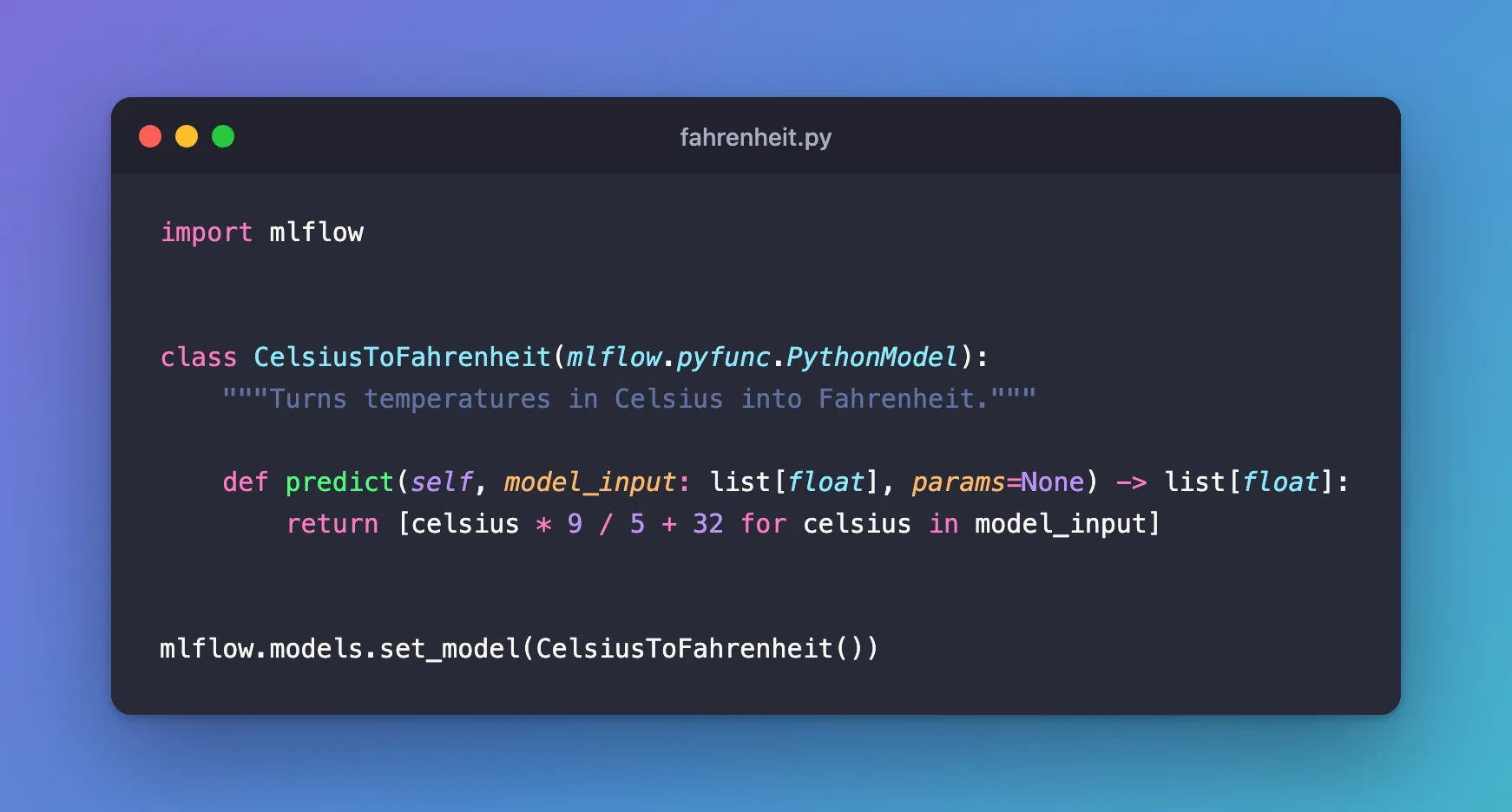
The last line, set_model, and logging a model from its file are explained in How to Log an MLflow Model from a Python File with set_model.
Step 2: Log, Load and Predict
log_fahrenheit.py logs the model in a run, loads it back, predicts three temperatures and prints the signature MLflow built from the type hints:
import mlflow

mlflow.set_tracking_uri("http://127.0.0.1:8080")
mlflow.set_experiment("custom-model-example")

with mlflow.start_run():
    info = mlflow.pyfunc.log_model(name="model", python_model="fahrenheit.py", input_example=[0.0, 100.0])

model = mlflow.pyfunc.load_model(info.model_uri)
print(model.predict([0.0, 37.0, 100.0]))
print(model.metadata.signature)
uv run python log_fahrenheit.py
2026/11/28 12:09:16 WARNING mlflow.utils.environment: Failed to resolve installed pip version. ``pip`` will be added to conda.yaml environment spec without a version specifier.
2026/11/28 12:09:16 INFO mlflow.utils.uv_utils: Detected uv project: found uv.lock and pyproject.toml in /Users/you/source/mlflow-models
2026/11/28 12:09:16 INFO mlflow.utils.uv_utils: Copied uv.lock to model artifacts
2026/11/28 12:09:16 INFO mlflow.utils.uv_utils: Copied pyproject.toml to model artifacts
🏃 View run unruly-auk-37 at: http://127.0.0.1:8080/#/experiments/4/runs/9ad661a919d1441e8e610abcb60296c3
🧪 View experiment at: http://127.0.0.1:8080/#/experiments/4
[32.0, 98.6, 212.0]
inputs:
  [double (required)]
outputs:
  [double (required)]
params:
  None
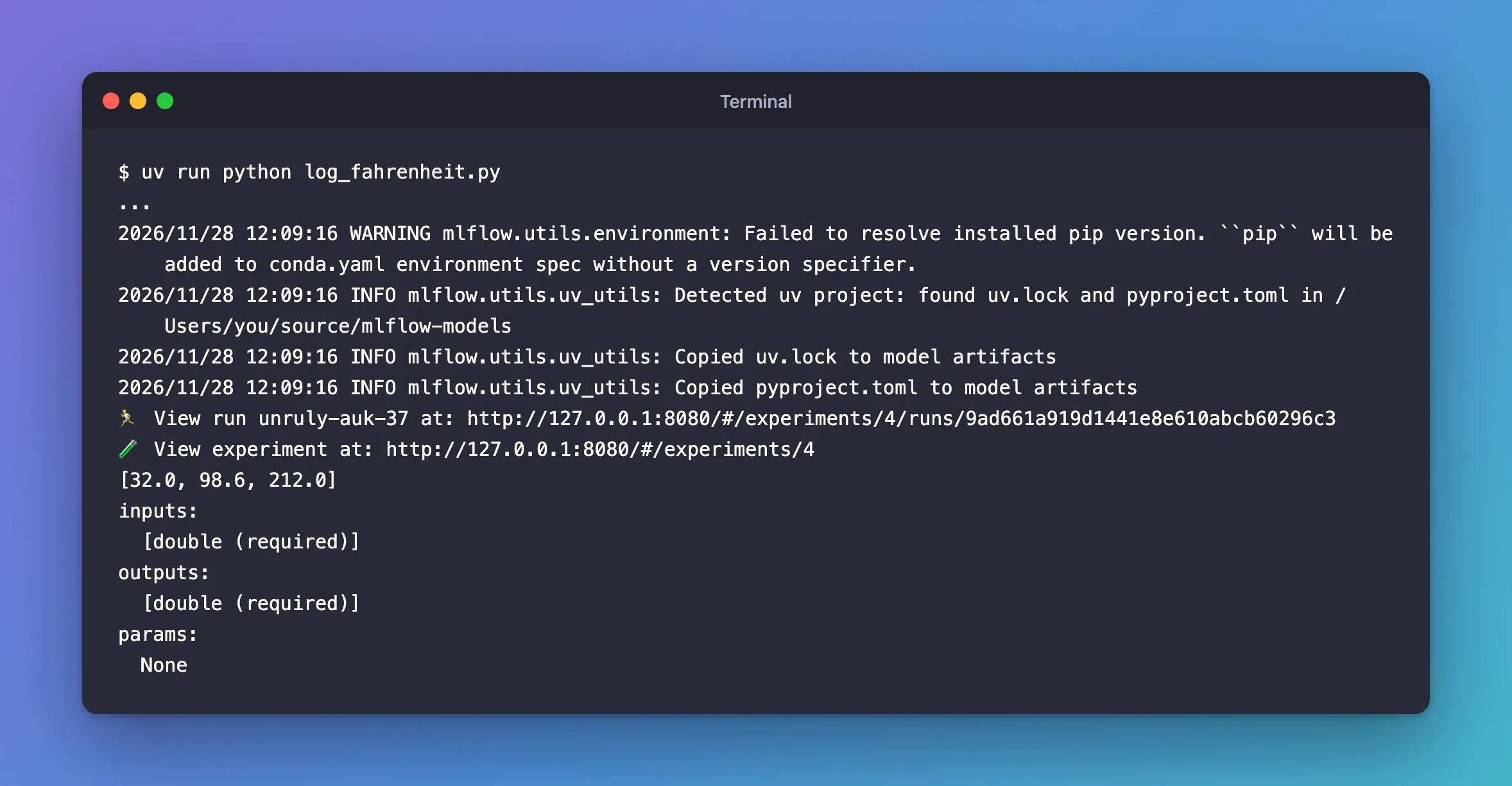
[32.0, 98.6, 212.0]: freezing, body temperature and boiling, converted by the loaded model.- The signature,
doublein anddoubleout, came from thelist[float]hints. - The pip warning has its own post: Fixed: Failed to resolve installed pip version.
Common Mistakes
| Mistake | What happens | Do this instead |
|---|---|---|
predict without type hints | MLflow warns Add type hints to the predict method: Fixed: Add type hints to the predict method | Type model_input and the return value as list[...] |
Logging an object, python_model=CelsiusToFahrenheit() | MLflow warns that the object is serialized with CloudPickle: Fixed: Passing a Python object as python_model | Log the file's path, as in Step 2 |
Troubleshooting
| Symptom | Likely cause | Fix |
|---|---|---|
Failed to validate data against type hint list[float], invalid elements: [('hot', 'Expected type float, but got str')] | An input doesn't match the hint: model.predict(["hot"]) | Send values of the hinted type |
FAQ
Can I test the class without MLflow?
Yes. It's an ordinary class: CelsiusToFahrenheit().predict([100.0]) printed [212.0] without logging anything.
What is params for?
Optional settings for one call, passed as model.predict(data, params={...}). This model doesn't use them, so it leaves the default None.
Conclusion
CelsiusToFahrenheit, a PythonModel with a typed predict, logged like any other MLflow model, loaded back and converted [0.0, 37.0, 100.0] into [32.0, 98.6, 212.0], with a signature built from its hints.
Additional Resources
- MLflow PythonModel guide — custom models, type hints and context.
- mlflow.pyfunc API —
PythonModel,log_modelandload_model.
