How to Work with Durations Using TimeSpan in C#

TimeSpan.FromSeconds(90) is a length of time: one minute and 30 seconds. Durations add up, compare and print like numbers, so you don't have to juggle seconds and minutes yourself.
Microsoft's reference describes TimeSpan in three words: Represents a time interval. You make one from a number of seconds, minutes, hours or milliseconds, and read it back as a whole or by its parts.
Syntax
TimeSpan <duration> = TimeSpan.FromSeconds(<seconds>);
TimeSpan <duration> = TimeSpan.FromMinutes(<minutes>);

double <all> = <duration>.TotalSeconds;
int <part> = <duration>.Seconds;
| Part | What it is |
|---|---|
FromSeconds, FromMinutes, FromHours, FromMilliseconds | Make a duration from a number |
+, -, >, < | Add, subtract and compare durations |
TotalSeconds | The whole duration, in seconds |
Seconds | Only the seconds part, from 0 to 59 |
The reference sets the two apart: TotalSeconds gets the value of the current TimeSpan structure expressed in whole and fractional seconds, while Seconds gets the seconds component of the time interval represented by the current TimeSpan structure.
The Example
A console app called TimeSpans makes a 90-second wait and a meeting of 45 minutes and 30 seconds, prints them, and checks whether the meeting is longer than an hour.
Prerequisites
- The .NET 10 SDK.
dotnet --versionprints a version that starts with10.0.
Step 1: Create a Console App
dotnet new console -n TimeSpans
cd TimeSpans
The template "Console App" was created successfully.

Processing post-creation actions...
Restoring /Users/you/source/TimeSpans/TimeSpans.csproj:
  Determining projects to restore...
  Restored /Users/you/source/TimeSpans/TimeSpans.csproj (in 46 ms).
Restore succeeded.
dotnet new console -n TimeSpans creates a folder named TimeSpans with a project file and a Program.cs, and cd moves into it. Everything this example uses is part of .NET, so there's no package to add. Open the folder in VS Code, or TimeSpans.csproj in Visual Studio.
Step 2: Write the Code
Replace everything in Program.cs. First the two durations:
TimeSpan wait = TimeSpan.FromSeconds(90);
TimeSpan meeting = TimeSpan.FromMinutes(45) + TimeSpan.FromSeconds(30);
TimeSpan.FromMinutes(45) + TimeSpan.FromSeconds(30) adds two durations, like two numbers.
Then print and compare them:
Console.WriteLine(wait);
Console.WriteLine($"{wait.TotalSeconds} seconds: {wait.Minutes} minute and {wait.Seconds} seconds");
Console.WriteLine(meeting);
Console.WriteLine($"Longer than an hour: {meeting > TimeSpan.FromHours(1)}");
Step 3: Run It
Run it in VS Code's terminal, or press Ctrl+F5 in Visual Studio:
dotnet run
00:01:30
90 seconds: 1 minute and 30 seconds
00:45:30
Longer than an hour: False
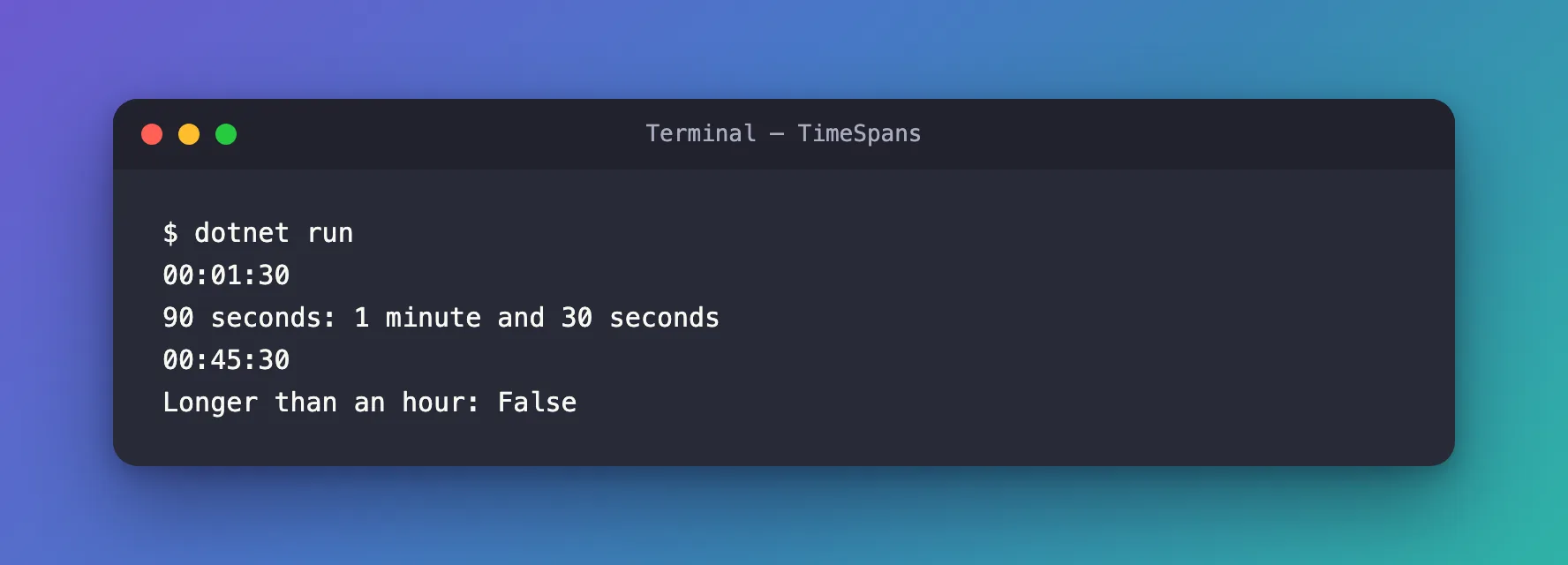
A TimeSpan prints as hours, minutes and seconds. TotalSeconds is the whole wait, 90, while Minutes and Seconds are its parts, 1 and 30. The meeting is under an hour.
The Complete File
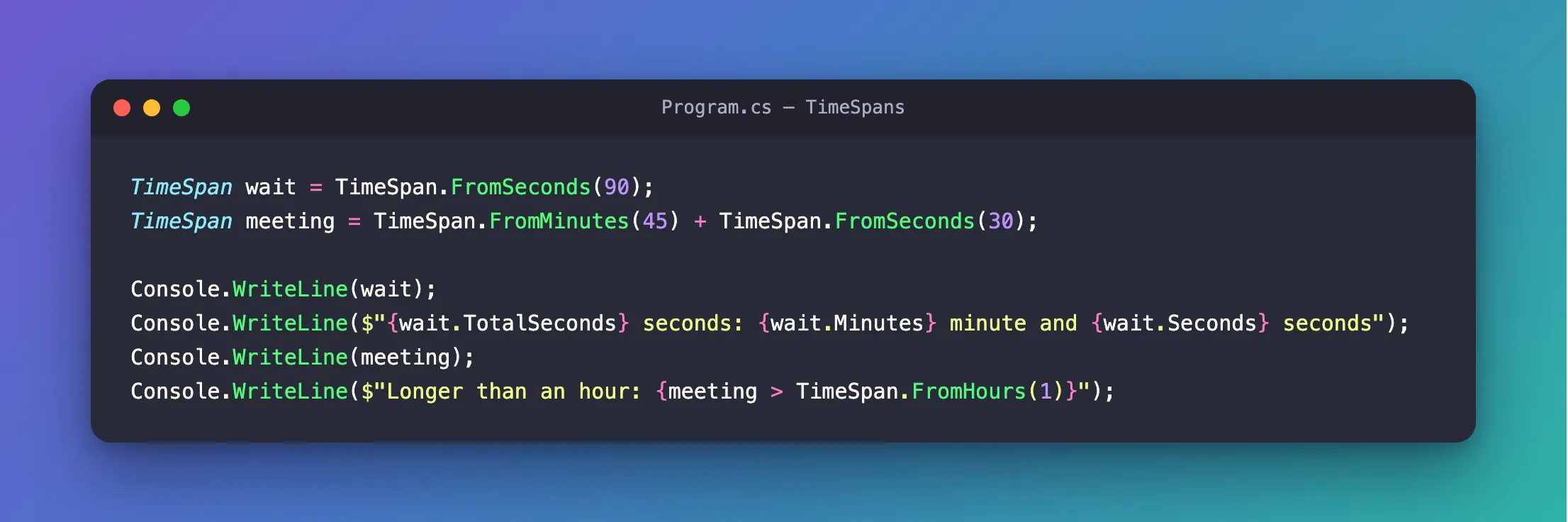
TimeSpan wait = TimeSpan.FromSeconds(90);
TimeSpan meeting = TimeSpan.FromMinutes(45) + TimeSpan.FromSeconds(30);

Console.WriteLine(wait);
Console.WriteLine($"{wait.TotalSeconds} seconds: {wait.Minutes} minute and {wait.Seconds} seconds");
Console.WriteLine(meeting);
Console.WriteLine($"Longer than an hour: {meeting > TimeSpan.FromHours(1)}");
Common Mistakes
| Mistake | What happens | Do this instead |
|---|---|---|
Using Minutes for the whole duration | Minutes is only the minutes part: 90 minutes gave Minutes 30 and TotalMinutes 90 | Use the Total properties for the whole duration |
A format string with a plain colon, such as ToString("mm:ss") | FormatException: Input string was not in a correct format. | Escape the colon: ToString(@"mm\:ss") returned 01:30 |
FAQ
How long is it between two dates?
Subtract them: for 9:00 and 10:30 on the same day, end - start gave 01:30:00, a TimeSpan.
How do I get a fraction of a second?
TotalSeconds keeps it: TimeSpan.FromMilliseconds(250).TotalSeconds returned 0.25.
Conclusion
Make durations with TimeSpan.FromSeconds, FromMinutes and the like, add and compare them like numbers, and read them with the Total properties. Subtracting two dates gives you a TimeSpan too.
Additional Resources
- TimeSpan struct — every property and method.
- Custom TimeSpan format strings — formatting a duration.
