How to Wait Without Blocking with Task.Delay in C#

Retrying after a short pause, waiting before the next poll, showing a message for a few seconds: programs often need to wait. In C#, await Task.Delay(...) waits for the time you give it without blocking a thread, and a cancellation token can end the wait early.
Syntax
await Task.Delay(<delay>);
await Task.Delay(<delay>, <cancellationToken>);
| Part | What it does |
|---|---|
<delay> | How long to wait: a TimeSpan, such as TimeSpan.FromSeconds(2), or a number of milliseconds. |
<cancellationToken> | Optional. When it's cancelled, the wait ends early and await throws TaskCanceledException. |
await | Waits for the delay to finish before the next line runs. |
Microsoft's Task.Delay reference: "Creates a task that completes after a specified time interval." For the version with a token: "If the cancellation token is signaled before the specified time delay, a TaskCanceledException exception results, and the task is completed in the Canceled state."
The Example
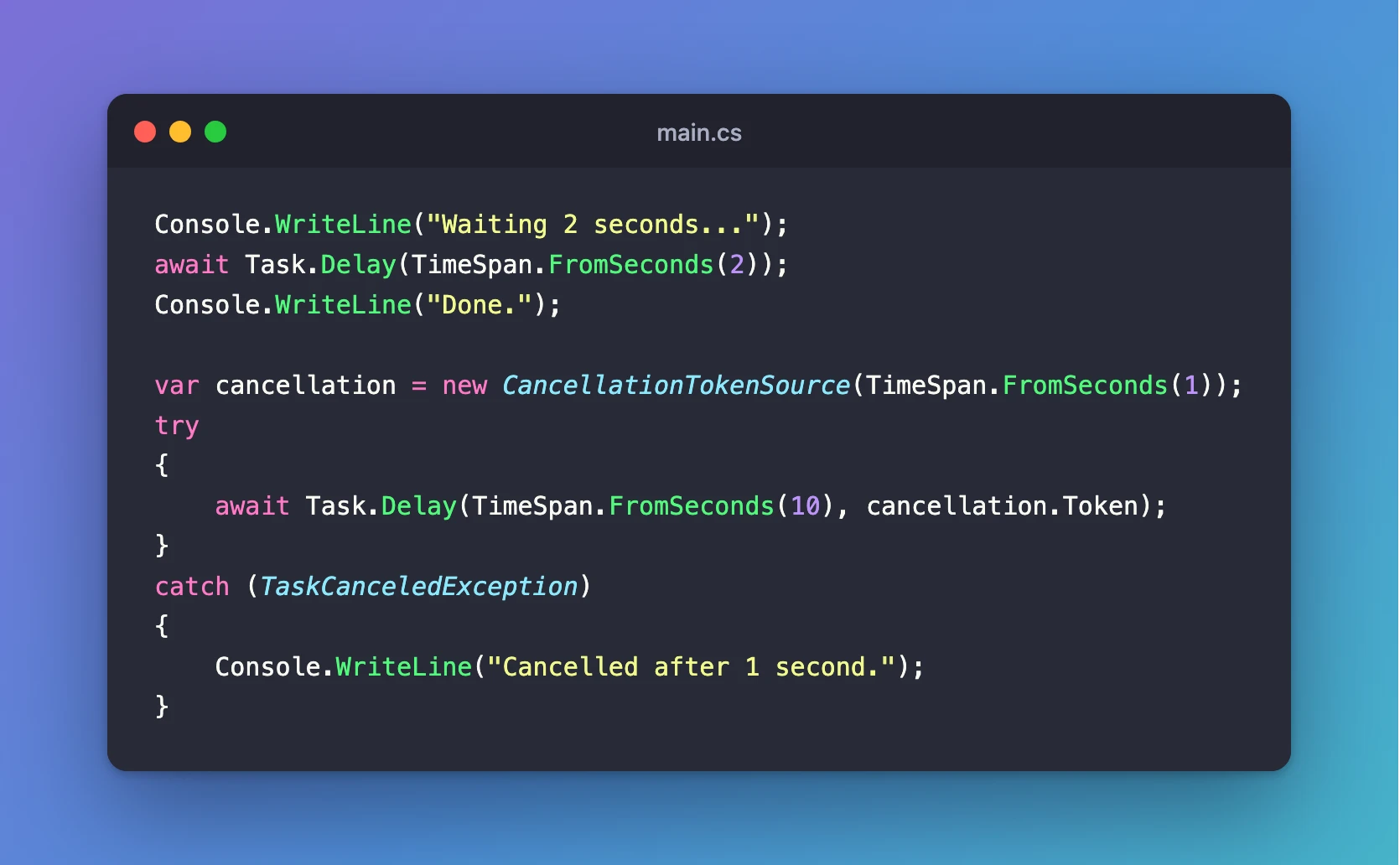
The example prints a line, waits 2 seconds and prints another. Then it starts a 10-second wait with a token that cancels itself after 1 second, and catches the cancellation.
Prerequisites
- The .NET 10 SDK or newer, which runs a single
.csfile withdotnet run. This guide uses .NET SDK 10.0.404.
Step 1: Write the Code
Create a file named main.cs in an empty folder:
Console.WriteLine("Waiting 2 seconds...");
await Task.Delay(TimeSpan.FromSeconds(2));
Console.WriteLine("Done.");

var cancellation = new CancellationTokenSource(TimeSpan.FromSeconds(1));
try
{
    await Task.Delay(TimeSpan.FromSeconds(10), cancellation.Token);
}
catch (TaskCanceledException)
{
    Console.WriteLine("Cancelled after 1 second.");
}
new CancellationTokenSource(TimeSpan.FromSeconds(1)) creates a token that cancels itself one second later. Its reference: "Initializes a new instance of the CancellationTokenSource class that will be canceled after the specified time span." Passing cancellation.Token to Task.Delay lets that cancellation end the 10-second wait.
Step 2: Run It
dotnet run main.cs
Waiting 2 seconds...
Done.
Cancelled after 1 second.
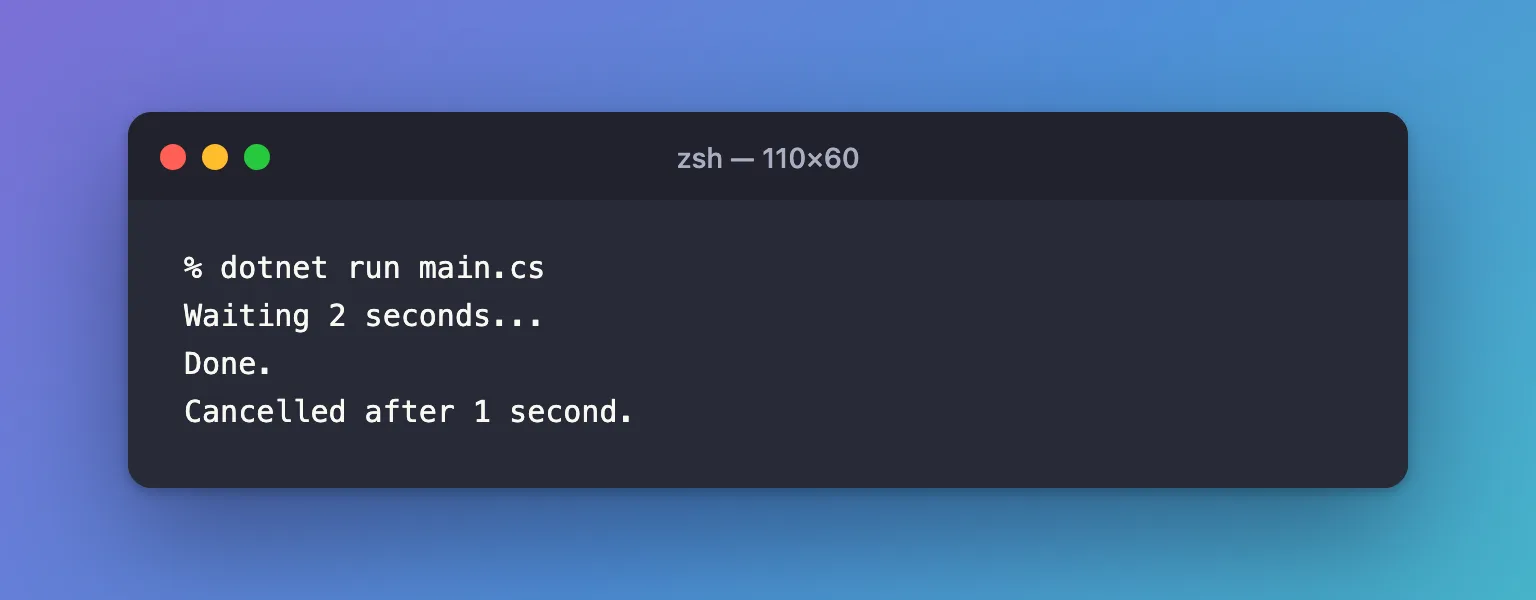
Done. appeared 2 seconds after the first line. The second wait asked for 10 seconds, but the token cancelled it after 1, so await threw TaskCanceledException and the catch printed the last line. The command is the same in zsh, bash and PowerShell.
What Happens Without await
Task.Delay only creates a task that finishes later; await is what waits for it. Without await:
Console.WriteLine("Waiting 2 seconds...");
Task.Delay(TimeSpan.FromSeconds(2));
Console.WriteLine("Done.");
/Users/you/demo/main.cs(2,1): warning CS4014: Because this call is not awaited, execution of the current method continues before the call is completed. Consider applying the 'await' operator to the result of the call.
Waiting 2 seconds...
Done.
The whole run took 0.59 seconds, measured with time, against 2.54 seconds with await: nothing waited. The CS4014 warning points at the line.
Common Mistakes
| Mistake | What happens | Do this instead |
|---|---|---|
Calling Task.Delay(...) without await | warning CS4014, and the code doesn't wait at all | Write await Task.Delay(...) |
| Passing a token and not catching the cancellation | TaskCanceledException ends the program when the token is cancelled | Catch TaskCanceledException, or OperationCanceledException, which it derives from |
Using Thread.Sleep in asynchronous code | The thread is blocked and can't do other work while it waits | Use await Task.Delay |
Troubleshooting
| Symptom | Likely cause | Fix |
|---|---|---|
| No pause at all | await is missing | Add await |
CS4014 on a Task.Delay line | The returned task isn't awaited | Add await |
An unhandled TaskCanceledException | The token was cancelled during the delay | Catch it where cancelling is expected |
FAQ
Task.Delay or Thread.Sleep?
Thread.Sleep blocks the current thread: it can do nothing else until the time is up. await Task.Delay gives the thread back while it waits and continues your code afterwards. In asynchronous code, use Task.Delay.
How do I cancel a wait from somewhere else?
Keep the CancellationTokenSource and call its Cancel() method when the wait should stop. Every Task.Delay that received its token then ends with TaskCanceledException.
Conclusion
await Task.Delay(TimeSpan.FromSeconds(2)); waits two seconds without blocking a thread. Pass a cancellation token to end the wait early, catch TaskCanceledException where you expect that, and never leave out the await.
Additional Resources
- Task.Delay method, on Microsoft Learn.
- CancellationTokenSource class, on Microsoft Learn.
