How to Verify a JWT in Ruby with JWT.decode

JWT.decode from the jwt gem verifies a JSON Web Token in Ruby. You pass the token, the key, true to verify, and the algorithm you accept, and it returns the payload and the header, or raises an error that says what's wrong.
Syntax
payload, header = JWT.decode(<token>, <key>, true, { algorithm: '<algorithm>' })
| Part | What it does |
|---|---|
<token> | The JWT string to check. |
<key> | The key to check the signature with: for HS256, the same secret that signed the token. |
true | Verify the signature and the claims. false skips every check. |
{ algorithm: '<algorithm>' } | The algorithm you accept, such as 'HS256'. More options go in the same hash, such as leeway:. |
payload, header | The result: an array of the payload and the header, as hashes with string keys. |
The jwt gem's README: "For safe cryptographic signing, you need to specify the algorithm in the options hash whenever you call JWT.decode to ensure that an attacker cannot bypass the algorithm verification step. It is strongly recommended that you hard code the algorithm, as you may leave yourself vulnerable by dynamically picking the algorithm".
The Example
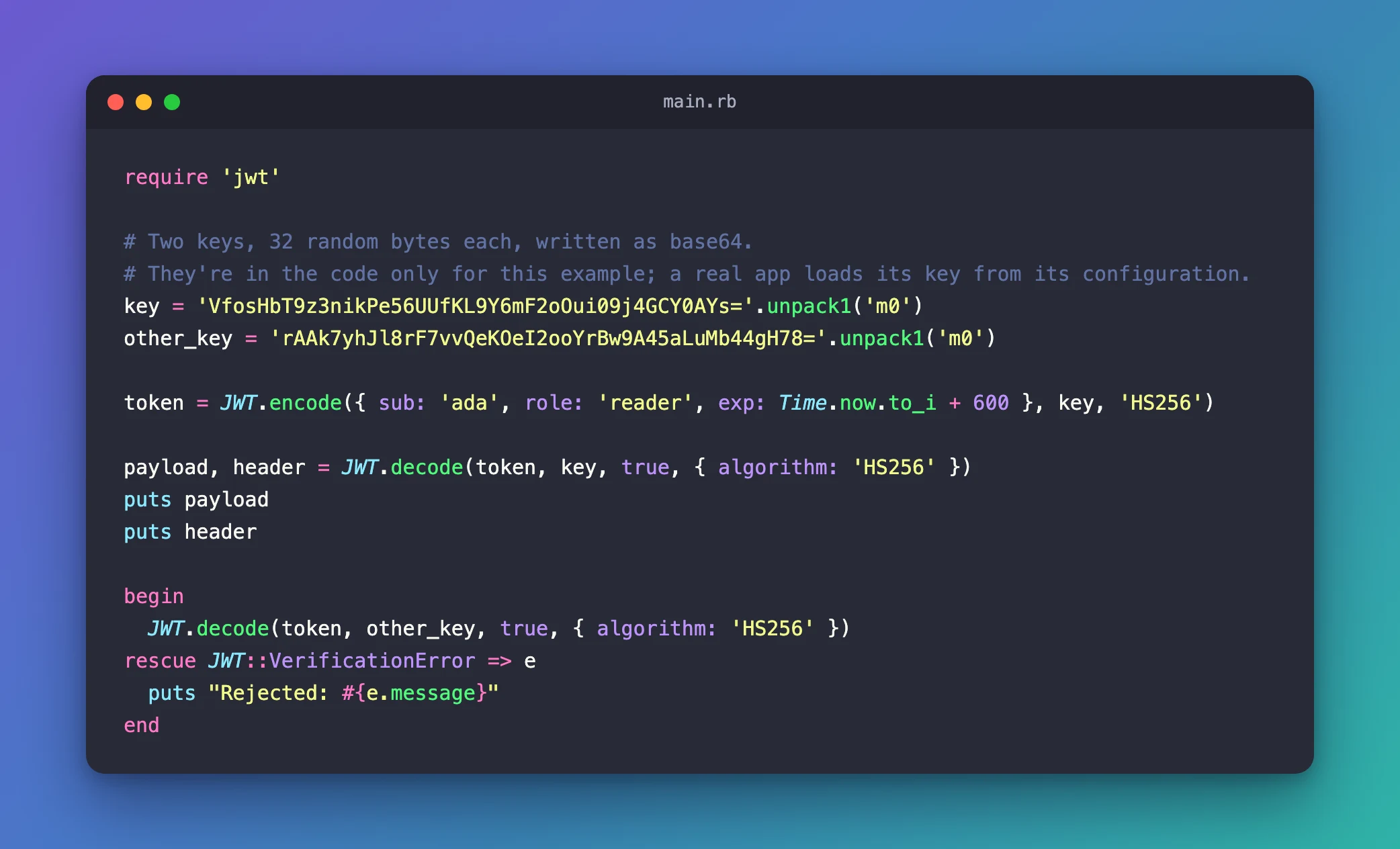
The example signs a token for the user ada with the role reader, then decodes it twice: with the key that signed it, and with a different key, the way a token from another app would arrive.
Both keys are 32 random bytes, made with openssl rand -base64 32 and written as base64. They sit in the code only so the example runs as it is. A real application loads its key from configuration and never keeps it in the source.
Prerequisites
- Ruby with Bundler. This guide uses Ruby 4.0.10 and Bundler 4.1.0.
Step 1: Create the Project
mkdir demo
cd demo
bundle init
bundle add jwt
bundle init writes an empty Gemfile, and bundle add jwt adds the gem, 3.3.1 here, and installs it.
Step 2: Write the Code
Create main.rb:
require 'jwt'

# Two keys, 32 random bytes each, written as base64.
# They're in the code only for this example; a real app loads its key from its configuration.
key = 'VfosHbT9z3nikPe56UUfKL9Y6mF2oOui09j4GCY0AYs='.unpack1('m0')
other_key = 'rAAk7yhJl8rF7vvQeKOeI2ooYrBw9A45aLuMb44gH78='.unpack1('m0')

token = JWT.encode({ sub: 'ada', role: 'reader', exp: Time.now.to_i + 600 }, key, 'HS256')

payload, header = JWT.decode(token, key, true, { algorithm: 'HS256' })
puts payload
puts header

begin
  JWT.decode(token, other_key, true, { algorithm: 'HS256' })
rescue JWT::VerificationError => e
  puts "Rejected: #{e.message}"
end
JWT.decode returns a two-item array, so multiple assignment puts the payload in payload and the header in header.
Step 3: Run It
bundle exec ruby main.rb
{"sub" => "ada", "role" => "reader", "exp" => 1795683146}
{"alg" => "HS256"}
Rejected: Signature verification failed
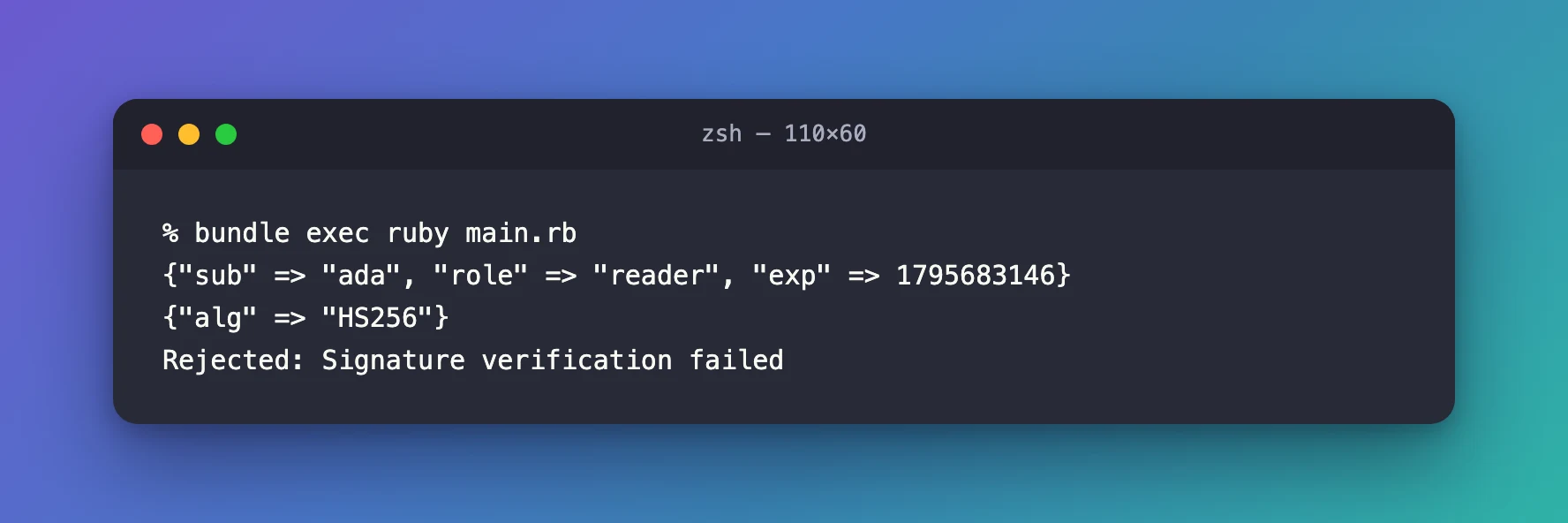
With the right key, decode checked the signature and the exp claim and returned both hashes. Their keys are strings, though the payload was written with symbols. With the other key, the signature didn't match, so it raised JWT::VerificationError.
The Errors It Raises
These came from real runs. Each of them inherits from JWT::DecodeError, through JWT::TokenError, so one rescue JWT::DecodeError catches every bad token:
| What's wrong | Error | Message |
|---|---|---|
| Signed with another key, or the payload was changed | JWT::VerificationError | Signature verification failed |
| The token has expired | JWT::ExpiredSignature | Signature has expired |
Signed with HS256, but algorithm: 'HS512' | JWT::IncorrectAlgorithm | Expected a different algorithm |
| Not a JWT at all | JWT::MalformedTokenError | Not enough or too many segments |
Allow a Little Clock Skew
Add leeway: to the options: with { algorithm: 'HS256', leeway: 60 }, a token that had expired 30 seconds earlier still decoded.
Common Mistakes
| Mistake | What happens | Do this instead |
|---|---|---|
Passing false as the third argument | No check at all: a token decoded with false and the wrong key came back as if valid | Always pass true |
Leaving out the algorithm option | The gem falls back to its default, ['HS256']: an HS256 token decoded, and an HS384 token raised Expected a different algorithm | Pass the algorithm anyway, as the README says, so the code states what it accepts |
Reading payload[:sub] | nil: the keys are strings | Read payload['sub'] |
Troubleshooting
| Symptom | Likely cause | Fix |
|---|---|---|
Signature verification failed | Another key signed it, or it was changed | Check with the signing key; reject the token |
Signature has expired | The exp has passed | Get a new token, or add a small leeway |
Expected a different algorithm | The token's algorithm differs from the algorithm option | Sign and verify with the same algorithm |
FAQ
What does JWT.decode return?
An array of two hashes, the payload first and the header second, as the README shows.
Does decode check the expiry?
Yes, when the third argument is true and the token has an exp claim.
Conclusion
JWT.decode(token, key, true, { algorithm: 'HS256' }) verifies the signature and the time claims and returns the payload and the header. Always pass true and a hard-coded algorithm, read claims with string keys, and rescue JWT::DecodeError for every bad token.
