How to Verify a JWT in Python with PyJWT decode

jwt.decode from PyJWT checks a JSON Web Token in Python: it verifies the signature with your key, checks the time claims, and returns the claims as a dictionary. When anything fails, it raises an exception that names the problem.
Syntax
claims: dict = jwt.decode(<token>, <key>, algorithms=["<algorithm>"])
| Part | What it does |
|---|---|
<token> | The JWT string to check. |
<key> | The key to check the signature with: for HS256, the same secret that signed the token. |
algorithms=["<algorithm>"] | The algorithms you accept, such as ["HS256"]. Required. |
Optional: audience=, issuer=, leeway=, options= | Extra checks: the expected aud and iss, a time margin, and which claims must be present. |
The PyJWT API reference documents it as jwt.decode(jwt, key='', algorithms=None, options=None, audience=None, issuer=None, leeway=0) → dict[str, Any], which will "Verify the jwt token signature and return the token claims." It warns: "Do not compute the algorithms parameter based on the alg from the token itself, or on any other data that an attacker may be able to influence".
The Example
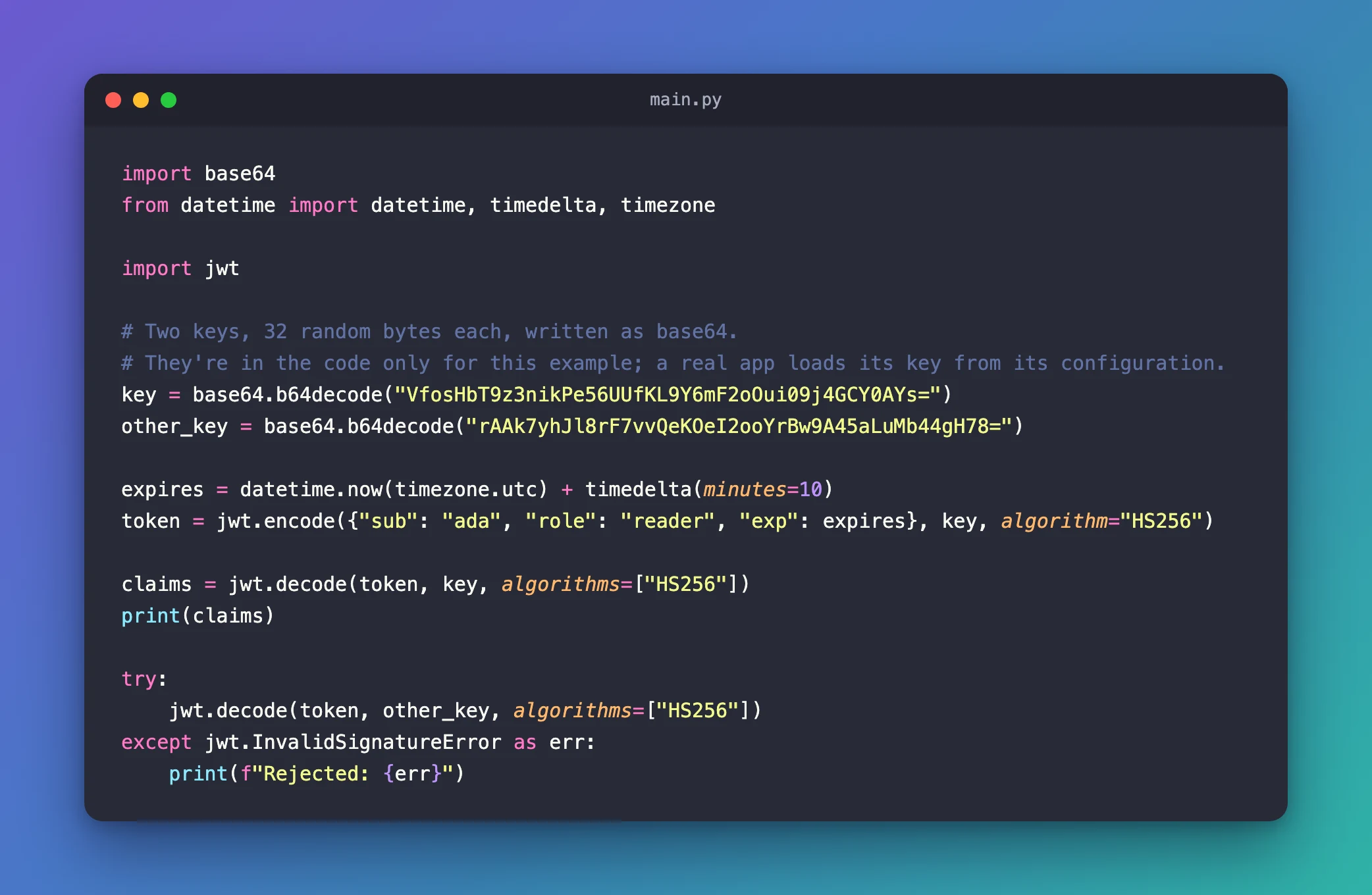
The example signs a token for the user ada with the role reader, then decodes it twice: with the key that signed it, and with a different key, the way a token from another app would arrive.
Both keys are 32 random bytes, made with openssl rand -base64 32 and written as base64. They sit in the code only so the example runs as it is. A real application loads its key from configuration and never keeps it in the source.
Prerequisites
Step 1: Create the Project
uv init --no-package demo
cd demo
uv add pyjwt
uv init --no-package demo creates the project folder, and uv add pyjwt installs PyJWT, 2.15.1 here, into the project's virtual environment.
Step 2: Write the Code
Replace the contents of main.py with:
import base64
from datetime import datetime, timedelta, timezone

import jwt

# Two keys, 32 random bytes each, written as base64.
# They're in the code only for this example; a real app loads its key from its configuration.
key = base64.b64decode("VfosHbT9z3nikPe56UUfKL9Y6mF2oOui09j4GCY0AYs=")
other_key = base64.b64decode("rAAk7yhJl8rF7vvQeKOeI2ooYrBw9A45aLuMb44gH78=")

expires = datetime.now(timezone.utc) + timedelta(minutes=10)
token = jwt.encode({"sub": "ada", "role": "reader", "exp": expires}, key, algorithm="HS256")

claims = jwt.decode(token, key, algorithms=["HS256"])
print(claims)

try:
    jwt.decode(token, other_key, algorithms=["HS256"])
except jwt.InvalidSignatureError as err:
    print(f"Rejected: {err}")
The first jwt.decode gets the key that signed the token. The second gets other_key, so the signature check fails and PyJWT raises jwt.InvalidSignatureError.
Step 3: Run It
uv run main.py
{'sub': 'ada', 'role': 'reader', 'exp': 1795683067}
Rejected: Signature verification failed
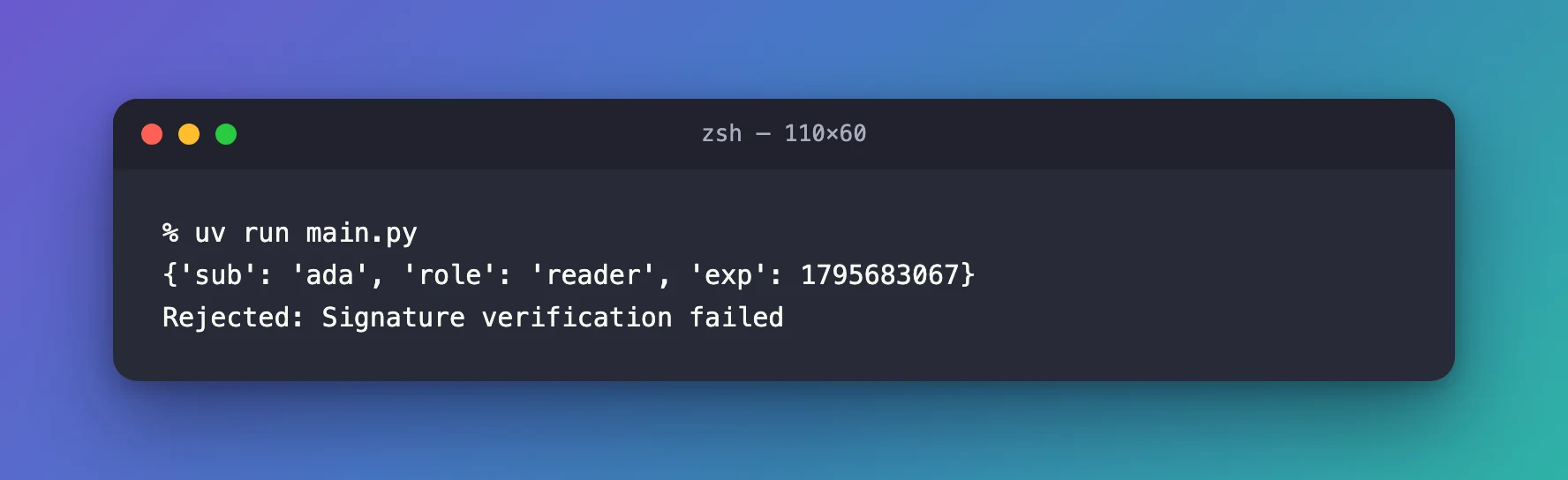
With the right key, decode checked the signature and the exp claim, then returned the claims. exp comes back as a Unix time, an int.
The Exceptions It Raises
All six exceptions below inherit from jwt.InvalidTokenError, which inherits from jwt.PyJWTError. These came from real runs:
| What's wrong | Exception | Message |
|---|---|---|
| Signed with another key, or the payload was changed | jwt.InvalidSignatureError | Signature verification failed |
| The token has expired | jwt.ExpiredSignatureError | Signature has expired |
options={"require": ["exp"]}, and there's no exp | jwt.MissingRequiredClaimError | Token is missing the "exp" claim |
Signed with HS256, but algorithms=["HS512"] | jwt.InvalidAlgorithmError | The specified alg value is not allowed |
The token has an aud claim, and no audience was passed | jwt.InvalidAudienceError | Invalid audience |
| Not a JWT at all | jwt.DecodeError | Not enough segments |
Catch jwt.InvalidTokenError to reject any bad token in one place, or the specific classes when you answer each case differently.
Allow a Little Clock Skew
leeway gives the time checks a margin. With leeway=timedelta(seconds=60), a token that had expired 30 seconds earlier still decoded.
Common Mistakes
| Mistake | What happens | Do this instead |
|---|---|---|
Leaving out algorithms | jwt.exceptions.DecodeError: It is required that you pass in a value for the "algorithms" argument when calling decode(). | Pass the algorithm you sign with: algorithms=["HS256"] |
| Taking the algorithm from the token's own header | An attacker chooses how the token is checked | Hard-code the algorithm, as the documentation says |
Tokens with an aud claim, decoded without audience= | jwt.InvalidAudienceError: Invalid audience | Pass the audience you expect |
Expecting exp to be required | A token without exp decodes and never expires | Add options={"require": ["exp"]} |
Troubleshooting
| Symptom | Likely cause | Fix |
|---|---|---|
Signature verification failed | Another key signed it, or it was changed | Check with the signing key; reject the token |
Signature has expired | The token's exp has passed | Get a new token, or add a small leeway |
Not enough segments | The string isn't a JWT | Check what's being passed in |
FAQ
What does decode return?
The claims, as a dict. Its sibling jwt.decode_complete returns a dictionary with the keys "header", "payload" and "signature" instead.
Does decode check the expiry?
Yes, whenever the token has an exp claim. A token without one passes unless you require exp with options.
Conclusion
jwt.decode(token, key, algorithms=["HS256"]) verifies the signature and the time claims and returns the claims as a dictionary. Always pass algorithms, add audience and issuer when your tokens carry them, and catch jwt.InvalidTokenError for anything that fails.
Additional Resources
- API Reference, in the PyJWT documentation.
- RFC 8725: JSON Web Token Best Current Practices.
