How to Verify a JWT in Node.js with jose jwtVerify

jwtVerify from the jose library checks a JSON Web Token in Node.js: its signature, its algorithm and its time claims. When everything holds, it returns the payload; when anything fails, it throws an error that says what.
Syntax
const { payload, protectedHeader } = await jwtVerify(<token>, <key>, {
  algorithms: ['<algorithm>'],
});
| Part | What it does |
|---|---|
<token> | The JWT string to check. |
<key> | The key to check the signature with: for HS256, the same bytes that signed the token, as a Uint8Array. |
algorithms: ['<algorithm>'] | The algorithms you accept, such as ['HS256']. A token signed with any other one is rejected. |
payload | The verified claims, as an object. |
protectedHeader | The token's header. |
The jose documentation for jwtVerify: it "Validates a JWT in JWS Compact Serialization (digital signature or MAC) and its JWT Claims Set." For the algorithms option: "Defaults to all algorithms applicable to the key or secret. Unsecured JWTs (alg: "none") are never accepted."
The Example
The example signs a token for the user ada with the role reader, then verifies it twice: with the key that signed it, and with a different key, the way a token from another app would arrive.
Both keys are 32 random bytes, made with openssl rand -base64 32 and written as base64. They sit in the code only so the example runs as it is. A real application loads its key from configuration and never keeps it in the source.
Prerequisites
- Node.js. This guide uses Node.js 26.13.1. The example uses
Uint8Array.fromBase64, which Node.js 24 doesn't have.
Step 1: Create the Project
mkdir demo
cd demo
npm init -y
npm pkg set type=module
npm install jose
npm init -y writes a package.json, npm pkg set type=module lets the code use import, and npm install jose adds the library, version 6.2.18 here.
Step 2: Write the Code
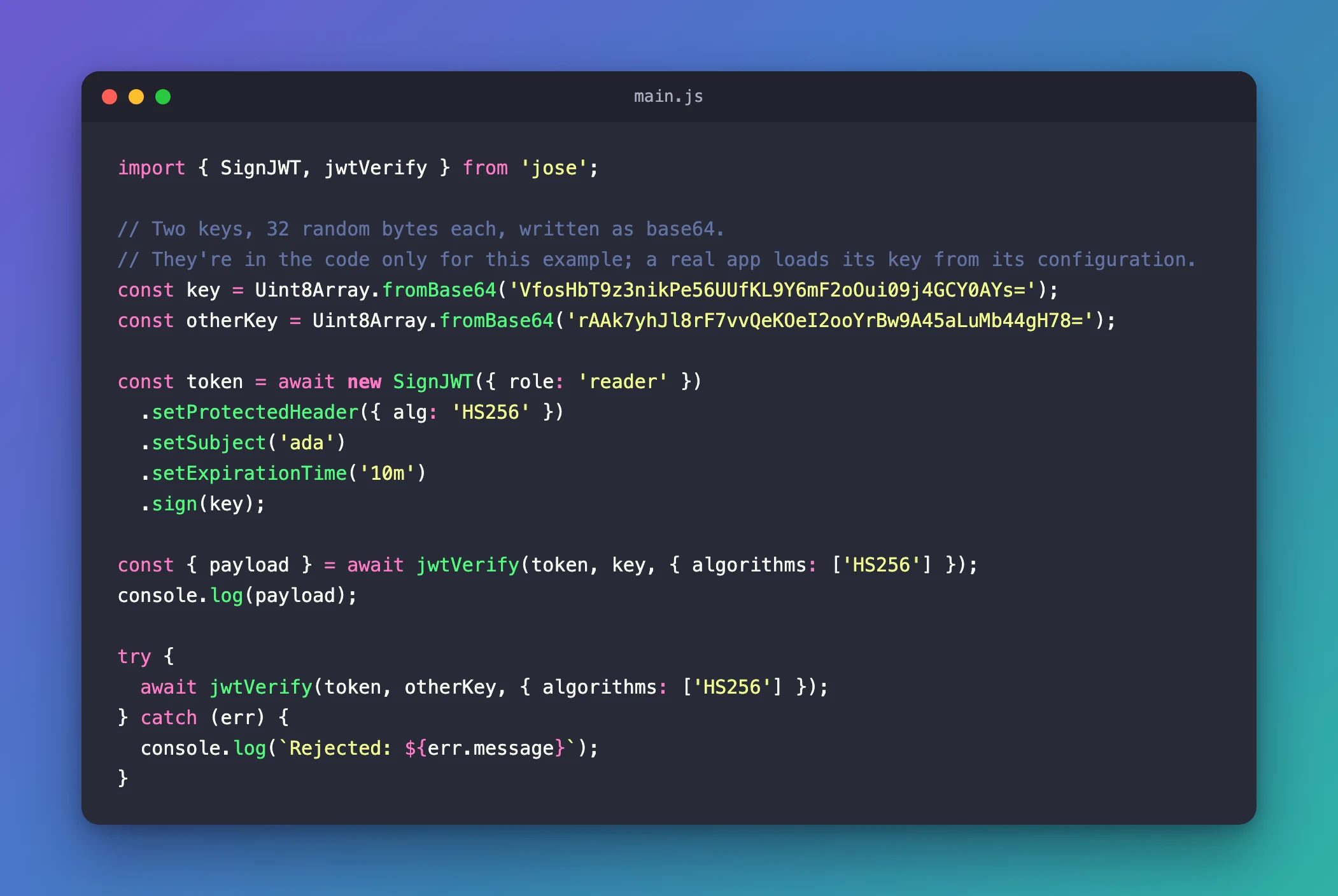
Create main.js:
import { SignJWT, jwtVerify } from 'jose';

// Two keys, 32 random bytes each, written as base64.
// They're in the code only for this example; a real app loads its key from its configuration.
const key = Uint8Array.fromBase64('VfosHbT9z3nikPe56UUfKL9Y6mF2oOui09j4GCY0AYs=');
const otherKey = Uint8Array.fromBase64('rAAk7yhJl8rF7vvQeKOeI2ooYrBw9A45aLuMb44gH78=');

const token = await new SignJWT({ role: 'reader' })
  .setProtectedHeader({ alg: 'HS256' })
  .setSubject('ada')
  .setExpirationTime('10m')
  .sign(key);

const { payload } = await jwtVerify(token, key, { algorithms: ['HS256'] });
console.log(payload);

try {
  await jwtVerify(token, otherKey, { algorithms: ['HS256'] });
} catch (err) {
  console.log(`Rejected: ${err.message}`);
}
The first jwtVerify gets the key that signed the token. The second gets otherKey, so its signature check fails and it throws, which the catch block reports.
Step 3: Run It
node main.js
{ role: 'reader', sub: 'ada', exp: 1795683057 }
Rejected: signature verification failed
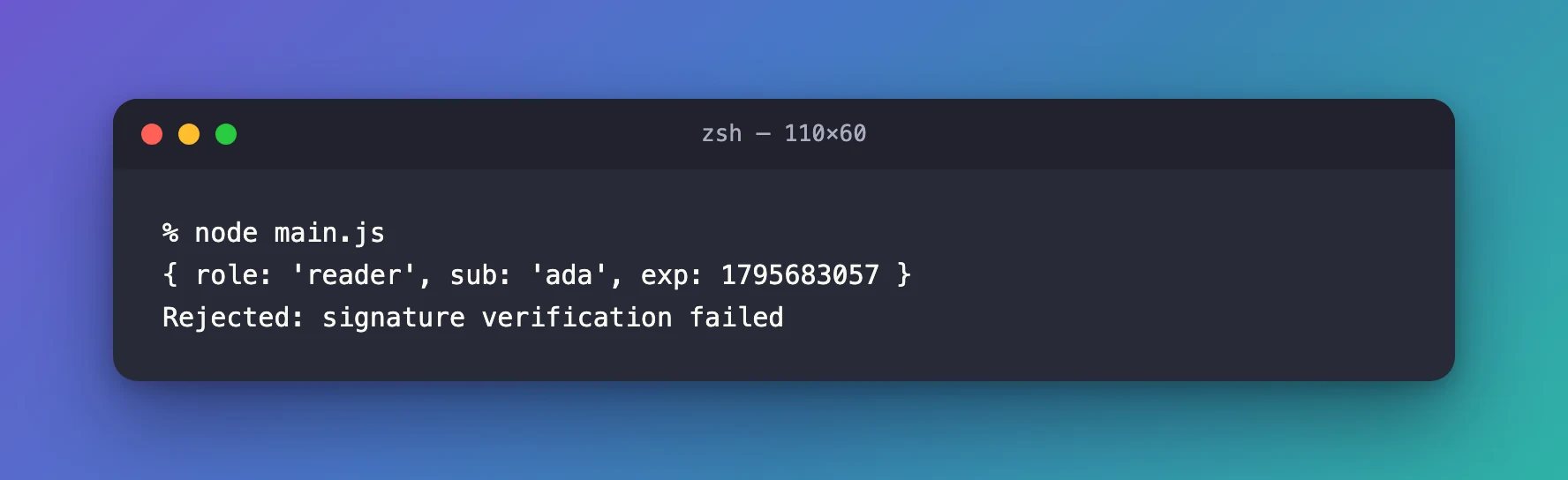
With the right key, jwtVerify checked the signature and the exp claim, then returned the payload. With the other key the signature didn't match, so it threw.
The Errors It Throws
jose's errors carry a name and a code you can check in code. These came from real runs:
| What's wrong | name | code | message |
|---|---|---|---|
| Signed with another key, or the payload was changed | JWSSignatureVerificationFailed | ERR_JWS_SIGNATURE_VERIFICATION_FAILED | signature verification failed |
| The token has expired | JWTExpired | ERR_JWT_EXPIRED | "exp" claim timestamp check failed |
Signed with HS256, but algorithms is ['HS512'] | JOSEAlgNotAllowed | ERR_JOSE_ALG_NOT_ALLOWED | "alg" (Algorithm) Header Parameter value not allowed |
The aud claim isn't the expected one | JWTClaimValidationFailed | ERR_JWT_CLAIM_VALIDATION_FAILED | unexpected "aud" claim value |
Check the Issuer and Audience Too
When tokens carry an issuer and an audience, pass the values you expect, and jose rejects tokens made for anyone else:
const { payload } = await jwtVerify(token, key, {
  algorithms: ['HS256'],
  issuer: 'https://books.example',
  audience: 'library-api',
});
A token with aud: 'library-api', checked with audience: 'orders-api', failed with unexpected "aud" claim value.
Allow a Little Clock Skew
Servers' clocks drift apart. clockTolerance allows for it: with clockTolerance: '1m', a token that had expired 30 seconds earlier still verified.
Common Mistakes
| Mistake | What happens | Do this instead |
|---|---|---|
Leaving out algorithms | jose accepts every algorithm that fits the key, so the token, not you, picks it | Pin the algorithm: algorithms: ['HS256'] |
| Reading claims before verifying | Anyone can write any claims into an unverified token | Use the payload that jwtVerify returns |
| Catching every error the same way | An expired session and a forged token look alike | Check err.code when you need to tell them apart |
Troubleshooting
| Symptom | Likely cause | Fix |
|---|---|---|
signature verification failed | Another key signed it, or the token was changed | Verify with the signing key; reject the token |
"exp" claim timestamp check failed | The token expired | Get a new token |
"alg" (Algorithm) Header Parameter value not allowed | The token's algorithm isn't in algorithms | Sign and verify with the same algorithm |
FAQ
Does jwtVerify check the expiry?
Yes, whenever the token has an exp claim. It checks nbf (not before) too: a token with setNotBefore('5m') failed with "nbf" claim timestamp check failed.
What does jwtVerify return?
An object with two properties, payload and protectedHeader. The example keeps only payload.
Conclusion
await jwtVerify(token, key, { algorithms: ['HS256'] }) checks the signature, the algorithm and the time claims, and returns the payload only if all of them pass. Pin the algorithm, add issuer and audience when your tokens carry them, and use the error's code to tell failures apart.
Additional Resources
- jwtVerify and JWTVerifyOptions, in the jose documentation.
- RFC 8725: JSON Web Token Best Current Practices.
