How to Validate One of Several JSON Shapes with a Zod Discriminated Union

Some JSON values come in more than one shape, with one field that says which: an order with "method": "pickup" names a store, and one with "method": "delivery" names an address. Zod's z.discriminatedUnion validates exactly that: it reads the field first, then checks the shape it points to, and tells you precisely what's wrong.
Syntax
const <Schema> = z.discriminatedUnion("<key>", [
  z.object({ <key>: z.literal("<value 1>"), <the fields of shape 1> }),
  z.object({ <key>: z.literal("<value 2>"), <the fields of shape 2> }),
]);

const <result> = <Schema>.safeParse(<value>);
| Part | What it is |
|---|---|
"<key>" | The field that says which shape a value has. Zod's documentation calls it the discriminator |
z.object({ … }) | One shape. Every shape has the key, with its own value |
z.literal("<value 1>") | The exact value of the key for this shape |
safeParse(<value>) | Checks a value without throwing. <result>.success says whether it passed; <result>.data holds the value, and <result>.error the problems |
Zod's documentation explains why not a plain z.union(): regular unions check the input against each option in order and return the first one that passes, while a discriminated union uses a discriminator key to make parsing more efficient.
The Example
A small script checks five orders. An order is picked up at a store or delivered to an address, and its method says which. Two orders are fine, one has a field that doesn't belong, one misses its address, and one has a method that doesn't exist.
Prerequisites
- Node.js 22.18 or later, so that
noderuns a TypeScript file directly.node --versionshows yours; I used Node.js 26.
Step 1: Create the Project
mkdir order-check
cd order-check
npm init -y
npm pkg set type=module
npm install zod@4.6.7 --save-exact
npm init -y creates package.json, and npm pkg set type=module lets the script use import. zod@4.6.7 is the newest version of Zod, and --save-exact records exactly that version.
Step 2: Describe the Shapes
Create orders.ts:
import { z } from "zod";

// An order is picked up at a store or delivered to an address. The field
// "method" says which, and each method has its own fields.
const Order = z.discriminatedUnion("method", [
  z.object({ method: z.literal("pickup"), store: z.string() }),
  z.object({ method: z.literal("delivery"), address: z.string() }),
]);

type Order = z.infer<typeof Order>;

const orders: unknown[] = [
  { method: "pickup", store: "Downtown" },
  { method: "delivery", address: "12 Lake Road" },
  { method: "delivery", address: "12 Lake Road", store: "Downtown" },
  { method: "delivery", store: "Downtown" },
  { method: "drone" },
];

for (const body of orders) {
  const result = Order.safeParse(body);
  if (result.success) {
    console.log(`Valid:   ${describe(result.data)}`);
  } else {
    console.log(`Invalid: ${JSON.stringify(body)}`);
    console.log(z.prettifyError(result.error));
  }
}

// After the check, TypeScript knows which fields each method has.
function describe(order: Order) {
  return order.method === "pickup"
    ? `pick up at ${order.store}`
    : `deliver to ${order.address}`;
}
Orderis the union: the key ismethod, and each shape gives it a literal value and its own field.z.infer<typeof Order>turns the schema into a TypeScript type, sodescribegets the type the check produced.z.prettifyErrorturns the problems into text, one line per problem. Zod's documentation: it provides a human-readable string representation of the error.describeshows the point of a discriminated union in TypeScript: afterorder.method === "pickup", TypeScript knowsorder.storeexists, and in the other branch,order.address.
Node.js runs this file as it is: since version 22.18 it removes the TypeScript types before running, without checking them. Your editor, or the TypeScript compiler, does the checking.
Step 3: Run It
node orders.ts
Valid:   pick up at Downtown
Valid:   deliver to 12 Lake Road
Valid:   deliver to 12 Lake Road
Invalid: {"method":"delivery","store":"Downtown"}
✖ Invalid input: expected string, received undefined
  → at address
Invalid: {"method":"drone"}
✖ Invalid discriminator value. Expected 'pickup' | 'delivery'
  → at method
- The first two orders are valid.
- The third, a delivery with an extra
storefield, is valid too.z.objectdoesn't mind unknown fields: Zod's documentation says unrecognized keys are stripped from the parsed result, soresult.datasimply doesn't have it. - The fourth is a delivery without an address. Zod checked it against the delivery shape, because its
methodsaid so, and names the missing field:→ at address. - The fifth has a
methodthat no shape has, and the message lists the ones that exist.
Step 4: Refuse Fields That Don't Belong
A delivery that names a store is suspicious: maybe the sender mixed up the two shapes. To refuse anything that isn't in the shape, use z.strictObject instead of z.object, which Zod describes as a strict schema that throws an error when unknown keys are found. The final orders.ts:
import { z } from "zod";

// An order is picked up at a store or delivered to an address. The field
// "method" says which, and each method has its own fields.
const Order = z.discriminatedUnion("method", [
  z.strictObject({ method: z.literal("pickup"), store: z.string() }),
  z.strictObject({ method: z.literal("delivery"), address: z.string() }),
]);

type Order = z.infer<typeof Order>;

const orders: unknown[] = [
  { method: "pickup", store: "Downtown" },
  { method: "delivery", address: "12 Lake Road" },
  { method: "delivery", address: "12 Lake Road", store: "Downtown" },
  { method: "delivery", store: "Downtown" },
  { method: "drone" },
];

for (const body of orders) {
  const result = Order.safeParse(body);
  if (result.success) {
    console.log(`Valid:   ${describe(result.data)}`);
  } else {
    console.log(`Invalid: ${JSON.stringify(body)}`);
    console.log(z.prettifyError(result.error));
  }
}

// After the check, TypeScript knows which fields each method has.
function describe(order: Order) {
  return order.method === "pickup"
    ? `pick up at ${order.store}`
    : `deliver to ${order.address}`;
}
The only change is z.strictObject, twice. Run it again:
node orders.ts
Valid:   pick up at Downtown
Valid:   deliver to 12 Lake Road
Invalid: {"method":"delivery","address":"12 Lake Road","store":"Downtown"}
✖ Unrecognized key: "store"
Invalid: {"method":"delivery","store":"Downtown"}
✖ Unrecognized key: "store"
✖ Invalid input: expected string, received undefined
  → at address
Invalid: {"method":"drone"}
✖ Invalid discriminator value. Expected 'pickup' | 'delivery'
  → at method
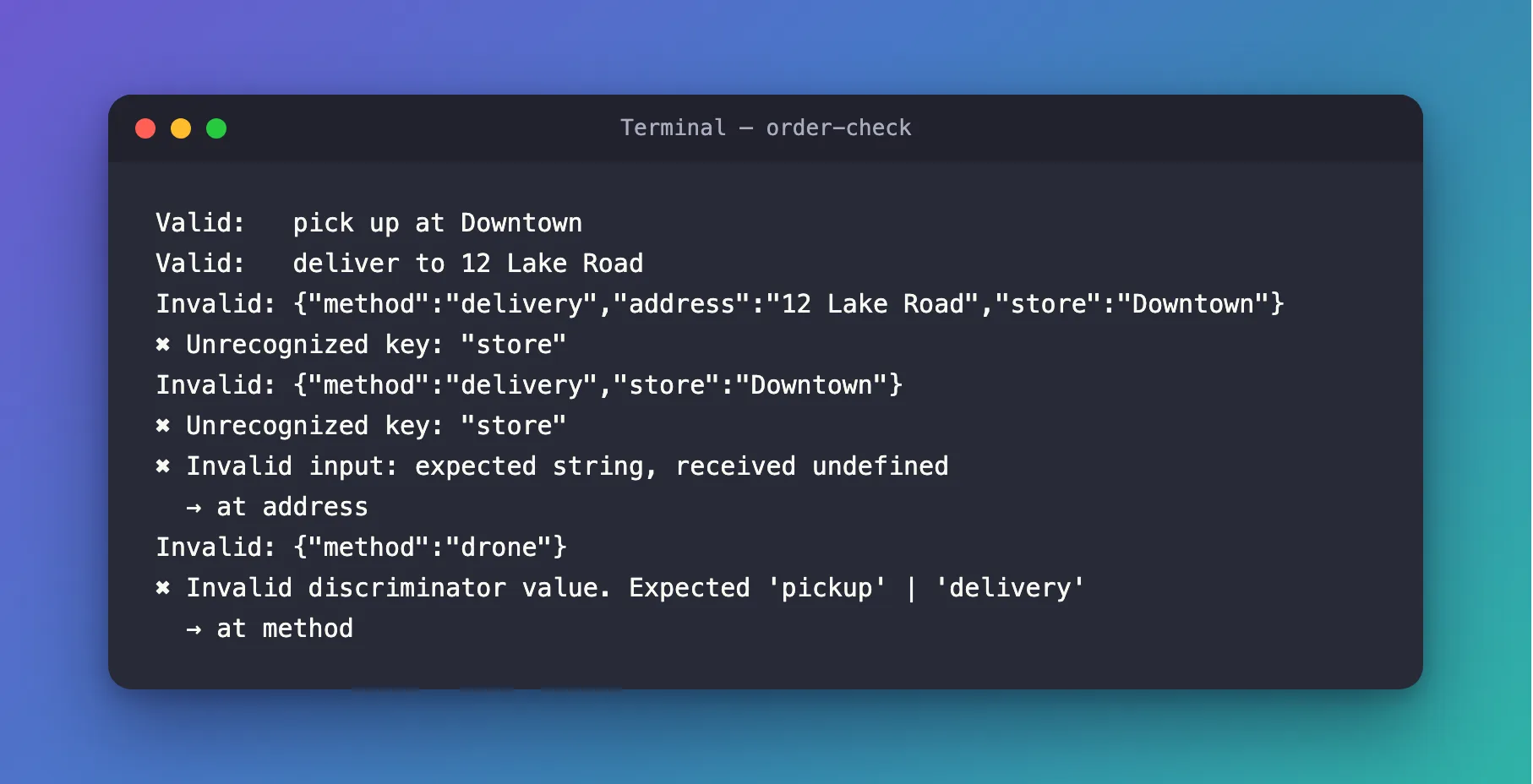
The delivery with an extra store is now refused: Unrecognized key: "store". The one without an address gets both problems at once.
The Complete File
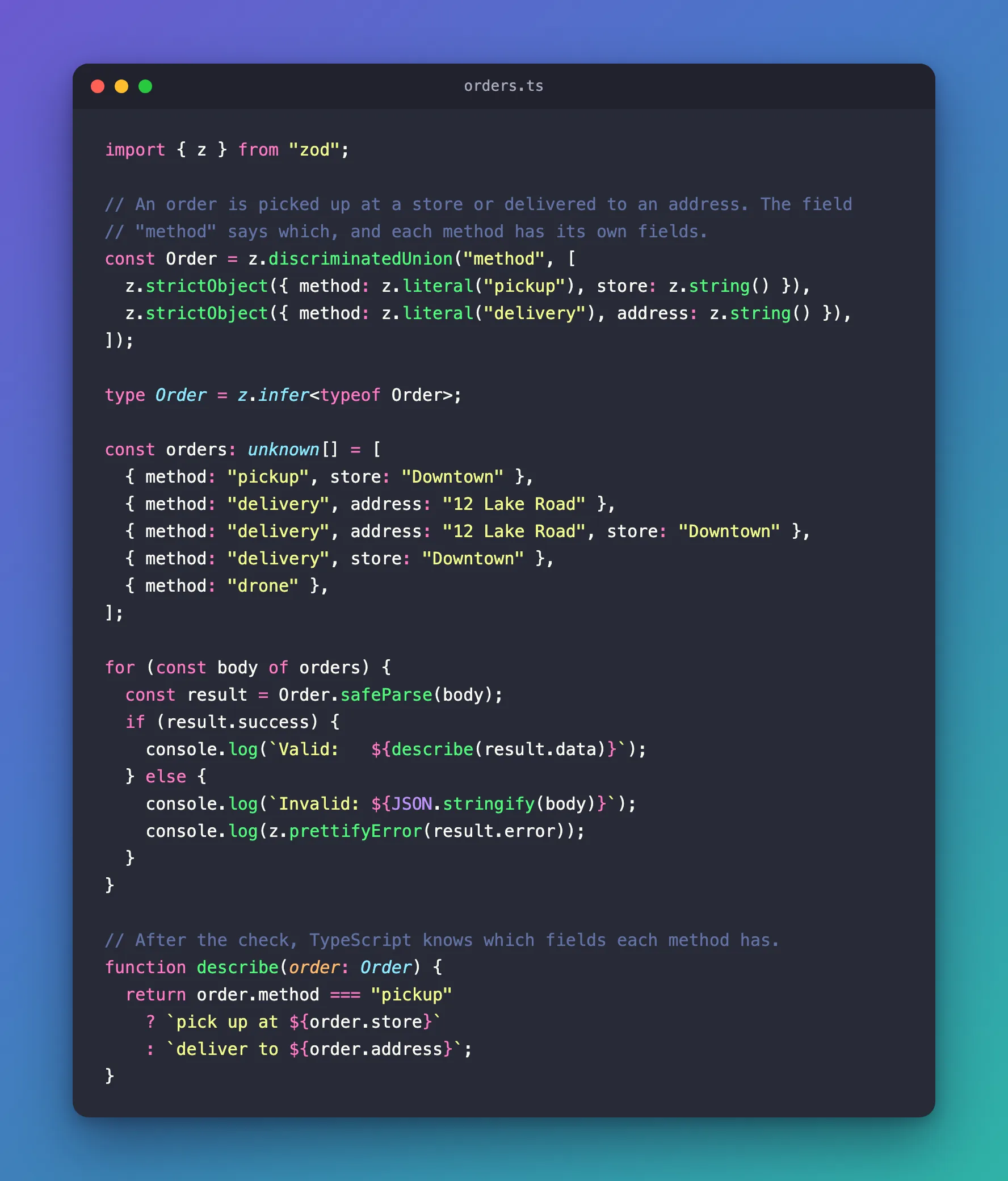
orders.ts from Step 4 is the whole program.
Common Mistakes
| Mistake | What happens | Do this instead |
|---|---|---|
Using z.union for shapes with a type field | Zod tries every shape in order, and can't tell you which one the value meant | Use z.discriminatedUnion with that field |
Writing the key as z.string() instead of a literal | The key can't tell the shapes apart | Give each shape z.literal("<its value>") |
Expecting z.object to refuse extra fields | They pass, and are left out of result.data | Use z.strictObject |
Using parse on input you don't control | A bad value throws | Use safeParse and check success |
FAQ
Can the key be something other than a string?
Yes. Zod's documentation lists z.enum(), z.literal(), z.null(), or z.undefined() as the usual values, and a literal can be a number, such as z.literal(400).
Does the order of the shapes matter?
Not for which shape is checked: the key picks it. That is the difference from z.union, which tries the shapes in order.
Conclusion
When a value's shape depends on one of its fields, describe each shape with z.object and a z.literal for that field, and combine them with z.discriminatedUnion("<field>", [...]). safeParse then checks the shape the field points to, and z.prettifyError says what's wrong in plain lines. Use z.strictObject for shapes that should refuse unknown fields.
Additional Resources
- Zod: Discriminated unions — how the discriminator key works, and nested unions.
- Zod: z.strictObject — strict, default and loose objects.
- Zod: z.prettifyError() — the ways to format Zod's errors.
