How to Validate Minimal API Requests in .NET 10 C# with AddValidation

Before .NET 10, minimal APIs didn't check data annotations: you needed a filter or a library. Now one line in Program.cs does it. Put [Required] and [Range] on your request record, and a bad request gets a 400 with every problem listed, before your handler runs. This guide adds it, with the same requests before and after.
Prerequisites
- A .NET 10 minimal API. The examples use .NET SDK 10.0.403, with EF Core and MySQL behind them. It needs no extra package.
- Problem details set up, for the error format: How to Return Problem Details Errors in ASP.NET Core.
Step 1: See What Happens Without It
The record already has attributes, and without AddValidation nothing reads them. An empty name goes straight into the database:
HTTP/1.1 201 Created
Content-Type: application/json; charset=utf-8
Location: /api/v1/categories/504

{
  "id": 504,
  "name": "",
  "createdAtUtc": "2026-11-04T11:44:18.818152Z"
}
A negative price only stops at MySQL's check constraint, as a 500:
HTTP/1.1 500 Internal Server Error
Content-Type: application/problem+json

{
  "type": "https://tools.ietf.org/html/rfc9110#section-15.6.1",
  "title": "An error occurred while processing your request.",
  "status": 500,
  "traceId": "00-872aa012421c5768359f1c2a2b94c9ca-c1556660a715255a-00"
}
Step 2: Turn It On
// Checks the validation attributes on request records before an endpoint runs.
builder.Services.AddValidation();
ASP.NET Core's validation section says what that covers: "Enabling validation allows the ASP.NET Core runtime to perform validations defined on the" query, the header and the request body, and "When a parameter to a Minimal API endpoint is a class or record type, validation attributes are automatically applied."
Step 3: Describe the Rules on the Record
using System.ComponentModel.DataAnnotations;

namespace Dewiride.Inventory.Api.Features.Categories;

/// <summary>What a client sends to create or rename a category.</summary>
public sealed record CategoryRequest(
    [Required, StringLength(100)] string Name);
Step 4: Send the Same Request
HTTP/1.1 400 Bad Request
Content-Type: application/problem+json

{
  "type": "https://tools.ietf.org/html/rfc9110#section-15.5.1",
  "title": "One or more validation errors occurred.",
  "status": 400,
  "errors": {
    "Name": [
      "The Name field is required."
    ]
  },
  "traceId": "00-3a3b5e2d5ee9c88e729df453bd8b324b-771939a406ecf6bf-00"
}
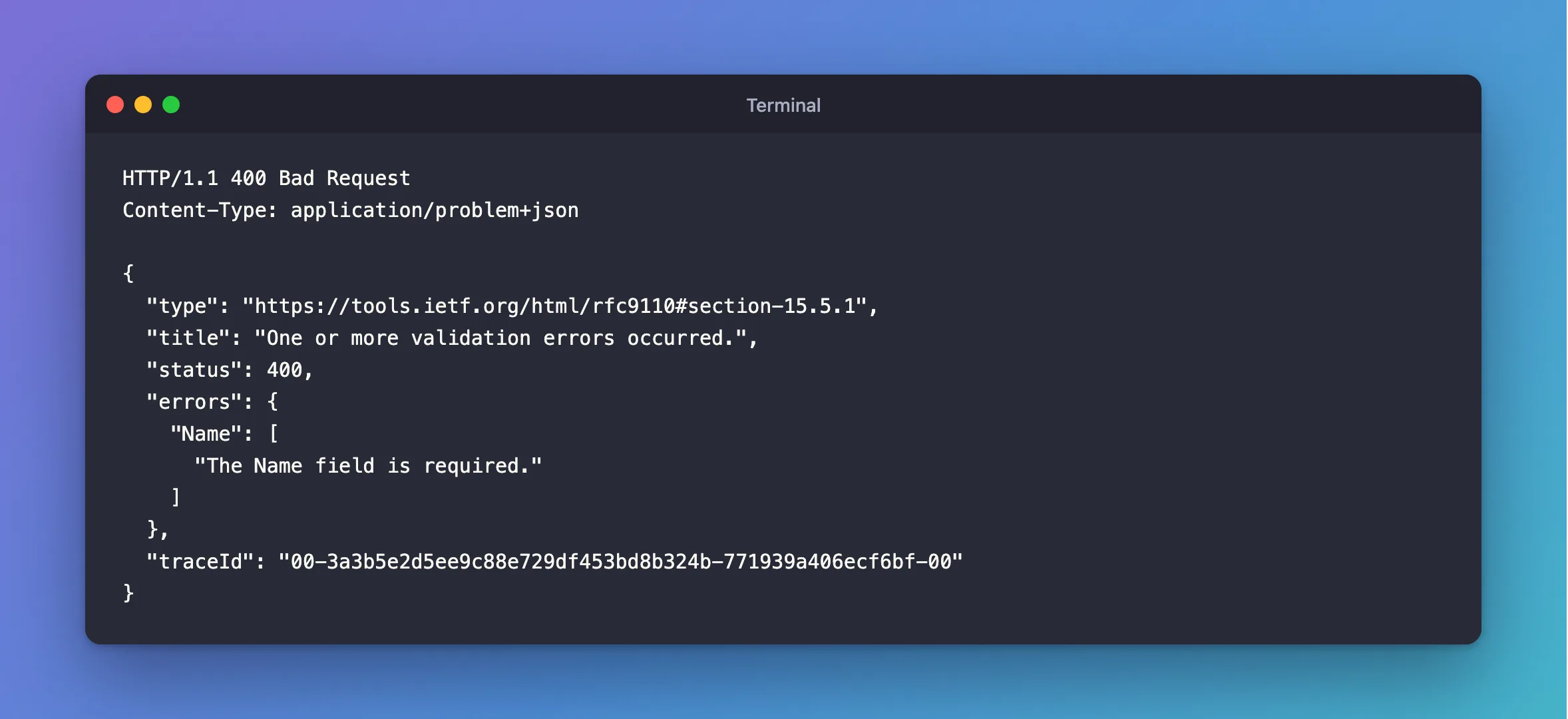
The page says: "If validation fails, the runtime returns a 400 - Bad Request response with details of the validation errors." The handler never ran, so the database wasn't touched. The errors object has one list of messages per field, which a client can show next to the right input.
Step 5: Validate Items Inside a List
It also goes into nested records and lists. This request has an order with lines:
public sealed record OrderLineRequest(
    [Range(1, int.MaxValue)] int ProductId,
    [Range(1, 1000)] int Quantity);

public sealed record PlaceOrderRequest(
    [Required, StringLength(200)] string CustomerName,
    [Required, EmailAddress] string CustomerEmail,
    [Required, MinLength(1), MaxLength(50)] List<OrderLineRequest> Lines);
With a bad email and two bad lines, every problem comes back in one response, with its path:
HTTP/1.1 400 Bad Request
Content-Type: application/problem+json

{
  "type": "https://tools.ietf.org/html/rfc9110#section-15.5.1",
  "title": "One or more validation errors occurred.",
  "status": 400,
  "errors": {
    "CustomerEmail": [
      "The CustomerEmail field is not a valid e-mail address."
    ],
    "Lines[0].Quantity": [
      "The field Quantity must be between 1 and 1000."
    ],
    "Lines[1].ProductId": [
      "The field ProductId must be between 1 and 2147483647."
    ]
  },
  "traceId": "00-57fb7c6624e253b709d99b041c7e0e5c-dfeebc860523f6b7-00"
}
An empty list is caught by MinLength:
HTTP/1.1 400 Bad Request
Content-Type: application/problem+json

{
  "type": "https://tools.ietf.org/html/rfc9110#section-15.5.1",
  "title": "One or more validation errors occurred.",
  "status": 400,
  "errors": {
    "Lines": [
      "The field Lines must be a string or array type with a minimum length of '1'."
    ]
  },
  "traceId": "00-985555ec696997d3198ebacc5b1ee4c5-4f6ad1b584870bbe-00"
}
Step 6: Turn It Off for One Endpoint
If an endpoint shouldn't validate, say so on the route:
d.MapPost("/no-validation", (PlaceOrderRequest request) =>
    Results.Ok(new { request.CustomerName })).DisableValidation();
HTTP/1.1 200 OK
Content-Type: application/json; charset=utf-8

{
  "customerName": ""
}
What It Doesn't Check
Attributes check the request by itself. They can't know what's in your database, so a name that already exists, or a product that doesn't, is for your code to handle, such as a 409 for a duplicate. Rules of your own go in a custom attribute.
Common Mistakes
| Mistake | What happens | Do this instead |
|---|---|---|
Forgetting AddValidation | Attributes do nothing, and bad data reaches the database | Register it |
A decimal with [Required] | A missing value becomes 0 and passes | Use decimal? |
Attributes on an [AsParameters] record's parameters | /openapi/v1.json fails | Use [property: Range(…)] |
| Checking database rules with attributes | They can't see the database | Handle those in the handler |
The C# required keyword on a request property | A missing value gives a JSON error, not this list | Use a nullable parameter with [Required] |
FAQ
Does it work on query strings?
Yes, including a record with [AsParameters].
Does it work with older versions of .NET?
AddValidation for minimal APIs arrived with .NET 10. Earlier versions need your own filter or a package.
Conclusion
Call builder.Services.AddValidation(), put data annotations on your request records, and bad requests get a 400 with every problem listed, including inside lists, before your handler runs. Handle anything that needs the database in the handler.
Additional Resources
- Validation support in Minimal APIs — the feature.
- Validation in ASP.NET Core — custom messages and rules.
