How to Validate Environment Variables When a Next.js App Starts

A missing or mistyped setting is one of the most common reasons a deployed app fails — usually on the first request that needs it, with an error far from the cause. This guide checks every setting of a Next.js app once, when the server starts: a zod schema says what each setting must look like, and instrumentation.ts runs the check. The result is one clear message that names each wrong setting.
Where the Check Runs
Next.js runs one file when its server starts: instrumentation.ts, in the root of the project. Its documentation says the file exports a register function that is called once when a new Next.js server instance is initiated, and must complete before the server is ready to handle requests. An error thrown there fails the server's start, which is exactly what a wrong setting should do.
zod describes what valid data looks like and checks values against that description, collecting every problem with a readable message.
Prerequisites
- A Next.js app with the App Router. The examples use Next.js 16.4.6.
- A terminal in the app's folder.
Step 1: Install zod
npm install zod@4.6.7
added 1 package, and audited 33 packages in 1s

8 packages are looking for funding
  run `npm fund` for details

found 0 vulnerabilities
Step 2: Describe the Settings
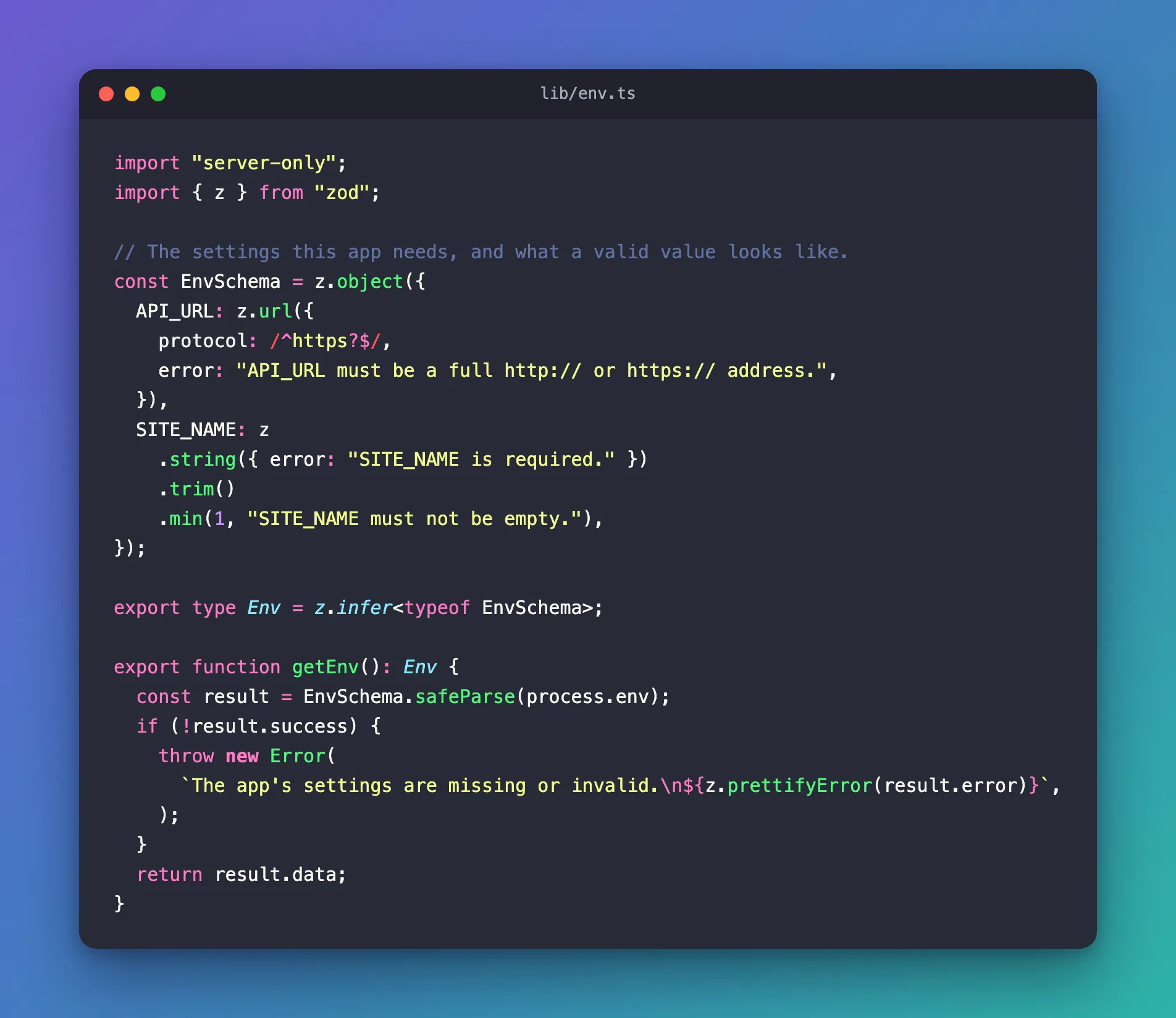
This example app needs two settings: the address of an API, and the name it shows. Create lib/env.ts, starting with the description of each setting:
import "server-only";
import { z } from "zod";

// The settings this app needs, and what a valid value looks like.
const EnvSchema = z.object({
  API_URL: z.url({
    protocol: /^https?$/,
    error: "API_URL must be a full http:// or https:// address.",
  }),
  SITE_NAME: z
    .string({ error: "SITE_NAME is required." })
    .trim()
    .min(1, "SITE_NAME must not be empty."),
});
| Code | What it checks |
|---|---|
import "server-only" | The file is only ever used on the server (How to Keep Server-Only Code Out of the Browser in Next.js) |
z.url({ protocol: /^https?$/ }) | A complete address that starts with http or https. localhost:5000 fails |
error: "…" | The message shown when the check fails — written for the person who sets the value |
z.string(…).trim().min(1, …) | Text that isn't empty or only spaces |
Then a function that checks process.env against the schema:
export type Env = z.infer<typeof EnvSchema>;

export function getEnv(): Env {
  const result = EnvSchema.safeParse(process.env);
  if (!result.success) {
    throw new Error(
      `The app's settings are missing or invalid.\n${z.prettifyError(result.error)}`,
    );
  }
  return result.data;
}
safeParse checks every setting and collects all the problems instead of stopping at the first one. z.prettifyError turns them into one readable list. z.infer makes a TypeScript type from the schema, so the rest of the app gets API_URL and SITE_NAME with their types.
Step 3: Run the Check When the Server Starts
Create instrumentation.ts in the root of the project, next to package.json:
// Next.js calls register() once, when the server starts.
// Checking the settings here stops a misconfigured app before it serves a page.
export async function register() {
  if (process.env.NEXT_RUNTIME === "nodejs") {
    const { getEnv } = await import("./lib/env");
    getEnv();
  }
}
| Code | What it does |
|---|---|
process.env.NEXT_RUNTIME === "nodejs" | Next.js can run server code in two runtimes, Node.js and Edge. The check runs in Node.js |
await import("./lib/env") | Loads the settings module only inside that check |
getEnv() | Throws when a setting is wrong. The result isn't needed here |
Step 4: See the Check Work
With no settings at all, start the app:
npm run dev
npm notice run my-app@0.1.0 dev
npm notice run next dev
▲ Next.js 16.4.6 (Turbopack)
- Local:         http://localhost:3000
- Network:       http://192.168.1.10:3000
✓ Ready in 268ms
✓ Running next.config.ts took 2.0s
Error: An error occurred while loading instrumentation hook: The app's settings are missing or invalid.
✖ API_URL must be a full http:// or https:// address.
  → at API_URL
✖ SITE_NAME is required.
  → at SITE_NAME
    at getEnv (lib/env.ts:21:11)
    at Module.register (instrumentation.ts:6:5)
Both problems in one message, each with the setting's name — and npm run dev stopped. Note the order: ✓ Ready appears first, and the error from register follows it.
Now a .env.local with a typical mistake, an address without http://:
API_URL=localhost:5000
SITE_NAME="My App"
Error: An error occurred while loading instrumentation hook: The app's settings are missing or invalid.
✖ API_URL must be a full http:// or https:// address.
  → at API_URL
Only the wrong setting is reported. With API_URL=http://localhost:5000, the app starts normally:
▲ Next.js 16.4.6 (Turbopack)
- Local:         http://localhost:3000
- Network:       http://192.168.1.10:3000
- Environments: .env.local
✓ Ready in 213ms
✓ Running next.config.ts took 23ms
- Cache Components enabled
- Partial Prefetching enabled
How It Behaves in Production
The check runs when a server starts, so it behaves differently in the three commands:
| Command | Without the settings |
|---|---|
npm run build | Builds normally: the check doesn't run during the build. The settings belong to the place where the app runs, not to the build server |
npm start | Logs Failed to prepare server Error: An error occurred while loading instrumentation hook with the same list and keeps running — but every request I sent got 500. Restart it with the right settings |
npm run dev | Stops, as above |
So in production a wrong setting never produces a half-working page: every request fails, and the log names the setting. Watch your hosting platform's logs after a deployment.
Common Mistakes
| Mistake | What happens | Do this instead |
|---|---|---|
Reading process.env directly all over the app | A missing setting fails on the first request that needs it, far from the cause | Read settings through getEnv() |
parse instead of safeParse | zod throws its own error format; you lose the friendly list | safeParse and z.prettifyError |
Leaving out the NEXT_RUNTIME check | The settings module may be loaded in the Edge runtime too | Check process.env.NEXT_RUNTIME === "nodejs" |
Naming settings NEXT_PUBLIC_… | Next.js copies them into the browser's JavaScript at build time | Keep server settings without the prefix |
Troubleshooting
| Symptom | Likely cause | Fix |
|---|---|---|
| An error occurred while loading instrumentation hook | register threw: a setting is wrong | Read the ✖ lines and fix those settings |
| The check never seems to run | instrumentation.ts is inside app/ or lib/ | Put it in the project root, or in src/ if you use one |
Every page answers 500 after deploying | The production server's settings are wrong | Check the log for the instrumentation error |
FAQ
Why not check the settings in next.config.ts?
next.config.ts runs during the build too, so a check there would fail builds on machines that don't have the runtime settings — such as a build server.
Can other parts of the app use getEnv()?
Yes. Call it wherever you need a setting: it returns typed values, and it throws the same clear message if something changed.
Conclusion
A zod schema in lib/env.ts and a three-line register function in instrumentation.ts check every setting the moment the server starts. npm run dev stops with one message per wrong setting, a production server answers 500 and logs the same message, and the build itself never needs the settings.
Additional Resources
- Next.js: instrumentation.js — the
registerfunction. - Next.js: Environment variables —
.envfiles and runtime variables. - Zod: Formatting errors —
z.prettifyErrorand other formats.
