How to Validate a JWT in .NET C# with JsonWebTokenHandler.ValidateTokenAsync

In .NET C#, JsonWebTokenHandler.ValidateTokenAsync checks a JSON Web Token against the rules in a TokenValidationParameters object: the signing key, the algorithm, the expiry, the issuer and the audience. It doesn't throw on a bad token. It returns a result whose IsValid says whether the token passed.
Syntax
var parameters = new TokenValidationParameters
{
    IssuerSigningKey = <key>,
    ValidAlgorithms = [<algorithm>],
    ValidIssuer = "<issuer>",       // or ValidateIssuer = false
    ValidAudience = "<audience>",   // or ValidateAudience = false
};
TokenValidationResult result = await new JsonWebTokenHandler().ValidateTokenAsync(<token>, parameters);
| Part | What it does |
|---|---|
IssuerSigningKey | The key to check the signature with: for HS256, the same SymmetricSecurityKey that signed the token. |
ValidAlgorithms | The algorithms you accept, such as SecurityAlgorithms.HmacSha256. |
ValidIssuer, ValidAudience | The iss and aud values you expect. Both checks are on by default. |
result.IsValid | true when every check passed. |
result.Claims | The claims, by name, when the token is valid. |
result.Exception | What failed, when it isn't. |
The Microsoft Learn reference for ValidateTokenAsync: "On a validation failure, no exception will be thrown; instead, the exception will be set in the returned TokenValidationResult.Exception property. Callers should always check the TokenValidationResult.IsValid property to verify the validity of the result."
The Example
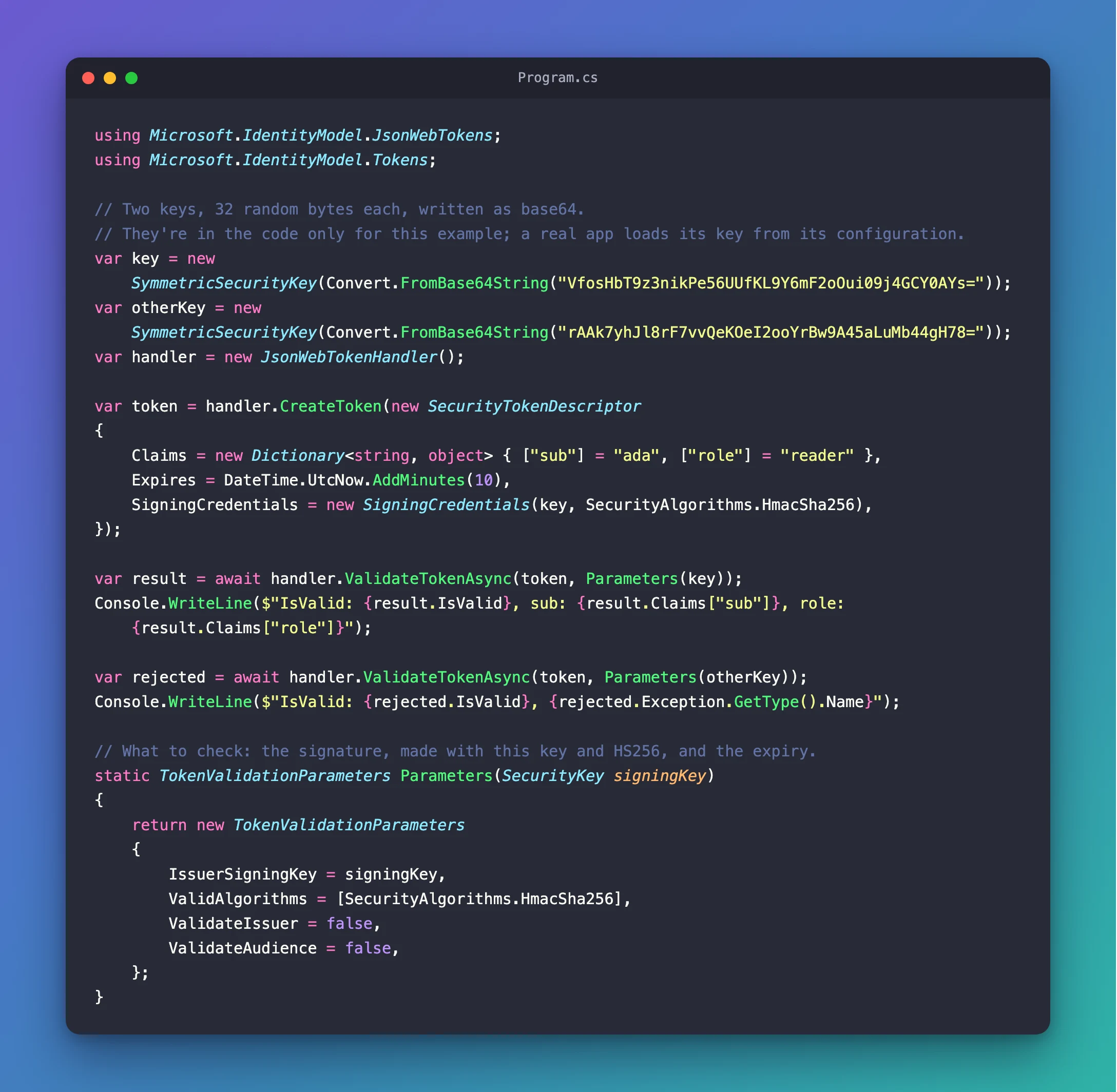
The example signs a token for the user ada with the role reader, then validates it twice: with the key that signed it, and with a different key, the way a token from another app would arrive. The token has no issuer or audience, so those two checks are switched off.
Both keys are 32 random bytes, made with openssl rand -base64 32 and written as base64. They sit in the code only so the example runs as it is. A real application loads its key from configuration and never keeps it in the source.
Prerequisites
- .NET SDK. This guide uses .NET SDK 10.0.404.
Step 1: Create the Project
dotnet new console -o demo
cd demo
dotnet add package Microsoft.IdentityModel.JsonWebTokens
dotnet new console -o demo creates a console app in a demo folder, and dotnet add package adds the JWT package, 8.23.0 here.
Step 2: Write the Code
Replace the contents of Program.cs with:
using Microsoft.IdentityModel.JsonWebTokens;
using Microsoft.IdentityModel.Tokens;

// Two keys, 32 random bytes each, written as base64.
// They're in the code only for this example; a real app loads its key from its configuration.
var key = new SymmetricSecurityKey(Convert.FromBase64String("VfosHbT9z3nikPe56UUfKL9Y6mF2oOui09j4GCY0AYs="));
var otherKey = new SymmetricSecurityKey(Convert.FromBase64String("rAAk7yhJl8rF7vvQeKOeI2ooYrBw9A45aLuMb44gH78="));
var handler = new JsonWebTokenHandler();

var token = handler.CreateToken(new SecurityTokenDescriptor
{
    Claims = new Dictionary<string, object> { ["sub"] = "ada", ["role"] = "reader" },
    Expires = DateTime.UtcNow.AddMinutes(10),
    SigningCredentials = new SigningCredentials(key, SecurityAlgorithms.HmacSha256),
});

var result = await handler.ValidateTokenAsync(token, Parameters(key));
Console.WriteLine($"IsValid: {result.IsValid}, sub: {result.Claims["sub"]}, role: {result.Claims["role"]}");

var rejected = await handler.ValidateTokenAsync(token, Parameters(otherKey));
Console.WriteLine($"IsValid: {rejected.IsValid}, {rejected.Exception.GetType().Name}");

// What to check: the signature, made with this key and HS256, and the expiry.
static TokenValidationParameters Parameters(SecurityKey signingKey)
{
    return new TokenValidationParameters
    {
        IssuerSigningKey = signingKey,
        ValidAlgorithms = [SecurityAlgorithms.HmacSha256],
        ValidateIssuer = false,
        ValidateAudience = false,
    };
}
The local function Parameters builds the same rules for either key. The second validation prints only the exception's type: its message, IDX10517: …, describes the keys it tried.
Step 3: Run It
dotnet run
IsValid: True, sub: ada, role: reader
IsValid: False, SecurityTokenSignatureKeyNotFoundException
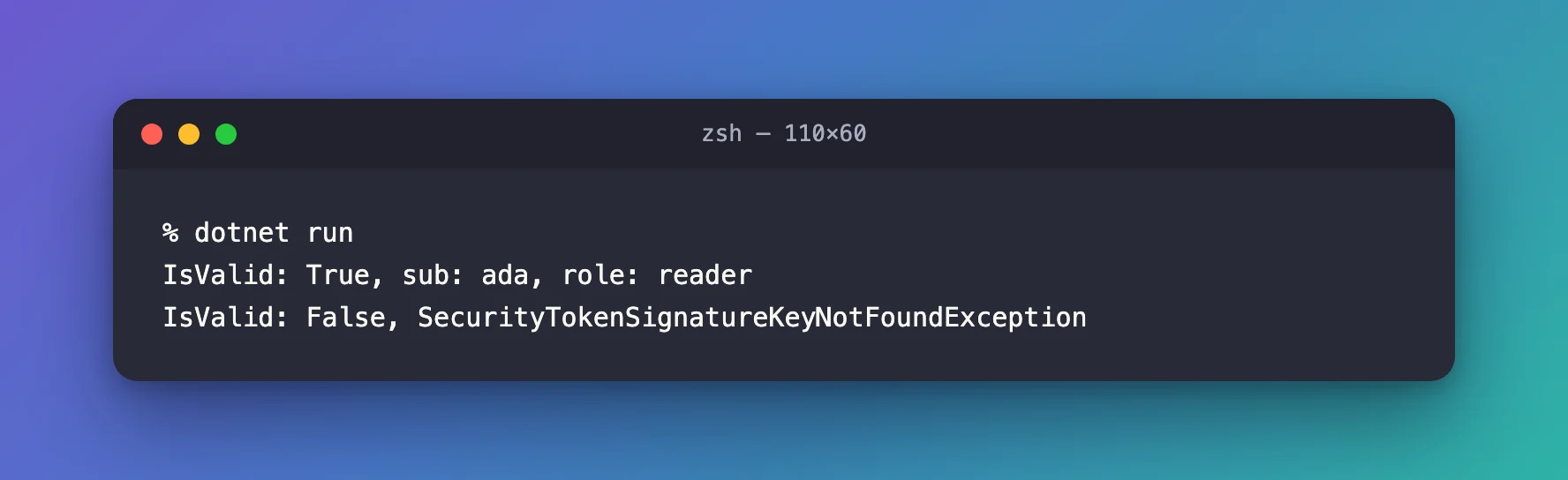
With the right key, every check passed and result.Claims held exp, sub, role, iat and nbf. With the other key, no key matched the signature, so IsValid was false and Exception said why.
What Fails, and How
These came from real runs, with the exception type and the start of its message:
| What's wrong | Exception type | Message |
|---|---|---|
| Signed with another key, or the payload was changed | SecurityTokenSignatureKeyNotFoundException | IDX10517: … |
| The token expired more than five minutes ago | SecurityTokenExpiredException | IDX10223: Lifetime validation failed. The token is expired. followed by the ValidTo and current times |
ValidateIssuer and ValidateAudience left on, with no expected values | SecurityTokenInvalidAudienceException | IDX10208: Unable to validate audience. validationParameters.ValidAudience is null or whitespace and validationParameters.ValidAudiences is null. |
The token isn't signed ("alg":"none") | SecurityTokenInvalidSignatureException | IDX10504: Unable to validate signature, token does not have a signature: … |
The Five-Minute Clock Skew
TokenValidationParameters.DefaultClockSkew is 00:05:00, five minutes. A token that had expired one minute earlier still came back with IsValid: True. Set ClockSkew lower, for example TimeSpan.FromSeconds(30), if that's too generous for you.
Common Mistakes
| Mistake | What happens | Do this instead |
|---|---|---|
Not checking IsValid | A rejected token's claims could be used, because no exception stops the code | Check result.IsValid before anything else |
| Leaving the issuer and audience checks on for tokens without them | Every token fails with IDX10208 | Set ValidIssuer and ValidAudience, or turn the checks off on purpose |
Logging Exception.Message as it is | It can describe the keys it tried | Log the exception type, or review the message first |
Troubleshooting
| Symptom | Likely cause | Fix |
|---|---|---|
SecurityTokenSignatureKeyNotFoundException | The signing key doesn't match | Validate with the key that signed the token |
SecurityTokenExpiredException | The token expired, beyond the clock skew | Get a new token |
SecurityTokenInvalidAudienceException | No ValidAudience is set | Set it, or set ValidateAudience = false |
FAQ
Does ValidateTokenAsync ever throw?
For bad tokens, no: the failure goes in result.Exception. The reference lists the cases that do throw, such as ArgumentNullException when the parameters are null.
What type is result.SecurityToken?
A JsonWebToken, the parsed token, with properties such as ValidTo, the expiry as a UTC DateTime.
Conclusion
Put the key, the algorithm and the issuer and audience rules into TokenValidationParameters, await handler.ValidateTokenAsync(token, parameters), and use the claims only when result.IsValid is true. result.Exception tells you why a token failed.
Additional Resources
- JsonWebTokenHandler.ValidateTokenAsync, on Microsoft Learn.
- TokenValidationParameters, on Microsoft Learn.
