How to Use Your Own Certificates with the MySQL Docker Image

The MySQL image makes its own certificates, and it will use yours if you point it at them. That takes a mount and three options in compose.yaml, plus one thing to get right on Linux: who owns the key.
What You Need
Three files in a certs folder beside your compose.yaml: ca.pem, server-cert.pem and server-key.pem. If you don't have them, How to Create a Certificate Authority with openssl and How to Create a Server Certificate with a Subject Alternative Name with openssl make them. Keep ca-key.pem somewhere else: the server doesn't need it.
Add certs/ to .gitignore.
Step 1: Give the Key to MySQL's User
MySQL runs as uid 999 in this image, and the key should be readable by it alone. This works on every platform, through a container:
docker run --rm -v "${PWD}/certs:/certs" mysql:9.7 chown 999:999 /certs/server-key.pem
On a Linux server, skipping this leaves MySQL running without TLS. Docker Desktop hides file ownership in a mount, so it can work there without it, and then surprise you later.
Step 2: Point MySQL at the Files
name: dewiride-inventory
services:
  mysql:
    image: mysql:9.7
    command:
      - --ssl-ca=/etc/mysql/certs/ca.pem
      - --ssl-cert=/etc/mysql/certs/server-cert.pem
      - --ssl-key=/etc/mysql/certs/server-key.pem
    environment:
      MYSQL_DATABASE: inventory
      MYSQL_USER: inventory_app
      MYSQL_PASSWORD: ${MYSQL_PASSWORD:?Set MYSQL_PASSWORD in the .env file}
      MYSQL_ROOT_PASSWORD: ${MYSQL_ROOT_PASSWORD:?Set MYSQL_ROOT_PASSWORD in the .env file}
    ports:
      - "127.0.0.1:3307:3306"
    volumes:
      - mysql-data:/var/lib/mysql
      - ./certs:/etc/mysql/certs:ro
    healthcheck:
      test: ["CMD", "mysqladmin", "ping", "--host=127.0.0.1", "--silent"]
      interval: 10s
      timeout: 5s
      retries: 5
      start_period: 60s
      start_interval: 2s
volumes:
  mysql-data:
The new parts:
commandadds options to the server. The image passes them on tomysqld../certs:/etc/mysql/certs:roshares your folder with the container, read-only.
This example uses port 3307, so that it can run beside another MySQL.
Step 3: Start It, and Read the Log
docker compose up -d --wait
docker compose logs mysql
In all that output, look for these lines:
2026-11-06T06:26:44.390179Z 0 [Warning] [MY-010068] [Server] CA certificate /etc/mysql/certs/ca.pem is self signed.
2026-11-06T06:26:44.390231Z 0 [System] [MY-013602] [Server] Channel mysql_main configured to support TLS. Encrypted connections are now supported for this channel.
configured to support TLS is the line you want. The self signed warning is normal for a CA. The image starts the server twice on a first run, so you'll see these lines twice then.
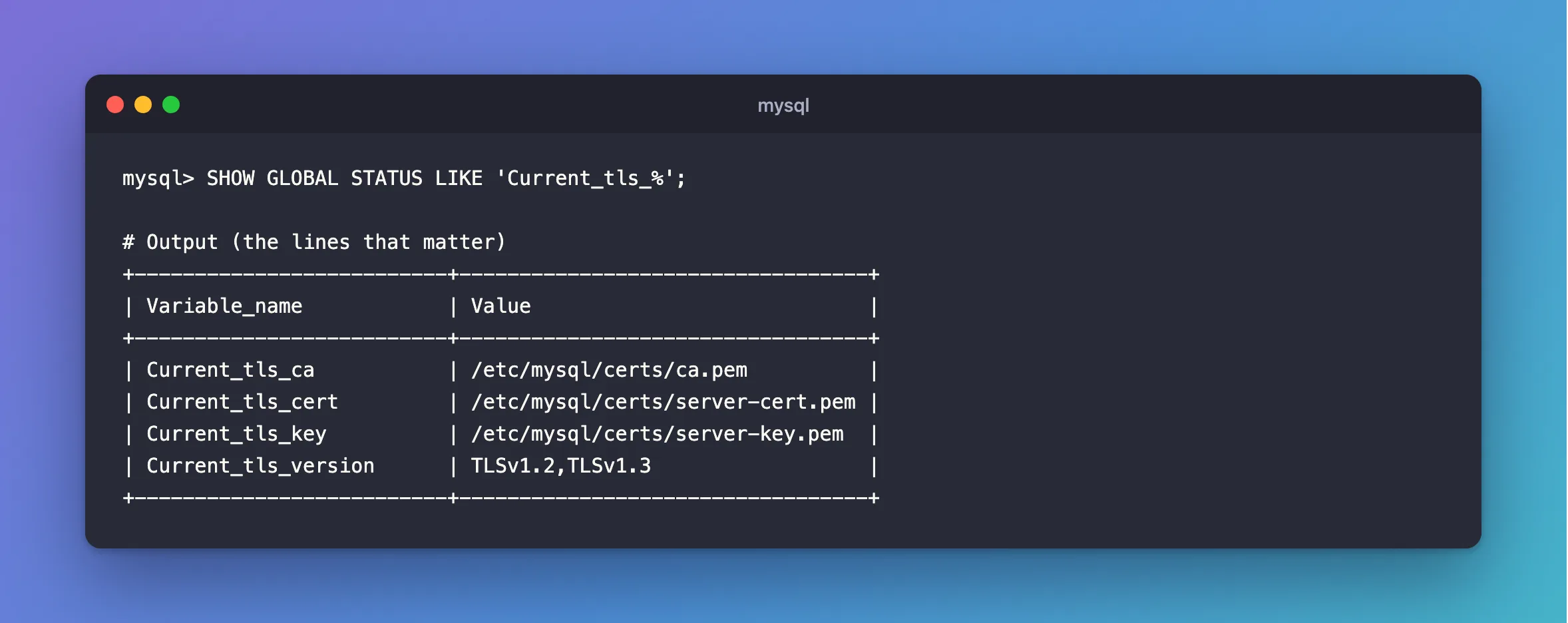
Step 4: Check Which Files It's Using
As root:
SHOW GLOBAL STATUS LIKE 'Current_tls_%';
+--------------------------+----------------------------------+
| Variable_name            | Value                            |
+--------------------------+----------------------------------+
| Current_tls_ca           | /etc/mysql/certs/ca.pem          |
| Current_tls_cert         | /etc/mysql/certs/server-cert.pem |
| Current_tls_key          | /etc/mysql/certs/server-key.pem  |
| Current_tls_version      | TLSv1.2,TLSv1.3                  |
+--------------------------+----------------------------------+
Step 5: Connect, and Check
A client with your ca.pem and name checking on proves it all. This one is a .NET app with SslMode=VerifyFull, through the name in the certificate:
Connected as inventory_app@% to MySQL 9.7.4
TLS: TLSv1.2
Renewing
Replace server-cert.pem and server-key.pem in the folder, give the key to uid 999 again, and reload, with no restart. It's the same CA, so clients need nothing new.
Common Mistakes
| Mistake | What happens | Do this instead |
|---|---|---|
chmod 644 on the key to make it readable | Anyone on the host can read it | Change the owner |
Mounting ca-key.pem as well | A stolen container can sign certificates | Keep it elsewhere |
| Only checking that MySQL started | It starts with no TLS when the files are bad | Read the log |
Mounting over /var/lib/mysql | It holds the database too | Mount in a folder of its own |
Troubleshooting
| Symptom | Likely cause | Fix |
|---|---|---|
[ERROR] [MY-000059] SSL error: Unable to get private key | MySQL can't read the key | The fix |
Failed to validate certificate … invalid CA certificate | The CA isn't marked as one | The fix |
| Clients say the host doesn't support SSL | TLS failed to start | The fix |
Conclusion
Mount a folder, add --ssl-ca, --ssl-cert and --ssl-key, and give the key to uid 999. Then read the log, because a bad file doesn't stop the server from starting.
Additional Resources
- MySQL image on Docker Hub — passing options to
mysqld. - Configuring MySQL to Use Encrypted Connections —
ssl_ca,ssl_certandssl_key.
