How to Use VerifyFull with MySql.Data in .NET C#

SslMode=VerifyFull is the strongest check MySql.Data has: it verifies who signed the server's certificate, and that it's for the host you're connecting to. With PEM files, the driver also demands a client certificate and key, in one exact format. I hit each requirement in turn, so here they all are.
What You Need
| File | Option | Where it comes from |
|---|---|---|
| The server's CA | SslCa | The server, or your provider |
| A client certificate | SslCert | The server's, or one you make |
Its key, starting BEGIN RSA PRIVATE KEY | SslKey | Converted with openssl |
And the server's certificate must list the name you connect by. Oracle's documentation says of this mode, "you must also provide values for the SslCa, SslCert, and SslKey connection options".
With MySQL in Docker
Step 1: Copy the CA and the Client Pair
MySQL's automatic files have what you need. The key has to be converted, because it's in a format the driver can't read. Add certs/ to .gitignore, then:
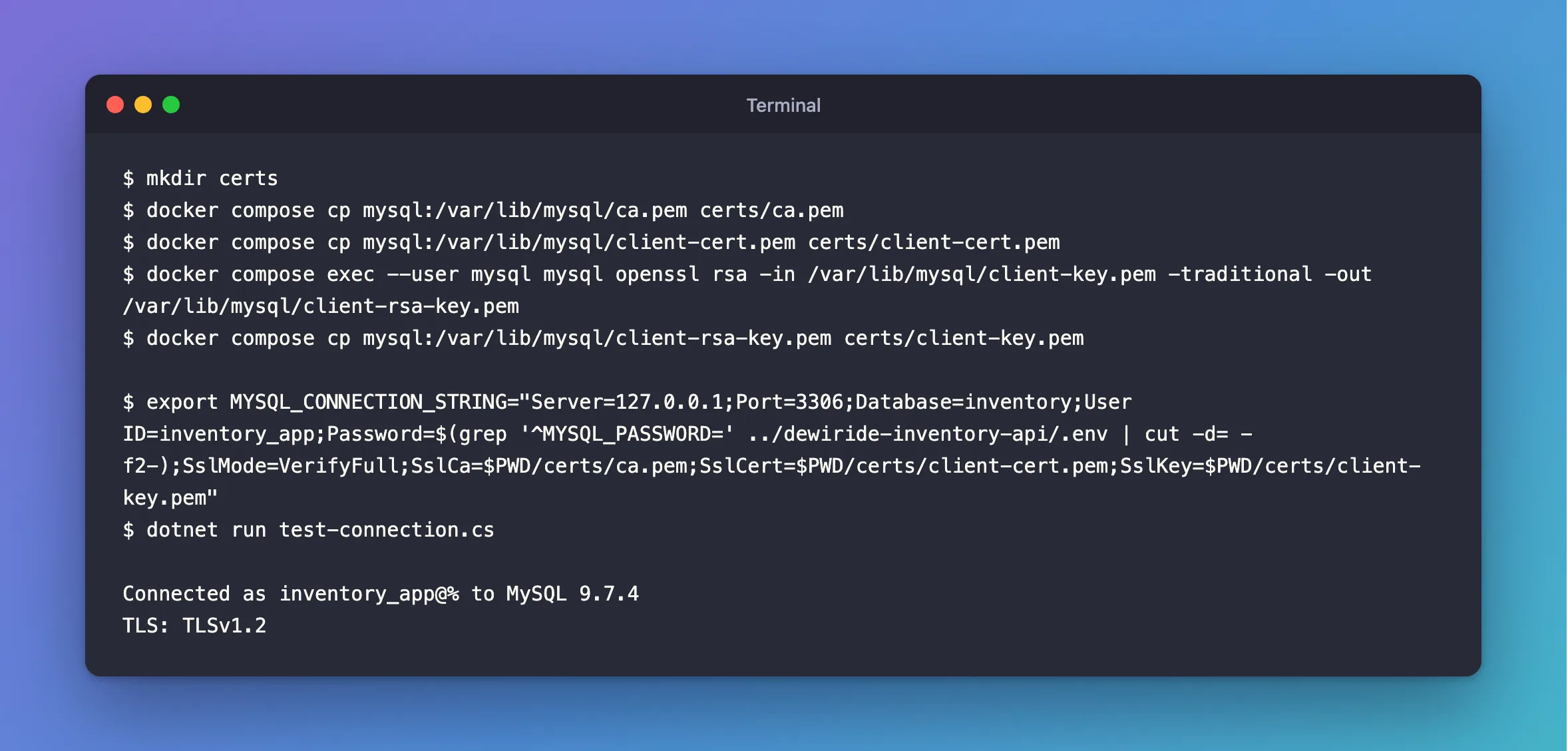
mkdir certs
docker compose cp mysql:/var/lib/mysql/ca.pem certs/ca.pem
docker compose cp mysql:/var/lib/mysql/client-cert.pem certs/client-cert.pem
docker compose exec --user mysql mysql openssl rsa -in /var/lib/mysql/client-key.pem -traditional -out /var/lib/mysql/client-rsa-key.pem
docker compose cp mysql:/var/lib/mysql/client-rsa-key.pem certs/client-key.pem
Step 2: Give the Server the Right Name
MySQL's automatic certificate has no usable name, so sign a new one for localhost and 127.0.0.1, and reload it.
Step 3: Connect
- macOS / Linux
- Windows (PowerShell)
export MYSQL_CONNECTION_STRING="Server=127.0.0.1;Port=3306;Database=inventory;User ID=inventory_app;Password=$(grep '^MYSQL_PASSWORD=' ../dewiride-inventory-api/.env | cut -d= -f2-);SslMode=VerifyFull;SslCa=$PWD/certs/ca.pem;SslCert=$PWD/certs/client-cert.pem;SslKey=$PWD/certs/client-key.pem"
dotnet run test-connection.cs
$password = (Get-Content ../dewiride-inventory-api/.env | Where-Object { $_ -like 'MYSQL_PASSWORD=*' }).Substring('MYSQL_PASSWORD='.Length)
$env:MYSQL_CONNECTION_STRING = "Server=127.0.0.1;Port=3306;Database=inventory;User ID=inventory_app;Password=$password;SslMode=VerifyFull;SslCa=$PWD/certs/ca.pem;SslCert=$PWD/certs/client-cert.pem;SslKey=$PWD/certs/client-key.pem"
dotnet run test-connection.cs
Connected as inventory_app@% to MySQL 9.7.4
TLS: TLSv1.2
With a Managed MySQL Server
I didn't test against a cloud provider. What follows comes from how the driver behaved here, with a server whose certificate I controlled.
The Client Pair: Make Your Own
You can't get a client certificate from most providers, and you don't need one. In my tests, the driver never sent these files to the server. A certificate from a CA the server had never seen connected without a problem, and a key from a different pair did too. An account set to REQUIRE X509 refused even the right pair, while the mysql client got in with those same files.
So make a throwaway pair. Use exactly these steps, because openssl req -x509 marks a certificate as a CA on a normal setup, and the driver refuses that:
openssl req -newkey rsa:2048 -nodes -keyout client-key.pem -out client.csr -subj "/CN=not-checked"
openssl x509 -req -in client.csr -signkey client-key.pem -days 3650 -out client-cert.pem
openssl rsa -in client-key.pem -traditional -out client-key.pem
Connected as inventory_app@% to MySQL 9.7.4
TLS: TLSv1.2
The pair's dates are checked: an expired one gets certificate expired on. So 10 years saves you a surprise later.
The CA: Only One Certificate
Providers often publish a file with several. This driver reads only the first:
Unhandled exception. MySql.Data.MySqlClient.MySqlException (0x80004005): SSL Connection error
 ---> System.Exception: The certificate authority (CA) does not match
Connected as inventory_app@% to MySQL 9.7.4
TLS: TLSv1.2
So find the one that signed your server's certificate, and keep it alone in a file. The fix shows how to list what's in a bundle. Check again when your provider rotates its CA.
The Host Name: Use the One They Gave You
Server= must be the name in the provider's certificate, and not an IP address or an alias of your own. Here's how the driver matches, from six test certificates:
| Certificate | Server=localhost | Server=127.0.0.1 |
|---|---|---|
SAN DNS:localhost and IP:127.0.0.1 | Connects | Connects |
SAN DNS:localhost | Connects | Refused |
SAN IP:127.0.0.1 | Refused | Connects |
No SAN, common name localhost | Connects | Refused |
No SAN, common name 127.0.0.1 | Refused | Connects |
SAN DNS:db.example.com, common name localhost | Refused | Refused |
What Each Check Protects
This is what VerifyFull refused, and Required let through:
| Situation | Required | VerifyFull |
|---|---|---|
| A server with another CA | Connects | Refused |
| A certificate for another name | Connects | Refused |
| An expired certificate | Connects | Refused |
Common Mistakes
| Mistake | What happens | Do this instead |
|---|---|---|
Using MySQL's client-key.pem as it is | The specified file cannot be converted to a key | Convert it |
Making the pair with openssl req -x509 | The certificate is invalid | Use the three steps above |
Using a .pfx file | Refused, on macOS and Linux | Use PEM files |
| Connecting by IP with a certificate for a name | Refused | Use the name |
Troubleshooting
| Symptom | Likely cause | Fix |
|---|---|---|
No file path has been provided … SslCert | The pair is missing | The fix |
The host name does not match the name on the certificate | Server= isn't on the certificate | The fix |
The certificate authority (CA) does not match | The wrong CA, or not first in the file | The fix |
The provided key is invalid | A different CA with the same name | The fix |
Conclusion
VerifyFull needs a CA, a client pair with its key as BEGIN RSA PRIVATE KEY, and a server certificate with the name you connect by. The pair's only there to satisfy the driver, so a throwaway one is fine.
Additional Resources
- Using PEM Certificates in Connector/NET — the three options.
- Connector/NET Connection Options —
SslMode.
