How to Use true and false in Power Automate

true and false are values of their own in Power Automate, not the words true and false. Conditions compare them, and functions such as empty() return them. The difference matters when one side of a comparison is the value true and the other is the text 'true'.
Syntax
true
false
trueandfalse: the two true/false (Boolean) values, written without quotes.'true'and'false': text that happens to spell those words. They aren't true/false values.
Microsoft's functions reference describes functions such as equals() as returning true or false, of the type Boolean: Return true when both are equivalent. Return false when not equivalent.
The Example
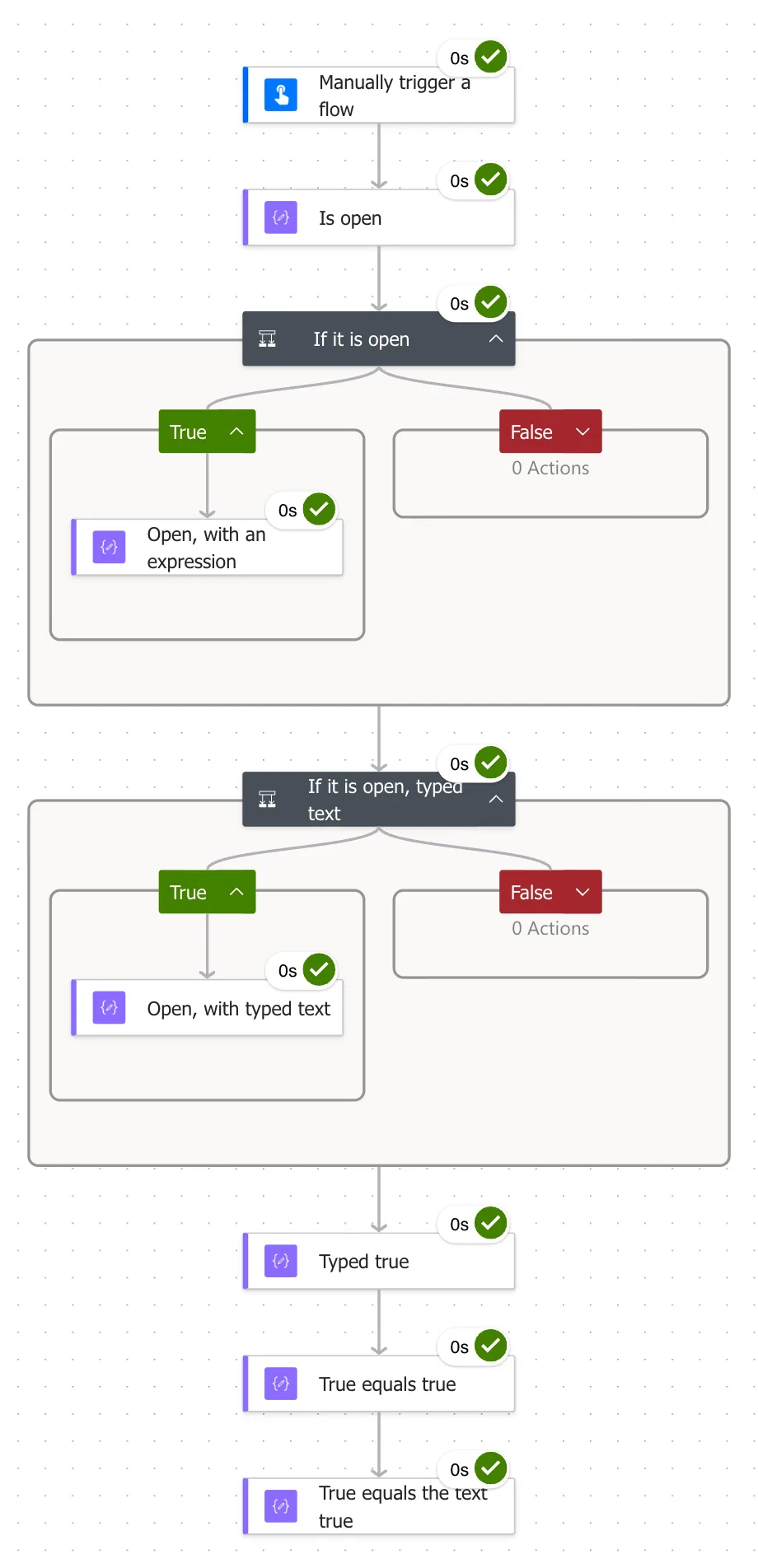
A flow, Compare with True, starts with Manually trigger a flow (How to Create an Instant Cloud Flow Inside a Solution in Power Automate) and has these steps:
| Step | What it holds or checks |
|---|---|
| Is open | A Compose with the expression true |
| If it is open | A condition: Is open is equal to the expression true |
| If it is open, typed text | The same condition, with true typed on the right |
| Typed true | A Compose with true typed as text |
| True equals true | A Compose with equals(true, true) |
| True equals the text true | A Compose with equals(true, 'true') |
Step 1: Hold the Value true
Add a Compose action (How to Use the Compose Action in Power Automate), rename it Is open, and add the expression true in Inputs (How to Add an Expression in Power Automate):
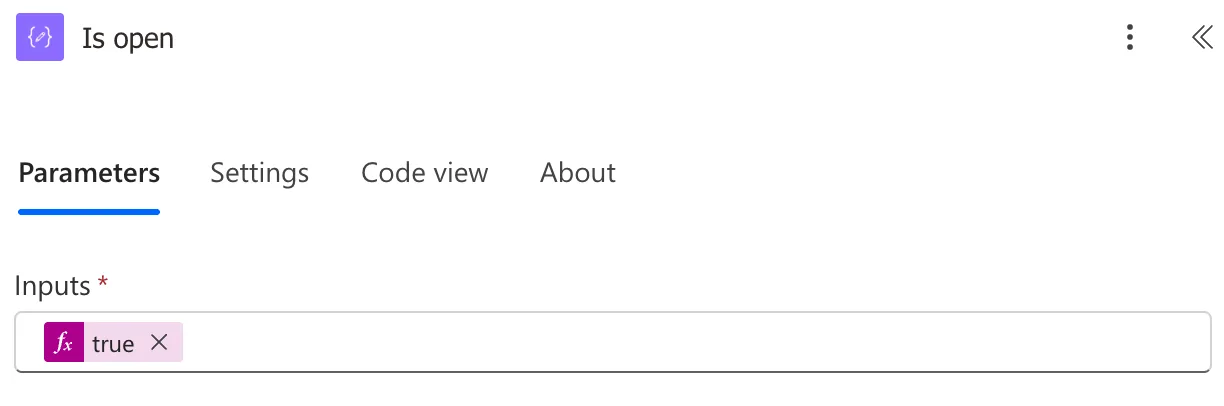
Its Code view stores the inputs as "@true", an expression that returns the value true.
Step 2: Compare It with true
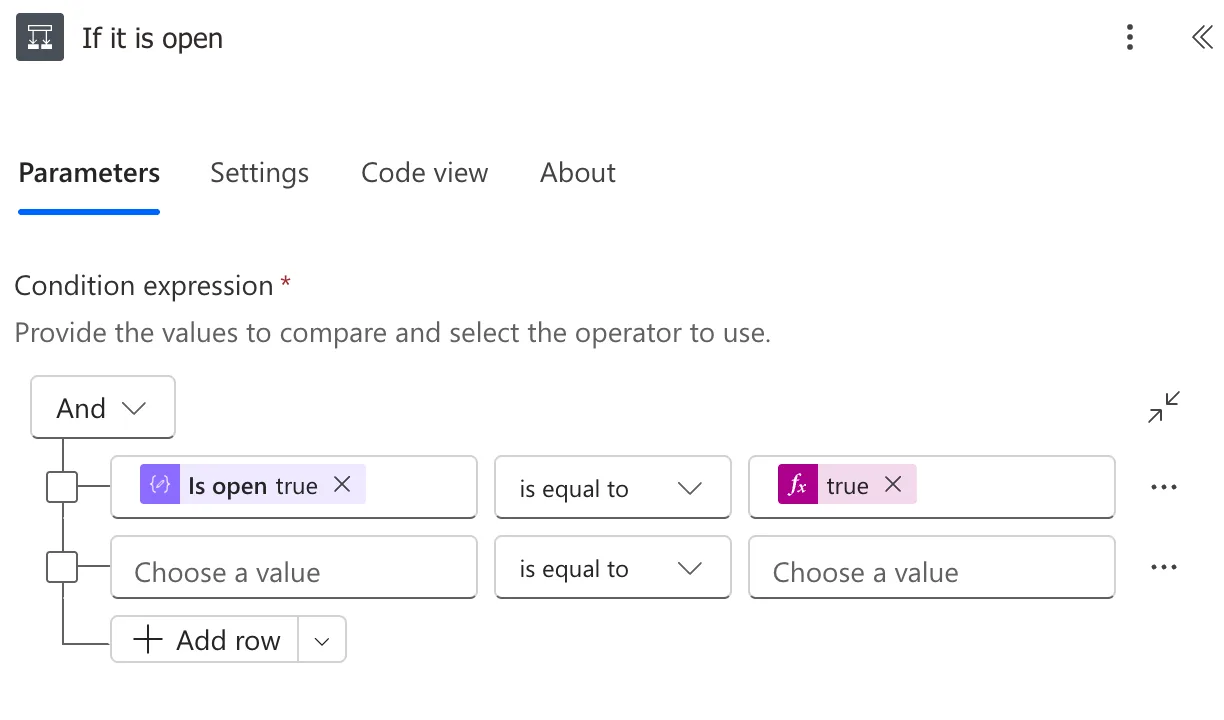
Add a Condition called If it is open (How to Add a Condition in Power Automate). On the left, pick Is open from dynamic content; choose is equal to; on the right, add the expression true:
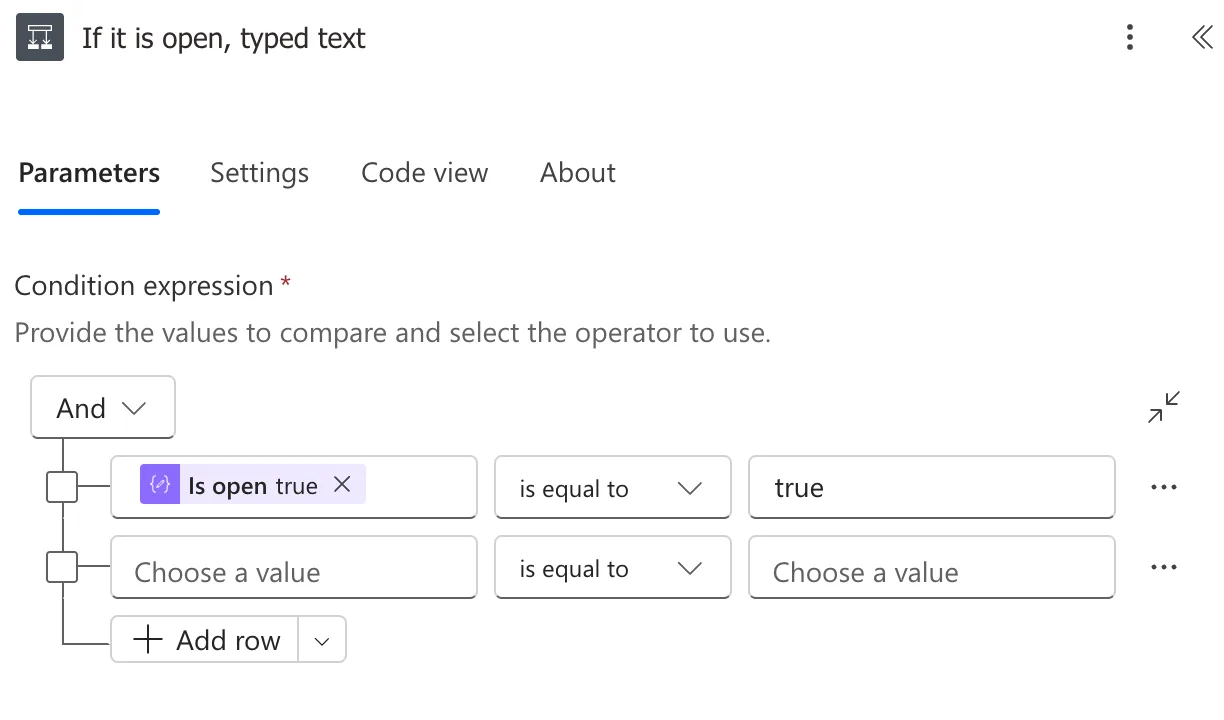
Add a second condition, If it is open, typed text, with the right side typed as the word true instead:
Its Code view shows what the designer stored: true without quotes, the true/false value, not the text "true":
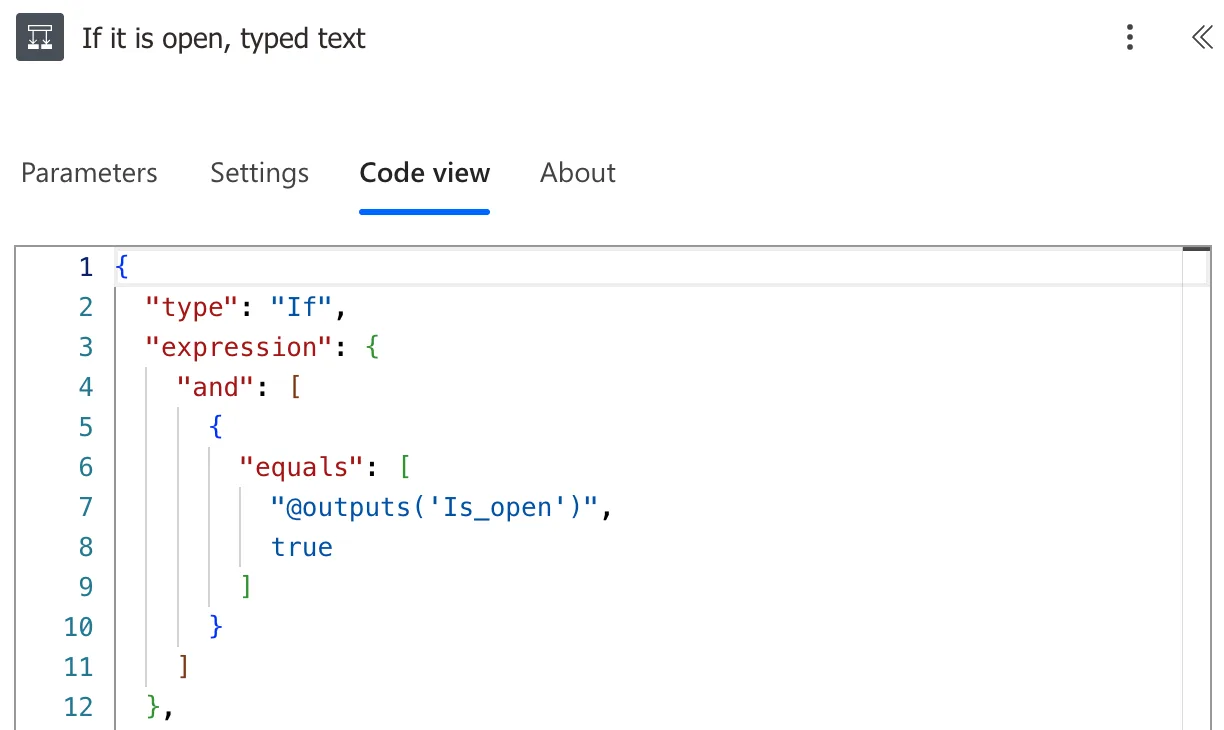
"expression": {
  "and": [
    {
      "equals": [
        "@outputs('Is_open')",
        true
      ]
    }
  ]
}
A Compose called Typed true, with true typed in Inputs, was stored the same way: "inputs": true.
Step 3: Compare true with the Text 'true'
Add two Compose actions with these expressions:
equals(true, true)
equals(true, 'true')
The first compares two true/false values. The second compares the value true with the text 'true'.
Step 4: Run the Flow
Save the flow and test it manually (How to Test a Cloud Flow Manually in Power Automate). Both conditions took their True branch, and every step succeeded:
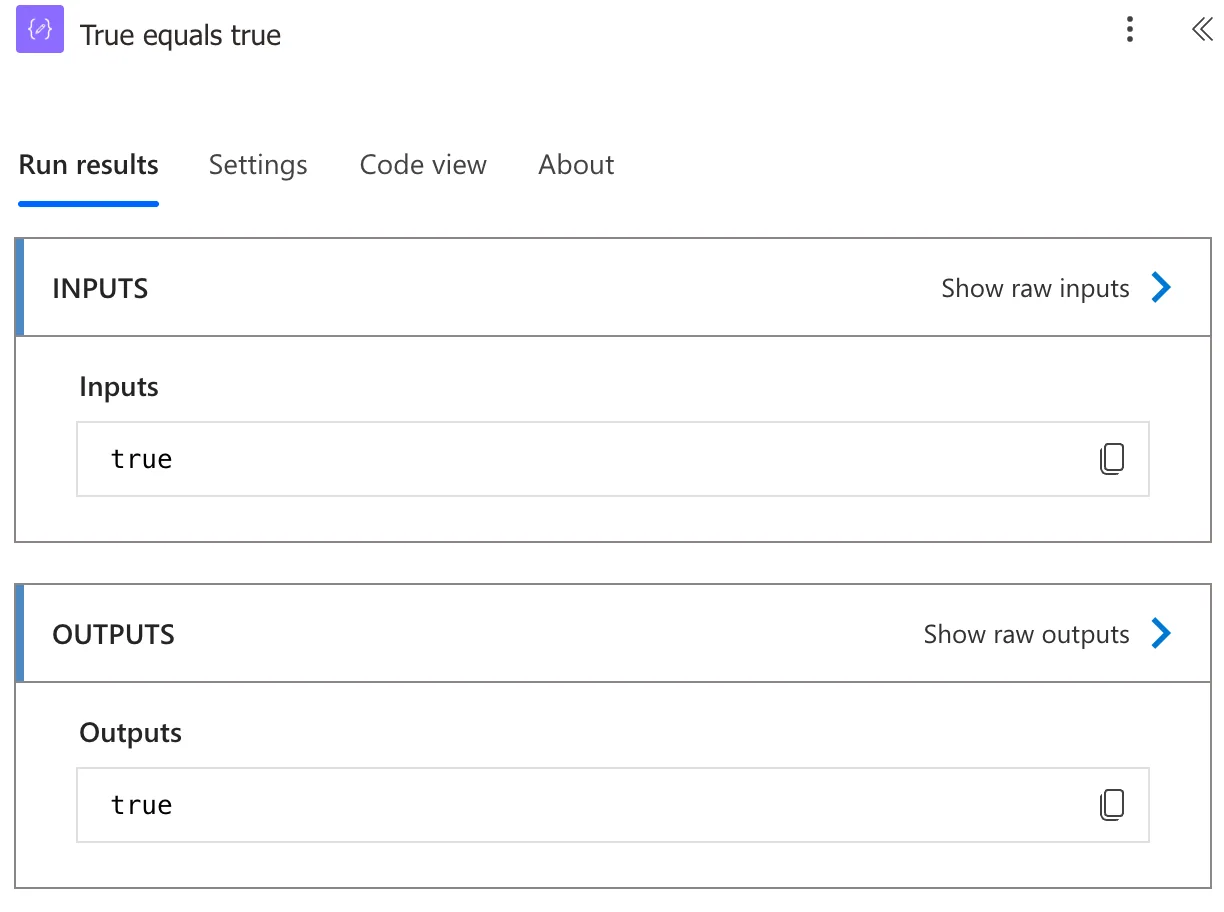
True equals true returned true:
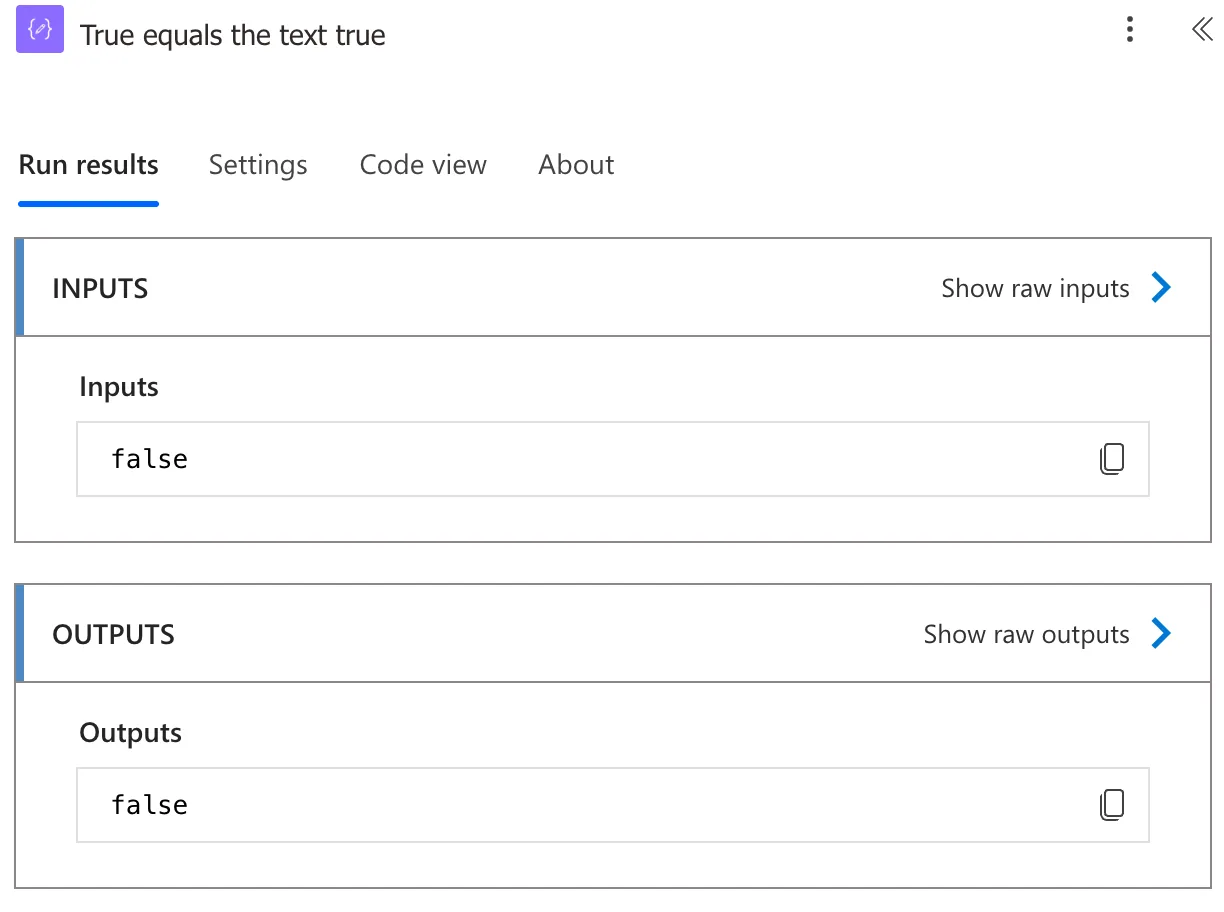
True equals the text true returned false. The value true and the text 'true' aren't equal:
Common Mistakes
| Mistake | What happens | Do this instead |
|---|---|---|
Writing 'true' in quotes inside an expression | It's text, and equals(true, 'true') is false | Write true without quotes |
| Comparing a true/false value with text from somewhere else | The comparison is false even when both read true | Compare like with like |
| Assuming a typed true stays text | The designer stored it as the value true | Check the Code view when the type matters |
Troubleshooting
| Symptom | Likely cause | Fix |
|---|---|---|
| A condition takes False although both sides look like true | One side is the text 'true' | Make both sides true/false values |
An equals() returns false unexpectedly | Its two values have different types | Look at both in the run, and at the expression's quotes |
FAQ
How do I turn the text 'true' into the value true?
Microsoft's reference lists bool() for that: bool('true') returns true and bool('false') returns false.
Do conditions need is equal to true?
A condition compares two sides, so a true/false value such as empty(…) goes on the left and true on the right, with is equal to between them.
What does equals(true, 1) return?
Microsoft's reference gives it as an example of two equivalent values: it returns true.
Conclusion
Write true and false without quotes when you mean the true/false values. In the designer, true added as an expression was stored as "@true", and true typed into a condition or a Compose was stored as the value true too. Text in quotes is something else: equals(true, 'true') returned false.
Additional Resources
- Reference guide to workflow expression functions:
equals(), andbool()for turning text into true or false. - Use expressions in conditions: conditions in Power Automate.
