How to Use TLS 1.3 with MySql.Data in .NET C#

MySQL 9.7 allows TLS 1.3, and .NET 10 supports it, yet MySql.Data connects with TLS 1.2. It's the driver's default, on every platform. One connection string option changes that, and macOS needs one more setting.
See What You Have
The one-file tester from How to Write a MySQL Connection String for .NET C# prints the TLS version in use:
- macOS / Linux
- Windows (PowerShell)
export MYSQL_CONNECTION_STRING="Server=127.0.0.1;Port=3306;Database=inventory;User ID=inventory_app;Password=$(grep '^MYSQL_PASSWORD=' ../dewiride-inventory-api/.env | cut -d= -f2-);SslMode=Required"
dotnet run test-connection.cs
$password = (Get-Content ../dewiride-inventory-api/.env | Where-Object { $_ -like 'MYSQL_PASSWORD=*' }).Substring('MYSQL_PASSWORD='.Length)
$env:MYSQL_CONNECTION_STRING = "Server=127.0.0.1;Port=3306;Database=inventory;User ID=inventory_app;Password=$password;SslMode=Required"
dotnet run test-connection.cs
Connected as inventory_app@% to MySQL 9.7.4
TLS: TLSv1.2
I got TLS 1.2 on macOS, and in a Linux container too. The reason is one line in the driver's source, at tag 26.10.0:
tlsProtocol = (tlsProtocol == SslProtocols.None) ? SslProtocols.Tls12 : tlsProtocol;
Step 1: Add TlsVersion
List the versions the driver may use. This suits most apps:
- macOS / Linux
- Windows (PowerShell)
export MYSQL_CONNECTION_STRING="Server=127.0.0.1;Port=3306;Database=inventory;User ID=inventory_app;Password=$(grep '^MYSQL_PASSWORD=' ../dewiride-inventory-api/.env | cut -d= -f2-);SslMode=Required;TlsVersion=TLSv1.2,TLSv1.3"
dotnet run test-connection.cs
$password = (Get-Content ../dewiride-inventory-api/.env | Where-Object { $_ -like 'MYSQL_PASSWORD=*' }).Substring('MYSQL_PASSWORD='.Length)
$env:MYSQL_CONNECTION_STRING = "Server=127.0.0.1;Port=3306;Database=inventory;User ID=inventory_app;Password=$password;SslMode=Required;TlsVersion=TLSv1.2,TLSv1.3"
dotnet run test-connection.cs
| Where it runs | TLS version it used |
|---|---|
| A Linux container | TLS 1.3 |
| Windows | I didn't test this |
| macOS | TLS 1.2 |
Connected as inventory_app@% to MySQL 9.7.4
TLS: TLSv1.2
Listing both keeps it working everywhere. Naming only TLSv1.3 fails on macOS:
Unhandled exception. System.Security.Authentication.AuthenticationException: Authentication failed, see inner exception.
 ---> System.PlatformNotSupportedException: The requested security protocol is not supported.
Step 2: On macOS, Turn On Network.framework
.NET on macOS uses Apple's Secure Transport by default. Microsoft's .NET 10 notes explain: "Historically, macOS used Secure Transport which doesn't support TLS 1.3; opting into Network.framework enables TLS 1.3." It's a switch for the process:
- macOS / Linux
- Windows (PowerShell)
export DOTNET_SYSTEM_NET_SECURITY_USENETWORKFRAMEWORK=1
dotnet run test-connection.cs
$env:DOTNET_SYSTEM_NET_SECURITY_USENETWORKFRAMEWORK = "1"
dotnet run test-connection.cs
Connected as inventory_app@% to MySQL 9.7.4
TLS: TLSv1.3
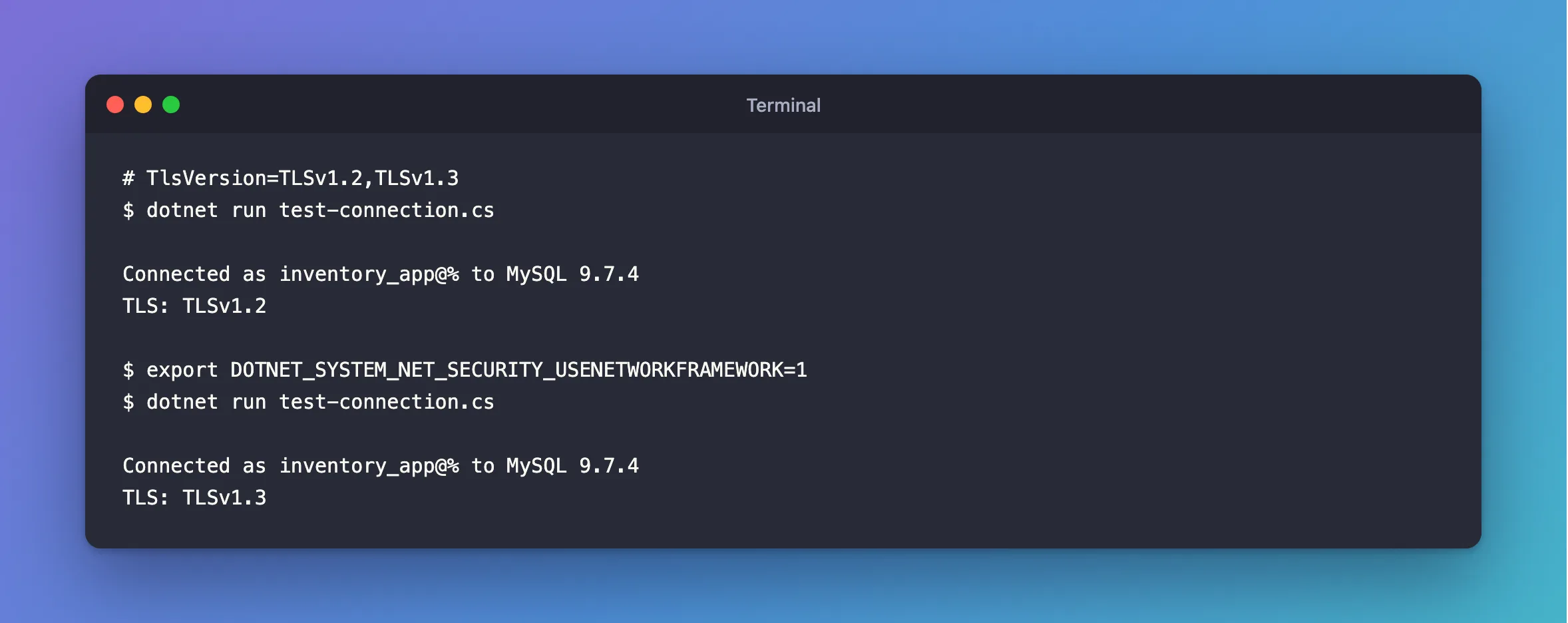
It takes both: with the switch and no TlsVersion, the driver still asks for 1.2.
For development on a Mac, you can leave this out. TLS 1.2 with a modern cipher is still secure, and your production server probably isn't a Mac.
Do You Need It?
TLS 1.2 is fine for most people. The reason to set this is a server that accepts only 1.3, because without it you get a baffling Cannot determine the frame size or a corrupted frame was received:
Unhandled exception. System.Security.Authentication.AuthenticationException: Cannot determine the frame size or a corrupted frame was received.
And with TlsVersion=TLSv1.3 and the switch, against that same server:
Connected as inventory_app@% to MySQL 9.7.4
TLS: TLSv1.3
Listing both versions costs nothing, so it's worth having in a production connection string.
Common Mistakes
| Mistake | What happens | Do this instead |
|---|---|---|
| Assuming the driver picks the best version | It picks 1.2 | Set TlsVersion |
Naming only TLSv1.3 in a shared string | It fails on a Mac | List both |
Setting the switch and no TlsVersion | It still asks for 1.2 | Set both |
Troubleshooting
| Symptom | Likely cause | Fix |
|---|---|---|
The requested security protocol is not supported | Only 1.3, on macOS, with no switch | The fix |
Cannot determine the frame size… | No version in common with the server | The fix |
TLS protocols TLSv1 and TLSv1.1 are no longer supported | An old value | The fix |
Conclusion
Add TlsVersion=TLSv1.2,TLSv1.3, and each platform uses the best it can. On macOS, TLS 1.3 also needs DOTNET_SYSTEM_NET_SECURITY_USENETWORKFRAMEWORK=1.
Additional Resources
- Connector/NET Connection Options —
tlsversion. - What's new in .NET 10 libraries: TLS 1.3 for macOS — the switch and its limits.
