How to Use the or() Function in Power Automate

Sometimes a flow should go ahead when any one of several things is true: the person is in payroll, or they approve this department. or() checks a list of conditions and is true when at least one of them is.
Syntax
or(<expression1>, <expression2>, ...)
From Microsoft's functions reference:
<expression1>,<expression2>, … (required): the conditions to check, each onetrueorfalse. Usually they're other functions, such asequals()orcontains(). Two or more.- The result is
truewhen at least one condition is true, andfalsewhen all are false.
Microsoft's examples: or(true, false) is true; or(equals(1, 2), equals(1, 3)) is false.
and() is its partner: true only when every condition is (How to Filter an Array by Two Conditions in Power Automate).
The example is Get Overtime Report, a flow of the Overtime Timesheet app. It has the month's approved overtime entries and must keep only those the person running it may see. Payroll staff may see every entry; an approver may see the entries of the departments they approve.
Step 1: Write Each Condition on Its Own
Work out each condition first:
equals(outputs('Is_payroll'), true)
contains(variables('MyDepartmentIds'), int(string(item()?['DepartmentId'])))
outputs('Is_payroll')is the Compose result, andequals(..., true)is true when it'strue.contains()is true when the list of department IDs the person approves, the array variable MyDepartmentIds, includes the entry's DepartmentId.int(string(...))turns the SharePoint number into a whole number first, orcontains()never matches (Fixed: contains() Returns False for a SharePoint Number in Power Automate).item()is the entry Filter array is checking.
Step 2: Join Them with or()
Put both conditions inside or(), separated by a comma. In Filter array's advanced mode the expression starts with @:
@or(equals(outputs('Is_payroll'), true), contains(variables('MyDepartmentIds'), int(string(item()?['DepartmentId']))))
Select Edit in advanced mode under the condition and paste it into the box, as one line:
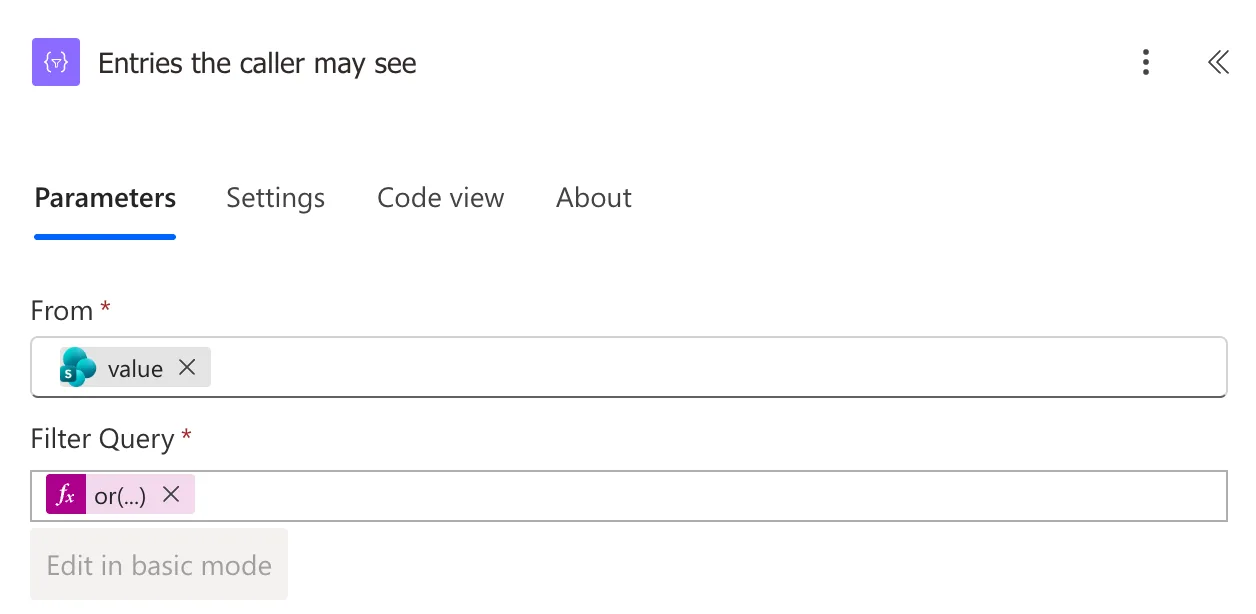
Edit in basic mode is greyed out: an or() stays in advanced mode.
The Result
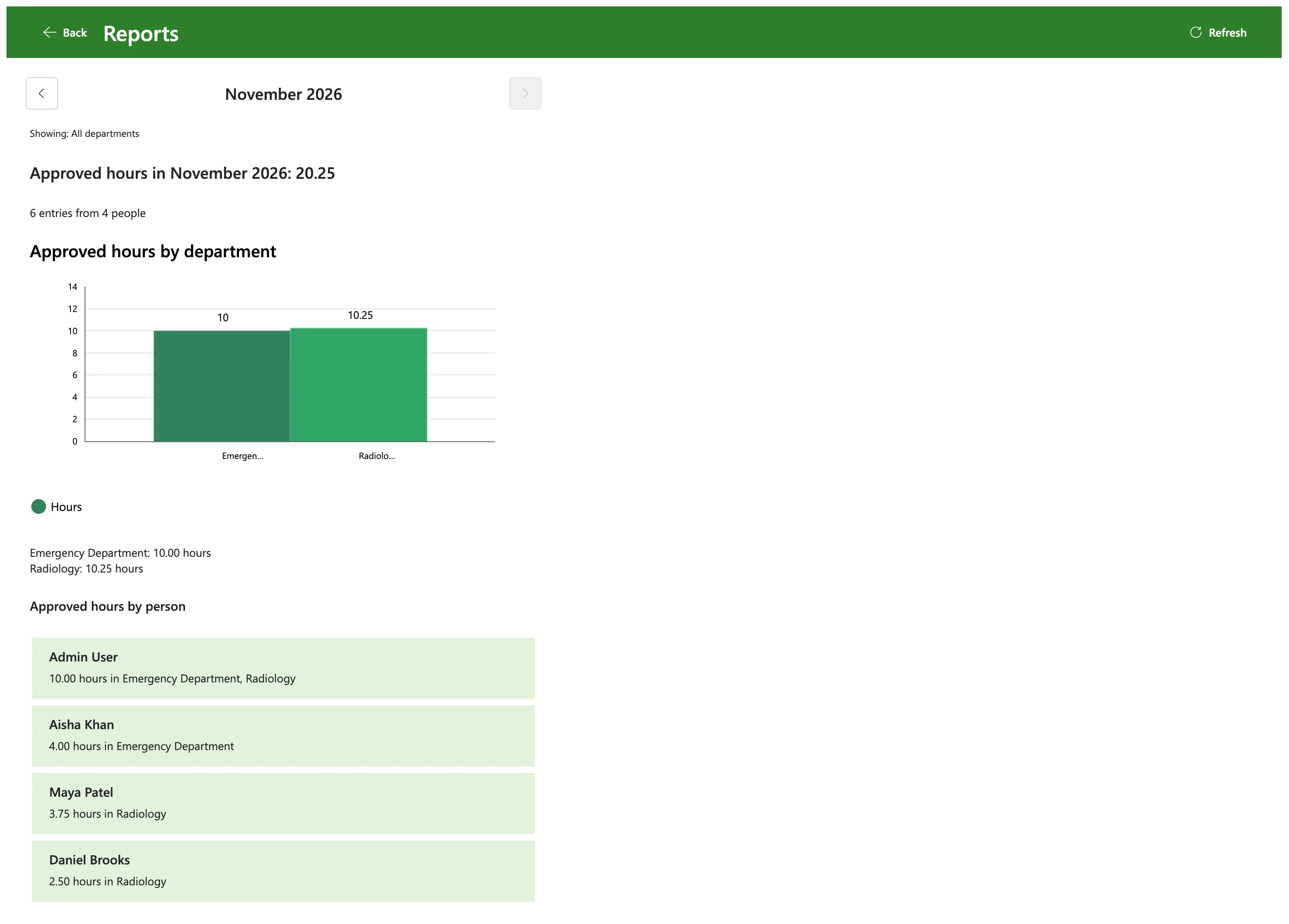
For a payroll officer, the first condition is true for every entry, so the filter kept them all, and the app showed every department:
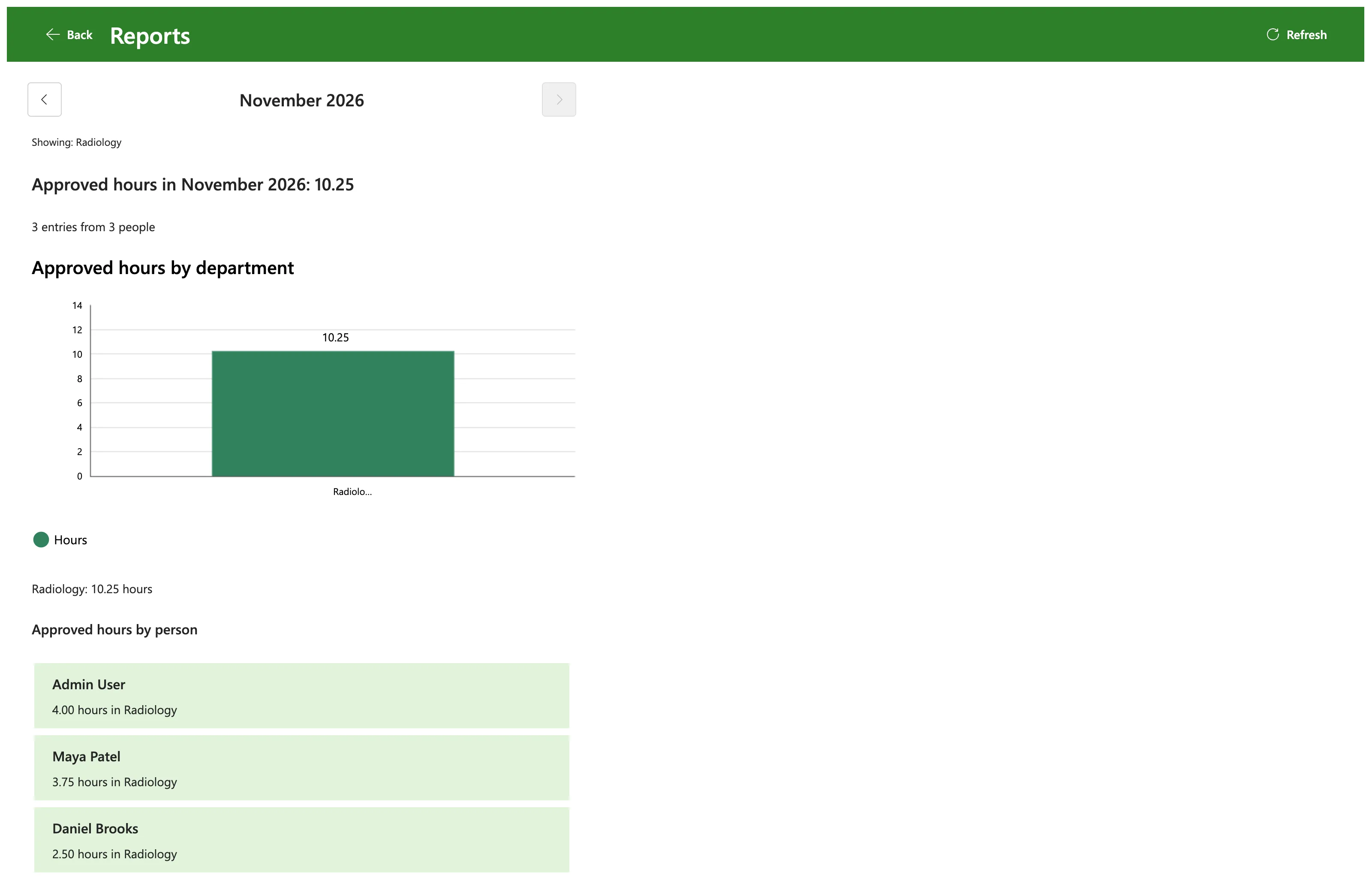
For Daniel Brooks, who approves Radiology and isn't in payroll, only the second condition can be true, and only for Radiology's entries:
Common Mistakes
| Mistake | What happens | Do this instead |
|---|---|---|
and() where any one condition should do | Payroll staff see only the departments they approve | or() |
or() where every condition must hold | Items that match one condition get through | and() |
Starting the box with / | The token menu opens | Start the advanced-mode expression with @ |
Troubleshooting
| Symptom | Likely cause | Fix |
|---|---|---|
| Everyone sees everything | The first condition is always true | Check the Compose in a run: it should be false for most people |
| Payroll staff see only their own departments | The first condition is false for them | Check Is payroll in their run: it should be true |
| The expression won't save | A missing bracket or comma | Count the brackets; Code view shows the saved text |
FAQ
Can or() take more than two conditions?
Yes: or(a, b, c) is true when any of the three is. The reference's form ends with ... for that reason.
Can I mix or() and and()?
Yes, by putting one inside the other: and(a, or(b, c)) is true when a is true and at least one of b and c is.
Does or() stop at the first true condition?
The reference doesn't say. Write each condition so it works on its own, whatever the others are.
Conclusion
or(condition1, condition2, ...) is true when at least one condition is. Write each condition on its own first, then join them; here, or() in a Filter array gave payroll staff every entry and approvers only their own departments'.
