How to Use the Formula Bar in Excel for the Web

The formula bar is the long box above the grid, next to fx. It shows what the selected cell really holds, a formula or the full value, and you can type into it. For a long formula, it's easier than typing in the cell.
The example is the Real hours formula from How to Calculate Hours Worked Across a Daylight Saving Time Change in Excel.
Prerequisites
- A workbook open in Excel for the web.
What the Formula Bar Shows
Select a cell and the formula bar shows its contents:
- For a formula, the formula, while the cell shows the result. C10 shows 8, and the formula bar
=(B10-A10)*24. - For a date or time, the full value. A cell showing 24/10/2026 22:00 reads 24/10/2026 22:00:00 in the formula bar.
- For a date shown as
########, the date itself. That's how to tell a narrow column from bad data.
Step 1: Select the Cell and Click the Formula Bar
Select the cell for the formula, here D10, then click inside the formula bar.
Step 2: Type the Formula
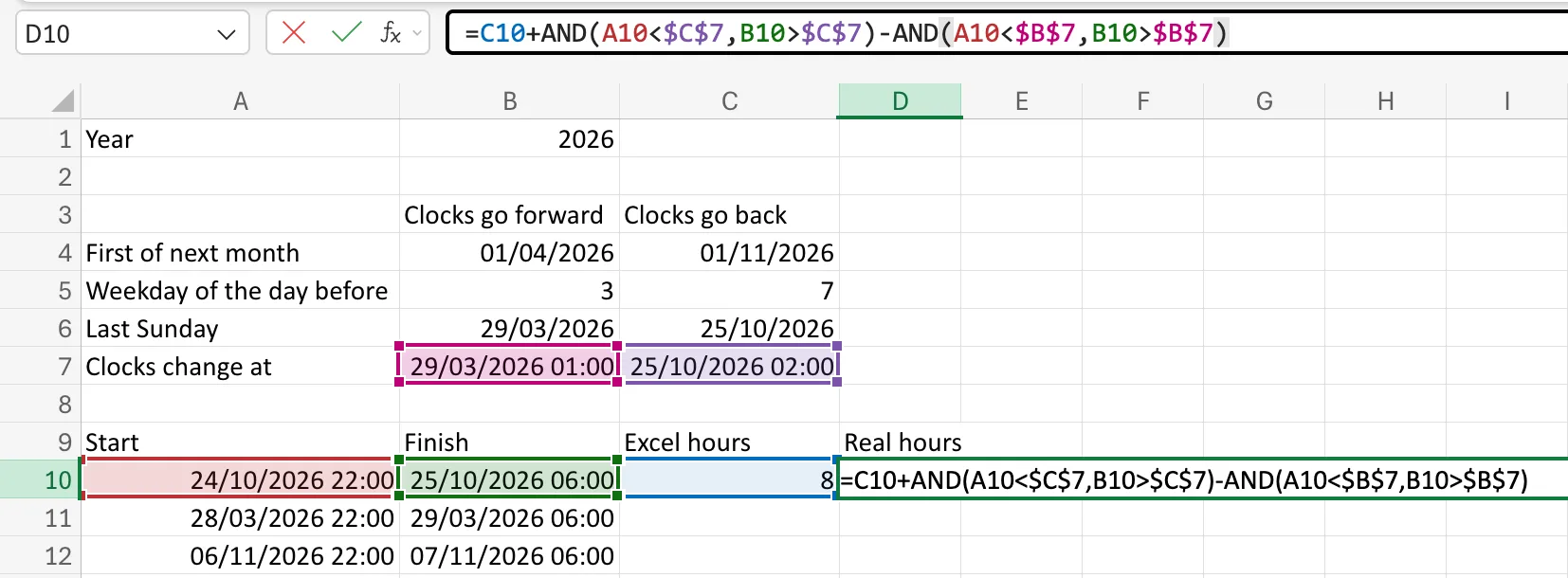
Type the formula. Each reference is coloured, and the cell it refers to gets an outline in the same colour, so you can check every one:
=C10+AND(A10<$C$7,B10>$C$7)-AND(A10<$B$7,B10>$B$7)
Step 3: Press Enter
Press Enter, or select the tick next to fx. D10 shows the result, 9, and the formula bar keeps the formula for when you select the cell again:
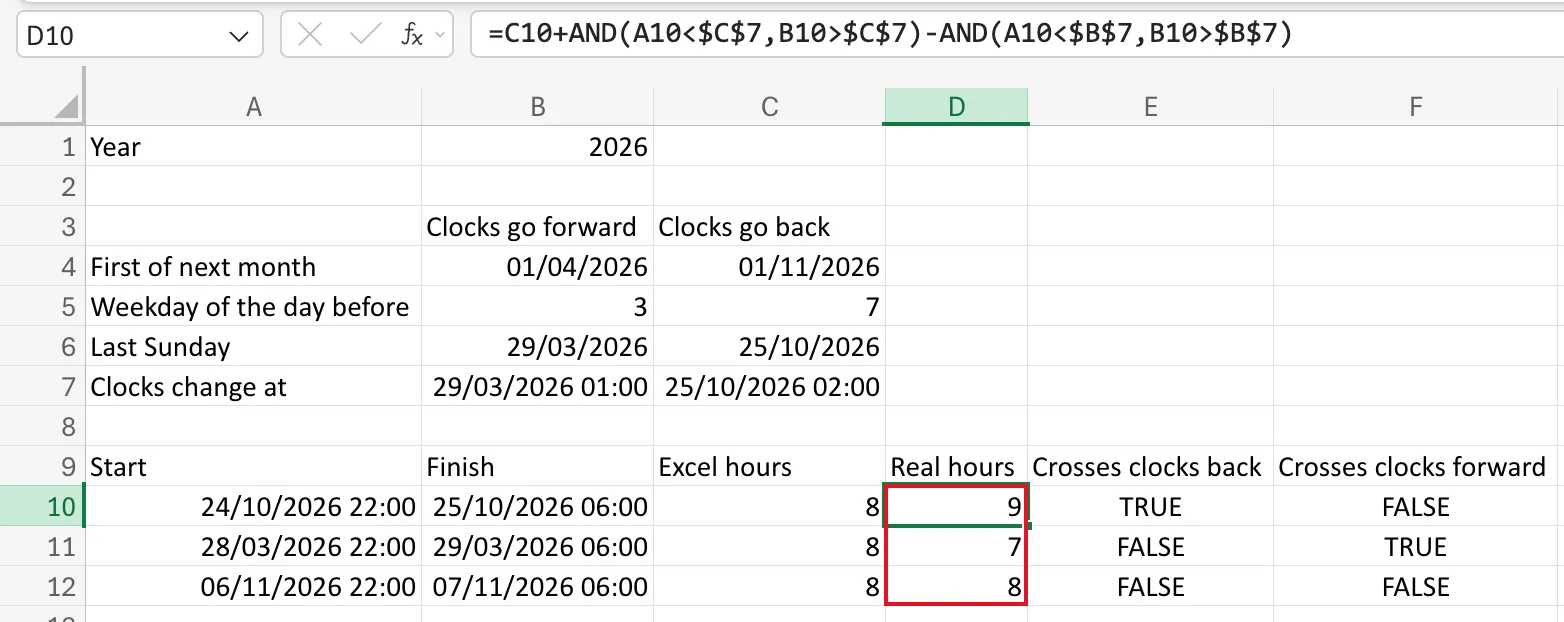
To change a formula later, select the cell, click in the formula bar, edit, and press Enter. Esc or the X next to fx cancels.
Common Mistakes
| Mistake | What happens | Do this instead |
|---|---|---|
| Reading the cell instead of the formula bar | You see the display, not the value | Check the formula bar |
| Clicking another cell while typing a formula | Excel adds that cell's address to the formula | Finish with Enter first |
Troubleshooting
| Symptom | Likely cause | Fix |
|---|---|---|
| The formula bar is empty | The cell is empty | Select the cell you meant |
| A reference outline points at the wrong cell | The address in the formula is wrong | Fix the address while you can see its colour |
FAQ
Is typing in the formula bar different from typing in the cell?
The result is the same. The formula bar is just wider, so long formulas are easier to read.
Why does the formula bar show seconds?
It shows the full value. A time typed as 22:00 is stored as 22:00:00.
Conclusion
The formula bar shows what a cell really holds and is the comfortable place to type long formulas. Select the cell, click in the bar, type, and press Enter.
