How to Use the body() Function in Power Automate

When an action returns data, such as a SharePoint REST request's response, later steps read it with body(). Name the action, then pick the property you need. This guide reads a single value and an array from real responses.
What It Does
Microsoft's functions reference defines body() as an action's body output at run time, a shorthand for actions('<actionName>').outputs.body:
body('<actionName>')
Like every expression that names an action, it uses the action's name with underscores for spaces: Check the site is Check_the_site.
Prerequisites
- An action that returns a body. The examples are Send an HTTP request to SharePoint actions from the setup flow in Part 11 of the Career Development Plan series (How to Use Send an HTTP Request to SharePoint).
See What the Body Holds
Run the flow once and select the action in the run. Its outputs show the body. Check the site asked for the site's title, and its body has one property, Title:
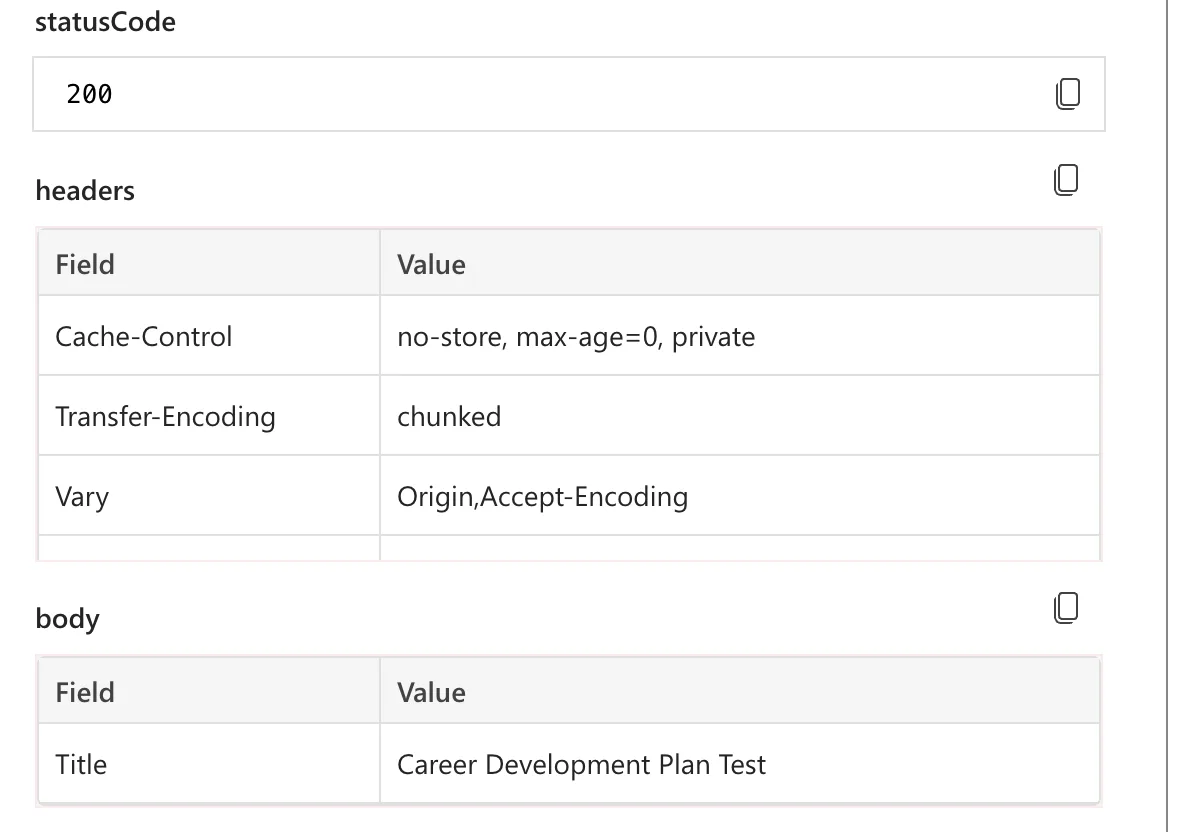
That's this JSON:
{
  "Title": "Career Development Plan Test"
}
Read One Value
body('Check_the_site')?['Title']
This returns Career Development Plan Test. The ? makes the read safe: if the body had no Title, you'd get nothing instead of a failed step.
Read an Array
Find the list asks SharePoint for the lists with a given title, and SharePoint answers with an array called value. When the list exists, it holds one item. When it doesn't, the array is empty:
{
  "value": [
    { "Id": "00000000-0000-0000-0000-000000000000" }
  ]
}
body('Find_the_list')?['value']
On its own, an array is something to loop over or test. The setup flow tests it with empty(), to decide whether to create the list (How to Check Whether an Array Is Empty):
empty(body('Find_the_list')?['value'])
Common Mistakes
| Mistake | What happens | Do this instead |
|---|---|---|
| Spaces in the action name | The expression doesn't find the action | Use underscores: Find_the_list |
| Guessing the body's shape | The property isn't where you expect | Look at the body in a run first |
| Renaming the action afterwards | Expressions keep the old name | Name actions before writing expressions |
Troubleshooting
| Symptom | Likely cause | Fix |
|---|---|---|
| The expression returns nothing | The property name differs from the body | Copy it from the run's outputs |
The body is full of __metadata | The request didn't ask for nometadata | Add Accept: application/json;odata=nometadata |
FAQ
What's the difference between body() and outputs()?
outputs() returns the action's whole output, with its status code and headers. body() returns just the body, which is usually what you want.
Can I use body() inside a loop?
Yes. Inside a loop it reads the action's output from the current pass, which is how If the list is missing checks the list of that pass.
Conclusion
Run the flow once and look at the action's body. Then read it with body('Action_name')?['property']: one value, or an array to loop over or test.
Additional Resources
- Reference guide to functions in expressions:
body(),actions()andoutputs(). - Working with the SharePoint Send HTTP Request flow action: reading SharePoint's responses.
