How to Use the As Operator in Power Apps

Functions such as Filter, AddColumns and ForAll work through a table one record at a time, and inside them ThisRecord is the current record. Put one of those functions inside another, and ThisRecord means the inner one only. As gives a record its own name, so you can reach it from anywhere in the formula.
Syntax
Table As Name
As overrides ThisItem and ThisRecord with a name you choose. It works in a gallery's Items and in record-scope functions such as ForAll, Filter, With and Sum (ThisItem, ThisRecord, and As operators).
Why You Need It
Microsoft explains: when record-scope functions are nested, ThisItem and ThisRecord always refer to the innermost scope, and records in the outer scopes become unavailable. As makes them available again.
Example: A LookUp Inside AddColumns
In the Career Development Plan app, each competency (outer table) needs the matching response (inner table). Both tables have a Level column:
AddColumns(
    locMyPlan As planItem,
    StatusText,
    Switch(
        LookUp(
            locMyResponses,
            RoleCompetencyId = planItem.ID && Level = planItem.Level.Value
        ).Status.Value,
        StatusPending, "Waiting for review",
        StatusApproved, "Approved",
        StatusDeclined, "Declined",
        "Not started"
    )
)
Inside the LookUp:
LevelandRoleCompetencyIdare columns of the response being checked, the inner record.planItem.Level.ValueandplanItem.IDare columns of the competency, the outer record, reachable only through its name.
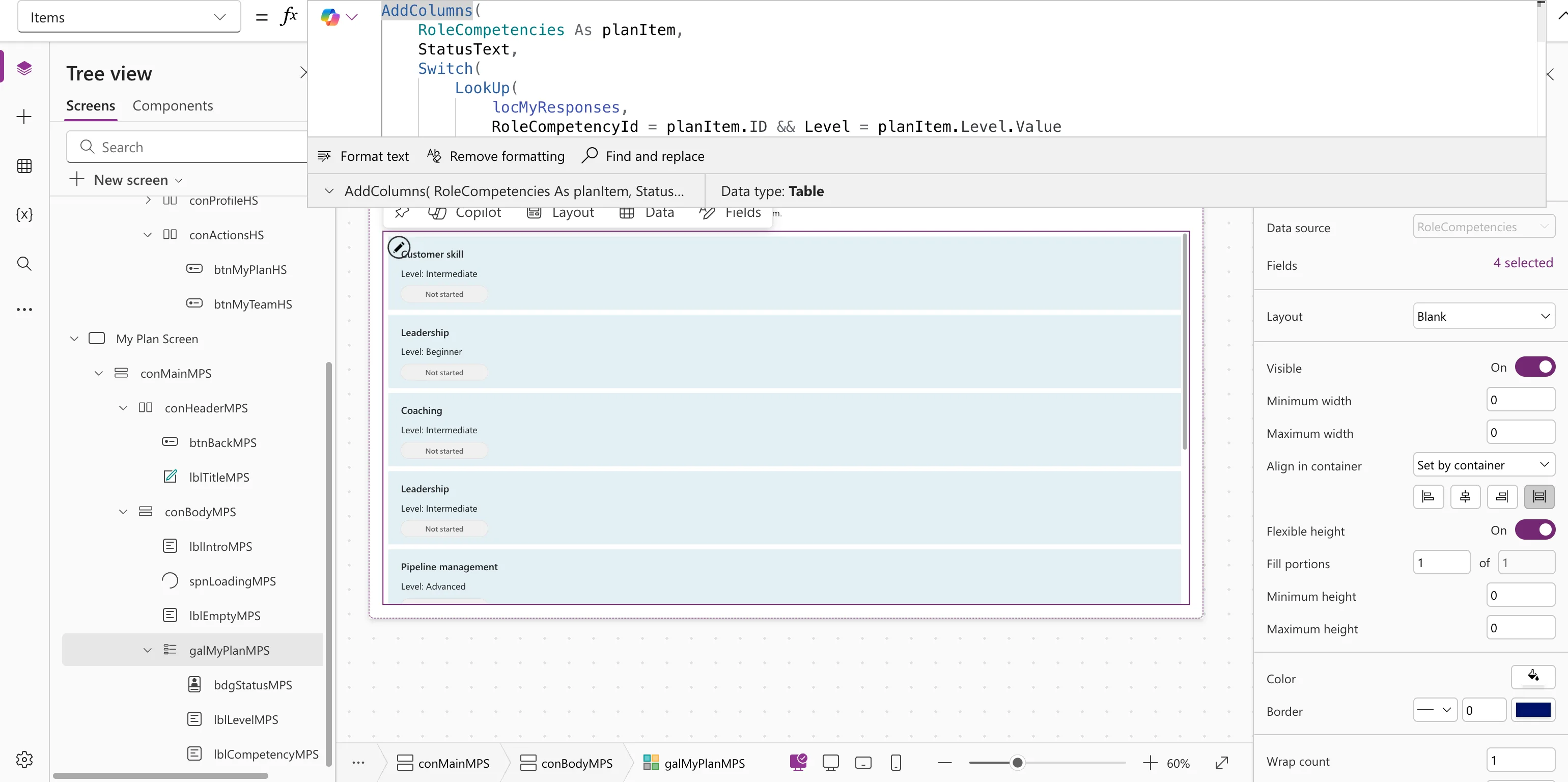
The As here belongs to AddColumns, so the gallery's own controls still use ThisItem, for example ThisItem.StatusText.
As in a Gallery's Items
Put As at the top level of a gallery's Items, and the template uses that name instead of ThisItem. Microsoft's example is Employees As Employee, with Employee.Picture in the template.
Common Mistakes
| Mistake | What happens | Do this instead |
|---|---|---|
Using ThisRecord to reach the outer record | It refers to the inner one | Name the outer record with As |
| A name that's also a column name | Confusing formulas | Pick a distinct name, such as planItem |
Troubleshooting
| Symptom | Likely cause | Fix |
|---|---|---|
| A comparison inside a LookUp always fails or always matches | Both sides read the same record | Name the outer record with As |
| The name isn't recognized | It's used outside the function that defines it | Use it only inside that function |
FAQ
Is As required?
Only when you need an outer record from inside a nested function. Elsewhere it's optional, but it can make a formula easier to read.
Can I use As more than once in a formula?
Yes. Give each scope its own name, as Microsoft's nested ForAll example does.
Conclusion
Table As Name gives the current record a name of your choice. Use it whenever a function inside another needs the outer record, as in a LookUp inside AddColumns.
