How to Use Target-Typed new() in C#

Dictionary<string, int> scores = new Dictionary<string, int>(); names the same type twice. When the left side already says the type, C# lets you write just new(): the compiler takes the type from the variable, field or parameter it's assigned to.
Syntax
<Type> <name> = new();
<Type> <name> = new(<constructorArguments>);
<Type> <name> = new() { <initializer> };
| Part | What it does |
|---|---|
<Type> <name> | The target: a declared type the compiler can read the type from. |
new() | Creates an object of that type with its parameterless constructor. |
new(<constructorArguments>) | Passes arguments to one of the type's constructors. |
{ <initializer> } | Optional. Sets properties or adds items, as with new <Type>() { ... }. |
Microsoft's new operator reference: "Constructor invocation expressions are target-typed. That is, if a target type of an expression is known, you can omit a type name". And: "always use parentheses in a target-typed new expression."
The Example
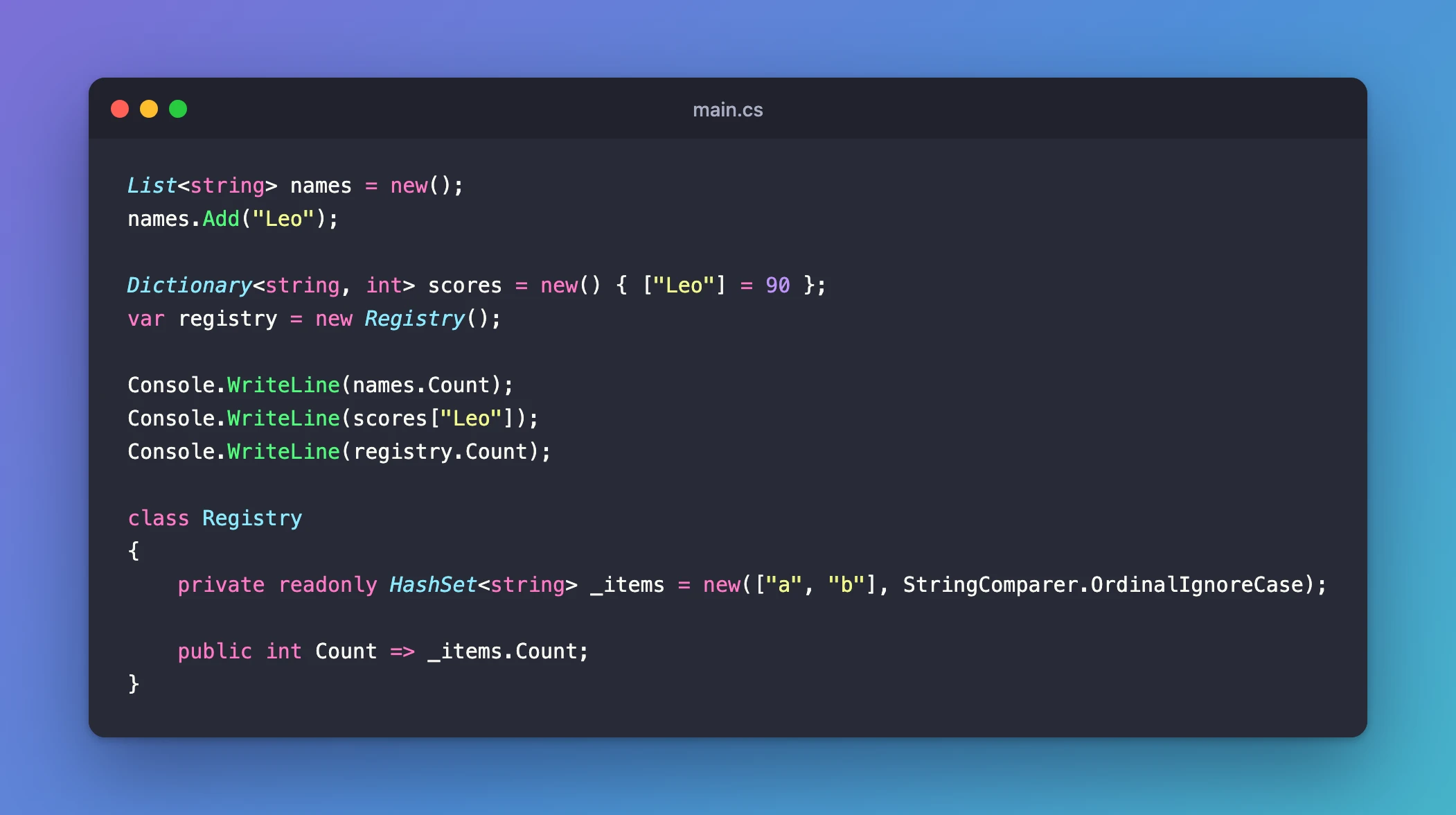
The example creates a list and a dictionary with new(), the second with an initializer, and a class whose private field creates a case-insensitive HashSet with new(...) and constructor arguments.
Prerequisites
- The .NET 10 SDK or newer, which runs a single
.csfile withdotnet run. This guide uses .NET SDK 10.0.404.
Step 1: Write the Code
Create a file named main.cs in an empty folder:
List<string> names = new();
names.Add("Leo");

Dictionary<string, int> scores = new() { ["Leo"] = 90 };
var registry = new Registry();

Console.WriteLine(names.Count);
Console.WriteLine(scores["Leo"]);
Console.WriteLine(registry.Count);

class Registry
{
    private readonly HashSet<string> _items = new(["a", "b"], StringComparer.OrdinalIgnoreCase);

    public int Count => _items.Count;
}
Fields are where new() saves the most: the field's type is already written once, so the right side doesn't repeat it. var registry = new Registry(); shows the opposite style, where the type is on the right and var on the left.
Step 2: Run It
dotnet run main.cs
1
90
2
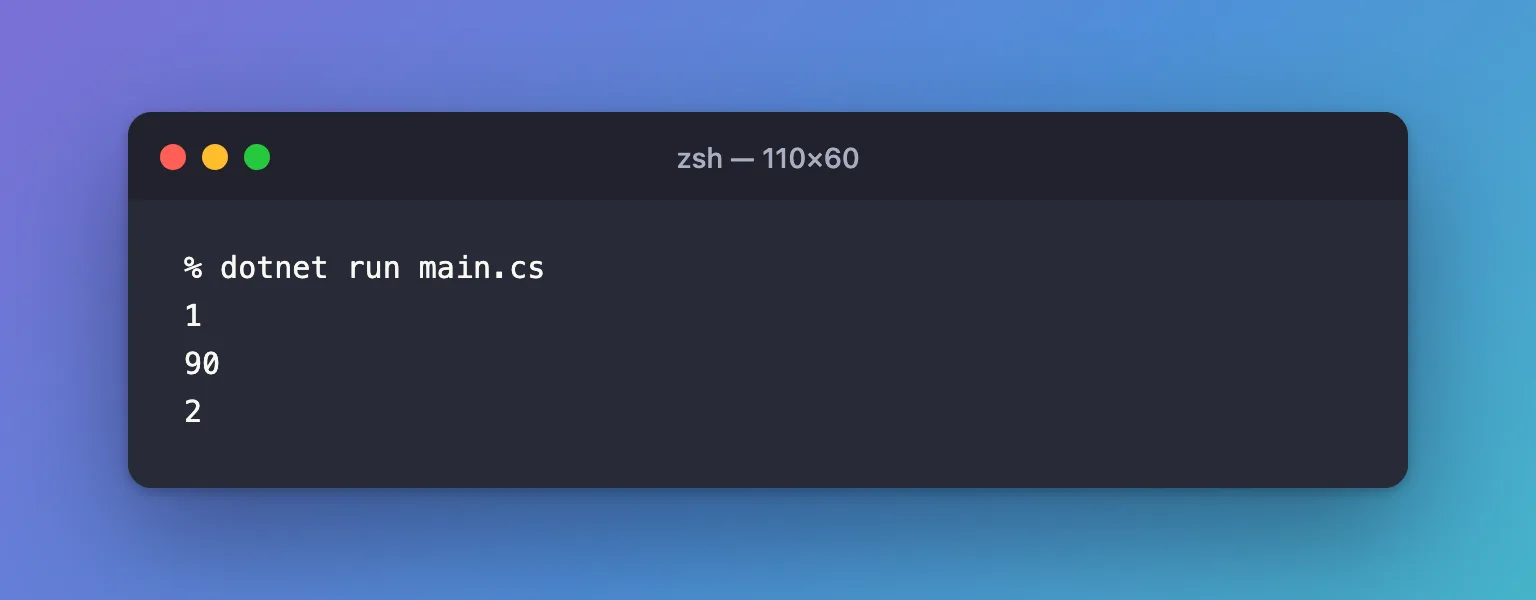
The list held one name, the dictionary gave Leo's 90, and the registry's set held two items. Each new() created the type written on its left. The command is the same in zsh, bash and PowerShell.
What Happens with var
var and new() both leave the type out, so together nothing names it:
var names = new();
/Users/you/demo/main.cs(1,13): error CS8754: There is no target type for 'new()'

The build failed. Fix the build errors and run again.
The reference: "If a target type of a new expression is unknown (for example, when you use the var keyword), you must specify a type name." Name the type on one side: var names = new List<string>(); or List<string> names = new();.
Common Mistakes
| Mistake | What happens | Do this instead |
|---|---|---|
Combining var and new() | error CS8754: There is no target type for 'new()' | Write the type on one side |
Leaving out the parentheses, as in List<string> names = new; | Not valid: target-typed new always needs parentheses | Write new() |
Using new() where the type isn't obvious to a reader | Valid, but the reader has to look elsewhere for the type | Keep new() for lines where the type is written nearby |
Troubleshooting
| Symptom | Likely cause | Fix |
|---|---|---|
CS8754 | No declared type for new() to take | Replace var with the type, or write new <Type>() |
A constructor error on new(...) | The arguments don't match a constructor of the target type | Check the type's constructors |
FAQ
Which C# version added it?
C# 9. Microsoft's object creation errors reference calls them "Target-typed new expressions (introduced in C# 9)". .NET 10 uses a much newer version, so it's always available there.
Should I use var or new()?
Both avoid writing the type twice; the team's style decides. new() has one advantage: it also works for fields and properties, where var isn't allowed.
Conclusion
When a variable, field or parameter already names its type, write new(), new(<arguments>) or new() { ... } on the right instead of repeating the type. Never pair it with var, which leaves nothing to take the type from.
Additional Resources
- Target-typed new, on Microsoft Learn.
