How to Use System.Threading.Lock with the lock Statement in C#

When two threads add to the same List<T> at the same moment, the list doesn't notice. Items go missing, or the list throws an exception halfway through. Since .NET 9 and C# 13, C# has a type made for protecting data like this, System.Threading.Lock, and the lock statement lets one thread at a time in. This guide shows the problem in a small console app, then fixes it.
Syntax
private readonly Lock <lock name> = new();

lock (<lock name>)
{
    <statements>
}
| Part | What to put there |
|---|---|
<lock name> | A field that holds the lock, such as _lock. Give each set of shared data its own Lock, and use it for nothing else |
<statements> | The code that reads or changes the shared data. Only one thread at a time runs it |
The C# reference describes what the statement does: The lock statement ensures that at most only one thread executes its body at any moment in time. Any other thread that reaches a lock on the same object is blocked from acquiring the lock and waits until the lock is released. And it recommends the type: Starting with .NET 9 and C# 13, lock a dedicated object instance of the System.Threading.Lock type for best performance.
The Example
A console app adds the numbers 0 to 99,999 to one list from many threads at the same time, first without a lock and then with one. At the end, it moves the lock into a small class, the way it usually appears in real code: a guestbook that many threads can sign at once.
Prerequisites
- The .NET 9 SDK or later.
Lockarrived in .NET 9;dotnet --versionmust print9.0or higher. This guide uses .NET 10.
Step 1: Create a Console App
In a terminal, in the folder where you keep your projects, run:
dotnet new console -n LockDemo
cd LockDemo
The template "Console App" was created successfully.

Processing post-creation actions...
Restoring /Users/you/source/LockDemo/LockDemo.csproj:
Restore succeeded.
dotnet new console creates a project with a Program.cs file; cd moves into its folder. Open the folder in VS Code, or open LockDemo.csproj in Visual Studio.
Step 2: See What Goes Wrong Without a Lock
Replace everything in Program.cs with:
// 100,000 numbers, added to one list by many threads at the same time.
List<int> numbers = [];

try
{
    Parallel.For(0, 100_000, i => numbers.Add(i));
    Console.WriteLine($"The list has {numbers.Count:N0} numbers.");
}
catch (AggregateException ex)
{
    Console.WriteLine($"It failed: {ex.InnerExceptions[0].Message}");
}
Parallel.For(0, 100_000, i => numbers.Add(i))runs the loop body once for every number from 0 to 99,999, spread over several threads that run at the same time.catch (AggregateException ex): when a loop body throws,Parallel.Forcollects the exceptions into oneAggregateException. The app prints the first one.{numbers.Count:N0}prints the count with thousands separators, such as100,000.
Run it with dotnet run in the terminal, or Ctrl+F5 in Visual Studio. I ran it five times. Every run was wrong, and almost every run was wrong differently:
It failed: Source array was not long enough. Check the source index, length, and the array's lower bounds. (Parameter 'sourceArray')
The list has 16,387 numbers.
It failed: capacity was less than the current size. (Parameter 'value')
It failed: capacity was less than the current size. (Parameter 'value')
The list has 16,394 numbers.
Twice the list ended up with about 16,000 numbers instead of 100,000, without any error. Three times List<T> threw an exception from deep inside its own code, because two threads changed its internal array at the same moment. Microsoft's reference for List<T> warns about exactly this: It is safe to perform multiple read operations on a List<T>, but issues can occur if the collection is modified while it's being read. To ensure thread safety, lock the collection during a read or write operation.
Step 3: Add a Lock
Give the list a lock, and add to it only inside a lock statement. Replace Program.cs with:
// 100,000 numbers, added to one list by many threads at the same time.
List<int> numbers = [];
Lock numbersLock = new();

try
{
    Parallel.For(0, 100_000, i =>
    {
        // Only one thread at a time runs the code inside the lock.
        lock (numbersLock)
        {
            numbers.Add(i);
        }
    });
    Console.WriteLine($"The list has {numbers.Count:N0} numbers.");
}
catch (AggregateException ex)
{
    Console.WriteLine($"It failed: {ex.InnerExceptions[0].Message}");
}
Two lines are new: Lock numbersLock = new(); creates the lock, and lock (numbersLock) { … } wraps the Add. Lock lives in the System.Threading namespace, which a new console project already includes through its implicit using lines, so no using is needed. Five runs again:
The list has 100,000 numbers.
The list has 100,000 numbers.
The list has 100,000 numbers.
The list has 100,000 numbers.
The list has 100,000 numbers.
When the type is Lock, the C# reference says that lock (x) is precisely equivalent to using (x.EnterScope()), and that the generated using statement ensures the scope is released even if an exception is thrown within the body of the lock statement. An exception inside the lock can't leave it locked forever.
Step 4: Put the Lock in a Class
In real code, shared data lives in a class, such as a cache or an in-memory store that every request uses. The class keeps its lock in a private readonly field, next to the data it protects, and takes the lock in every method that reads or changes that data. Replace Program.cs with:
// 100,000 guests sign one guestbook, from many threads at the same time.
Guestbook guestbook = new();

Parallel.For(0, 100_000, i => guestbook.Sign($"Guest {i}"));

Console.WriteLine($"The guestbook has {guestbook.Names().Count:N0} names.");

// A guestbook that many threads can sign and read at the same time.
sealed class Guestbook
{
    private readonly Lock _lock = new();
    private readonly List<string> _names = [];

    public void Sign(string name)
    {
        lock (_lock)
        {
            _names.Add(name);
        }
    }

    public IReadOnlyList<string> Names()
    {
        lock (_lock)
        {
            // A copy, so the caller's list never changes while they read it.
            return [.. _names];
        }
    }
}
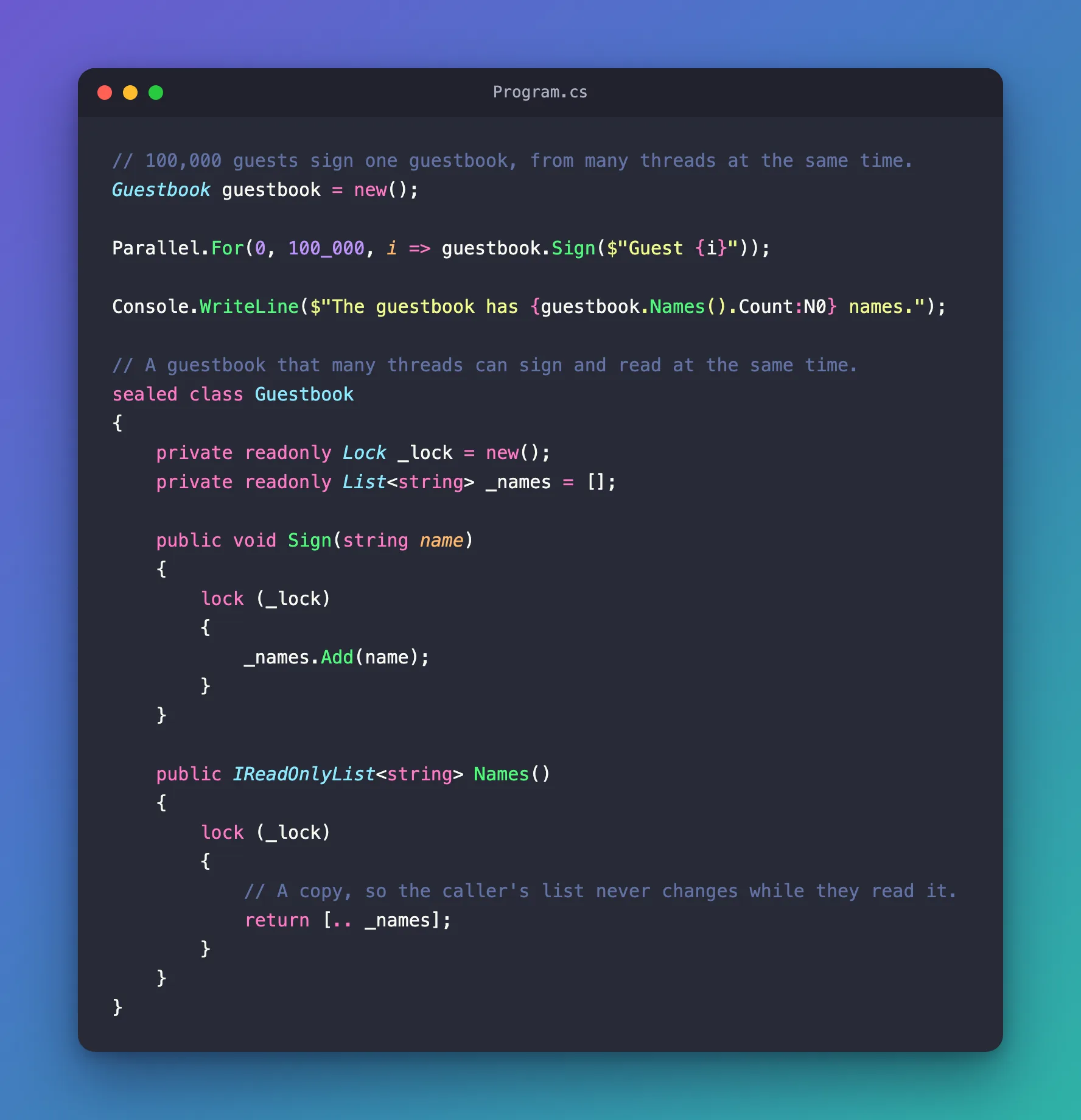
private readonly Lock _lock = new();belongs to the class. Nothing outside it can take the same lock, which is why the C# reference warns against lockingthis: callers might also lockthis.SignandNamesboth lock. Reading needs the lock too: a thread that reads while another one adds is the case theList<T>reference warns about.return [.. _names];returns a copy. The caller gets the names as they were at that moment, and can read them after the lock is released while other threads keep signing.
The output, on three runs:
The guestbook has 100,000 names.
The guestbook has 100,000 names.
The guestbook has 100,000 names.
The Rules That Come with a Lock
The C# reference lists a few rules, and each one prevents a real problem:
- No
awaitinside a lock. You can't use theawaitexpression in the body of alockstatement. Do the waiting before or after the lock, not inside it. - Hold it briefly. Hold a lock for as short time as possible to reduce lock contention. Every other thread that needs the lock waits until you're done.
- One lock for each set of shared data. Avoid using the same lock object instance for different shared resources, as it might result in deadlock or lock contention.
- Don't treat a
Lockas anobject.lock (x)on aLockuses the new type's own locking. The compiler also issues a warning if you cast a knownLockobject to another type and lock it, because then the older, slower kind of lock runs instead.
Common Mistakes
| Mistake | What happens | Do this instead |
|---|---|---|
| Locking only the code that changes the data | A thread that reads while another one changes the data can still fail | Lock every read and every change |
| Returning the list itself from inside the lock | The caller reads it after the lock is released, while other threads change it | Return a copy, such as [.. _names] |
Locking this or a string | Code outside your class can take the same lock | Use a private readonly Lock field |
Putting await inside the lock | The code doesn't compile | Wait before or after the lock |
FAQ
Is this still Monitor underneath?
Not when the type is Lock. For any other object, the reference says lock uses Monitor.Enter and Monitor.Exit. For a Lock, it uses Lock.EnterScope(), and the reference recommends the new type for best performance.
I already lock on new object(). Do I have to change it?
The old way still works. On .NET 9 and later, code-style rule IDE0330, Prefer 'System.Threading.Lock', flags places where you can use the .NET 9+ type System.Threading.Lock instead of an object lock. The rule's own example changes only the field: private object _gate = new object(); becomes private Lock _gate = new Lock();, and the lock (_gate) lines stay as they are.
Should I use a concurrent collection instead?
When the data is one collection and every operation is a single add or read, a collection from System.Collections.Concurrent can do the work for you: Microsoft describes them as thread-safe and scalable. When one operation changes several things that must stay consistent, such as a list and a counter together, a lock around all of them is simpler.
Conclusion
A List<T> that several threads change at once loses items or throws, and in this app it did so in every one of five runs. A private readonly Lock field and a lock statement around every read and change let only one thread at a time touch the data, and the count came out right every time. Keep the code inside the lock short, never await in it, and return copies instead of the data itself.
Additional Resources
- The lock statement — how
lockworks withSystem.Threading.Lock, and the guidelines. - System.Threading.Lock — the type's reference.
- List<T> thread safety — what is and isn't safe with a list.
- Prefer 'System.Threading.Lock' (IDE0330) — the code-style rule that suggests the new type.
