How to Use SemaphoreSlim as an Async Lock in C#

When two async calls must not run the same piece of code at the same time, such as opening a connection that should exist only once, C#'s lock statement can't help: it doesn't allow await inside. A SemaphoreSlim with one slot does the same job for async code. This guide shows the problem and the fix in one small program.
Syntax
private readonly SemaphoreSlim <gate> = new(1, 1);

await <gate>.WaitAsync();
try
{
    <code that only one caller at a time may run>
}
finally
{
    <gate>.Release();
}
| Part | What it is |
|---|---|
SemaphoreSlim | A lightweight alternative to Semaphore that limits the number of threads that can access a resource or pool of resources concurrently, in the reference's words |
new(1, 1) | One slot free now, and at most one slot ever: only one caller at a time gets in |
WaitAsync | Asynchronously waits to enter the SemaphoreSlim. Other callers wait here without blocking a thread |
try / finally | Makes sure the slot is given back, even when the code inside throws |
Release | Gives the slot back, so the next caller can enter |
Why Not lock?
The C# compiler refuses await inside a lock statement with error CS1996: Cannot await in the body of a lock statement. Microsoft's guide to async coordination explains why: The C# lock statement and Lock (.NET 9+) don't work across await boundaries because they're thread-affine, and its advice is Use SemaphoreSlim with a count of 1 instead.
The same guide adds the one rule you can't skip: Always pair WaitAsync with Release in a try/finally block. If you forget to release, the semaphore count never increases, and other callers wait indefinitely.
The Example
A Connection class opens a connection the first time it's used, which takes a second. Three requests use it at the same moment. Without a lock, all three see that it isn't open yet and open it. With a SemaphoreSlim, the first opens it and the other two wait, then use it.
Prerequisites
- The .NET 10 SDK.
dotnet --versionprints a version that starts with10.0.
Step 1: Create a Console App
dotnet new console -n AsyncLockDemo
cd AsyncLockDemo
Everything this program needs comes with .NET. Open the AsyncLockDemo folder in VS Code, or AsyncLockDemo.csproj in Visual Studio.
Step 2: See the Problem
Replace everything in Program.cs with:
// Three requests arrive at the same moment. Each needs the connection, which takes a second to open.
Connection connection = new();
await Task.WhenAll(
    connection.UseAsync("request 1"),
    connection.UseAsync("request 2"),
    connection.UseAsync("request 3"));

sealed class Connection
{
    private bool open;

    public async Task UseAsync(string caller)
    {
        if (!open)
        {
            Console.WriteLine($"{caller}: opening the connection...");
            await Task.Delay(TimeSpan.FromSeconds(1));
            open = true;
        }

        Console.WriteLine($"{caller}: using the connection");
    }
}
Task.WhenAllstarts the three calls together and waits for all of them.Task.Delaystands in for the second it takes to open a real connection.
Run the app:
- VS Code
- Visual Studio
In the terminal, in the AsyncLockDemo folder, run:
dotnet run
Press Ctrl+F5 (Debug > Start Without Debugging). The output appears in a console window.
request 1: opening the connection...
request 2: opening the connection...
request 3: opening the connection...
request 1: using the connection
request 3: using the connection
request 2: using the connection
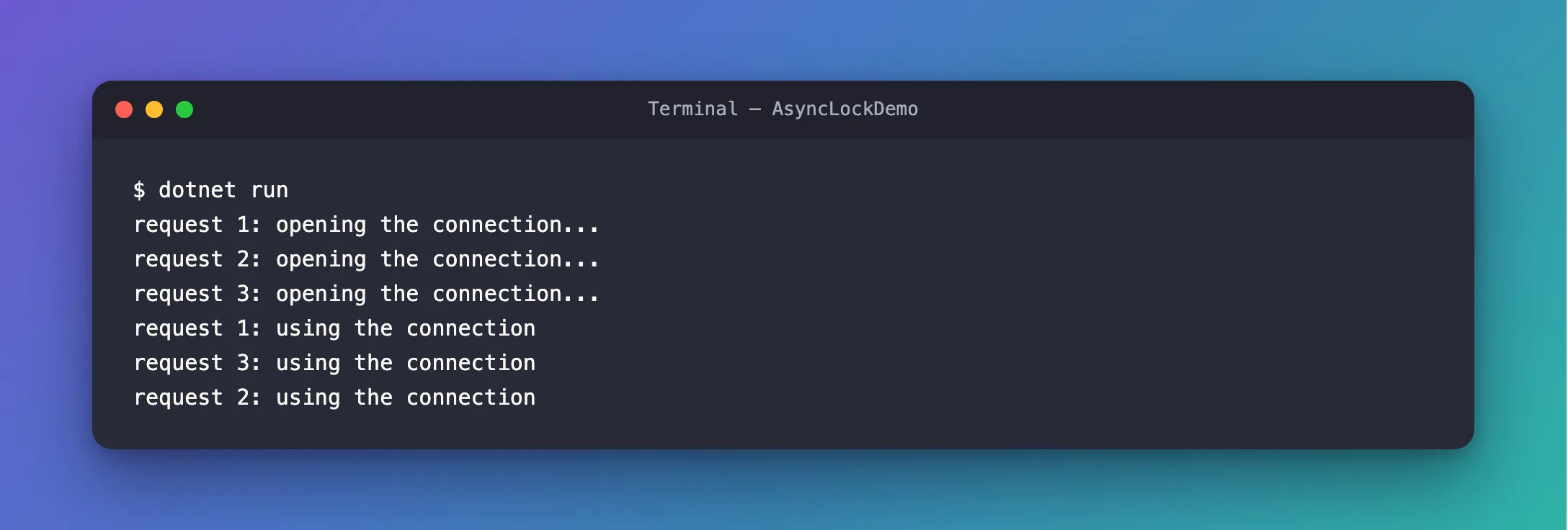
The connection was opened three times. Each request checked open before any of them had finished opening it, so each one saw false.
Step 3: Add the Async Lock
Replace the Connection class with:
sealed class Connection
{
    // One slot: only one caller at a time gets past WaitAsync.
    private readonly SemaphoreSlim openLock = new(1, 1);
    private bool open;

    public async Task UseAsync(string caller)
    {
        await openLock.WaitAsync();
        try
        {
            if (!open)
            {
                Console.WriteLine($"{caller}: opening the connection...");
                await Task.Delay(TimeSpan.FromSeconds(1));
                open = true;
            }
        }
        finally
        {
            openLock.Release();
        }

        Console.WriteLine($"{caller}: using the connection");
    }
}
- The check and the opening are now inside the lock, so only one caller at a time can look at
openand change it. - Using the connection stays outside: once it's open, the requests don't have to wait for each other.
Run the app again:
request 1: opening the connection...
request 1: using the connection
request 2: using the connection
request 3: using the connection
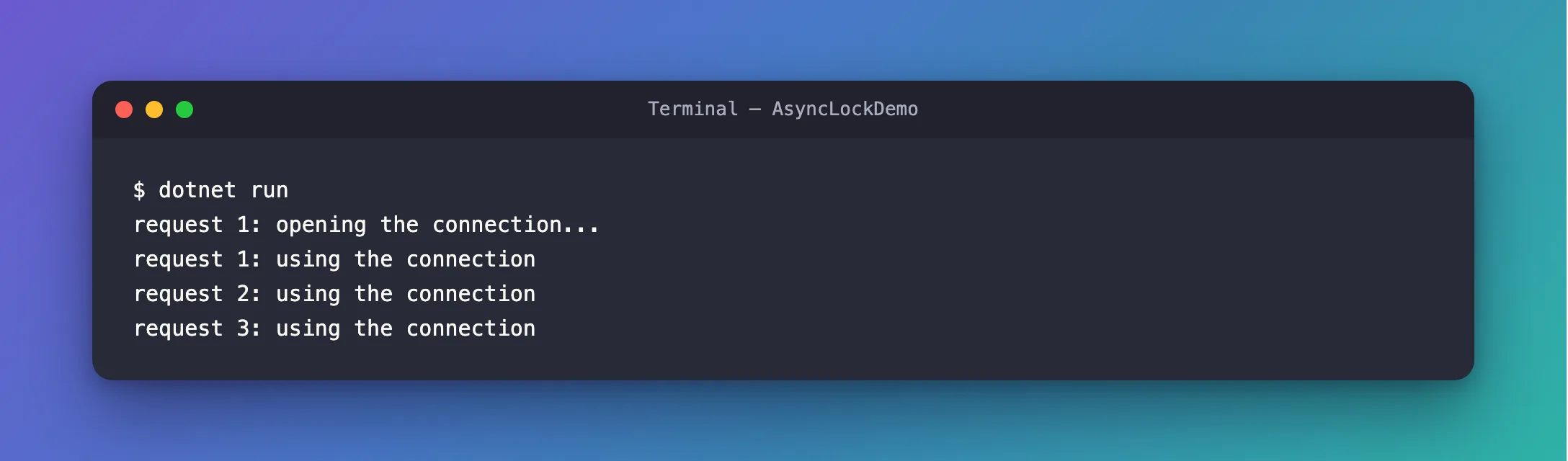
One opening. Requests 2 and 3 waited at WaitAsync while request 1 opened the connection, then found it open.
The Complete File
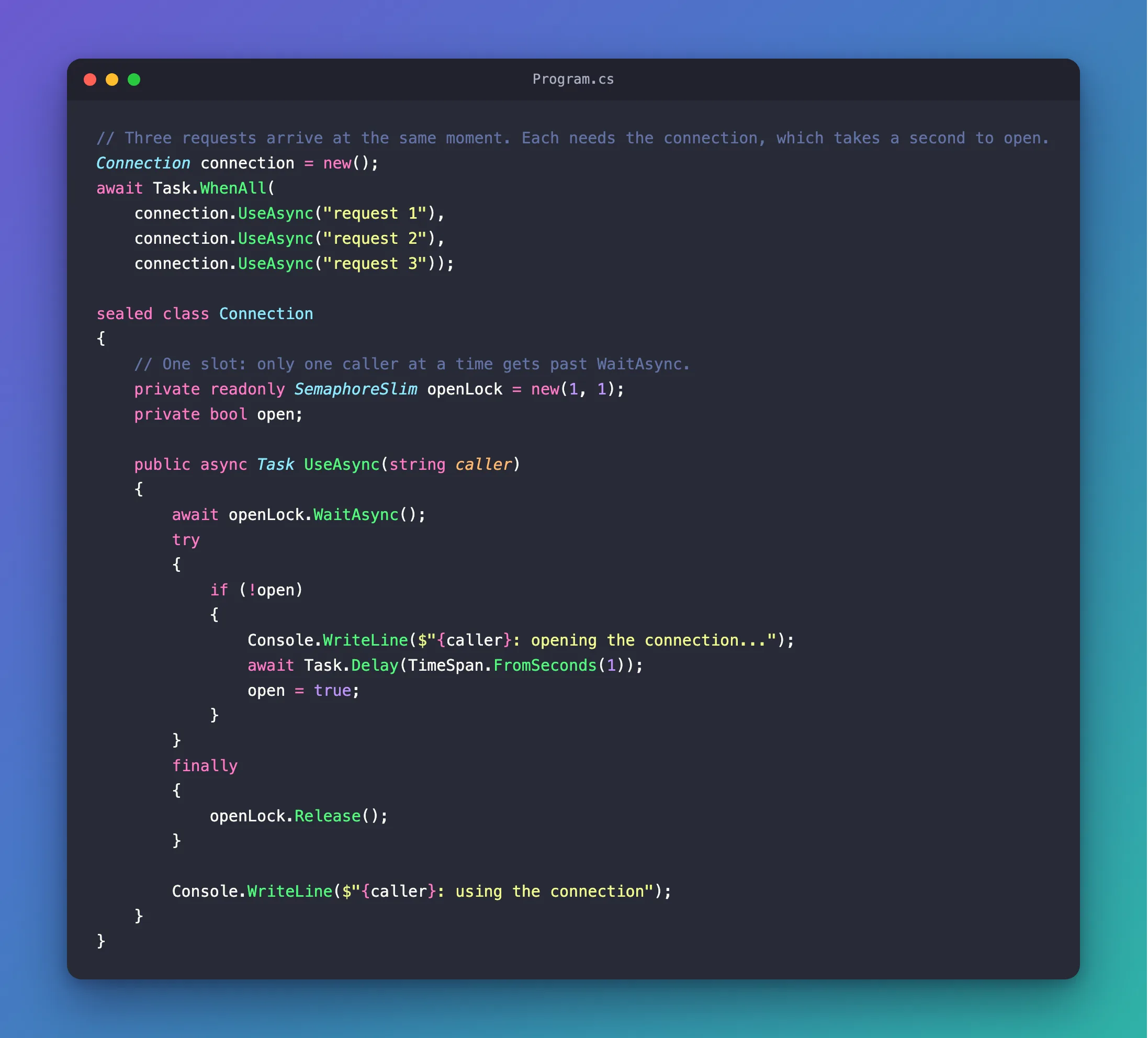
// Three requests arrive at the same moment. Each needs the connection, which takes a second to open.
Connection connection = new();
await Task.WhenAll(
    connection.UseAsync("request 1"),
    connection.UseAsync("request 2"),
    connection.UseAsync("request 3"));

sealed class Connection
{
    // One slot: only one caller at a time gets past WaitAsync.
    private readonly SemaphoreSlim openLock = new(1, 1);
    private bool open;

    public async Task UseAsync(string caller)
    {
        await openLock.WaitAsync();
        try
        {
            if (!open)
            {
                Console.WriteLine($"{caller}: opening the connection...");
                await Task.Delay(TimeSpan.FromSeconds(1));
                open = true;
            }
        }
        finally
        {
            openLock.Release();
        }

        Console.WriteLine($"{caller}: using the connection");
    }
}
Common Mistakes
| Mistake | What happens | Do this instead |
|---|---|---|
Calling Release outside a finally | When the code inside throws, the slot is never given back, and every later caller waits forever | Release in finally |
new SemaphoreSlim(1) without the maximum | An extra Release raises the count to 2, and two callers get in at once | Use new(1, 1), so an extra Release throws instead |
Calling Wait() instead of WaitAsync() in async code | Each waiting caller blocks a thread | Use WaitAsync |
| Putting slow work that doesn't need the lock inside it | Callers wait for each other for no reason | Keep only the shared check and change inside the lock |
FAQ
Can I pass a CancellationToken?
Yes. WaitAsync(cancellationToken) stops waiting when the token is canceled, which is useful in a web app when the caller goes away.
Does SemaphoreSlim need to be disposed?
It implements IDisposable. Dispose it when the class that owns it is disposed, and only when nothing is waiting on it any more: the reference says Dispose must be used only when all other operations on the SemaphoreSlim have completed.
Conclusion
C#'s lock can't contain await, so async code uses a SemaphoreSlim created with new(1, 1): await WaitAsync() to enter, the shared code in a try, and Release() in the finally. In this program it turned three openings of one connection into one, and the other requests waited without blocking a thread.
Additional Resources
- Async semaphores, locks, and reader/writer coordination — why
lockdoesn't work acrossawait, and theSemaphoreSlimpattern. - SemaphoreSlim class — counts,
WaitAsync,Releaseand thread safety. - Compiler errors for async methods — CS1996, Cannot await in the body of a lock statement.
