How to Use Route Constraints in ASP.NET Core Minimal APIs

{id:int} in a route means "this route only matches if the value is an integer". The difference from a plain {id} shows when someone sends /categories/abc: one answers 404, the other 400. This guide tries every common constraint with real requests, and covers where Microsoft says to stop using them.
Prerequisites
- An ASP.NET Core minimal API. The examples use .NET 10, with problem details set up, so errors have a body.
Step 1: Add a Constraint
The constraint goes after the parameter's name, with a colon:
group.MapGet("/{id:int}", GetAsync).WithSummary("Get one category");
An integer reaches the handler, and finds a row or not:
HTTP/1.1 200 OK
Content-Type: application/json; charset=utf-8

{
  "id": 1,
  "name": "Cables",
  "createdAtUtc": "2026-11-04T10:48:37.000261Z"
}
Step 2: See What Happens to Other Values
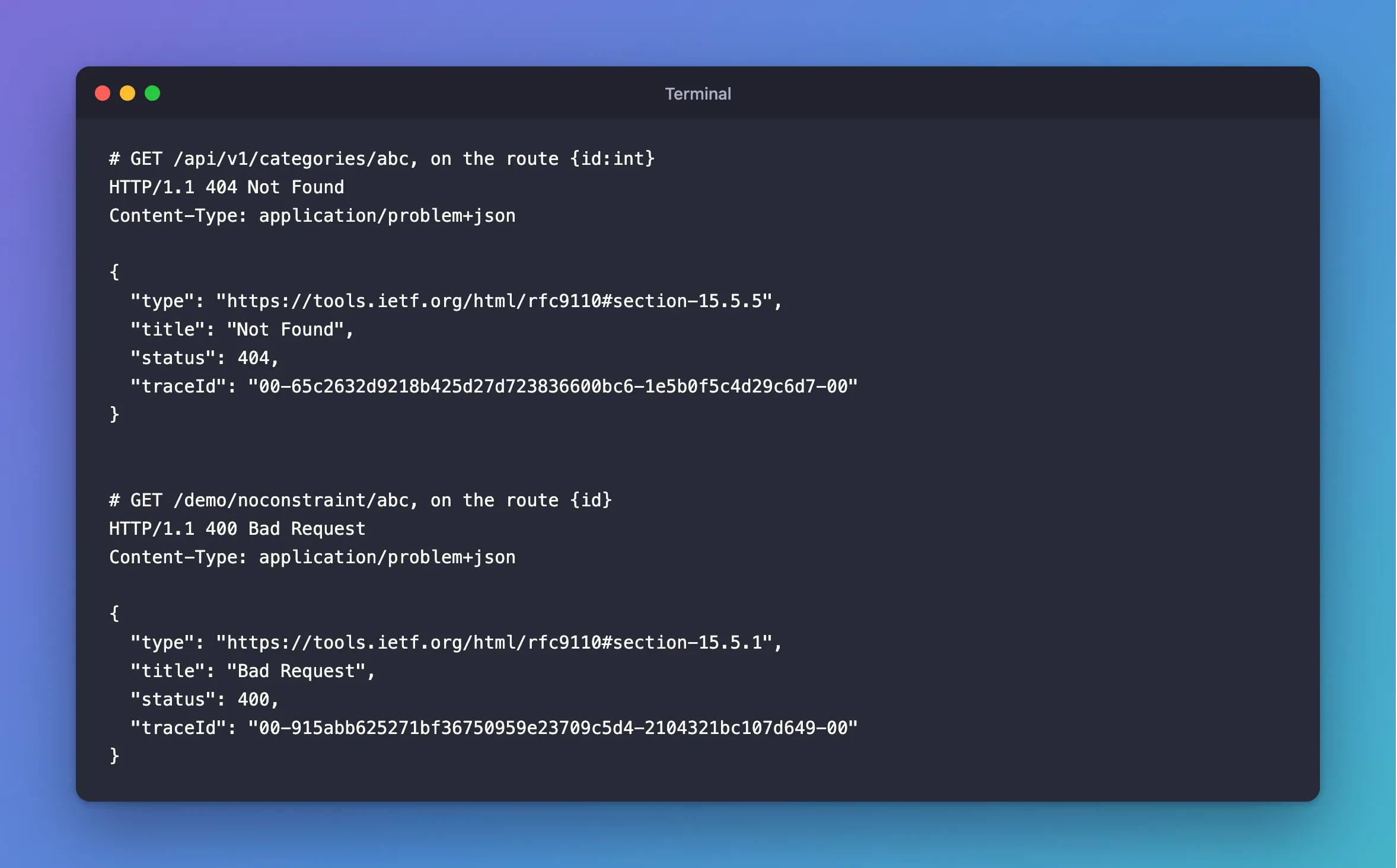
Text doesn't match the route, so the handler never runs:
HTTP/1.1 404 Not Found
Content-Type: application/problem+json

{
  "type": "https://tools.ietf.org/html/rfc9110#section-15.5.5",
  "title": "Not Found",
  "status": 404,
  "traceId": "00-65c2632d9218b425d27d723836600bc6-1e5b0f5c4d29c6d7-00"
}
A number too big for an int doesn't match either:
HTTP/1.1 404 Not Found
Content-Type: application/problem+json

{
  "type": "https://tools.ietf.org/html/rfc9110#section-15.5.5",
  "title": "Not Found",
  "status": 404,
  "traceId": "00-32ebf32639fbf019be61d78c4781ef6e-2b97d1ca4b95f9f5-00"
}
Step 3: Compare with No Constraint
Here's the same int parameter, with no constraint:
d.MapGet("/noconstraint/{id}", (int id) => Results.Ok(new { id }));
A number works as before. Text now matches the route, fails to convert, and answers 400:
HTTP/1.1 400 Bad Request
Content-Type: application/problem+json

{
  "type": "https://tools.ietf.org/html/rfc9110#section-15.5.1",
  "title": "Bad Request",
  "status": 400,
  "traceId": "00-915abb625271bf36750959e23709c5d4-2104321bc107d649-00"
}
| Route | /5 | /abc | The handler runs for abc? |
|---|---|---|---|
{id:int} | 200 | 404 | No |
{id} with int id | 200 | 400 | No |
So what's the point of a constraint? The handler is safe either way, because the parameter is an int. What changes is which answer the client gets, and whether another route can match instead. With a constraint, two routes can sit side by side, and the value decides between them:
d.MapGet("/things/{id:int}", (int id) => Results.Ok(new { matched = "the int route", id }));
d.MapGet("/things/{name}", (string name) => Results.Ok(new { matched = "the text route", name }));
{
  "matched": "the int route",
  "id": 5
}
{
  "matched": "the text route",
  "name": "abc"
}
Step 4: Try the Other Constraints
They can be combined, separated with colons. The routing page has the full table. These are the ones I ran:
d.MapGet("/min/{id:int:min(1)}", (int id) => Results.Ok(new { id }));
d.MapGet("/guid/{id:guid}", (Guid id) => Results.Ok(new { id }));
d.MapGet("/sku/{sku:regex(^[A-Z0-9-]+$)}", (string sku) => Results.Ok(new { sku }));
| Request | Answer | Why |
|---|---|---|
/demo/min/5 | 200 | An integer of at least 1 |
/demo/min/0 | 404 | Below min(1) |
/demo/guid/3f2504e0-4f89-11d3-9a0c-0305e82c3301 | 200 | A GUID |
/demo/guid/5 | 404 | Not a GUID |
/demo/sku/CBL-USBC-2M | 200 | Matches the pattern |
/demo/sku/cbl%20usbc | 404 | The space doesn't match |
Don't Use Them to Validate
That 404 for min(1) looks handy, but the routing page warns against it: "Don't use constraints for input validation. If constraints are used for input validation, invalid input results in a 404 Not Found response. Invalid input should produce a 400 Bad Request with an appropriate error message."
A 404 tells a client the address doesn't exist, not what's wrong with the value. The same section describes a constraint as making "a true or false decision about whether the value is acceptable" for that route. So use {id:int} to say which route handles which shape of address, and AddValidation to check values and explain what's wrong.
This API uses {id:int} on its IDs. /categories/abc answering 404 is also true: no such category exists.
A Related Answer: 405
A route that matches the address, but not the method, answers 405, and the Allow header lists what would work:
HTTP/1.1 405 Method Not Allowed
Content-Type: application/problem+json
Allow: DELETE, GET, PUT

{
  "type": "https://tools.ietf.org/html/rfc9110#section-15.5.6",
  "title": "Method Not Allowed",
  "status": 405,
  "traceId": "00-8dc1a63b80d8e4e7d6f41dff15c5ebb0-6b45158ad376328c-00"
}
Common Mistakes
| Mistake | What happens | Do this instead |
|---|---|---|
Using min or range to validate input | Clients get a 404 with no explanation | Use validation for values |
| A constraint that doesn't match the parameter's type | Requests pass the route, then fail to bind | Keep them the same type |
| Regex tokens in a route string | The page says they must be escaped | See its regex tips |
Expecting {id:int} to allow large IDs | Anything over int's limit answers 404 | Use {id:long} with long id |
FAQ
Should my API use constraints at all?
For IDs, {id:int} is common and harmless. Beyond separating routes, use validation.
Does the int constraint protect me from SQL injection?
Parameters already do that. A typed int id and EF Core's parameters mean the text never reaches the SQL.
Conclusion
A constraint decides whether a route matches, so a value that fails answers 404, and the handler never runs. A plain int parameter answers 400 instead. Use constraints to tell routes apart, and validation to check values, as the routing page advises.
Additional Resources
- Route constraints — every constraint, and the warning.
- Route parameters — in minimal APIs.
