How to Use Property Patterns in C#

An if chain that checks order.Quantity == 0, then order.Quantity > 10, then order.Price >= 20 repeats the object's name on every line. A property pattern says the same thing once per case, inside a switch expression or an is check, and the compiler warns you about cases that can never be reached.
A pattern is a test that a value either passes or fails. A property pattern tests a value's properties, each against its own pattern: a constant like 0, or a comparison like > 10. Microsoft's reference: A property pattern matches an expression when the expression result is non-null and every nested pattern matches the corresponding property or field of the expression result.
Syntax
bool <matches> = <value> is { <Property>: <pattern> };

<Type> <result> = <value> switch
{
    { <Property>: <pattern> } => <result1>,
    { <OtherProperty>: <pattern> } => <result2>,
    _ => <otherwise>,
};
| Part | What it is |
|---|---|
{ <Property>: <pattern> } | The property pattern. It matches when <value> isn't null and <Property> matches <pattern>. List more properties with commas, and all of them must match |
<pattern> | A constant such as 0, or a comparison with a constant: <, >, <= or >=, as in > 10 |
is | Tests one pattern and gives true or false. A name after the pattern holds the value when it matches: is { Quantity: > 0 } first |
switch | Tries each arm in order and gives the result after => of the first arm that matches |
_ | The discard pattern: it matches anything. It goes last, for every value the other arms don't match |
Microsoft's reference on the order: The result of a switch expression is the value of the expression of the first switch expression arm whose pattern matches the input expression and whose case guard, if present, evaluates to true. The switch expression arms are evaluated in text order.
The Example
A console app called PropertyPatterns has three orders, each with an ID, a quantity and a price. A switch expression gives each order a note from its properties, and an is check reads the quantity of the first order.
Prerequisites
- The .NET 10 SDK.
dotnet --versionprints a version that starts with10.0.
Step 1: Create a Console App
dotnet new console -n PropertyPatterns
cd PropertyPatterns
The template "Console App" was created successfully.

Processing post-creation actions...
Restoring /Users/you/source/PropertyPatterns/PropertyPatterns.csproj:
  Determining projects to restore...
  Restored /Users/you/source/PropertyPatterns/PropertyPatterns.csproj (in 58 ms).
Restore succeeded.
dotnet new console -n PropertyPatterns creates a folder named PropertyPatterns with a project file and a Program.cs, and cd moves into it. Patterns are part of the C# language, so there's no package to add.
Step 2: Write the Code
Replace everything in Program.cs with the orders:
Order[] orders = [new("A-1", 3, 25.00m), new("A-2", 0, 10.00m), new("A-3", 12, 4.50m)];
Three orders: A-1 has 3 items at 25.00, A-2 has none at 10.00, and A-3 has 12 items at 4.50. The m after each price makes it a decimal, the type for money.
Each order is a record. Add its one-line declaration at the very end of the file, where types go in a Program.cs like this one:
record Order(string Id, int Quantity, decimal Price);
Then, after the orders, the switch expression:
foreach (Order order in orders)
{
    string note = order switch
    {
        { Quantity: 0 } => "nothing to ship",
        { Quantity: > 10 } => "bulk order",
        { Price: >= 20 } => "high value",
        _ => "regular",
    };

    Console.WriteLine($"{order.Id}: {note}");
}
order switch { ... }tries the arms from top to bottom and gives the text of the first one that matches.{ Quantity: 0 }matches an order with no items.{ Quantity: > 10 }matches more than 10 items, and{ Price: >= 20 }a price of 20 or more._matches every order the arms above didn't.
And last, before the record, an is check:
if (orders[0] is { Quantity: > 0 } first)
{
    Console.WriteLine($"The first order ships {first.Quantity} items.");
}
orders[0] is { Quantity: > 0 } first is true when the first order has items, and then first holds that order, so the next line can read first.Quantity.
Step 3: Run It
Run it in VS Code's terminal, or press Ctrl+F5 in Visual Studio:
dotnet run
A-1: high value
A-2: nothing to ship
A-3: bulk order
The first order ships 3 items.
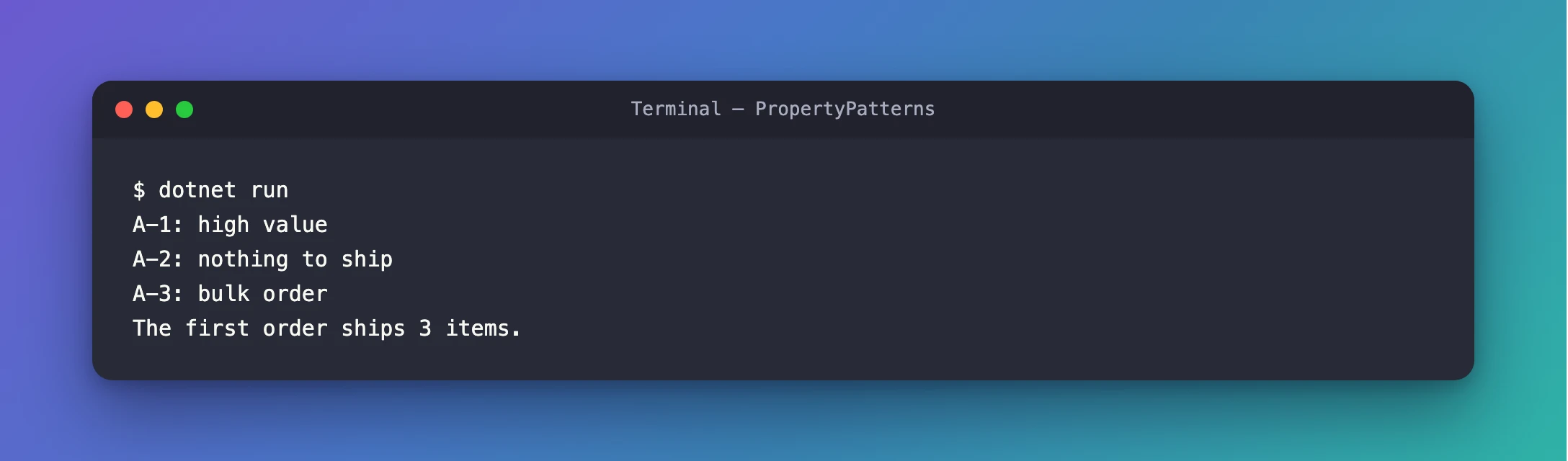
Each order got the note of the first arm it matched:
A-1has 3 items, so neither quantity arm matched, but its price of 25.00 did: high value.A-2has 0 items, which the first arm catches: nothing to ship.A-3has 12 items: bulk order. Its price was never checked, because an earlier arm had already matched.
The Complete File
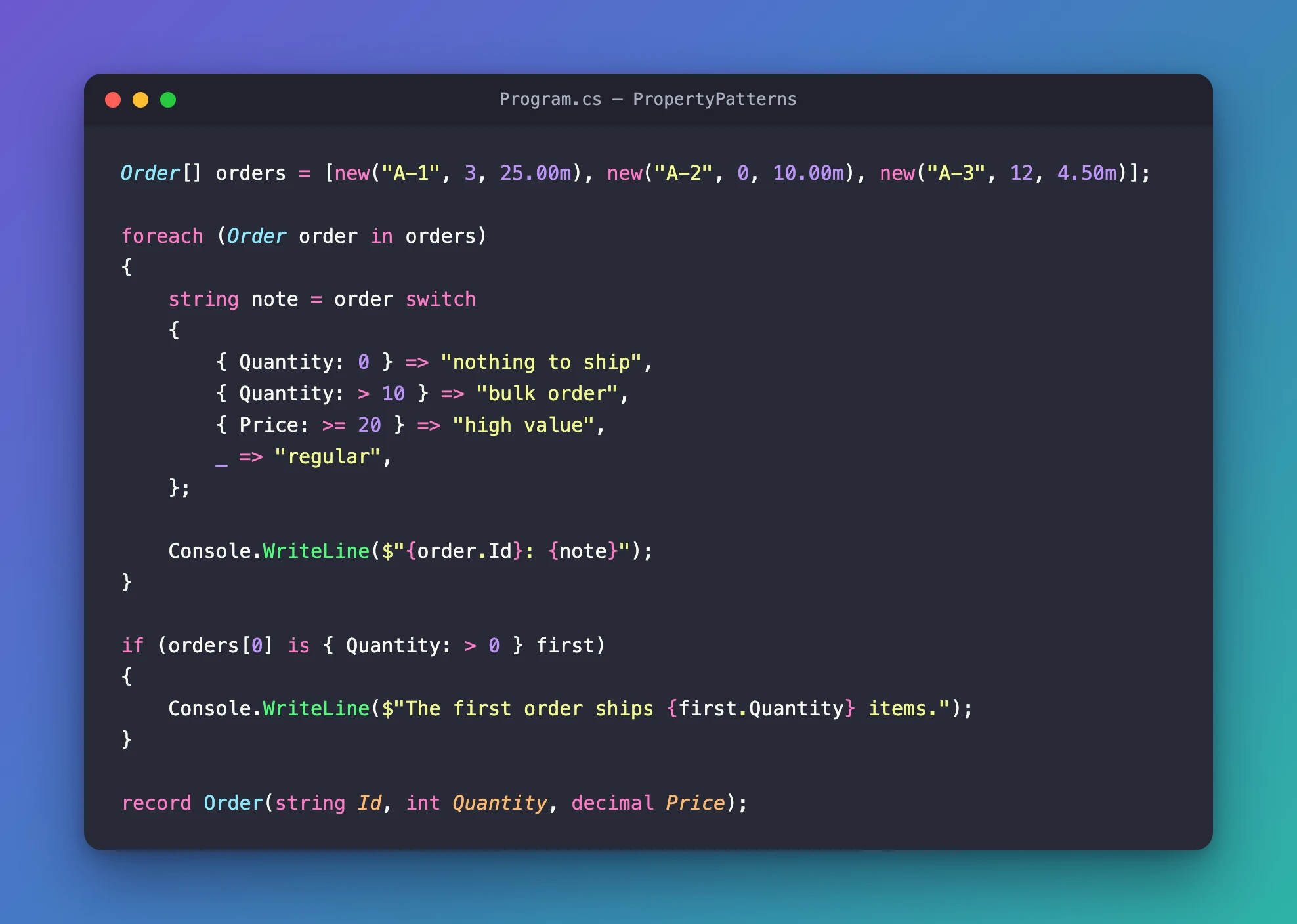
Order[] orders = [new("A-1", 3, 25.00m), new("A-2", 0, 10.00m), new("A-3", 12, 4.50m)];

foreach (Order order in orders)
{
    string note = order switch
    {
        { Quantity: 0 } => "nothing to ship",
        { Quantity: > 10 } => "bulk order",
        { Price: >= 20 } => "high value",
        _ => "regular",
    };

    Console.WriteLine($"{order.Id}: {note}");
}

if (orders[0] is { Quantity: > 0 } first)
{
    Console.WriteLine($"The first order ships {first.Quantity} items.");
}

record Order(string Id, int Quantity, decimal Price);
Common Mistakes
| Mistake | What happens | Do this instead |
|---|---|---|
Putting _ before other arms | The build fails: error CS8510: The pattern is unreachable. It has already been handled by a previous arm of the switch expression or it is impossible to match. | Put _ last |
Leaving out the _ arm | A warning when you build: warning CS8509: The switch expression does not handle all possible values of its input type (it is not exhaustive). For example, the pattern '{ Quantity: 1, Price: 0M }' is not covered. Then an order that no arm matches throws SwitchExpressionException: Non-exhaustive switch expression failed to match its input. when the line runs | End with _ => and a result for everything else |
| Putting a broad arm above a narrower one | The broad arm wins: an order of 12 items at 25.00 got bulk order, never high value | Put the arms in the order you want them tried |
FAQ
Does a property pattern match null?
No. Microsoft's reference says it matches when the expression result is non-null, and missing is { Quantity: > 0 } with missing set to null gave False, with no exception.
Can I test several properties at once?
Yes. Write them in the same braces, separated by commas. order is { Quantity: > 10, Price: >= 20 } was False for A-3, 12 items at 4.50, and True for an order of 12 items at 25.00: the pattern matches only when every property matches.
When is an if statement better?
When a test compares two values that are only known while the program runs, such as two properties of the same order. A relational pattern compares with a constant: Microsoft's reference says the right-hand part of a relational pattern must be a constant expression.
Conclusion
A property pattern, { Property: pattern }, tests a value's properties in a switch expression or an is check. The arms of a switch are tried in order and the first match wins, so here A-3 was a bulk order before its price was ever looked at, and the compiler caught an arm that could never be reached.
Additional Resources
- Patterns (C# reference) — property, relational and the other patterns.
- switch expression — arms, their order and exhaustiveness.
- Resolve errors and warnings in pattern matching expressions — CS8509, CS8510 and the rest.
