How to Use Object and Collection Initializers in C#

An object initializer sets properties right where you create the object: new Ticket { Id = "INC1001", Title = "VPN drops" }. A collection initializer does the same for the items of a list or a dictionary.
Microsoft's guide: Object initializers let you assign values to any accessible fields or properties of an object when you create it. You don't need to invoke a constructor and then use assignment statements. For collections: By using a collection initializer, you don't have to specify multiple calls; the compiler adds the calls automatically.
Syntax
<Type> <value> = new() { <Property1> = <value1>, <Property2> = <value2> };
List<T> <list> = new() { <item1>, <item2> };
Dictionary<TKey, TValue> <map> = new() { [<key1>] = <value1>, [<key2>] = <value2> };
| Part | What it is |
|---|---|
{ <Property> = <value>, ... } | An object initializer: sets properties as the object is created |
{ <item1>, <item2> } | A collection initializer: calls Add once for each item |
{ [<key>] = <value> } | An index initializer: sets each key through the indexer |
<Property> = { <item1>, ... } | Adds items to a list the object already has, even through a read-only property |
The Example
A console app called Initializers creates a ticket with two tags, a list of cities and a dictionary of stock, each in a single statement.
Prerequisites
- The .NET 10 SDK.
dotnet --versionprints a version that starts with10.0.
Step 1: Create a Console App
dotnet new console -n Initializers
cd Initializers
The template "Console App" was created successfully.

Processing post-creation actions...
Restoring /Users/you/source/Initializers/Initializers.csproj:
  Determining projects to restore...
  Restored /Users/you/source/Initializers/Initializers.csproj (in 45 ms).
Restore succeeded.
dotnet new console -n Initializers creates a folder named Initializers with a project file and a Program.cs, and cd moves into it. Everything this example uses is part of .NET, so there's no package to add. Open the folder in VS Code, or Initializers.csproj in Visual Studio.
Step 2: Write the Code
Replace everything in Program.cs. First the ticket:
// An object initializer, with a collection initializer for its read-only Tags list.
Ticket ticket = new() { Id = "INC1001", Title = "VPN drops", Tags = { "network", "vpn" } };
Tags = { "network", "vpn" } adds two items to the list the ticket already has: Tags is read-only, but its list isn't.
Then a list and a dictionary:
// A collection initializer for a list.
List<string> cities = new() { "Tokyo", "London" };

// An index initializer for a dictionary.
Dictionary<string, int> stock = new()
{
    ["apples"] = 12,
    ["pears"] = 5,
};
Print all three:
Console.WriteLine($"{ticket.Id}: {ticket.Title} ({string.Join(", ", ticket.Tags)})");
Console.WriteLine(string.Join(", ", cities));
Console.WriteLine($"apples {stock["apples"]}, pears {stock["pears"]}");
And add the Ticket class at the end of the file:
class Ticket
{
    public string Id { get; set; } = "";
    public string Title { get; set; } = "";
    public List<string> Tags { get; } = [];
}
Step 3: Run It
Run it in VS Code's terminal, or press Ctrl+F5 in Visual Studio:
dotnet run
INC1001: VPN drops (network, vpn)
Tokyo, London
apples 12, pears 5
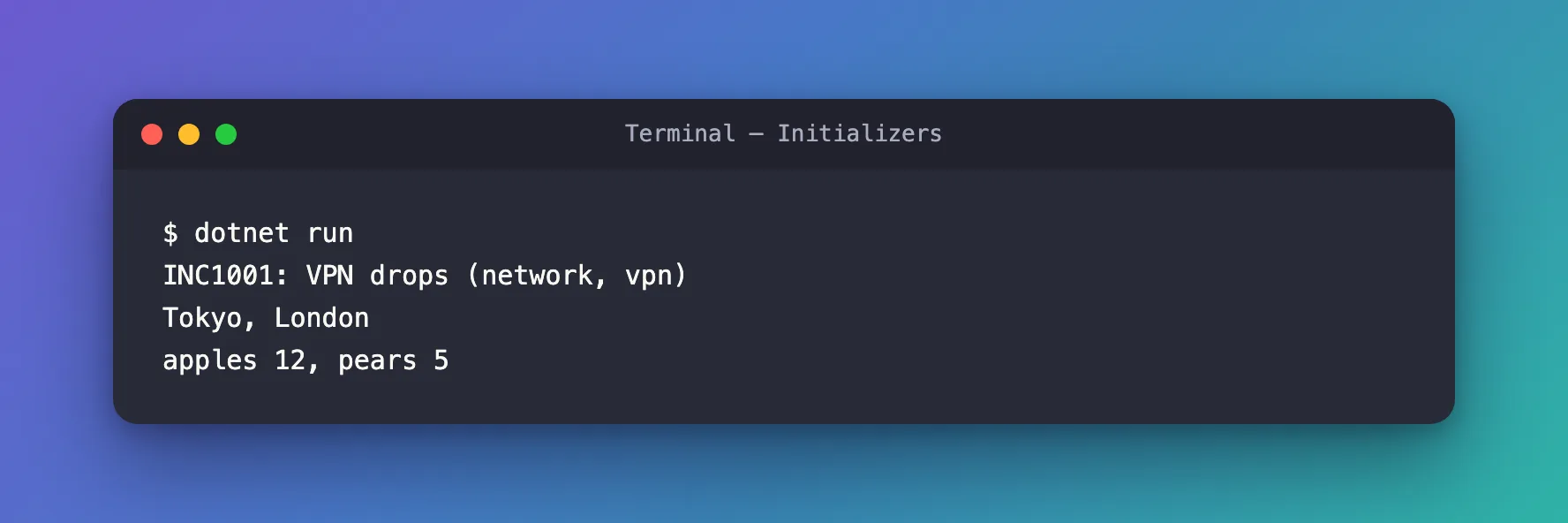
The ticket got its ID, its title and both tags, the list its two cities, and the dictionary its two keys, all set where each object was created.
The Complete File
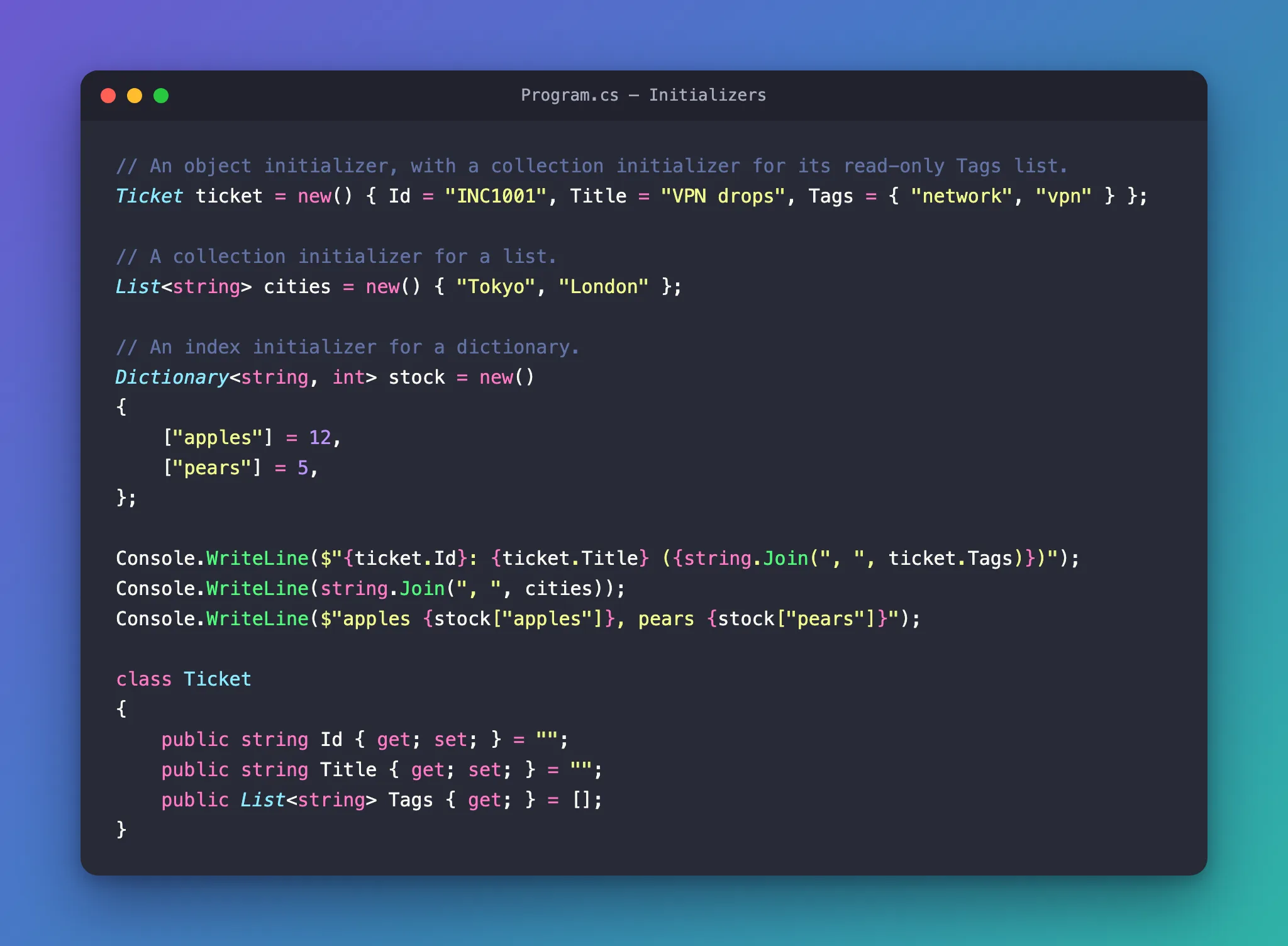
// An object initializer, with a collection initializer for its read-only Tags list.
Ticket ticket = new() { Id = "INC1001", Title = "VPN drops", Tags = { "network", "vpn" } };

// A collection initializer for a list.
List<string> cities = new() { "Tokyo", "London" };

// An index initializer for a dictionary.
Dictionary<string, int> stock = new()
{
    ["apples"] = 12,
    ["pears"] = 5,
};

Console.WriteLine($"{ticket.Id}: {ticket.Title} ({string.Join(", ", ticket.Tags)})");
Console.WriteLine(string.Join(", ", cities));
Console.WriteLine($"apples {stock["apples"]}, pears {stock["pears"]}");

class Ticket
{
    public string Id { get; set; } = "";
    public string Title { get; set; } = "";
    public List<string> Tags { get; } = [];
}
Common Mistakes
| Mistake | What happens | Do this instead |
|---|---|---|
Repeating a key in a dictionary filled with { key, value } pairs | Those pairs call Add, and { { "a", 1 }, { "a", 2 } } threw ArgumentException: An item with the same key has already been added. Key: a | Use index initializers when a later value may replace an earlier one: ["a"] = 1, ["a"] = 2 ended with a = 2 |
| Giving a read-only list property a new list | new() { Tags = new List<string>() } doesn't build: error CS0200: Property or indexer 'Ticket.Tags' cannot be assigned to -- it is read only | Add to the existing list with Tags = { "network", "vpn" } |
FAQ
Can I use an initializer with a constructor that takes arguments?
Yes. Microsoft's guide: The object initializer syntax enables you to specify arguments for a constructor or omit the arguments and parentheses.
Why do the two dictionary styles behave differently?
They call different methods. The guide: These two different ways to initialize associative collections have slightly different behavior because of the method calls the compiler generates. Index initializers set a key, which can overwrite; { key, value } pairs call Add, which refuses a key that's already there.
Conclusion
Initializers set an object's properties and fill its collections in the statement that creates it: { Property = value } for properties, { item, item } for lists and { [key] = value } for dictionaries. A read-only list can still be filled with Property = { ... }.
Additional Resources
- Object and collection initializers — every kind of initializer.
