How to Use Not in Power Apps (Not and !)

Not flips a true-or-false value: true becomes false, false becomes true. You'll use it constantly with checks like IsEmpty and IsBlank, which answer the opposite of the question you usually want to ask. Power Fx lets you write it as a function, Not(...), or as the ! operator.
Syntax
Not( Boolean )
! Boolean
Both mean the same thing (operators reference). Its partners are And (&&) and Or (||).
Prerequisites
- A canvas app with a Text control to try formulas in. The example uses the Career Development Plan app, from Part 4 of the series, and its
MyDirectReportstable (see How to Get a User's Direct Reports in Power Apps).
Step 1: Flip IsEmpty
IsEmpty(MyDirectReports) asks "does this person have no reports?". The useful question is the opposite: "do they have reports?":
Not(IsEmpty(MyDirectReports))
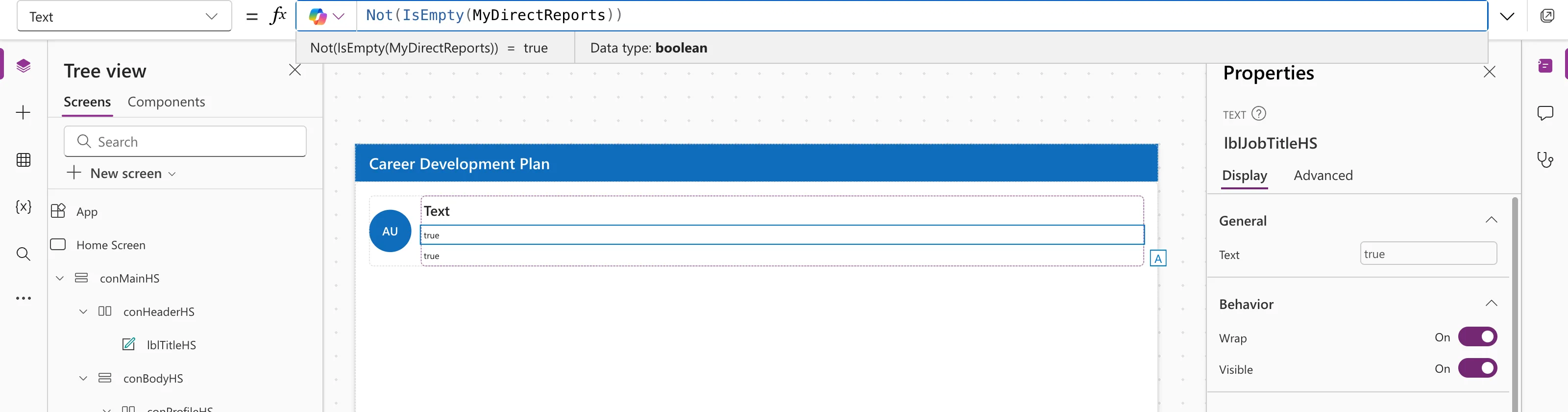
Step 2: Name It
The example turns that into a named formula, written with !:
IsManager = !IsEmpty(MyDirectReports);
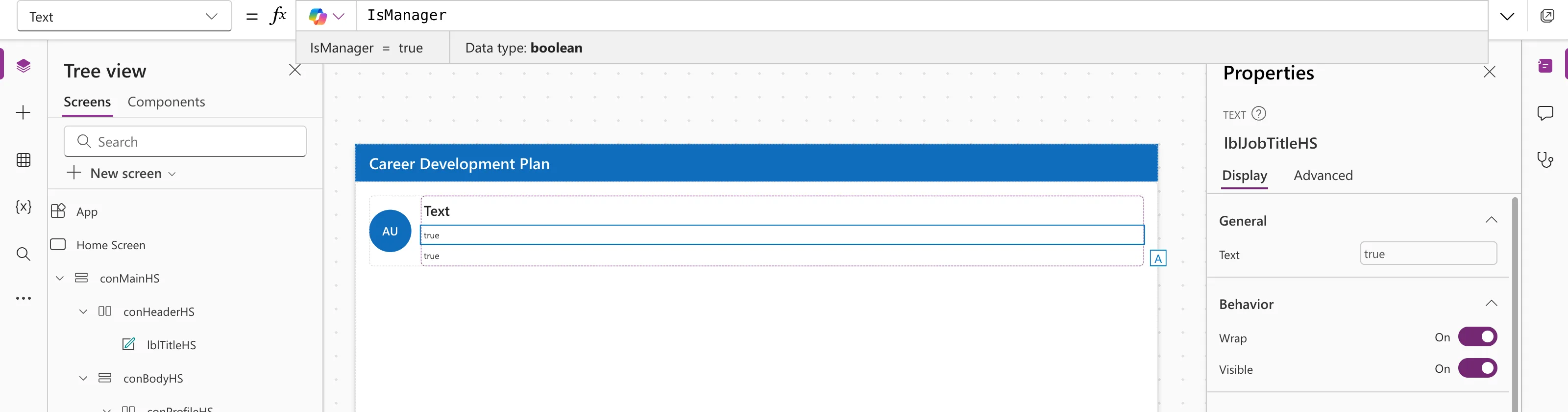
IsManager then shows the My team button only to managers; see How to Show or Hide a Control in Power Apps with Visible. There, !IsManager gives false for a manager, which is how the example tested the hidden state.
Tip: Seeing the Result in Studio
The preview strip shows the value of the part of the formula your cursor is in. With !IsEmpty(MyDirectReports), it showed the value of IsEmpty(...) (false), not of the whole formula. Writing Not(...) while testing, or checking the named formula itself, shows the flipped value.
Common Mistakes
| Mistake | What happens | Do this instead |
|---|---|---|
Double negatives, such as If(!IsBlank(x), …) with the branches swapped to match | Logic that's hard to follow | Test the positive case, If(IsBlank(x), …), and order the branches to match |
! before something that isn't true or false | An error or a surprising result | Only flip true-or-false values |
Forgetting brackets: !A && B vs !(A && B) | Different results | Add brackets to show what you mean |
FAQ
Not or !?
Same result. ! is shorter; Not reads more like English. Pick one per app.
Is there "not equal"?
Yes: <>, as in Status <> "Approved".
How do I combine conditions?
With And (&&) and Or (||): IsManager && !IsBlank(MyJobTitle).
Conclusion
Not(x) and !x turn true into false and back. Use them to turn "is it empty?" into "does it have anything?", and name the result when you use it more than once.
Additional Resources
- And, Or, and Not functions: the logical functions.
- Operators and identifiers:
!,&&,||and<>.
